Apple USB-C Digital AV Adapter Review: Strong but Limited
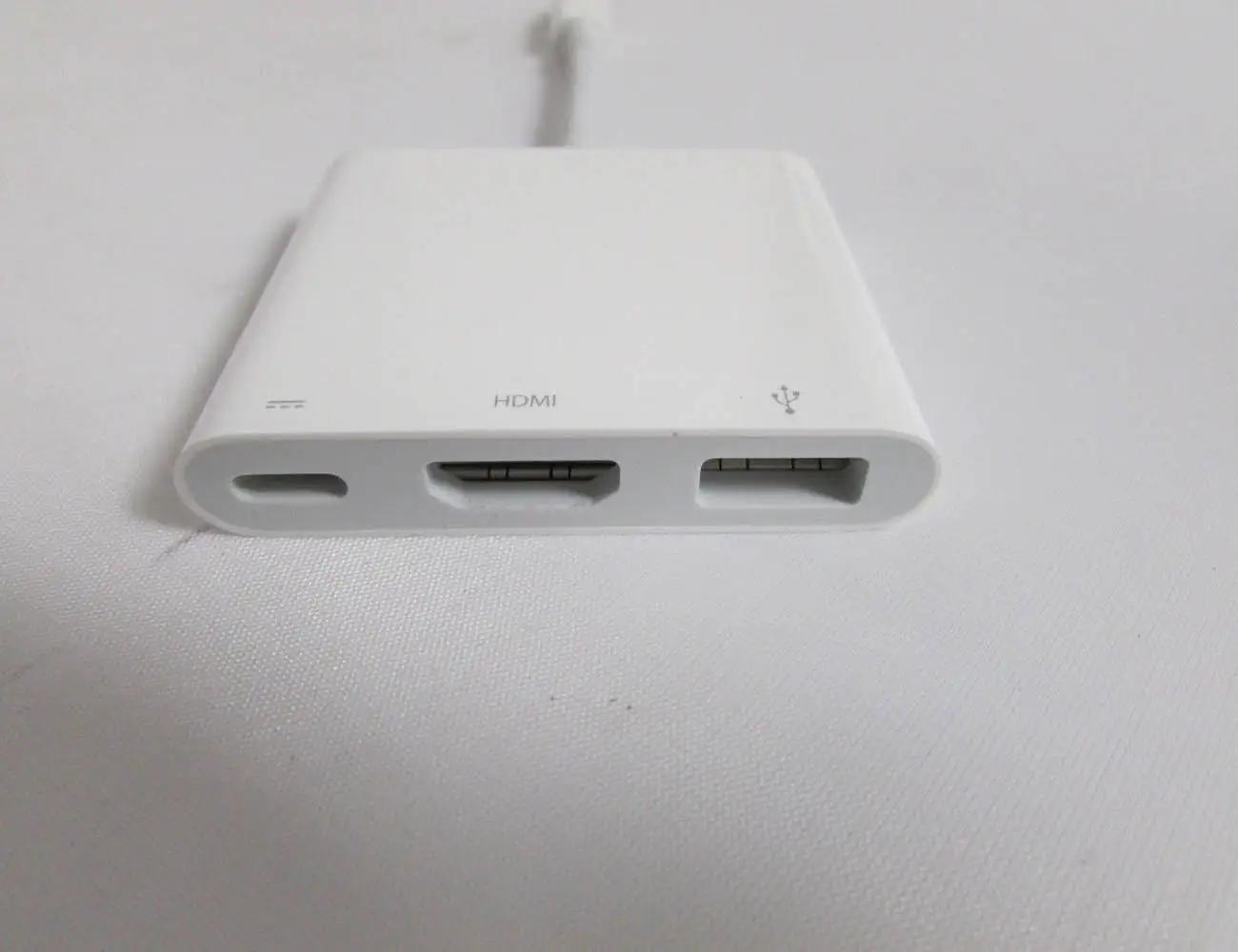
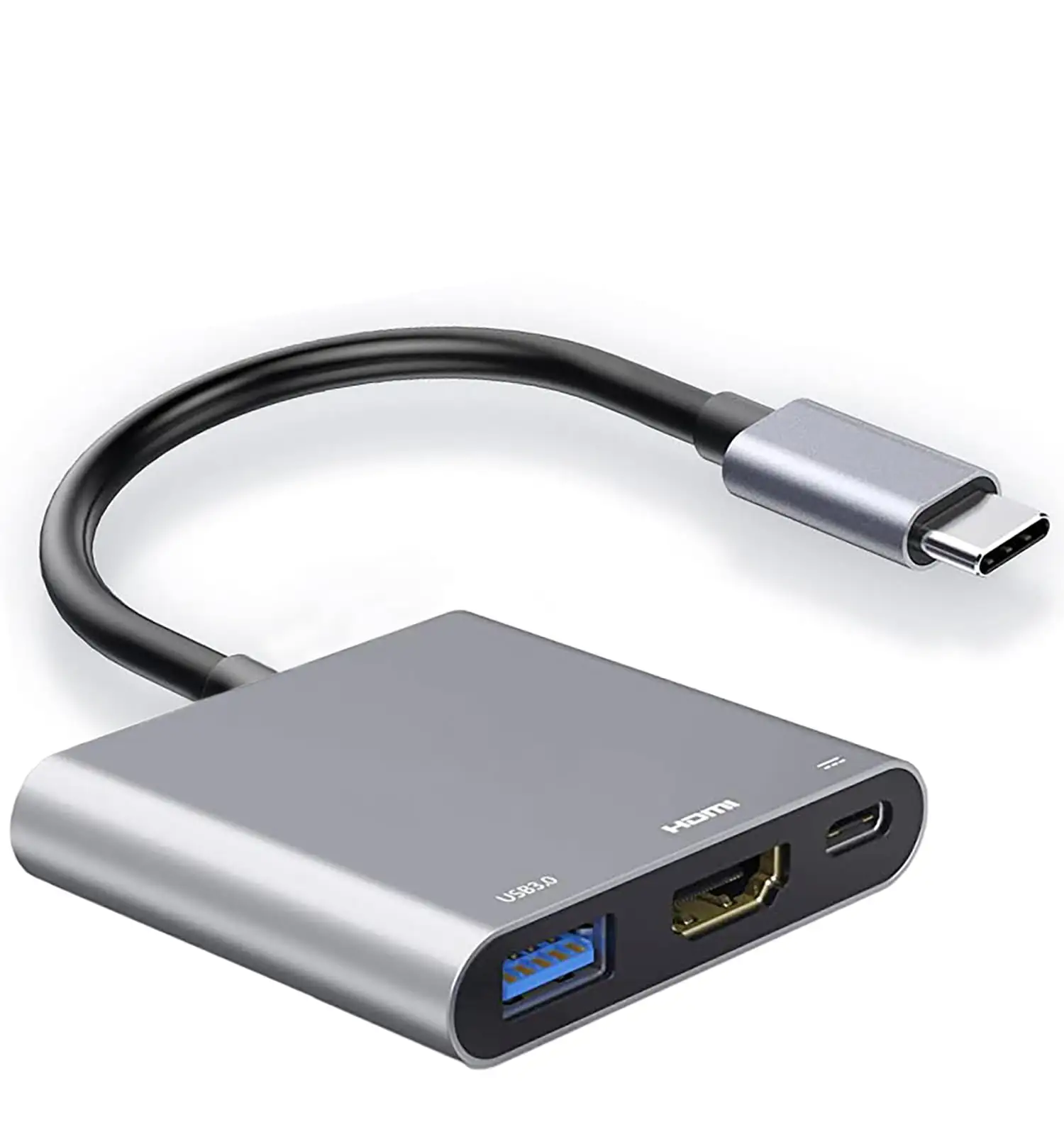
A surprising number of power users report that the Apple USB‑C Digital AV Multiport Adapter is both an indispensable tool and a source of frustration, earning it a solid 8.3/10 in aggregated sentiment. While it delivers reliable HDMI output and USB connectivity for most, hidden limitations—like a USB‑C port that’s charging‑only—catch some buyers off guard.
Quick Verdict: Conditional — excellent for those prioritizing compatibility and build quality, but overkill if you just need basic HDMI output.
| Pros | Cons |
|---|---|
| Reliable HDMI output up to 4K/60Hz on supported devices | High price compared to third‑party options |
| Works seamlessly with Macs, iPads, and iPhones | USB‑C port is charging‑only, no data/video passthrough |
| Compact, travel‑friendly design | Can get warm during extended use |
| Allows charging while connected to HDMI | Limited number of ports |
| Strong build quality | Reports of slow USB‑A speeds in some setups |
Claims vs Reality
Apple markets the adapter as a way to “connect your USB‑C–enabled Mac, iPad or iPhone to an HDMI display, while also connecting a standard USB device and a USB‑C charging cable.” On paper, this sounds like a full‑featured hub. In reality, multiple users discovered the USB‑C port’s limitations. An Apple Community poster complained: “it appears the… adapter is only partly a ‘multi’ device. One‑third of it, the USB‑C, is crippled and only good for charging, not for data or devices.” This is technically stated in Apple’s specs, but easily overlooked.
Another marketing highlight is support for “3840x2160 at 60Hz” on newer Macs, iPads, and iPhones. While users confirm this on compatible devices, others—particularly with older MacBook Pro 13‑inch models—found themselves capped at 30Hz. Reddit discussions repeatedly stress checking Apple’s resolution chart before buying to avoid disappointment.
Finally, Apple promotes the adapter as supporting “both video and audio output.” This largely holds true, with Best Buy reviewers praising smooth playback for movies, games, and presentations. One noted it “worked for output with Disney+ downloads, Amazon Prime, Netflix,” even on DRM‑protected content. However, a Twitter/X user reported that after a macOS 15.4 update, the unit “no longer [passed] power/data through to the iPhone… likely failing USB negotiation.”
Cross‑Platform Consensus
Universally Praised
Across Best Buy, Reddit, and Amazon, the most consistent praise is for the adapter’s plug‑and‑play HDMI reliability. Educators, presenters, and creatives say it “just works” when connecting to projectors or TVs. A verified Best Buy buyer wrote: “I needed a way to send the iPad screen to an old TV or projector while charging… this worked perfectly!” For travelers, the compact build is another win—Reddit user feedback calls it “super portable and convenient,” with some keeping a spare unit in their bag.
The ability to charge while outputting video is a lifesaver for long sessions. A DJ on Best Buy said they could “DJ videos (HDMI) [and] charge my laptop all the same time.” Families use it for outdoor movie nights, with one reviewer noting flawless playback for streaming services while keeping the iPad topped up.
Compatibility breadth also earns high marks. Users report success not just with Macs and iPads, but also Nintendo Switch and even certain Windows setups via USB‑C. One Redditor uses it daily with a Surface Pro 7: “It’s expensive but… this one does 100%.”
Common Complaints
The price is by far the most common sticking point. Best Buy reviewers repeatedly call it “a bit pricey” or “ridiculously overpriced,” especially when third‑party hubs offer more ports for less. Reddit threads often suggest finding it used on eBay for $20–$30 instead of paying $69–$85 retail.
The USB‑C port limitation is a source of genuine frustration. Trustpilot and Apple Community posts show users assuming it could handle data, only to learn it’s charging‑only. One buyer lamented: “a very expensive adaptor to only have 2 out of 3 inputs work as described.”
Heat is another minor but noted issue. A Russian‑language review translated to “it sometimes overheats with prolonged use,” and multiple Best Buy users said the adapter gets “warm to the touch if all ports are being used.”
Divisive Features
USB‑A performance divides opinion. Some, like an Apple Community member, found file transfers from a USB 3.0 hard drive “extremely slow… a 5GB file… 6 hour transfer estimate.” Others report full USB 3 speeds with SSDs. This suggests performance may depend on cable quality, device compatibility, or background system activity.
The port count also splits the crowd. Minimalists find the three ports adequate for presentations and basic workflows. Power users, however, see it as restrictive. One Best Buy reviewer wished for “one more port for the price or at least full charging through the USB‑C.”
Trust & Reliability
Long‑term reliability is one of the adapter’s strengths. Best Buy reviews include many “must‑buy” endorsements after years of intermittent use for work and travel. One owner used it for six months with frequent HDMI presentations without issue. Redditors also report stable performance with multi‑display setups—one M1 user runs three monitors using this adapter plus a DisplayLink dongle.
However, software updates can introduce problems. The Twitter/X report of functionality loss after macOS 15.4 shows that even genuine Apple accessories aren’t immune to firmware‑level regressions. This underlines the importance of keeping both macOS and device firmware current.
Alternatives
The most frequently mentioned alternatives are third‑party USB‑C to HDMI hubs from brands like CalDigit or Plugable. Reddit users point out that these often have more ports and cost less, but compatibility with Apple devices—especially iPads—can vary. For Nintendo Switch owners, some use the Apple adapter in place of the OEM dock when traveling, citing reliability, while others prefer cheaper Switch‑specific travel docks.
For buyers needing Ethernet or SD card slots, a larger dock may be a better investment. One Reddit commenter advised: “If you want… a ton of ports… get a dock… pricier but solid.”
Price & Value
At Apple retail, the adapter is $69–$85 depending on region. eBay listings show a wide secondary‑market range—open‑box units as low as NZD 25 ($15 USD), sealed new stock around NZD 60 ($37 USD). The high resale rate suggests strong demand, especially from buyers wary of third‑party compatibility.
Community buying tips include:
- Watch for open‑box deals at Best Buy or Amazon Warehouse.
- Check eBay for authentic models (A2119 is the latest).
- Avoid aftermarket clones that may lack 4K/60Hz support.
FAQ
Q: Does the USB‑C port on the adapter support data or video?
A: No. Multiple users confirm the USB‑C port is charging‑only. It cannot transfer data or output video—only power your Mac, iPad, or iPhone.
Q: Can it output 4K at 60Hz on all devices?
A: No. Only certain newer Macs, iPads, and iPhones support 4K/60Hz. Older models may be limited to 4K/30Hz or 1080p/60Hz. Check Apple’s compatibility chart before purchase.
Q: Is it worth paying Apple’s price over a third‑party hub?
A: For maximum compatibility and reliability—especially with iPads—many say yes. If you just need HDMI output for a Mac, cheaper hubs may suffice.
Q: Does it work with Nintendo Switch?
A: Yes, several Reddit users report success, especially for travel use instead of the full dock. However, it’s not officially marketed for Switch.
Q: Can it get hot during use?
A: Yes. Some users note it becomes warm when all ports are active for long periods, though this hasn’t generally led to failures.
Final Verdict: Buy if you’re an Apple device owner who needs dependable HDMI output with charging in a compact form—especially for presentations, travel, or multi‑display workflows. Avoid if you expect the USB‑C port to handle data/video or if you need more than three ports. Pro tip from the community: save money by buying open‑box or gently used from trusted sellers, but verify it’s the latest model A2119 for best performance.