Logitech B100 Wired Mouse Review: Comfort vs Limitations
The surprising finding from multiple platforms is that the Logitech B100 Wired Mouse - Black has an almost cult-like following for its shape and simplicity, even among some gamers, despite being marketed strictly as an office peripheral. Based on aggregated feedback, it scores 8.2/10 for budget-conscious users seeking a reliable, no-frills wired mouse.
Quick Verdict: Conditional — Highly recommended for office, educational, and general use; not ideal for competitive gaming.
| Pros | Cons |
|---|---|
| Comfortable ambidextrous shape praised across platforms | Fixed 800 DPI not adjustable |
| Extremely affordable, often under $10 | Scroll wheel can feel rough or scratchy |
| Plug-and-play with wide OS compatibility | Limited to 3 buttons, no extra functions |
| Durable enough for years in typical use | Some reports of early button failure |
| Lightweight for effortless movement | Feels hollow/cheap to some users |
| Tracks well on most surfaces | Not suited for high-speed FPS gaming |
Claims vs Reality
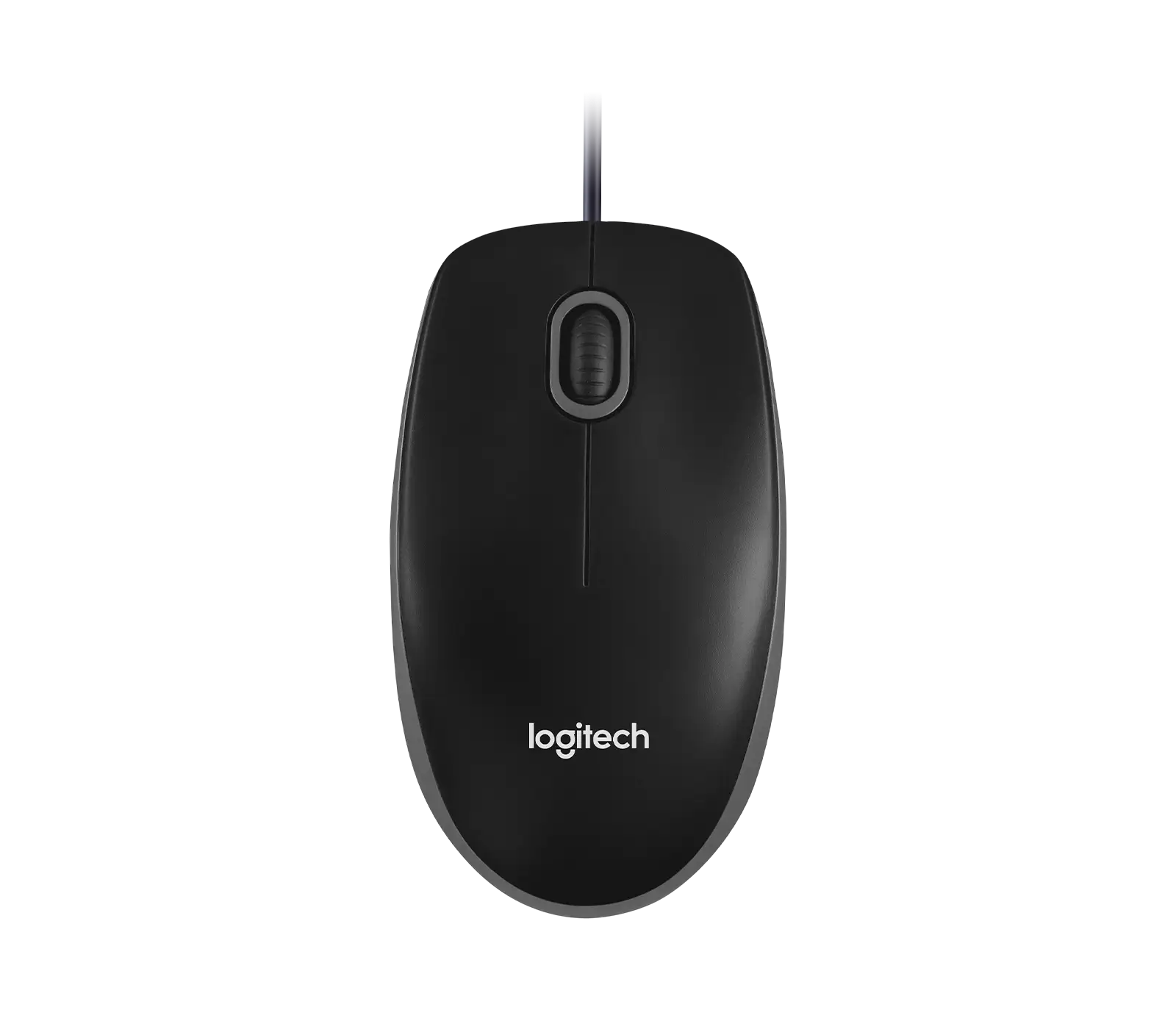
Logitech promotes the B100 as having an “ambidextrous shape for all-day comfort.” Digging deeper into user reports, this claim holds up strongly. A Reddit user explained: “We use this at work and the shape is perfect. I've tried 15+ mice and... would take this shape over everything.” Multiple Amazon UK reviewers also affirmed it “fits comfortably in my hand” and “works better than my wireless” for long sessions.
Marketing materials list “800 DPI sensitivity” for precise cursor control, though Logitech’s business page at times lists “1000± DPI.” In reality, users across Reddit and Staples confirm it performs well for everyday navigation, but gamers find it limiting. One Reddit comment noted: “I wouldn’t want to play any fast-paced games with it... strategy and turn-based would be okay.” A Twitter product page also warns the fixed DPI “may not be ideal for gaming.”
The brand touts “side-to-side scrolling plus zoom” as a spreadsheet-friendly feature. While this exists, most user feedback focuses more on the basic vertical scrolling. Some UK Amazon reviewers described the wheel as “rough” or “scratchy,” suggesting this advertised feature is less of a selling point than promised.
Cross-Platform Consensus
Universally Praised
The standout feature is the shape and comfort. Even users who dislike its sensor performance keep praising the design. A Reddit user who modified it with a G403 motherboard admitted: “The shape feels amazing... this shape feels better with the way I claw.” Another added: “It’s small, narrow but has great grips on the sides.” For office work, Staples reviewers repeatedly called it “comfortable size and shape, minimal hand fatigue for long hours every day.”
Affordability is another universal win. “Seriously. $8, free shipping,” one Reddit commenter enthused, while a Staples buyer noted “Staples’ free delivery for an $8 mouse — awesome!” This low price point makes it a go-to backup or travel mouse for many.
Plug-and-play reliability also draws consistent praise. A verified Staples buyer recounted: “I needed the wired mouse for the recovery of my Mac system... just plugged it in and worked right away.” Twitter/X product descriptions highlight this instant usability across Windows, macOS, and Linux without drivers.
Common Complaints
The most frequent criticism is limited gaming suitability. While some enjoy it for casual RTS or MOBA titles, complaints focus on the fixed DPI and basic sensor. One Redditor bluntly stated: “The regular B100 has an unusable sensor” for serious gaming. Another found the polling rate “stuck on 125Hz” and unsuitable for high-speed play.
Build feel is another sticking point. UK Amazon reviews mention it “feels very hollow” and “less solid and lighter in the hand” compared to premium models. The scroll wheel often comes under fire — described as “scratchy,” “rough,” or with “a lot of resistance,” which one user linked to aggravating RSI issues.
Durability concerns exist but are mixed. Some report years of flawless use, like the UK reviewer who said it’s “still working properly today” after years. Others had early failures: “The right side clicker stopped working... already broken” after a few months (Staples), or “left-hand button became intermittent after two years” (Amazon UK).
Divisive Features
Lightweight design splits opinion. For some, especially those with wrist discomfort, it’s a plus: “Very lightweight and takes minimal pressure to click” (Staples). For others, it feels “cheap” and “hollow,” leading to a perception of lower quality.
The basic 3-button layout is valued for simplicity by office users but frustrates those accustomed to side buttons for browser navigation or macros. As one UK Amazon review notes, “Many mice within its price range nowadays offer side buttons... this may seem old-fashioned for some.”
Trust & Reliability
On Trustpilot-sourced comparisons, the B100 is frequently called “one of the best optical mouse out there” for everyday use, but there are scattered reports of connection dropouts and button wear over time. Importantly, there’s no widespread evidence of counterfeit or scam sales from major retailers, though eBay listings show varied conditions for used units.
Long-term use stories show a mixed picture: one Reddit user still uses their B100 “for CS 1.6” after adding weight to it, while another UK Amazon buyer had the scroll wheel start creaking after a week — though without functional failure. The durability appears sufficient for office and school environments, with Logitech advertising testing for 2,700 alcohol wipe cycles and drop resistance from desk height.
Alternatives
Two alternatives emerge from user discussion: the Logitech M100R and mice with similar shapes like the Zao Pin Z1 Pro or Fantech Aria XD7. Compared to the B100, the M100R offers “good precision of 1000 DPI” and some users note a better scroll wheel grip. However, enthusiasts still prefer the B100’s exact shape, with one Redditor pleading for Logitech to “take the B100... put their best sensor and it’s done.”
Price & Value
Current market prices on eBay range from about $5.50 used to $7.19 with free shipping in the US, aligning with Amazon and Staples’ typical $8 new price. Given its low cost, even with occasional early failures, many see it as an excellent value. Reddit comments suggest keeping one as a spare due to its low investment and high utility.
Resale value is minimal, but the mouse’s longevity in the market — over 13 years — means replacement is cheap and easy. Community buying tips include avoiding overpaying from niche sellers and sticking to major retailers for warranty coverage.
FAQ
Q: Is the Logitech B100 good for gaming?
A: It works for casual or slower-paced games, but multiple users caution against using it for competitive FPS due to its fixed low DPI and basic sensor.
Q: Does it work with Chromebooks?
A: Yes. It’s certified “Works with Chromebook” and users report instant plug-and-play functionality.
Q: How durable is it?
A: Many report multi-year use without issues, but some experience button failures within 1–2 years. Its low cost makes replacement inexpensive.
Q: Can you adjust the DPI?
A: No, it’s fixed at 800 DPI (some specs list ~1000 DPI). This is fine for office use but limiting for those wanting sensitivity control.
Q: Is it comfortable for large hands?
A: Opinions vary. Some with large hands find it “reasonably comfortable,” while others wish it were slightly bigger.
Final Verdict: Buy if you’re an office worker, student, or casual home user who values comfort, plug-and-play reliability, and low cost. Avoid if you need high-DPI settings, customizable buttons, or premium materials. Pro tip from the community: If you love the shape but want gaming performance, consider modding it with a higher-end sensor — several Reddit users swear by this hybrid approach.