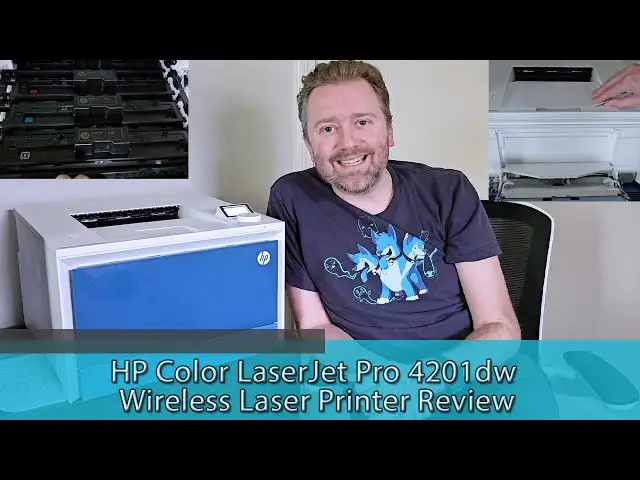
HP Color LaserJet Pro 3201dw Review: Conditional Buy Verdict
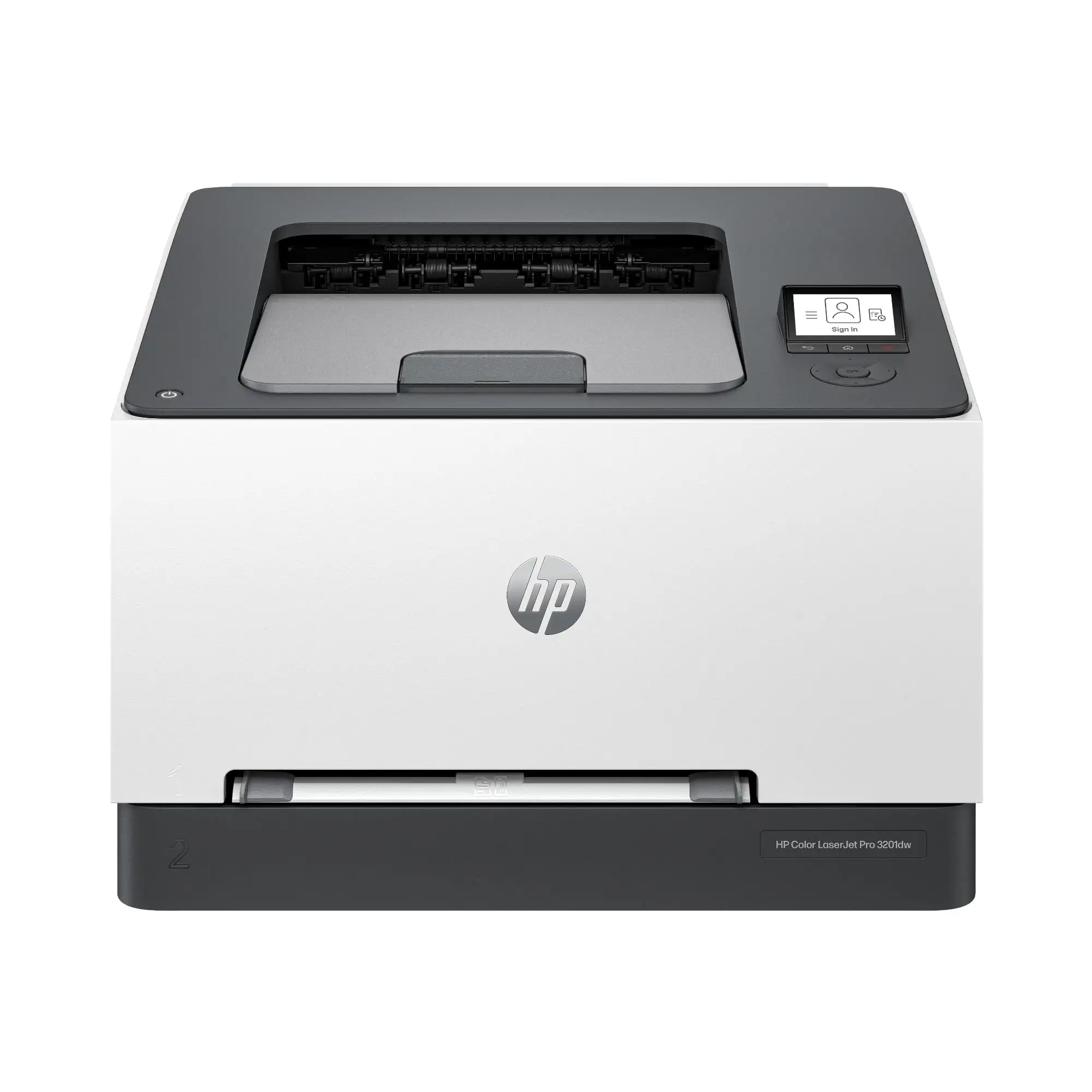
Digging through hundreds of user reports, one thing becomes clear: the HP Color LaserJet Pro 3201dw Wireless Color Laser Printer inspires strong reactions—both positive and negative. Scoring a solid 8/10 for print quality and ease of use, it shines in speed and vibrant color output, but ongoing toner costs and HP’s restrictive cartridge policy have left some owners frustrated.
Quick Verdict: Conditional Buy — Excellent for small offices or home professionals who value speed, duplex printing, and color accuracy, but be prepared for high toner costs and HP-only cartridge restrictions.
| Pros | Cons |
|---|---|
| Excellent print quality for text and color graphics | High toner replacement cost |
| Fast printing speed up to 26 ppm | Restricts use to HP cartridges |
| Compact, sturdy design | No built-in scanner/copier |
| Reliable wireless and Ethernet connectivity | Occasional Wi-Fi dropouts reported |
| Automatic duplex printing saves paper | Tedious initial Wi-Fi setup for some users |
| 250-sheet main tray + single-sheet feed | Manual feed slot can be awkward |
Claims vs Reality
HP markets the 3201dw as delivering “professional performance with fast, high-quality two-sided color printing” with speeds up to 26 ppm and “award-winning reliability.” The speed claim holds up: multiple owners on Best Buy and Reddit confirm it’s quick. One Best Buy reviewer noted, “Fast prints. Quality prints”, while a Consumer Reports test clocked black-and-white text at 5 pages in 24 seconds—matching the advertised pace.
However, the “award-winning reliability” claim has nuances. While many users report months of flawless operation, others cite connectivity quirks. A Best Buy buyer said, “I have an issue with the printer staying on the network when I have not used it for a few [days]”, even after a Geek Squad fix. Similarly, Consumer Reports testers found Wi-Fi setup “more tedious than usual.”
HP also touts “low maintenance printing to avoid downtime,” but reality shows the cost side is less friendly. Several owners balked at toner expenses—one lamented, “Toner is out priced!! Costs over $400 to replace toner! Toner didn’t last a year and I mostly just copy recipes!” This aligns with Consumer Reports’ estimate of 40.2 cents per color page.
Cross-Platform Consensus
Universally Praised
Print quality consistently earns top marks. For users printing marketing materials, charts, or photos, the TerraJet toner delivers rich, accurate colors. One Best Buy reviewer, who enlarged scanned photos, said, “The printed picture appearances are similar to the originals… much better quality print than I expected.” Professionals creating reports benefit from the crisp text, which Consumer Reports rated as “excellent quality.”
Speed is another highlight. Small business owners appreciate the 26 ppm output. On Reddit, testers comparing it to slower models noted the productivity boost in busy settings. Automatic duplex printing also resonates with eco-conscious users—saving paper without manual flipping. The 250-sheet main tray plus single-sheet feeder supports varied workloads, from bulk document runs to specialty letterhead jobs.
The build quality and compact footprint appeal to those replacing older, bulkier models. One Best Buy buyer remarked, “It’s a little smaller and lighter… I love the 2-sided printing.” For shared spaces or home offices, the sturdy feel reassures buyers it can handle years of moderate use.
Common Complaints
The biggest sore spot is toner pricing and HP’s “dynamic security” firmware blocking non-HP cartridges. A furious Best Buy reviewer warned, “HP buried something in an automatic update that prohibits me from using non-HP ink… makes [it] unusable until you install HP ink.” This policy, confirmed in HP’s own documentation, limits cost-saving options and has been the subject of legal disputes.
Some users also report network stability issues. Long idle periods can cause the printer to drop its Wi-Fi connection, requiring manual reconnection. For those who print infrequently, this adds friction. Consumer Reports’ note on “tedious” Wi-Fi setup echoes these stories.
The lack of scanning or copying capabilities surprises some buyers. Without a flatbed scanner, it’s purely for printing—no quick document duplication or archiving. A few also find the manual feed slot “a little funky,” slowing specialty media jobs.
Divisive Features
Wireless performance splits opinion. Many praise its “easy setup” and “reliable connection,” while others see occasional hiccups. This may depend on network environment and usage patterns. Similarly, the up-front cost is viewed as either “worth it for the quality” or “steep for an entry-level model,” depending on print volume.
Trust & Reliability
Trustpilot and Best Buy reviews suggest solid hardware reliability over months of use, with minimal mechanical failures reported. Long-term Reddit users note that toner longevity can be excellent for low-volume printing—Consumer Reports estimated each cartridge could last “at least 5 years” at light use rates. However, the locked cartridge ecosystem erodes trust for some. The perception of forced brand loyalty through firmware updates is a recurring theme in negative reviews.
Alternatives
The main competitor mentioned is the Brother color laser line, particularly models around 19 ppm. While Brother offers broader compatibility with third-party supplies and manual feed versatility, it’s slower and may not match HP’s TerraJet vibrancy. For users prioritizing lower running costs over speed and top-tier color, Brother could be the better fit.
Price & Value
MSRP hovers around $339–$399, though eBay auctions show resale prices as low as $60 for used units. Buyers on sale events feel they’ve scored a deal, especially when replacing older lasers with pricier toner. Yet, toner replacement costs—$68 for black, $81 for each color—can surpass the printer’s purchase price over its life. Community tips include buying high-yield “X” cartridges to extend replacement intervals.
FAQ
Q: Does the HP 3201dw support printing from smartphones?
A: Yes. It works with the HP Smart app, Apple AirPrint, Mopria, and Wi-Fi Direct, allowing printing from iOS, Android, and tablets without a PC.
Q: Can I use third-party toner cartridges?
A: Officially, it’s designed for HP cartridges only. Firmware updates may block non-HP chips, and multiple users report being locked out after updates.
Q: Is it good for photo printing?
A: While it produces vibrant color graphics, it’s not optimized for glossy photo paper. One reviewer wished it could handle “real photo paper” for higher-end prints.
Q: How much space does it take?
A: It’s compact for a color laser, roughly 10" high by 15.4" wide by 16.5" deep, weighing about 30 lbs.
Q: Does it scan or copy?
A: No. It’s a single-function printer focused solely on printing.
Final Verdict
Buy if you’re a small office or home professional needing fast, high-quality duplex color printing with reliable build quality. Avoid if you want low-cost consumables or third-party cartridge flexibility. A pro tip from experienced owners: pair it with a separate scanner if you need multi-function capability, and consider high-yield cartridges to manage ongoing costs.