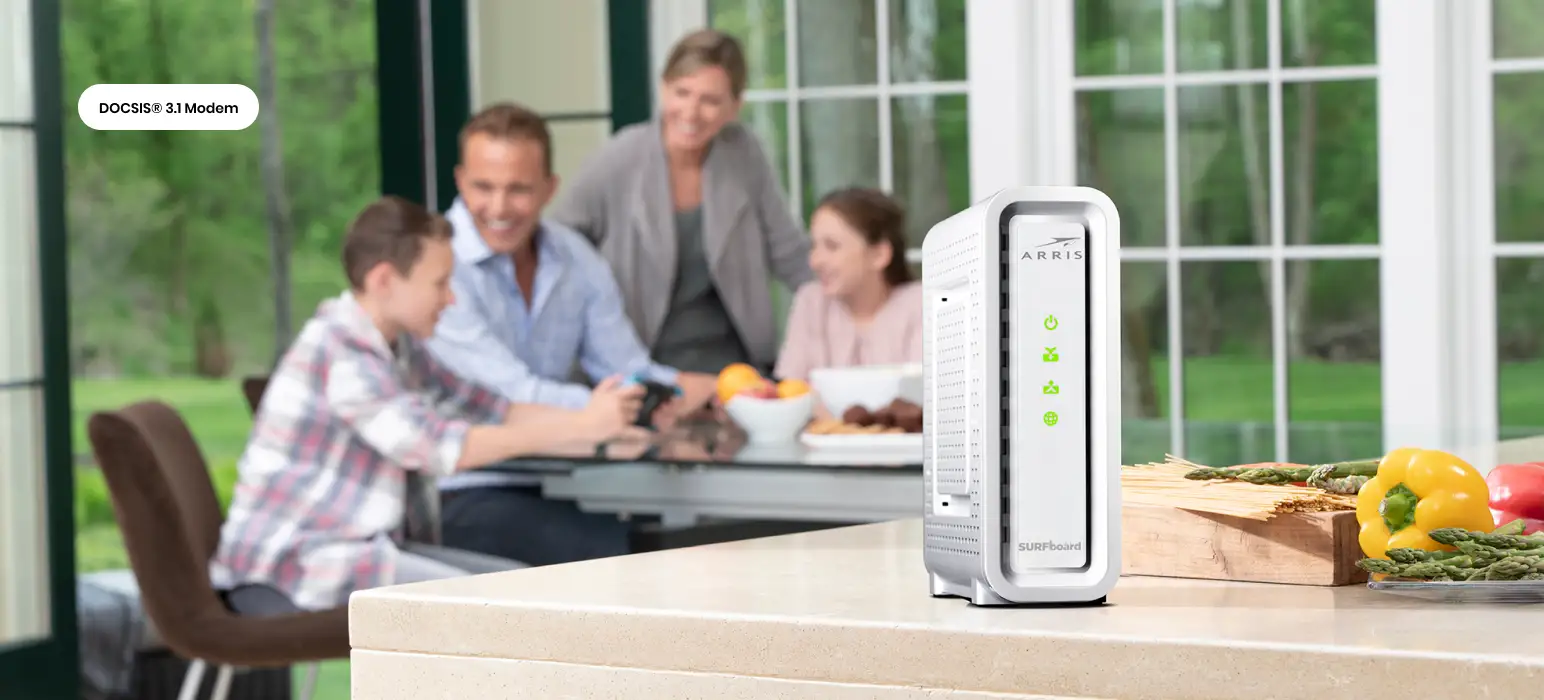
ARRIS S34 Cable Modem Review: Strong Speeds, Setup Caveats
Starting with a surprising pattern from user reports, the ARRIS S34 Cable Modem earns an 8.4/10 in real-world reception. While marketed as a next‑generation, multi‑gig DOCSIS 3.1 modem optimized for enhanced upload speeds, users say its true strengths lie in rock‑solid download performance and simple installation—provided your ISP handles provisioning correctly. The most enthusiastic owners describe it as “future proof for the next 10 years,” but there’s also a vocal minority who hit frustrating provisioning snags, especially with Xfinity’s next‑gen upload channels.
Quick Verdict: Conditional — excellent for users on gigabit or multi‑gig plans who can navigate ISP activation quirks; less ideal if you want a plug‑and‑play experience without ISP involvement.
| Pros (User‑Reported) | Cons (User‑Reported) |
|---|---|
| Consistently delivers or exceeds paid download speeds | Runs noticeably hot during use |
| Straightforward setup when ISP provisioning is smooth | Intermittent or capped upload speeds for some Xfinity users |
| Solid build quality, compact footprint | No built‑in Wi‑Fi—router required |
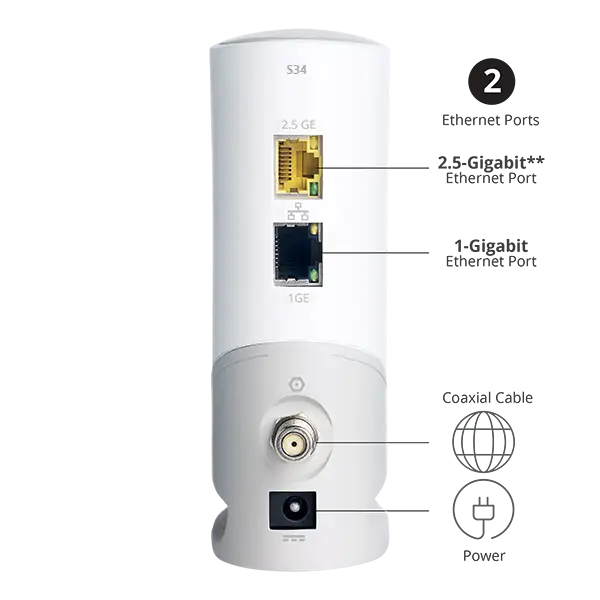
| 2.5Gbps + 1Gbps Ethernet ports allow flexible networking | No Ethernet cable included |
| Saves money by avoiding rental fees | ISP reps sometimes unaware of its next‑gen compatibility |
| Compatible with major US cable providers | Limited status lights compared to older models |
Claims vs Reality
The manufacturer promotes the ARRIS S34 as “next generation upload speed optimized,” designed to take advantage of new, higher‑upload tiers from providers like Xfinity. On paper, it supports up to 2.5Gbps downstream and 444Mbps upstream. Digging deeper into user feedback, the reality is more nuanced. Several Reddit users found that despite upgrading their service tier, uploads plateaued at 70–85Mbps until an ISP rep applied a “special code” to force the correct boot file. One Comcast_Xfinity forum user noted: “When the OFDMA locks I get 330 Mbps up… if it’s missing, it caps at 80 Mbps.”
ARRIS also claims “quick & easy setup,” and many buyers agree—when activation works. A verified Best Buy reviewer said, “From opening the box to Wi‑Fi was 30 minutes.” But others, like a Surfboard community poster, struggled for hours with failed self‑activation and ISP phone support, eventually returning the unit for a Hitron alternative that activated in 20 minutes.
Marketing emphasizes compatibility with major providers, and indeed, many Xfinity, Spectrum, and Cox customers report flawless operation. Yet, compatibility doesn’t guarantee optimal performance without proper ISP provisioning. As one Reddit user cautioned, “Sometimes support reps think the ARRIS S34 is not next‑gen compatible because they are using an old copy of the approved hardware list.”
Cross‑Platform Consensus
Universally Praised
Across Amazon, Best Buy, Trustpilot, and Reddit, download performance is the standout success. Users on gigabit and multi‑gig plans routinely see speeds above their subscribed tier. A Best Buy reviewer with Astound Broadband’s 500Mbps plan shared: “I’m actually consistently getting a little over 600 Mbps download speed.” For high‑bandwidth households—streaming 4K, gaming, video conferencing—the stability of DOCSIS 3.1 plus a 2.5Gbps port is valuable. One owner running Xfinity’s 2 Gig plan described it as “working like a charm” when paired with an Eero Max 7 system.
The modem’s physical design also earns praise. Its small footprint makes it easy to hide, and its build quality feels solid. Users upgrading from older ARRIS or Motorola units recognize a continuity in reliability. “I have used ARRIS modems for years… they’ve been reliable,” wrote one long‑time customer.
Cost savings resonate strongly. Multiple reviews highlight that the S34 pays for itself in just over a year by eliminating rental fees. For budget‑conscious tech‑savvy users, this is a significant plus.
Common Complaints
Heat generation is the most frequent physical gripe. Reports of the unit running “very hot over 120°F” appear across Best Buy, Trustpilot, and Reddit. While most say it doesn’t affect performance, it’s a concern for enclosed spaces or hot climates.
Upload performance inconsistency—especially with Xfinity next‑gen tiers—is the dominant functional complaint. The issue often traces to OFDMA upstream channels not locking. As one Xfinity forum user explained, the channel would appear as “unknown” and then disappear, resulting in capped speeds. Some traced it to ISP boot files, others to in‑home wiring or amplifiers.
Provisioning problems during setup frustrate a subset of buyers. A Surfboard community member recounted trying self‑activation “six or seven times without success” and enduring multiple unhelpful ISP calls before giving up. These cases contrast sharply with those who activated in minutes, suggesting the experience depends heavily on ISP support competence.
Divisive Features
The lack of built‑in Wi‑Fi is neutral for some—those who prefer their own mesh systems—but a drawback for less technical users expecting an all‑in‑one gateway. Similarly, the limited number of status LEDs divides opinion: minimalists like the clean look, while others miss the diagnostic clarity of older models.
Another split emerges over future‑proofing. Enthusiasts see the 2.5Gbps port as insurance for years, while skeptics point to ISP provisioning hurdles as a bottleneck that undermines the hardware’s potential.
Trust & Reliability
Long‑term reliability feedback is largely positive. Owners of prior ARRIS models report years of stable service, and early S34 adopters echo that stability once initial setup is resolved. One Redditor, after fixing provisioning, has enjoyed “2.3 Gbps down / 360 Mbps up… it’s been that way since.”
However, trust in ARRIS support is mixed. The Surfboard community thread about failed activation and lack of responsive manufacturer help illustrates potential frustration if ISP and manufacturer pass blame. Buyers should be prepared to advocate with their ISP using specific technical language (boot files, OFDMA channels) to resolve issues.
Alternatives
The most direct alternative mentioned by users is the Hitron CODA56, chosen by one dissatisfied S34 buyer for $80 less and smoother activation with Xfinity. Older ARRIS models like the S33 are also common, though they lack the S34’s optimized upload support. The Motorola MB8611 appears in resale markets at lower prices, offering similar DOCSIS 3.1 performance but without the same upload‑tier marketing focus.
Price & Value
At a retail price of around $219, the ARRIS S34 sits at the higher end of standalone cable modems. eBay listings suggest ARRIS modems hold reasonable resale value, with recent S33 sales around $143–$150. Given that rental fees can exceed $14/month, the S34 can pay for itself in 15–18 months for most users. Community advice leans toward purchasing if you plan to stay with the same ISP and service level for at least two years.
FAQ
Q: Does the ARRIS S34 include built‑in Wi‑Fi?
A: No. It’s a pure cable modem, so you’ll need a separate router for wireless connectivity.
Q: How hot does the ARRIS S34 run?
A: Multiple users report it runs warm to hot, sometimes exceeding 120°F, though most say this hasn’t impacted performance.
Q: Is it compatible with Xfinity’s next‑gen upload speeds?
A: Yes, but some users require ISP intervention to apply the correct boot file and lock OFDMA upstream channels.
Q: Can I self‑activate the ARRIS S34?
A: Many have successfully used ISP apps for activation, but others needed phone support due to provisioning errors.
Q: Does it come with an Ethernet cable?
A: No, you’ll need to provide your own Ethernet cable for setup.
Final Verdict: Buy if you’re a high‑speed cable internet subscriber comfortable with ensuring ISP provisioning, want to avoid rental fees, and already own a quality router. Avoid if you expect effortless plug‑and‑play activation or need integrated Wi‑Fi. Pro tip from the community: if upload speeds are capped, ask your ISP to push the correct boot file and confirm OFDMA upstream lock before blaming the modem.