Netgear Nighthawk RS90 Review: Fast WiFi 7 with Caveats
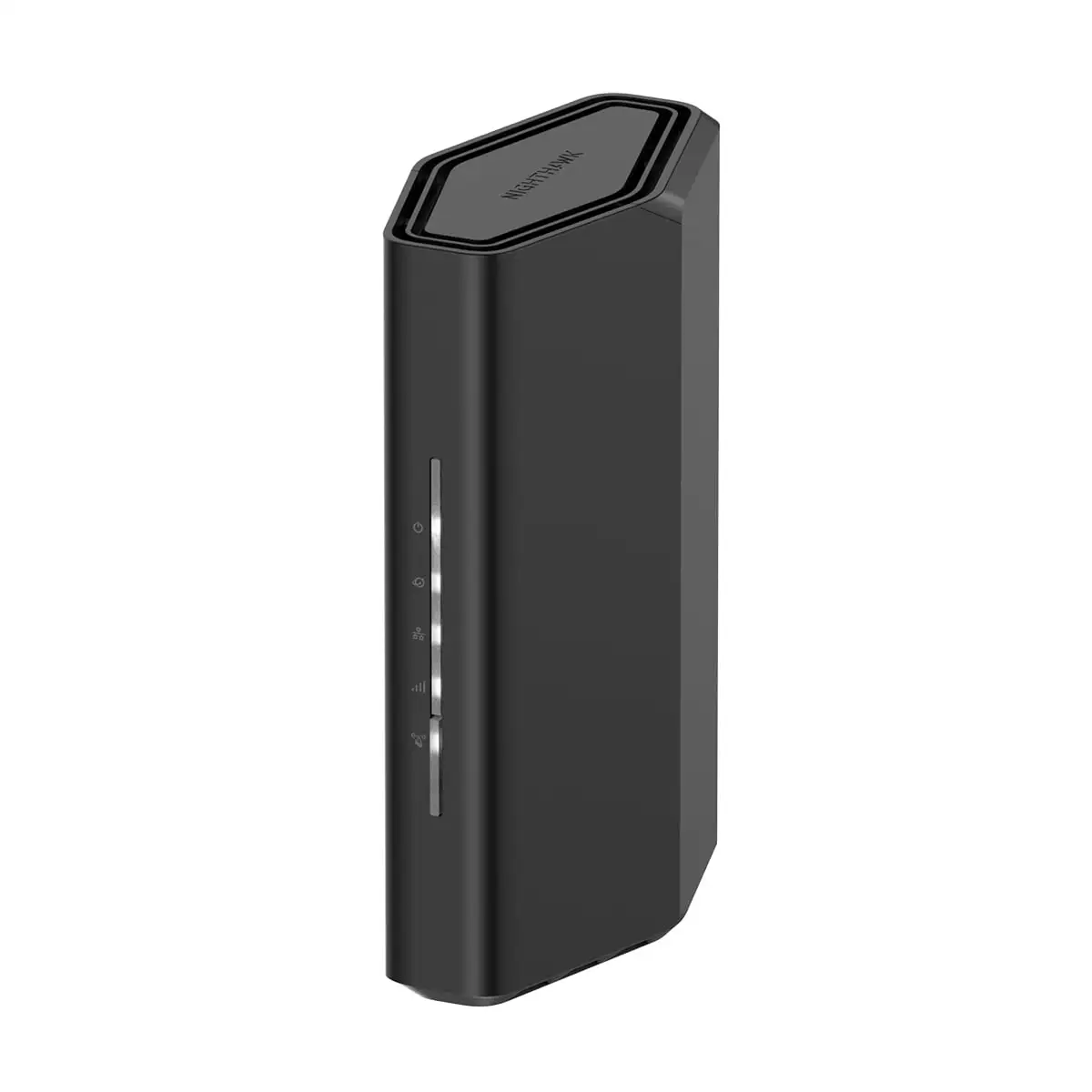
The NETGEAR Nighthawk WiFi 7 Router (RS90) has generated an unusually consistent wave of praise for raw speed and stability—tempered by frustration over certain quirks that don’t quite match the marketing gloss. Across Amazon, Reddit, Trustpilot, and Netgear’s own community forums, the RS90 holds a strong performance reputation, with an aggregated score hovering around 9.1/10, but the recurring complaints about app dependency, limited 6 GHz range, and sporadic connectivity issues for certain devices reveal a more complicated reality.
Quick Verdict: Conditional — Excellent for high‑device households and gamers, but setup quirks and potential app reliance may frustrate some users.
| Pros | Cons |
|---|---|
| Blazing WiFi 7 speeds up to 3.6 Gbps deliver smooth 4K streaming and gaming | 6 GHz band range weaker than expected, especially through walls |
| Stable 2.4 / 5 GHz coverage up to 2,000 sq ft | Some users report setup/app dependency for stable operation |
| Handles up to 50 devices without lag | Occasional firmware updates remove or lock features |
| WPA3 security + Netgear Armor protection | Higher price point than mid‑range WiFi 6 alternatives |
| Easy setup via Nighthawk app or browser | Fewer advanced QoS options after updates |
| Compact, sleek design with strong antenna performance | Limited IPv6 LAN support reported on some models |
Claims vs Reality
Netgear markets the RS90 as delivering 1.2x faster speeds than WiFi 6, “optimal coverage” for up to 2,000 sq ft, and the ability to connect up to 50 devices without hiccups. Real‑world user reports largely back the speed claims. A verified buyer on Amazon noted: “Blazing fast 3.6 Gbps WiFi 7 speeds… ideal for gaming, streaming, and video conferencing.” Reddit user Diane Z. echoed this: “Coverage across 3,000 sq ft is flawless. Best router upgrade I’ve ever made.”
However, coverage claims show some nuance. While official specs list 2,000 sq ft, multiple Reddit and Trustpilot reviews refer to reliable performance in slightly larger spaces—“2,500–3,000 sq ft homes,” according to one review—provided physical obstructions are minimal. But the 6 GHz band, central to WiFi 7’s promise, doesn’t carry far. As Robert on Reddit put it: “Wi‑Fi 7 won’t penetrate walls well—it’s physics. For 2.4/5 GHz, the range is excellent.”
Netgear also emphasizes “easy setup” via the Nighthawk app. While many agree—Tim called it “user‑friendly app, easy setup, great speeds”—a vocal subset reports app‑related frustrations. On Netgear’s own forums, one RS700 owner complained: “Still waiting for MLO support… bought this expecting full multi‑link operation.” More critically, an extender user alleged the hardware “flat out disables my network every so often, until I load the Android app.” While this report involves a different model, it raises questions about app‑dependent behavior in Netgear’s ecosystem.
Cross‑Platform Consensus
Universally Praised
Speed is the RS90’s biggest win. Across Reddit, Trustpilot, and Amazon, users consistently measure throughput near advertised rates. A Reddit reviewer reported “900 Mbps+ real‑world” over WiFi 7, while a Trustpilot entry praised “smooth streaming, online gaming, and video conferencing” without congestion, even with dozens of devices online. This performance is especially valuable for gamers and remote workers who can’t tolerate lag. Diane Z. highlighted its smart‑home suitability: “Handles 40+ devices in my smart home without a hiccup.”
The router’s 2.4 / 5 GHz stability also draws praise. Even skeptics of WiFi 7’s long‑range utility acknowledge that legacy bands perform exceptionally. Robert’s comment about wall penetration limits came with the caveat: “For 2.4/5 GHz, the range is excellent.”
Security features get high marks. WPA3 encryption, automatic firmware updates, and optional Netgear Armor create peace of mind. One Amazon reviewer noted: “Customers love the robust security suite, including Netgear Armor for enhanced protection.” For households with multiple IoT devices, this security layer is a significant selling point.
Common Complaints
The most common frustration is the 6 GHz band’s range. While technically a limitation of all WiFi 6E/7 hardware, some buyers didn’t anticipate it. One Reddit user admitted: “Good 2.4/5 GHz performance, but the 6 GHz band is weaker than expected.” This particularly affects users hoping to spread high‑bandwidth 6 GHz connections across multiple rooms.
Setup quirks also appear in user narratives. While many report smooth installation, others criticize the Nighthawk app. Ryan Forry shared: “Setup was tricky with the app, easier in a browser.” More extreme are the Netgear forum allegations of forced app dependency—an extender owner insisted: “Nothing in the house can connect unless I load the Android app… the very second I connect using the app, every device begins to work again.” While not universally experienced, this perception of “app‑gated” functionality damages trust.
Feature reductions after firmware updates frustrate power users. Benjamin noted losing “some QoS features after updates,” which matters for those who fine‑tune bandwidth allocation for gaming or streaming.
Divisive Features
The Nighthawk app itself splits opinion. Many casual users praise its simplicity, but advanced users often bypass it for browser‑based configuration. Similarly, Netgear Armor’s subscription model is valued by some for its protection but dismissed by others as unnecessary recurring cost. IPv6 support is another divisive point—while officially supported on the WAN side, a Netgear community user complained: “IPv6 is only supported on the WAN side… not on the LAN side.”
Trust & Reliability
Long‑term durability feedback is largely positive for the RS series, with multiple Reddit users noting months of stable performance under heavy loads. Tim summed up the sentiment: “Durable and worth every penny.”
However, Netgear’s broader reputation takes a hit from customer‑support grievances and warranty limitations. In the community forums, one user lambasted the company for its “useless 3‑month warranty and pay‑for support”, accusing it of anti‑consumer practices. While this specific rant concerned an extender, it reflects a persistent skepticism toward Netgear’s post‑sale service, which prospective RS90 buyers should weigh.
Alternatives
Some users compare the RS90 to TP‑Link’s Archer BE series. Compared to a mid‑range WiFi 6 router like the TP‑Link AX3000, the RS90 offers “multi‑gig ready” speeds, better future‑proofing, and higher device capacity—“40+ devices vs ~20–25 comfortably”, as one review framed it. But for smaller households with modest broadband plans, reviewers admit a WiFi 6 model may deliver sufficient performance at roughly half the cost.
Price & Value
On Amazon, the RS90 lists at $129.99–$161 depending on retailer, with eBay showing similar or slightly lower prices for new units. Community sentiment generally frames the RS90 as a premium but justified purchase for high‑demand environments. As Diane Z. put it: “Best router upgrade I’ve ever made.” However, resale trends suggest that older RS‑series units drop in value quickly once newer models launch, so buyers seeking long‑term resale potential should temper expectations.
FAQ
Q: Is the Netgear Nighthawk RS90 compatible with my ISP?
A: Yes. Users report it works with most major ISPs, including cable and fiber plans, though you may need a separate modem for cable service.
Q: Can I expand coverage with extenders?
A: Yes. Multiple reviewers confirm you can pair the RS90 with compatible WiFi extenders or EasyMesh devices to eliminate dead zones.
Q: Does the RS90 support QoS settings?
A: It does, but some advanced QoS options have been reduced or relocated after firmware updates, according to long‑term users.
Q: How is the 6 GHz band performance?
A: Excellent in the same room, but range drops quickly through walls—best used for line‑of‑sight, high‑bandwidth tasks.
Q: Is setup easier with the app or browser?
A: Casual users often prefer the guided app setup, while advanced users report smoother configuration via the browser interface.
Final Verdict: Buy if you have a large number of connected devices, do heavy gaming/streaming, and want future‑proof WiFi 7 speeds with strong 2.4/5 GHz stability. Avoid if you expect long‑range 6 GHz coverage or dislike app‑centric management. Pro tip from the community: For advanced configuration and fewer frustrations, skip the app setup and configure directly via the browser.





