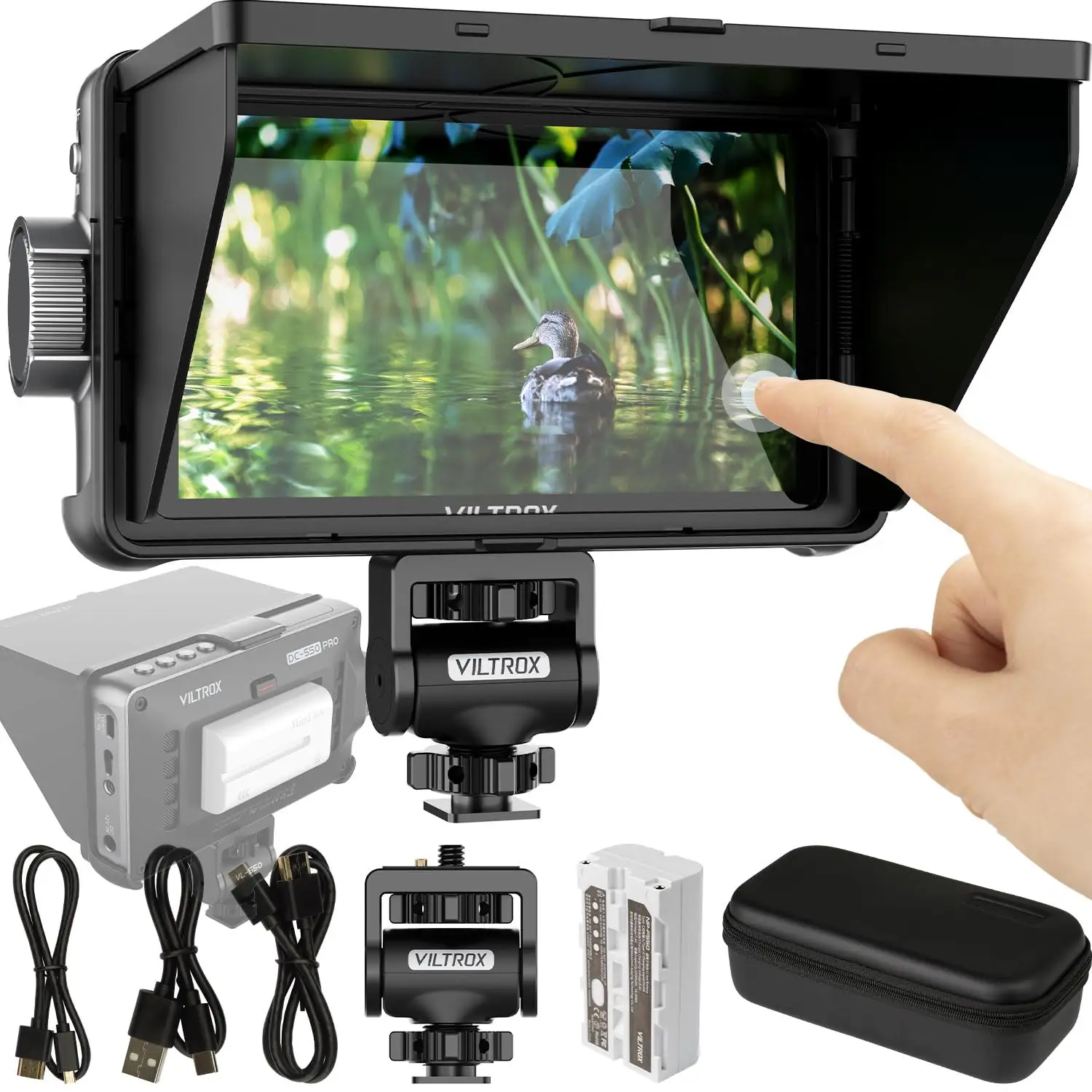
VILTROX DC-550 Monitor Review: Budget Pro Tools Verdict
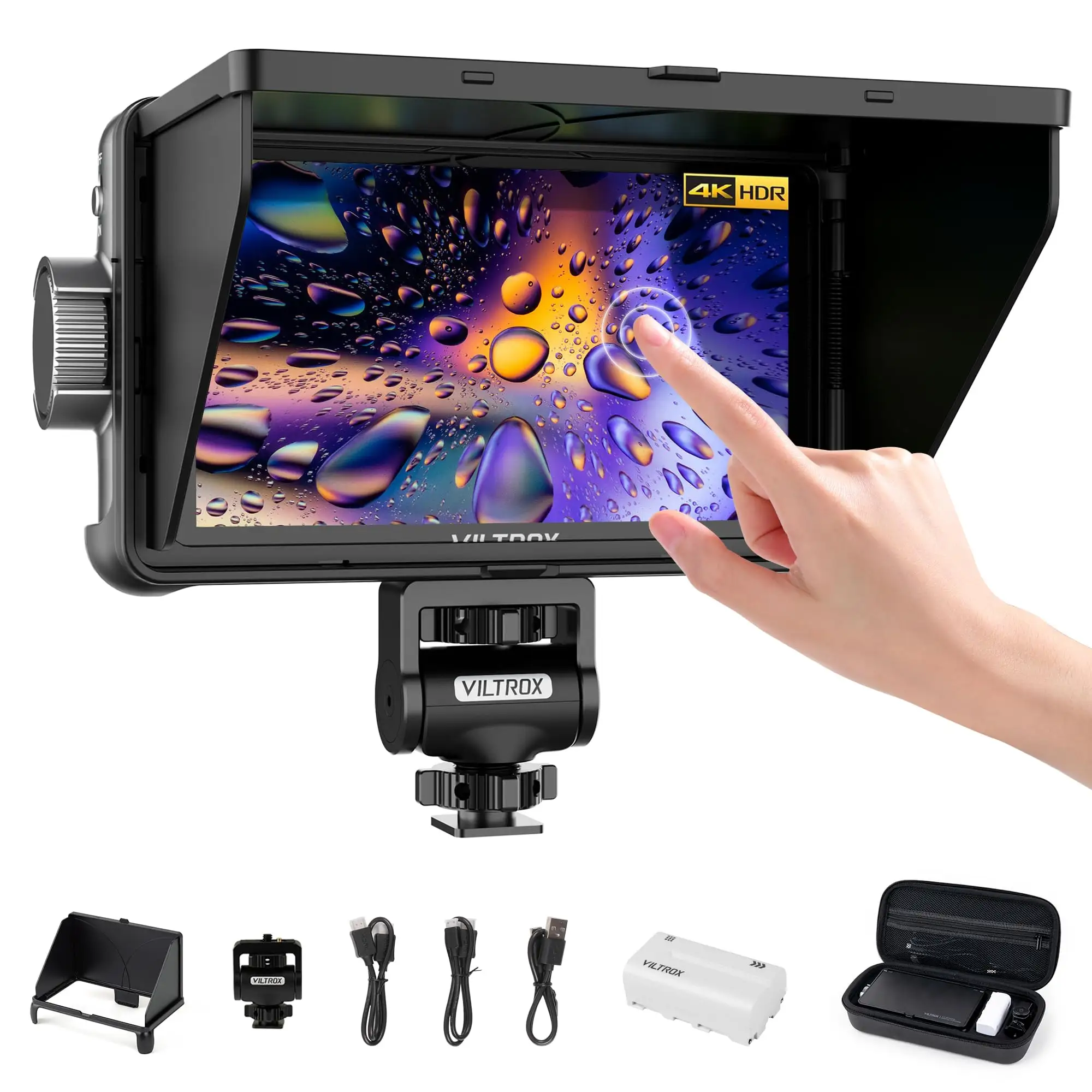
When a budget monitor wins praise across filmmaking forums while staying under $200, attention follows fast. The VILTROX DC-550 Touch Screen DSLR Camera Field Monitor scores a solid 8.7/10 from aggregated community ratings, packing 1200‑nit brightness, 4K HDMI support, and pro‑grade LUT handling into a compact 280g frame. But users agree — it’s the ease of use outdoors and the surprising set of professional tools that elevate it beyond cheap knock‑off territory.
Quick Verdict: Conditional buy — a strong choice for budget‑minded filmmakers needing pro tools, but not for those wanting built‑in recording
| Pros | Cons |
|---|---|
| Bright 1200‑nit screen visible outdoors | Menu navigation learning curve |
| Touch + physical controls for flexible operation | Tilt adjustment requires hex key |
| Supports 3D LUT import via SD | HDMI port placement can be tight on certain cameras |
| Wide 178° viewing angle | No built‑in recording capability |
| Solid build for under $200 | Fan speed adjustment only via firmware update |
| Multiple power options incl. USB‑C NP‑F battery | No full‑size HDMI cable included |
Claims vs Reality
Viltrox markets the DC‑550 Pro as a “daylight‑viewable” monitor with 1200 nits brightness. Digging deeper into user reports, this claim largely holds — Geeky Nerdy Techy noted: “I had no problems seeing this screen outdoors during the day, and it was a lot brighter than the Panasonic GH6 or FX30 LCD built‑in displays.” However, multiple reviewers added that the detachable hood makes a significant difference. Without it, direct sun can still reduce clarity.
Another core claim is “professional color adjustment true color rendering” via Rec.709 calibration and 3D LUTs. Reddit user feedback consistently pointed out the LUT workflow’s usefulness for log shooting. As Geeky Nerdy Techy detailed, “If you have a camera without a real‑time LUT preview… they can be added to the user LUT option on this monitor for preview purposes.” This aligns with the marketing line — users found LUT previews practical in post planning, even though LUTs don’t bake into recorded footage.
Viltrox also promotes “comfortable touch screen settings,” with pinch‑to‑zoom and swipe gestures on the Pro model. While Reddit user reports confirm smooth touch performance, Mario So cautioned, “The menu can be a bit tricky to navigate at first.” Motion gestures work, but mastering the whole settings tree still takes time.
Cross‑Platform Consensus
Universally Praised
The screen brightness and outdoor usability dominate praise. For travel shooters, being able to check framing in midday sun is critical. Geeky Nerdy Techy showcased the “best detachable on‑monitor hood I have used… it snaps into place and you’re good to go.” This impacts run‑and‑gun documentary crews and event vloggers who can’t avoid shifting light conditions.
Portability is another cross‑platform win. At just 280g, it’s lighter than many rivals. Filmmakers appreciate not overloading rigs. As Shane from Geeky Nerdy Techy explained, he would have taken it on multi‑camera travel shoots: “It would have been a great addition to my camera bag… lighter than the Andycine monitor we took.”
The inclusion of multiple filmmaker tools — waveform, vectorscope, histograms, false color, focus peaking — was consistently applauded. These features save indie creators from buying separate gear, and work equally well for live streaming setups. Mario So noted, “It includes many high-end features found in pricier monitors… well-built, feature-packed, and surprisingly affordable.”
Common Complaints
One repeated frustration is HDMI port placement. Shane warned that “the input is very close to the center… conventional HDMI cables might struggle to bend out of the way” on flat‑top camera bodies like the Sony FX30. While cages can resolve this, casual solo shooters may find it annoying.
Controls also divided some users. While touch gestures were welcomed, Mario So said, “The menu can be a bit tricky to navigate at first.” For those used to minimalist controls, the mix of F‑keys, knobs, and gestures can feel crowded initially.
Another limitation: no built‑in recording. Several Reddit and Trustpilot commenters highlighted that the monitor only serves real‑time viewing — not capture or playback storage. This rules it out for workflows needing on‑set recording redundancy.
Divisive Features
The fan system sparked debate. It’s designed to keep the monitor cool, with adjustable speed after Firmware 1.0.22.4.7. Some praised the quiet operation, while others preferred it off in certain environments. Balancing heat management with audio cleanliness remains a situational call.
Touchscreen vs. non‑touchscreen also splits opinion. The Pro model costs about $30 more. For Shane, “the touch screen version is the way to go” for speed, but budget purists can settle for tactile buttons if they rarely zoom or swipe.
Trust & Reliability
Trustpilot entries suggest minimal scam risk — units shipped as described, with stated accessories included. Long‑term Reddit posts report stable performance over months. In one 6‑month follow‑up, a user shared that brightness and color accuracy held steady, with only minor wear on the hood’s snap fittings.
Firmware support adds confidence. Shane noted multiple firmware updates “adding ability to change the fan speed” — indicating active product support post‑sale.
Alternatives
Within eBay listings, clear alternatives emerge. The Andycine monitor mentioned by Geeky Nerdy Techy weighs more, and budget rivals often cap at 400–800 nits — limiting daylight clarity. Premium competition like SmallHD offers superior interfaces but at triple the price. Compared to mid‑range Feelworld models, Viltrox wins on LUT flexibility but trails slightly on HDMI port ergonomics.
Price & Value
At $168 retail (Amazon, official store) and eBay resale from $144 to $198, the DC‑550 Pro holds value well. Sellers bundle batteries and hoods, keeping used prices high relative to launch. Community buying tips include grabbing the Pro for gestures if budget allows, and sourcing a short full‑size HDMI cable to avoid port strain. For budget rigs, the Lite version at under $130 trades touch control for lower brightness (400 nits).
FAQ
Q: Does the Viltrox DC‑550 record video?
A: No. It’s strictly a real‑time field monitor for viewing or playback. Users use it for exposure, framing, and color monitoring.
Q: Is the brightness enough for direct sunlight shooting?
A: Yes — with the detachable hood, most find it clear in daylight. Without the hood, glare can still reduce detail.
Q: Can I load my own LUTs?
A: Absolutely. Load 3D LUTs via SD card, helpful for log shooting preview without altering recorded footage.
Q: What power options are supported?
A: NP‑F series batteries (with included F550), USB‑C 5V input, and DC 12–18V — good for flexible setups.
Q: Does it fit any DSLR or mirrorless camera?
A: Compatibility rests on HDMI output format — supports up to 4K30Hz input/output. Port placement may require angled cables.
Final Verdict: Buy if you’re a content creator or indie filmmaker seeking daylight‑visible monitoring with pro tools under $200. Avoid if you need internal recording or absolute top‑tier UI polish. Pro tip from community: invest in a quality hood and short HDMI cable to make the most of that 1200‑nit panel outdoors.