StarTech USB 3.0 Quad HDMI Adapter Review & Verdict
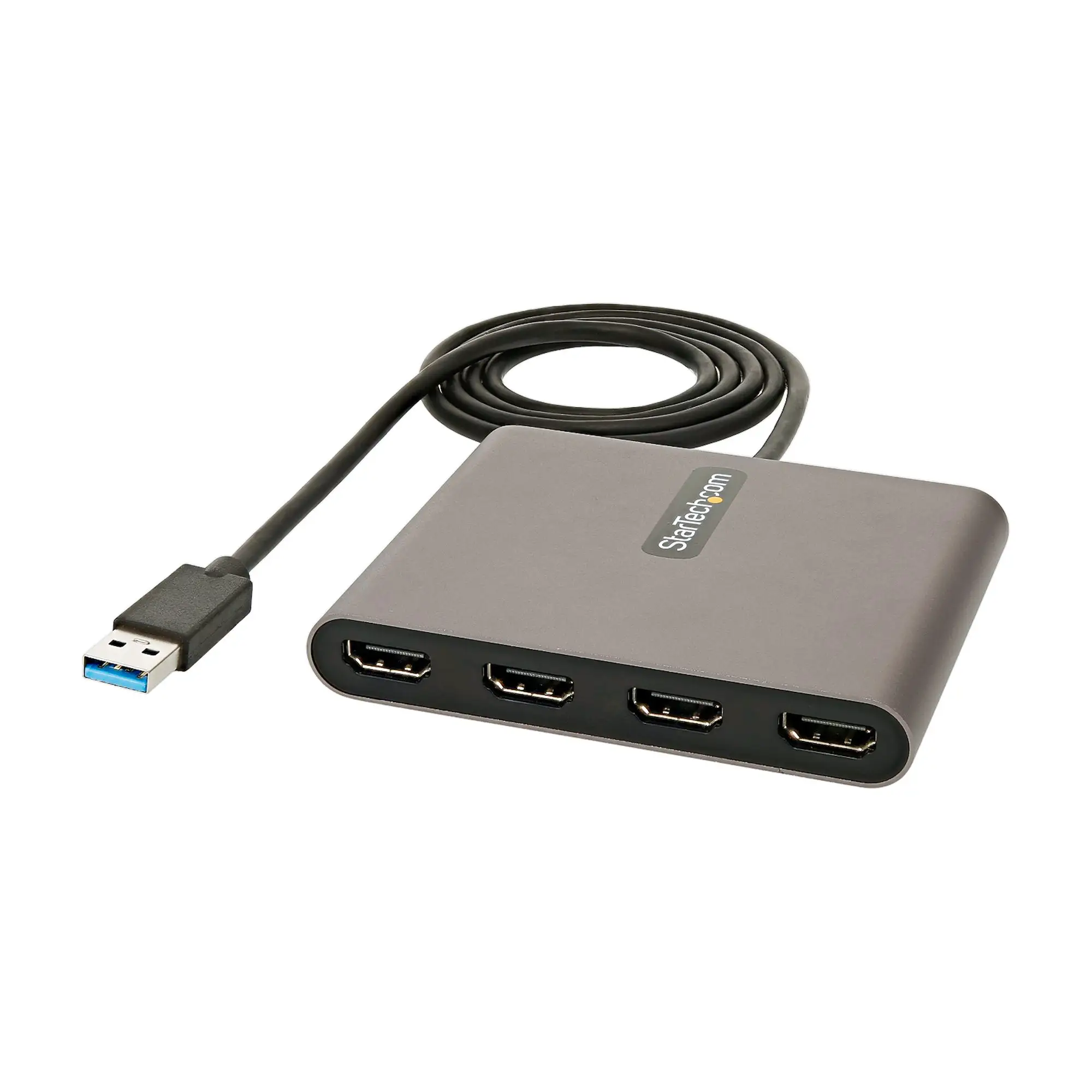
The StarTech.com USB 3.0 to Quad HDMI Adapter earns a 7.0/10 from aggregated feedback—valued for its ability to expand workspaces up to four HDMI monitors without complex hardware changes, but tempered by limits in resolution and occasional driver quirks.
Quick Verdict: Conditional Buy – Strong for productivity users needing multiple displays on Windows, but less suited to gaming or 4K across all screens.
| Pros | Cons |
|---|---|
| Easy setup with auto driver install on Windows | Limited to 1080p per display across four outputs |
| Reliable multitasking boost for productivity users | Not compatible with macOS, ChromeOS, Linux |
| USB bus-powered—no extra PSU needed | HDCP/audio handling may override default sound settings |
| Works even when GPU doesn’t support multi-monitor natively | Reports of units failing after weeks or months |
| Good build quality and compact aluminum casing | Can run hot during use |
| Multi-Monitor Assistant software simplifies window arrangement | Not suited for demanding graphics tasks like gaming or animation |
| Backed by 3-year warranty | Admin privileges required for installation |
Claims vs Reality
Marketing promises “up to four HDMI monitors at 1080p 60Hz” and “boost productivity without extra power supply.” While technically accurate, feedback shows nuances. Amazon buyers highlighted that “installation was a breeze…up and running in 10 minutes,” but others flagged resolution limitations across multiple screens as a firm cap—not a soft limit.
The “plug and play” descriptor is mostly upheld for Windows users. As Reddit user reports suggest, “install the drivers first then connect it, and away you go.” However, installation sometimes demands admin rights, which can stall IT-managed workstation setups. The manufacturer claims compatibility only with Windows, and cross-platform users attempting use on Mac or Linux found it non-functional unless using other StarTech DisplayLink-certified variants.
Promises of “no extra PSU” are fulfilled—several Trustpilot reviews note it runs fine off USB bus power. Yet, intensity of use can lead to heating issues. A verified buyer noted: “Works great… but gets hot enough that for long term I switched to a dock.”
Cross-Platform Consensus
Universally Praised:
The adapter’s quick deployment appeals to office settings where adding multiple monitors is key. One Amazon reviewer described using it to connect two 27" Philips monitors to a single-HDMI laptop, saying “less than 10 minutes from download to working beautiful… resolution is outstanding, mouse response time normal.” This capacity benefits analysts, stock traders, and CAD users juggling numerous applications. A Reddit commenter summed it succinctly: “Get a good one, not a cheapie… StarTech makes an excellent adapter.”
Another widely noted strength is circumventing GPU limits. A Trustpilot user recounted buying after finding their docking station couldn’t drive 3 monitors: installing StarTech’s drivers “got full resolution on all monitors” without taxing the laptop GPU. This makes it ideal for corporate laptops with restricted hardware configurations.
Common Complaints:
Resolution caps of 1080p per port are a sticking point for creatives handling high-res content. While one CAD user enjoyed 4K on a single screen, others pointed out “maximum resolution limit… not a suggested limit but a hard limit,” making ultra-HD across all four outputs impossible.
Durability is mixed—several on TheReviewIndex reported early failures: “stopped working after a month,” “quit 2 days after return window closed.” This risk looms large for heavy daily use environments.
For some, software behavior is irritating: after install, HDMI audio became the default playback device. As one buyer noted, “once I fixed that the issue has not come back,” but it’s an extra step undermining the plug-and-play narrative.
Divisive Features:
Heat generation divides opinion. One Mac user called it “amazing” but returned it for a cooler-running dock. Others argue warmth is normal for compact graphics adapters handling multiple outputs.
The included Multi-Monitor Assistant software earns praise for simplifying window arrangement but is seen as unnecessary by power users who prefer OS-native tools.
Trust & Reliability
Digging deeper into longevity, some Reddit and Trustpilot mentions show adapters running fine for years—one user used it “more than 2 years… happily driving three 24" monitors.” Yet short-term failures spark skepticism. This contrast suggests unit consistency may vary; buyers relying on mission-critical setups might want spares or extended warranty coverage.
On scam concerns, no widespread reports of counterfeit StarTech units emerged, but cheaper “no name” adapters claiming similar specs drew warnings: “those $12 cables… obvious junk.”
Alternatives
Feedback comparisons often referenced dedicated docking stations like Dell’s D3100 for users wanting extra USB and Ethernet, though these can cost significantly more and can still face GPU bottlenecks. For Mac, users pointed toward DisplayLink-certified StarTech USB32HD4K variants—supporting macOS and higher resolutions, albeit with similar driver dependencies.
Price & Value
Recent listings show new units between $91–$124, with open-box deals around $100 on eBay. Resale confidence is solid where units are functional; StarTech’s 3-year warranty adds weight to higher initial cost compared to “budget” USB-HDMI hubs. Community advice emphasizes: buy from reputable sellers to safeguard returns—“so you can send it back for free if it actually doesn’t work.”
FAQ
Q: Does this work with Mac or Linux?
A: No. This USB32HD4 model is Windows-only; macOS/Linux users need StarTech’s DisplayLink-certified variants.
Q: Can I get 4K on all four monitors?
A: No. Max output is 1080p 60Hz per port. Single 4K support requires different StarTech models.
Q: Will it work from a USB 2.0 port?
A: Technically yes, but performance drops—users report slower refresh and limited resolutions.
Q: Is additional software required?
A: For Windows, drivers often auto-install, but manual install from StarTech’s site may be needed, especially on managed systems.
Q: How does it handle audio over HDMI?
A: It can route audio to HDMI by default—adjust your OS sound settings if you prefer standard speakers.
Final Verdict
Buy if you’re a Windows-based professional needing up to four 1080p screens without upgrading your GPU—especially valuable in finance, research, and multi-app workflows. Avoid if your priority is high-res visual work or gaming, or if you require macOS/Linux compatibility.
Pro tip from community: Install drivers before connecting, and double-check audio settings to avoid unexpected HDMI output defaults.