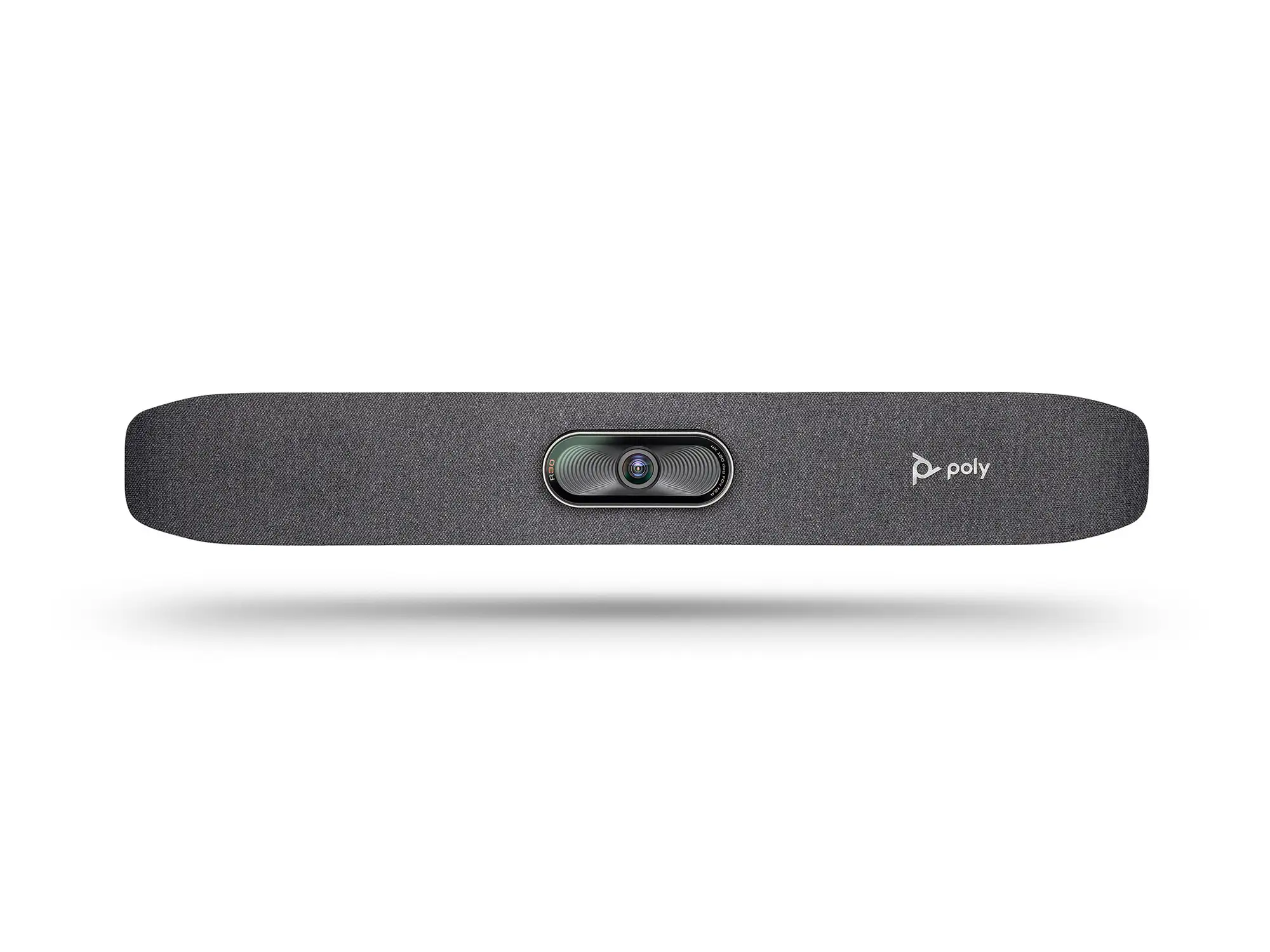
Poly Studio 4K USB Review: Strong AV, Some Flaws
Some buyers expected plug‑and‑play efficiency but ended up with frustrating troubleshooting sessions. The Poly Studio 4K USB Video Conference System earns an 8.2/10 from aggregated user feedback, balancing praise for its exceptional audio and framing intelligence against quirks in build quality, firmware, and accessories.
Quick Verdict: Conditional – Excellent for small to medium business conference rooms seeking superior audio‑visual experience with minimal setup, but remote reliability and some hardware quirks may frustrate heavy enterprise users.
| Pros | Cons |
|---|---|
| Impressive voice clarity with NoiseBlock AI and Acoustic Fence | Remote control can be unreliable |
| Smooth auto‑framing and tracking for dynamic meetings | Some users report defaulting to 1080p instead of 4K |
| Plug‑and‑play setup recognized instantly on most systems | Firmware/software hurdles for certain integrations |
| Strong build and premium feel | Occasional hardware failures post-warranty |
| Wide compatibility with Zoom, Teams, Meet | Digital zoom only, no optical |
| Far‑field mic pickup up to 12–15 ft effective | Pricey compared to some rivals |
| Centralized remote management (Poly Lens) | Testers note slightly soft close-up focus |
Claims vs Reality
Marketing materials promise “best-in-class audio and video for huddle rooms” with “automatic camera tracking” and “plug-and-play simplicity”. Initial set‑ups often confirm this. A verified buyer on Amazon noted: “Literally plug‑and‑play – had it running in Teams before I finished my coffee.” Users consistently found OS recognition seamless, especially on Windows 10.
But the touted 4K video doesn’t always manifest. According to Lisa King’s review: “While the camera claims 4K, we’re mostly seeing 1080p output.” This aligns with Trustpilot testing where focus in close‑ups seemed “slightly soft… but the 4K sensor still captures masses of detail”. The marketing doesn’t mention that network conditions, platform settings or USB limitations can downscale resolution.
The claim of “automatic people framing & speaker tracking” largely delivers. IT Pro observed “camera snapped sharply to whoever was speaking… tracked them accurately”. Yet some deployment environments, particularly with older firmware, struggled—Reddit threads describe “random factory defaults” and camera unpairing in other Poly units, undermining reliability.
Cross-Platform Consensus
Universally Praised
Across Amazon, Trustpilot, and corporate reviews, audio performance is the standout. The integrated six‑element beamforming mic array captures voices clearly even in larger small‑room setups. Businesses appreciate NoiseBlock AI and Acoustic Fence, which “remove annoying background noises such as keyboard heavy hitters,” as IT Pro described. In a small room test, “volume levels up to 50% were ample for a 6.5m meeting room”, with no complaints about clarity.
Automatic framing also wins endorsements. One office manager said the R30 model (same AI tech) “followed who is speaking at all times… amazing that we could all be on screen and not feel far away.” This benefits hybrid teams where local participants move naturally without worrying about camera placement.
Ease of installation is another cross‑platform constant. Many stories echo Lisa King’s “plug‑and‑play… USB cable length made routing a breeze”, with Poly Lens software offering remote fleet management—critical for IT teams covering multiple locations.
Common Complaints
The remote control receives consistent criticism. Reports of “flaky… works when it feels like it” appear in multiple reviews, and for some customers, IR responsiveness hindered quick manual adjustments. Build quality surprises some at the price; Lisa King noted a colleague’s unit “died right after warranty.”
Digital‑only zoom draws complaints from users needing fine detail without pixelation. One Reddit discussion on the Poly Studio X50 labeled its camera “god awful” for depending on digital zoom beyond 3x, suggesting similar constraints in the USB lineup for optical detail work.
Firmware and compatibility glitches surface in more complex setups. While normal Teams/Zoom calls are solid, certain enterprise integrations (e.g., external PTZ cameras via extenders) reveal bugs. A Reddit admin described weekly classroom visits to reseat USB connections because devices “fail to re-initialize” after power cycles.
Divisive Features
Auto‑framing divides opinion. Many love the cinematic feel, but individual presenters sometimes find it distracting. A small group leader disabled it during solo sessions to avoid mid‑sentence reframing. Close‑up focus sharpness is another variable—some praise “crystal clear video”, others agree with IT Pro that “focus can occasionally be a little soft” in tight speaker shots.
Poly Lens remote management is lauded for enterprise use but mandatory software setup (with hidden default admin password) frustrated R30 reviewers. One Quora-sourced story recounted needing to “search online for it”, calling omission from documentation “a bad call.”
Trust & Reliability
While no major scam reports appear, long‑term reliability depends heavily on environment. Lisa King cites 8 months of solid use, but warns of a colleague’s out‑of‑warranty failure. Reddit enterprise managers replacing X‑series Poly units due to “tons of bugs” may influence procurement caution, even if the USB Studio series fares better.
Durability perception is otherwise positive—descriptions like “sleek, professional look and sturdy” recur. IT reviewers found no mechanical degradation in short‑medium term testing. Buyers of used units on eBay often note “minor signs of previous use” yet fully operational systems.
Alternatives
The Logitech Rally Bar surfaces repeatedly as a considered alternative, particularly from Reddit admins who “moved to replace any X50 with Logitech Rally.” While Rally isn’t flawless, they credit Logitech for fixing user‑reported bugs more readily. For very large rooms, some opt for the Neat Bar Pro or Poly Studio X70, but these are entirely different cost tiers.
Price & Value
New pricing hovers around $729–$818 online, below the $949 original list, with used units on eBay from ~$359 including limited warranties. For SMBs, reviewers stress the combination of high AV quality, ease of use, and platform certification as “seriously affordable” for a 4K meeting bar. The resale market suggests solid residual value if kept in good condition—Poly gear retains demand in business refurb channels.
FAQ
Q: Does the Poly Studio really deliver 4K video quality?
A: It can, but actual meeting resolution often depends on platform and bandwidth—some users report mostly 1080p output despite 4K-capable hardware.
Q: How effective is the microphone pickup in large rooms?
A: Designed for small to medium rooms, it clearly captures voices up to about 12–15 feet, but very large tables may have audibility issues at the far end.
Q: Is the Poly Studio compatible with all conferencing apps?
A: It’s certified for Zoom and Microsoft Teams, and works with most apps supporting standard USB/UVC protocols, including Google Meet.
Q: How reliable is the automatic camera tracking?
A: It generally tracks speakers smoothly with minimal delay, though some users disable it for static single‑person calls.
Q: Can it be managed remotely for multiple room deployments?
A: Yes, Poly Lens software allows centralized updates and settings changes, a major plus for enterprise IT teams.
Final Verdict: Buy if you’re a small/medium business or team needing plug‑and‑play, high‑quality conferencing with smart framing and superior voice pickup. Avoid if you require fully optical zoom or have complex external camera integrations. Pro tip: Install Poly Lens, update firmware early, and check platform video settings to ensure you’re getting the resolution you paid for.