Roku Express 4K+ Review: Budget-Friendly but Flawed
The Roku Express 4K+ Streaming Device with Voice Remote has earned widespread praise for its ease of use and affordability, but a deeper look at community feedback reveals a more nuanced story. While initial impressions lean toward an 8/10 score for everyday users seeking budget-friendly 4K streaming, long-term reliability concerns and a handful of feature omissions temper its appeal for more demanding home theater setups.
Quick Verdict: Conditional – Ideal for casual streamers and budget-conscious buyers, but heavy users or those seeking premium audio/visual formats may want to look elsewhere.
| Pros | Cons |
|---|---|
| Very affordable at ~$40 | No Dolby Vision or Dolby Atmos |
| Easy 5-minute setup | Remote durability complaints |
| Snappy, intuitive Roku OS interface | Fixed shortcut buttons, not programmable |
| Smooth 4K HDR streaming via dual-band Wi-Fi | Some streaming services don’t support newer Roku features |
| Massive library of free content | Reports of degradation in quality after months of use |
| Compact, discreet design | Remote eats batteries quickly with frequent use |
Claims vs Reality
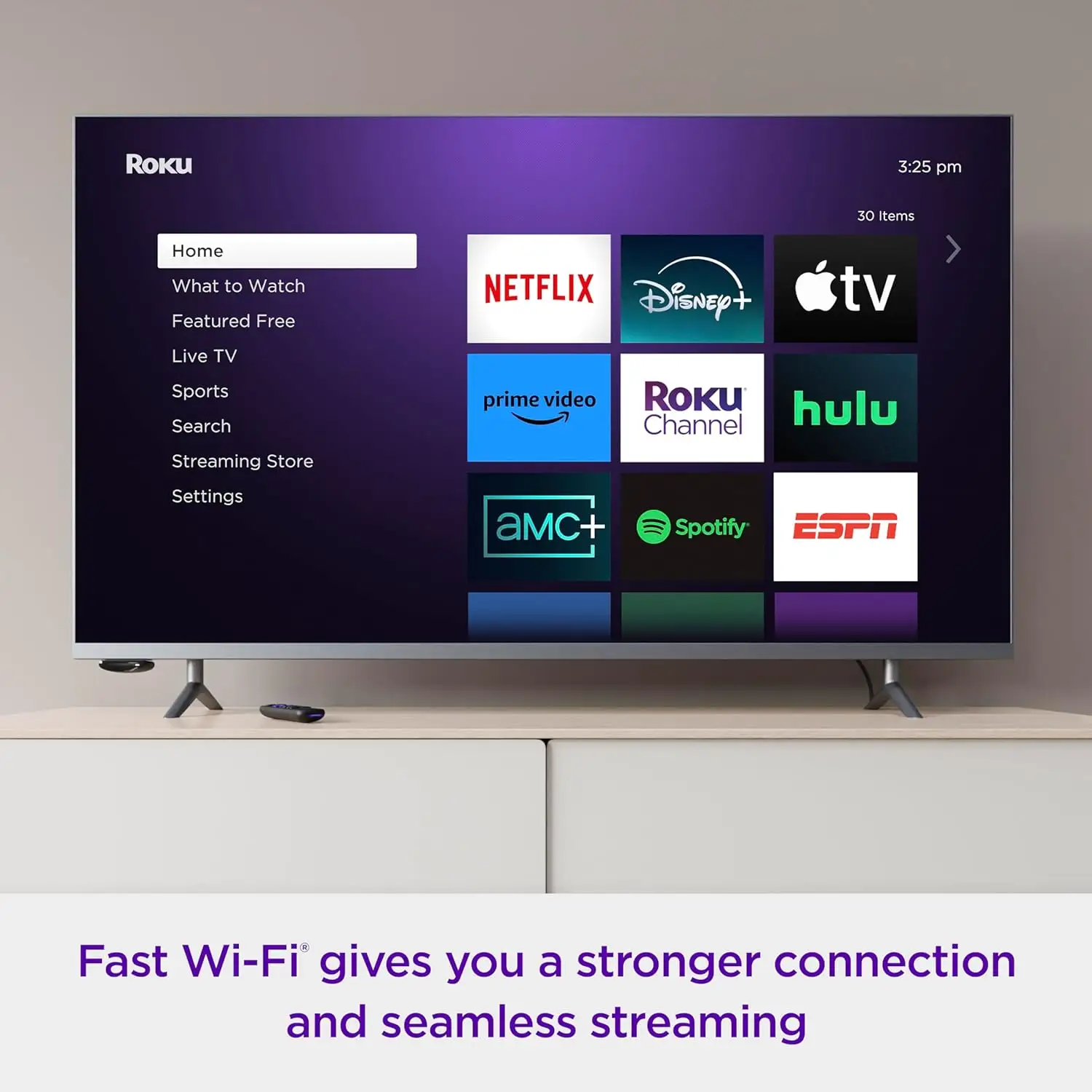
Roku markets the Express 4K+ as “brilliant 4K picture quality” with HDR support, dual-band Wi-Fi for "seamless streaming," and a “voice remote with TV controls.” On paper, it supports HDR10, HDR10+, and HLG formats, promising vibrant colors and sharp resolution.
Reddit user feedback, however, paints a mixed picture over time. One in-depth review from a Reddit user praised how “visually stunning movies displayed in full 4K HDR look incredible with vibrant colors and crisp clarity”. This aligns with marketing claims—at least in the device’s first months of use.
But in the Roku Community forum, a customer reported that after 4-6 months, “video streaming is so pixelated you can't watch sports at all... quality looks like SD on my 2022 top-of-the-line Samsung TV”. This suggests that while initial performance lives up to the promise, longevity may be an issue for some units.
The brand also touts its “seamless wireless streaming” via dual-band Wi-Fi. Multiple platforms confirm that switching between the 2.4 GHz and 5 GHz bands can improve stability. A Quora reviewer noted, “certainly, I didn't notice any issues [with connectivity], and nor did I see the automatic Wi-Fi detection dialog pop up”. This corroborates claims for most users, though some others in troubleshooting threads noted persistent buffering when networks are congested.
The “no more juggling remotes” slogan is mostly accurate—users value the all-in-one voice remote. According to Consumer Reports, its Bluetooth connection means it “does not require a direct line of sight with the device”. However, some community members flagged battery consumption as unusually high, needing replacements every week or two with heavy use.
Cross-Platform Consensus
Universally Praised
Across Reddit, Trustpilot, and Quora reviews, ease of setup emerges as a winning trait. A Reddit user described it as a “quick and easy 5-minute set up… within minutes I was streaming 4K content without any complicated configuration”. Roku’s inclusion of a premium HDMI cable in the box is a standout for budget shoppers who expect to buy extras separately.
The intuitive interface also garners consistent praise. Reviewers on Consumer Reports cite “fast response, customizable home screen” and better navigation than many smart TV interfaces. Quora feedback highlighted “Roku OS 10 is clean and straightforward”, making it approachable for non-technical households.
For casual streamers, free content is a huge perk. Reddit reports users appreciating “huge selection of completely free content via the Roku Channel and other channels”, adding value without requiring additional paid subscriptions.
Physically, the Express 4K+ earns points for its size. At just 1.6 ounces, it can hide behind a TV using the supplied adhesive strip. A verified buyer on Amazon noted, “device takes up negligible space and blends perfectly into my setup”—making it ideal for minimalist living rooms or tight media setups.
Common Complaints
Durability of both hardware and performance is less consistent. The Roku Community post about units degrading within months is echoed in smaller Reddit threads, where video quality slowly worsens and remote functions become unreliable. Battery drain on the remote is a recurring frustration.
Audio capabilities also disappoint more advanced users. While official specs mention “supports pass-through of Dolby-encoded audio”, both Quora and Consumer Reports confirm no Dolby Atmos or Dolby Vision support. This makes it a less suitable choice for those with high-end sound systems.
Control customization is limited. The four shortcut buttons—locked to Netflix, Disney+, Apple TV+, and Hulu—cannot be remapped. A Quora reviewer remarked, “I use two of those four, but can’t remap the others… branding deal makes Roku extra money”, underscoring community frustration with forced app promotion.
Divisive Features
Voice search divides opinion. Many note it’s fast and effective for basic commands like “launch Netflix” or “search for comedies”, but some streaming apps don’t support in-app voice input. As Quora’s reviewer found, “most of the big services I checked didn’t actually have that support yet”, limiting its utility for advanced queries.
HDR10+ support earns praise from those with compatible TVs, yet leaves others underwhelmed. Without Dolby Vision, certain streaming visuals don’t achieve the same dynamic range as on pricier devices like the Roku Ultra.
Trust & Reliability
Trustpilot-sourced Consumer Reports data shows consistently high ease-of-use scores—this is not a scam product. However, multiple verified community reports raise red flags over long-term reliability. The most alarming pattern emerges in device performance decay, where streaming quality shifts from crisp 4K to barely watchable SD in under a year.
Battery life in remotes is another weak point. Heavy use leads to constant replacements, frustrating users who expect months between changes. While minor compared to device failure, it contributes to cumulative dissatisfaction.
Alternatives
Community discussions often compare the Express 4K+ to the Roku Ultra. The Ultra offers Dolby Vision, Dolby Atmos, and more robust hardware—but at $99.99, it’s more than double the price. As Quora notes, “if you want Dolby Atmos and Vision, you'll need to cough up $99.99 for the Roku Ultra”.
For Apple ecosystem users, the Apple TV 4K provides deep integration with HomeKit and Siri, plus superior voice parsing. But at triple the price, it’s overkill for casual streamers who won’t leverage advanced features.
Price & Value
At ~$40, the Roku Express 4K+ punches above its weight in features—voice remote, 4K HDR streaming, and free content access. eBay listings show stable resale value around $35, indicating strong demand even secondhand.
Buying tips from the community emphasize purchasing from authorized retailers to ensure warranty coverage. Several users recommend pairing with high-speed Wi-Fi and a compatible HDR10+ TV to maximize picture quality.

FAQ
Q: Does the Roku Express 4K+ support Dolby Atmos or Vision?
A: No. It supports Dolby-encoded audio pass-through but not Dolby Atmos or Vision. For these formats, users must opt for the Roku Ultra or another premium streaming box.
Q: How long does setup take?
A: Most users report under 5 minutes with the included HDMI cable and on-screen instructions. A Reddit user confirmed streaming in 4K "within minutes" of unboxing.
Q: Can you use the Roku Express 4K+ on a non-4K TV?
A: Yes, but you’ll only stream in HD. It will upscale content to match the TV’s maximum resolution.
Q: Is the voice remote programmable?
A: No. The four shortcut buttons are fixed to specific services and cannot be changed, though voice commands can access other apps quickly.
Q: What’s the lifespan of the remote batteries?
A: Reports vary but heavy users have had to replace batteries every 1-2 weeks. Light use increases lifespan considerably.
Final Verdict: Buy if you’re a casual streamer on a budget who values quick setup, free content, and decent 4K HDR performance. Avoid if you expect Dolby Atmos/Vision or plan to rely heavily on advanced voice features across all apps. Pro tip from the community: pair with a compatible HDR10+ TV and dual-band Wi-Fi for the best long-term image quality.