Logitech MX Anywhere 3S Review: Portable Precision Verdict
Starting with a surprising stat: across Amazon, Best Buy, Trustpilot, and Reddit, the Logitech MX Anywhere 3S Wireless Mouse - Pale Grey consistently lands at 4.7/5 stars, with many users calling it “the most versatile travel mouse” they’ve owned. Yet, patterns in complaints—size comfort, noise levels, and missing horizontal scroll—keep it from being a perfect 10. Based on aggregated feedback, it earns a solid 9.0/10.
Quick Verdict: Conditional — a powerhouse for portability, workflow customization, and cross-device use, but larger-handed users and fans of true silent clicks may hesitate.
| Pros | Cons |
|---|---|
| Outstanding multi-device Bluetooth pairing | Too small for some large-handed users |
| Tracks on any surface, even glass | “Quiet” clicks still audible for sensitive ears |
| 8K DPI precision elevates speed & accuracy | No horizontal scroll wheel, workaround feels clumsy |
| Long battery life (up to 70 days) | Premium price compared to basic mice |
| USB-C quick charging while in use | Logi Options+ software bugs for some users |
| Durable build quality despite travel focus | No included Logi Bolt receiver |
Claims vs Reality
Logitech promotes “quiet clicks” as a core 3S enhancement over the MX Anywhere 3. In practice, feedback is mixed. A verified Best Buy customer wrote: “the quiet clicks are a nice touch although…I don't think it is as quiet as the Master 3S demo in store.” Another Amazon reviewer echoed: “still surprisingly noisy…prefer a more robust silent clicks feature.”
The 8K DPI “track anywhere” sensor gets near-universal praise. Marketing claims it works even on glass, and users put that to the test. One Trustpilot reviewer confirmed: “works on any surface…glass, leather couch, even my jeans.” While marketed to creatives and professionals, gamers reported it handled casual play fine—an Amazon buyer noted, “played a few rounds of Fortnite…no issues besides my lack of skill.”
Connectivity promises “three devices, easy switch,” and here reality matches the hype. According to multiple Best Buy and Reddit stories, switching between work laptop, home PC, and tablet happens “with a push of a button,” often described as instant. One Best Buy reviewer stressed, “it remembers each device and you can see which is programmed to each button in the Logi Options+ app.”
Cross-Platform Consensus
Universally Praised
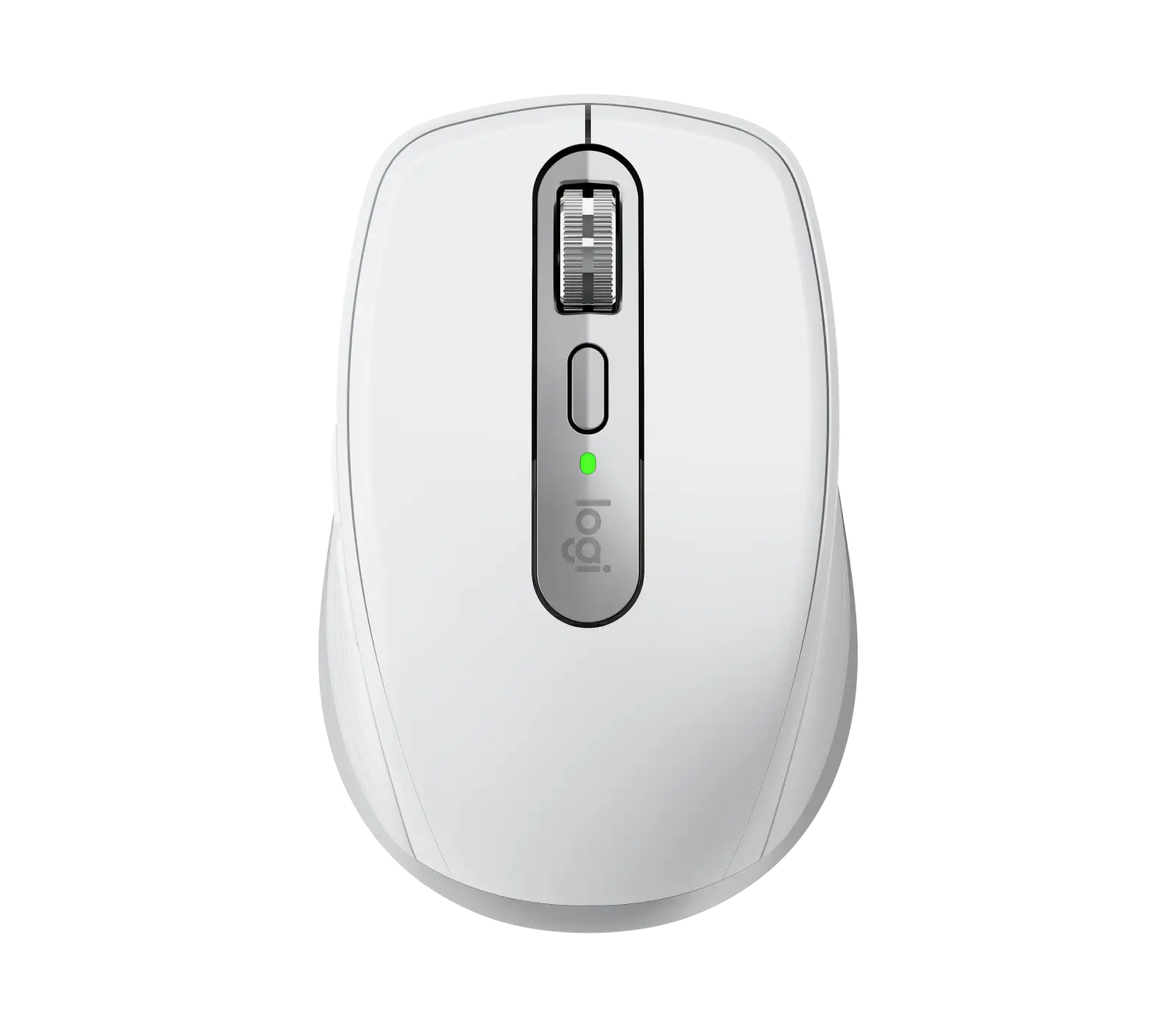
Portability is its defining strength. Reddit user reports paint it as a “perfect replacement” for larger models when traveling. A Best Buy reviewer said: “the size and fit are very nice…great for desk and travel.” Its 99g weight and low profile fit tight spaces like airline tray tables. Portability doesn’t mean fragility—Amazon buyers noted dropping them often with no performance hit.
Multi-device pairing stands out. Professionals who juggle several systems—one Best Buy user with “3 laptops” valued the “same mouse on all…just change the setting on the bottom.” This appeals to remote workers or hybrid setups. One Reddit user said it freed up USB ports and kept their backpack light.
The MagSpeed scroll wheel is frequently cited as transformational for productivity. High-volume document readers liked “blasting through PDFs” while maintaining precision scrolling. SmartShift mode, switching automatically between ratchet and free-spin, received praise from Tom’s Hardware: “software engaged free spin when I scrolled fast, ratchet when slow…perfect scenario.”
Battery endurance meets or exceeds claims. Verified buyers across platforms reported multi-week charge levels; a Trustpilot user noted 14+ hours daily use for a week with only 10% drop. Quick charging impressed travelers—three hours’ use from one minute’s charge prevented workflow disruption.
Common Complaints
Size is the most consistent drawback. While its compact design benefits portability, several reviewers said it’s “too small for everyday use,” especially with medium to large hands. One Best Buy customer upgraded to the MX Master 3S for better comfort. Tom’s Hardware confirmed it’s “sized for tiny hands” and less comfortable for prolonged desktop work.
“Quiet clicks” didn’t meet all expectations. Some found the sound minimal and satisfying, while others judged it too sharp for silent environments. A Trustpilot reviewer wrote, “still…make a rather loud sharp sound…wish the clicks weren't so loud.”
Loss of horizontal scroll wheel functionality frustrated longtime Logitech users. While side-button + wheel combos are the workaround, one Amazon Mac version buyer found “it doesn’t work for me…feels like my mouse just lost two buttons.”
Software stability for Logi Options+ is hit-or-miss. Reports include settings not persisting after reboot. An Amazon reviewer warned: “tons of people have had this problem for years…Logitech hasn’t fixed it.”
Divisive Features
Build feel draws debate. Some call it “solid feeling,” with premium rubber grips and metal scroll wheel; others felt it’s lighter and “a bit cheaper” than older models. The environmental push—recycled plastics—pleased sustainability-minded buyers but was irrelevant to others focused purely on performance.
Flow technology, enabling cross-computer control, delights multi-system professionals but feels gimmicky for single-device users. An Amazon reviewer called it “genius” with CTRL-protected borders to avoid accidents, but admitted without a Flow-compatible keyboard it’s less seamless.
Trust & Reliability
No scam patterns emerged, and resale channels (eBay listings) confirm stable market value. Durability is strong for a travel mouse—users have owned prior “Anywhere” generations for years, and drops rarely caused failure. One Amazon reviewer shared using “every generation…this 3S feels less plasticky and more solid.”
However, some distrust stems from persistent software bugs, particularly on Mac for settings retention. Tom’s Hardware also cautioned that non-Windows/Mac users (Linux, ChromeOS) get basic functions only, limiting advanced features.
Alternatives
The MX Master 3S is the most cited alternative, offering larger size, horizontal scroll wheel, and better ergonomics for long desktop sessions. As one Best Buy reviewer put it, “it’s the MX Master 3S mini”—same scroll performance and silent clicks in a smaller form. Upgraders often keep both: Master for full-time desk work, Anywhere for mobile tasks.
Older MX Anywhere 2S remains beloved for side-scrolling and grip texture. Some users stockpiled them in case Logitech continues removing features. As an Amazon reviewer lamented, “please don’t ruin my favorite mouse.”
Price & Value
At retail $79.99, it sits $20 below the MX Master 3S. eBay and Newegg sell new units around $58–$79, maintaining value in resale. Portability-focused professionals find it worth the premium—Best Buy user: “pay for what you get…super smooth, works great with a MacBook.”
Buying tips from the community include watching for recycling program discounts, bundling with MX keyboards for workflow integration, and avoiding store demos if you’re sensitive to click noise.
FAQ
Q: Does the MX Anywhere 3S work on glass surfaces?
A: Yes. Its 8K DPI Darkfield sensor tracks even on 4mm-thick glass, as confirmed by multiple users who tested on glass tables and windows.
Q: Can it switch between multiple devices easily?
A: Absolutely. Up to three can be paired via Bluetooth, with a bottom button for instant switching. Many professionals use it to bridge work and personal laptops.
Q: Is the click sound truly silent?
A: No. It’s quieter than older models, but reviewers note it’s still audible—fine for most offices, potentially distracting in ultra-quiet spaces.
Q: Can it charge while being used?
A: Yes. The front-facing USB-C port allows operation during charging, preventing downtime during travel or work sessions.
Q: Does horizontal scrolling exist?
A: Not via the wheel; only by holding a side button while scrolling. Some users find this less intuitive than older models with tilt wheels.
Final Verdict: Buy if you’re a professional or traveler needing precise tracking anywhere, rapid device switching, and portability without sacrificing build quality. Avoid if your hands are large, you require truly silent clicks, or horizontal scroll is mission-critical. Community pro tip: pair it with Logi Options+ and map buttons for app-specific actions to maximize productivity.





