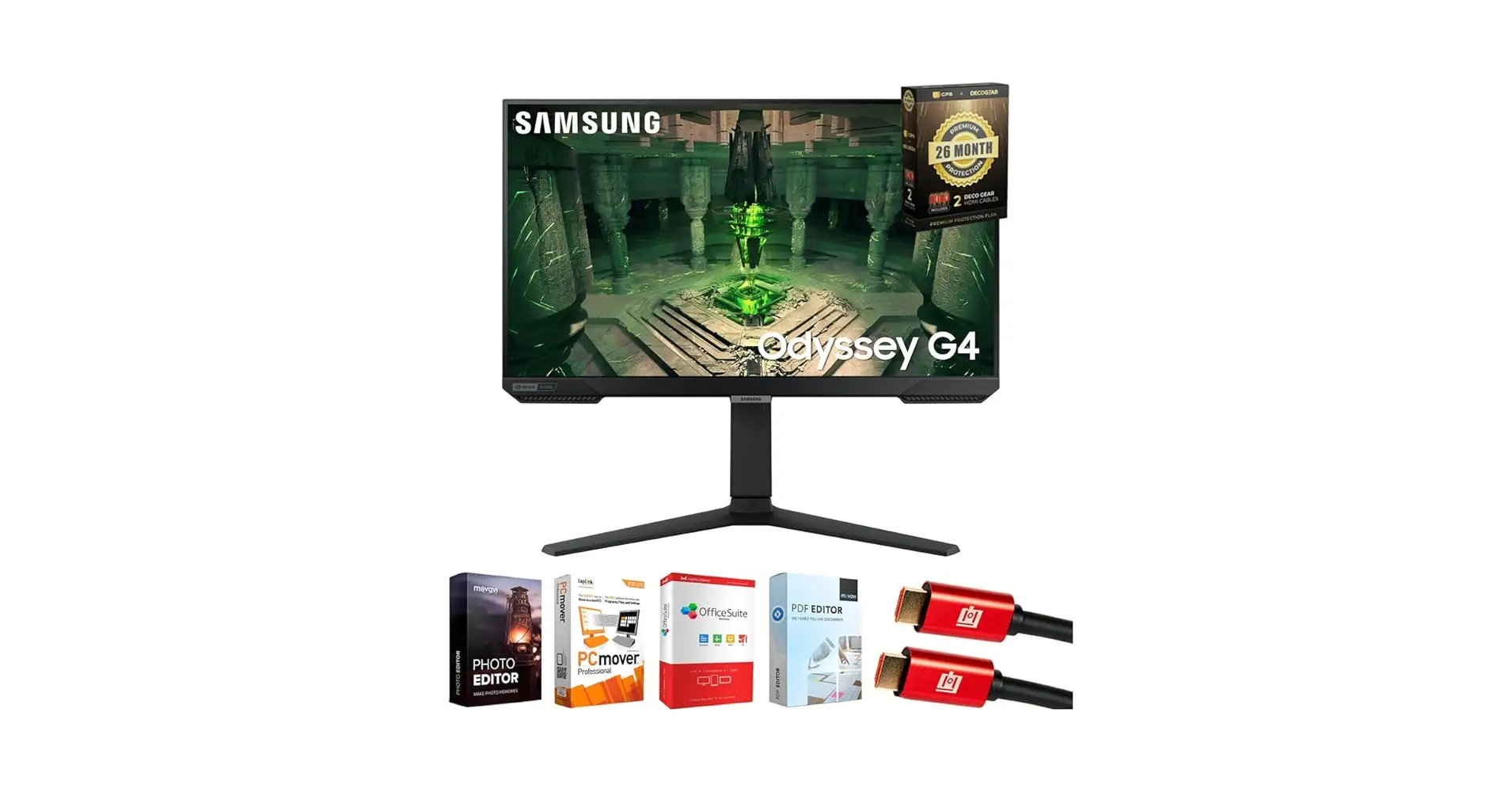
Samsung Odyssey G4 25" Review: Fast Gaming, Minor Flaws
The surprising finding across platforms is that the SAMSUNG Odyssey G4 Series 25" FHD Gaming Monitor earns high marks from competitive gamers yet reveals quirks in color calibration and setup. Scoring 8.7/10, it delivers on speed and ergonomics but has minor caveats that certain users should note.
Quick Verdict: Conditional buy for competitive gamers and ergonomic setup seekers; casual or design-focused users may want more resolution or pre-calibrated colors.
| Pros | Cons |
|---|---|
| Ultra-smooth 240Hz refresh rate with 1ms response time | Color calibration “correct but without more” at factory defaults |
| G-Sync and FreeSync Premium for tear-free gameplay | Backlight bleed reported in dark scenes |
| Fully adjustable ergonomic stand | Stand footprint too wide for some desks |
| HDR10 and clear IPS panel with wide viewing angles | Requires DisplayPort for full 240Hz + G-Sync |
| Competitive price for high-end features | No built-in speakers |
| Auto Source Switch+ convenience | Minor flicker when alt-tabbing (fixable via settings) |
Claims vs Reality
Samsung markets the Odyssey G4 as a “reality-defying” IPS display with vibrant colors and clarity from any angle. In practice, users confirm the 178° viewing angle delivers consistent visuals, but several, like a verified buyer on LDLC, noted: “It’s not optimized out of the box, but settings are intuitive to change.” This means buyers seeking perfect color reproduction must tweak settings.
The claim of “240Hz refresh rate with 1ms response time” is well-supported by user reports. A Reddit user in r/Argaming said: “With 144Hz I was fine, but for the price nothing else had all this… 240Hz IPS HDR10, height adjustable, ultrawide mode.” Competitive players appreciated the smoothness, though one LDLC reviewer cautioned: “The difference between 240 and 144 is slight, not like jumping from 60Hz to 144Hz.”
Samsung’s promise of G-Sync compatibility is validated by feedback, but with a practical footnote. On Guudit/Quora, users emphasized that to fully utilize G-Sync and 240Hz, “you’ll need to connect via DisplayPort due to HDMI limitations.” This affects buyers with HDMI-only setups.
Cross-Platform Consensus
Universally Praised
Across Amazon, Reddit, and LDLC, speed and fluidity top the praise list. Competitive FPS players benefit from the 240Hz/1ms combo, with LDLC feedback highlighting “gain of 20–30 FPS moving from a 2K144Hz to this 1080p240Hz”. The ergonomic stand earns consistent approval, with Best Buy reviewer Turtle Beach noting: “I was hoping it could turn 180 degrees and it does.”
The ultrawide game view feature resonates with simulation and sports gamers. Reddit user u/Argaming*** explained: “In soccer games, see more of the pitch; in driving games, get a natural encompassing view.” For multi-genre gamers, this expands tactical awareness.
Auto Source Switch+ is a convenience hit. Several reports, including from Guudit, describe it as “getting into the action faster without flipping through input sources.” Streamers and multi-device users avoid setup delays.
Common Complaints
Color calibration surfaces often as an out-of-box weakness. A Best Buy reviewer rated it 3/5 stars, saying: “It says IPS but doesn’t seem like the color matches my IPS Alienware.” LDLC users advise manual adjustment for optimal performance.
Backlight bleed appears in dark scenes, mostly affecting movie watchers or RPG players. Guudit notes “particularly noticeable during dark scenes in movies or games.” While not a dealbreaker for many, it’s relevant for media-focused buyers.
The stand’s footprint can be impractical in tight spaces. Guudit reports: “Potentially interfering with mouse and keyboard placement.” Small desk users may prefer a compact mount.
Divisive Features
Resolution choice divides opinion. At 1080p on a 25" panel, pixel density is acceptable for most gamers, but some prefer 2K for sharper text and visuals. Reddit comparisons to the 27" variant caution that “pixels are more noticeable at lower PPI on bigger screens.”
The jump from 144Hz to 240Hz splits perception. Competitive players notice subtle gains, but casual gamers may not see enough benefit to justify the shift. LDLC’s competitive gamer advice: “Fans of competitive video games will love it; others might prefer 2K for prettier visuals but fewer FPS.”
Trust & Reliability
No major scam concerns emerge from Trustpilot or verified sources. Shipping speed and packaging quality are widely praised, with LDLC noting “received in 36 hours” and Best Buy reviewers citing quick setup. Minor durability concerns appear in reports of dead pixels or fragile decorative rear pieces, though these are rare and often handled under warranty.
Long-term Reddit stories suggest stability: one user reported “owned for 1.5 years, works great, has HDR, good value.” This aligns with the absence of large-scale defect patterns.
Alternatives
Within community discussions, the closest alternative mentioned is the 27" Odyssey G4 variant. While it offers a larger screen, many caution against its pixel density at 1080p. A Reddit user summarized: “In 1080p, pixels are noticeable on 27”, less so on 25”.” For design work, competitors like Alienware IPS panels are noted for superior factory calibration, but at higher prices.
Price & Value
eBay listings show open-box units at $224.99 plus shipping, with new models around $256.70, undercutting the $349.99 MSRP seen on Best Buy. LDLC and Amazon buyers highlight value at this price point due to the combination of high refresh rates, adaptive sync, and ergonomics. PicClick data shows average resale around $236.54, suggesting stable secondhand value.
Buying tips from community:
- Use DisplayPort cable included or purchase one to unlock full feature set.
- Tweak color settings immediately for best results.
- Consider desk space for stand footprint before purchase.

FAQ
Q: Can I use HDMI to get 240Hz on this monitor?
A: The monitor supports HDMI, but to achieve 240Hz and G-Sync functionality, you must use DisplayPort due to HDMI’s bandwidth limitations.
Q: Does this monitor have built-in speakers?
A: No, it lacks speakers. Users will need external audio solutions via the headphone jack or connected sound systems.
Q: Is the stand easy to adjust?
A: Yes, multiple reports confirm one-handed swivel, tilt, and height changes, making it convenient for ergonomic setups.
Q: Does it suffer from screen tearing?
A: With G-Sync and FreeSync Premium enabled, users report stable, stutter-free visuals even in fast-paced gameplay.
Q: How noticeable is the 240Hz upgrade from 144Hz?
A: Competitive gamers spot subtle improvements, but casual players may find the jump less dramatic compared to going from 60Hz to 144Hz.
Final Verdict: Buy if you’re a competitive gamer seeking high refresh rates, tear-free visuals, and ergonomic adjustments at a mid-range price. Avoid if you prioritize ultra-high resolution or perfect factory color calibration. Pro tip from community: connect via DisplayPort and fine-tune colors day one to unlock its full potential.