Laptop Charger 90W USB-C for Dell Review: Conditional Buy 7.6/10
A Reddit user said it plainly: “don’t fall for any chargers that are usb c and 130w other than the dell one if you want to have actual 130w charging.” That single warning captures the central story around the Laptop Charger 90W USB-C Power Adapter for Dell: for many people it’s a practical, affordable second charger—until a high-power XPS workflow exposes the limits. Verdict: Conditional buy — 7.6/10.
Quick Verdict
For most Dell Latitude/Inspiron users and moderate XPS workloads, yes. For sustained heavy XPS 15 (9520) loads where you’re trying to replace Dell’s proprietary 130W behavior, it’s conditional.
| Decision | Evidence from users | Best for | Risk |
|---|---|---|---|
| Yes | “works perfectly with an xps 15 7590” (Amazon review) | Backup/second charger | Variability by seller/packaging |
| Conditional | “even the 85w adapter will charge it just fine… albeit slower” (Reddit) | Light/moderate XPS 15 use | Heavy load may drain battery |
| No (for heavy use) | “you will need the actual 130w adapter to avoid slowly discharging the battery” (Reddit) | Gaming/rendering/encoding | 90W won’t keep up |
| Value-focused | “much cheaper than what dell sells them at” (Amazon review) | Cost-sensitive buyers | Questions about “OEM” authenticity |
| Desk setup | “consider getting a cheap used dock for your desk” (Reddit) | Multi-device desks | Charger-through-dock warnings |
Claims vs Reality
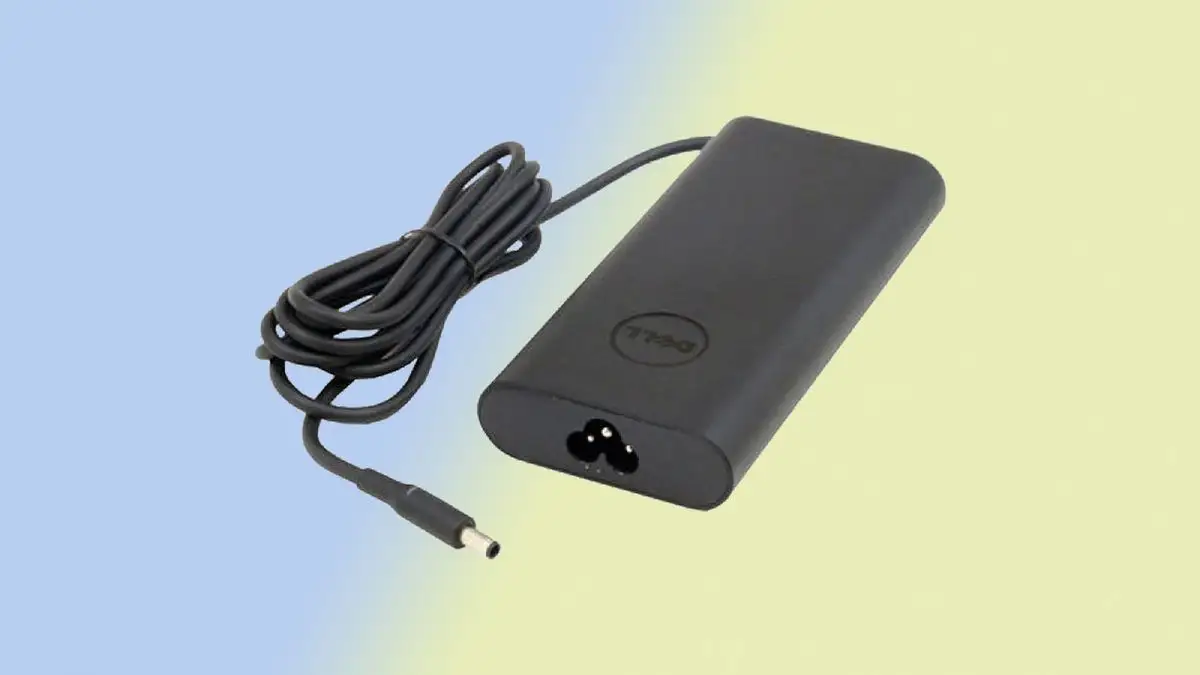
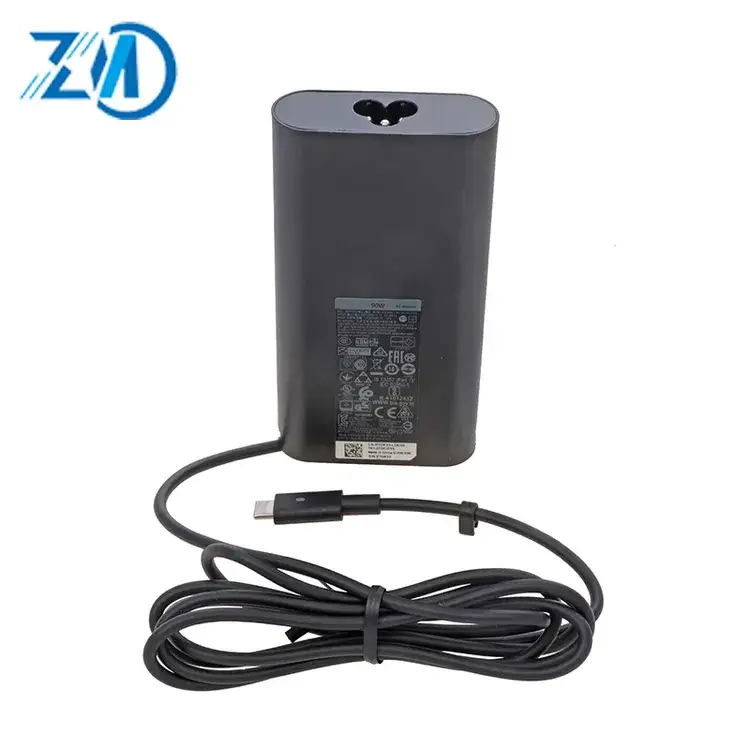
The marketing language around many 90W USB‑C Dell-compatible chargers leans on broad compatibility and “fast charging.” On Amazon, listings emphasize specs like “output… 20V ~ 4.5A” and positioning as a “high quality 90w type‑c charger,” while Dell’s own 90W adapter page stresses it “offers 90W enough to power and charge your laptop.” Digging deeper into user reports, the real dividing line isn’t whether 90W works at all—it’s whether your laptop and workload demand more than USB‑C Power Delivery typically provides.
One recurring claim is that a 90W USB‑C adapter is “enough” in a general sense. Users often agree—within boundaries. In a Reddit thread about the XPS 15 (9520), one commenter framed it through daily practicality: “during normal to moderate use… even the 85w adapter will charge it just fine (albeit slower than the 130w would of course).” That maps to a common buyer profile: people who want a second charger “semi‑permanently routed behind my desk,” and don’t plan to game or render all day.
The second marketing-adjacent claim is that higher-wattage USB‑C options can replace Dell’s 130W experience. User feedback pushes back hard. A Reddit user warned: “anything rated over 100w will not charge at more than 100w on the 9520 due to it not supporting pd 3.1 , the only way to get the 130w is by using the actual dell adapter.” While chargers may be labeled 130W in listings or discussions, multiple users describe a practical ceiling for that machine unless you use Dell’s own solution—an important “claims vs reality” gap for buyers shopping by wattage alone.
A third promise often implied by OEM-style listings is build quality and completeness of accessories. Here, the data suggests inconsistency across sellers and channels. A verified buyer on Amazon wrote: “protective plastic was in tact, but removing revealed scratches and general low quality housing. this doesn’t seem like a dell part, even though it is branded as such.” On Staples, a reviewer complained of a mismatch versus the description: “does not include rubber strap… does include a wall plug that is not oem… refurbished / repackaged product.” While those complaints don’t prove failure to charge, they do show that “genuine” presentation and what arrives at the door can diverge.
Cross-Platform Consensus
Universally Praised
The strongest praise across platforms centers on basic functionality: it charges, it meets required voltage/current, and it solves very specific real-world problems—especially when a Dell’s barrel port fails or when someone needs a spare brick at a second location. A verified buyer on Amazon shared a repair-and-workaround story that reads like an IT ticket closed successfully: “the barrel charge port on my xps 15 7590 stopped working… i connected it to my work usb-c docking station, the battery charged correctly… i bought this usb-c charger which also works perfectly. problem solved.” For office workers who rely on a laptop daily, that kind of “keep working without opening the machine again” outcome is the ideal scenario for a 90W USB‑C adapter.
Another widely echoed benefit is cost savings compared with buying directly from Dell. One Amazon reviewer said the charger “meets voltage and current requirements” and added, “much cheaper than what dell sells them at.” That price-performance logic shows up again in the way people shop for extras: Dell’s official 90W USB‑C adapter is listed at $64.99 on Dell USA, while third-party 90W options on Amazon appear around $27.99 in the provided data. For students or remote workers buying a second setup (home + office), that difference can decide whether they buy one charger or two.
Cord length and setup convenience also come through as practical wins. A verified buyer on Amazon, describing a desk setup, noted: “nice long cord , so i’m able to hide the power brick under the desk.” For a home-office user trying to reduce cable clutter, that’s not a trivial detail—especially when the charger is meant to live behind a desk permanently.
Finally, some buyers value cross-device versatility. A verified buyer on Amazon remarked: “works with macbook pro ! … it seems to provide the correct power to my 2018 15” macbook pro.” Others mention non-Dell devices too, like “works great with my hp elitebook 1040 g4.” Even though the product is marketed “for Dell,” users report it can function as a general 90W USB‑C charging brick—useful for households with mixed devices.
- Common praise themes (Amazon + Reddit): “works perfectly,” “meets voltage and current,” long cord convenience, better price than Dell.
- Who benefits most: office workers needing a second charger, repair situations where USB‑C charging still works, multi-device households.
Common Complaints
The most consequential complaint is performance under heavy load—especially on higher-end XPS configurations. Multiple Reddit commenters describe a pattern where 90W (or even 100W) can keep the system going, but not necessarily keep the battery from dropping during sustained CPU/GPU stress. One Reddit user with a 9520 explained: “if you put the system under a very heavy load… you will need the actual 130w adapter to avoid slowly discharging the battery.” They quantified their experience: “i was loosing in the realm of 5 - 10 % per hour of battery while under super super heavy loads.”
That matters for specific user types: gamers, creators rendering footage, or anyone doing long encoding sessions. For them, the “it charges fine” story becomes “it charges fine until it doesn’t.” Another Reddit voice reinforced the same practical warning: “not only will the 90w charge slower , it might even cause the laptop’s battery to slowly discharge if you’re doing anything heavy on it.”
A second recurring complaint is authenticity/packaging quality—less about electrons, more about trust. A verified buyer on Amazon questioned whether what they received was truly OEM-grade: “scratches and general low quality housing… this doesn’t seem like a dell part.” On Staples, the frustration focused on missing/incorrect accessories: “did not include rubber strap… wall plug that is not oem.” For buyers who specifically choose a listing because it looks “original,” this becomes a credibility problem, even if the charger still functions.
A third issue is ecosystem friction: docks and “charger compatibility” alerts. One Reddit commenter advised bluntly: “do not use your charger through your usb-c adapter / dock… plug charger directly into laptop… if you don’t do this you’ll have issues with battery alarms saying charger isn’t compatible.” That’s a real-world problem for desk setups where users want one-cable convenience; the guidance suggests that for some Dell systems, how you route power can change the experience.
- Biggest complaint driver (Reddit): heavy-load drain on XPS 15 (9520) unless using Dell’s 130W setup.
- Trust complaints (Amazon/Staples): cosmetic condition, accessory mismatch, “refurbished / repackaged” suspicions.
Divisive Features
“90W is enough” is divisive because it’s workload-dependent, not just model-dependent. A Reddit user claimed: “i saw basically 0 reduction in actual performance on the 90w adapter vs the 130w adapter… fps was the same,” yet in the same breath admitted battery trade-offs under extreme load: “loosing… 5 - 10 % per hour.” For someone doing short bursts of demanding work plugged in, that might be acceptable. For someone gaming for hours, it’s not.
Another divisive topic is buying third-party versus Dell-branded. Some users explicitly recommend staying official for edge cases: “recommendation is to use their stock 130 watt adapter (i always recommending having 2).” Yet other feedback highlights why people ignore that advice: the Dell adapter costs far more, and one commenter even mentioned durability issues with Dell chargers themselves: “my 9500 charger broke not long after i got it.” That tension—pay more for official, but official isn’t immune to failure—keeps the debate alive.
Trust & Reliability
Digging deeper into trust signals, user feedback raises a subtle scam-adjacent concern: products marketed as “original” or “OEM style” sometimes arrive looking cosmetically questionable or missing expected extras. A verified buyer on Amazon described “scratches and general low quality housing” and concluded, “this doesn’t seem like a dell part, even though it is branded as such.” A Staples reviewer similarly implied repackaging: “this seems like a refurbished / repackaged product.” These aren’t outright accusations of counterfeits, but they show why some buyers worry about what “OEM” means across marketplaces.
On longer-term reliability, the clearest durability signal in the provided data is indirect: some people buy spares because chargers fail. One Reddit commenter said: “my 9500 charger broke not long after i got it.” Meanwhile, another Amazon reviewer offered a more reassuring fleet-style perspective: “we have bought a lot of these and they always work so far.” The pattern suggests reliability may be fine in many cases, but variability in seller quality and packaging can undermine confidence.
Alternatives
The main alternative repeatedly referenced is Dell’s own adapters—especially where proprietary behavior matters. For XPS 15 (9520) users chasing true 130W behavior, Reddit feedback is explicit: “the only way to get the 130w is by using the actual dell adapter.” That makes Dell’s official 90W USB‑C adapter and the 130W Dell setup the benchmark, not because of raw USB‑C wattage labels, but because of how the laptop negotiates power.
There’s also a community alternative that isn’t another charger: a dock strategy. One Reddit commenter suggested: “you might consider getting a cheap used dock for your desk,” aiming to reduce cable swapping and keep peripherals connected. Another commenter, however, warned against routing charging through adapters/docks for best experience: “plug charger directly into laptop.” The alternative here isn’t universally “better”—it depends on whether your priority is clean desk ergonomics or maximum charging reliability.
Price & Value
The value story is straightforward: third-party 90W USB‑C Dell-compatible chargers in the data sit around $27.99 on Amazon listings, while Dell’s official 90W USB‑C AC Adapter is listed at $64.99 on Dell USA. For buyers building a two-location setup, that delta can pay for an extra cable, a sleeve, or even a used dock.
Resale and secondary market pricing reinforces that many people treat chargers as replaceable commodities. eBay listings show “original dell 90w la 90 pm 170 usb-c ac adapter” around $17.99 (used) and other OEM/compatible chargers in similar ranges, suggesting there’s a healthy market for spares—useful if you’re outfitting multiple desks or replacing a lost brick.
Community buying tips lean toward matching the use case: if you’re doing “gaming , rendering footage… av1 encoding,” Reddit users push you toward the official Dell solution. If you’re doing “normal to moderate use,” they imply a reputable 90W USB‑C charger can be a smart savings.
FAQ
Q: Is a 90W USB‑C charger enough for an XPS 15 (9520)?
A: Conditional. A Reddit user said “during normal to moderate use… even the 85w adapter will charge it just fine,” but also warned that under “very heavy load… you will need the actual 130w adapter to avoid slowly discharging the battery.”
Q: Will a “130W USB‑C” third-party charger actually charge at 130W on the XPS 15 (9520)?
A: Not according to the Reddit thread. One Reddit user cautioned: “anything rated over 100w will not charge at more than 100w on the 9520… the only way to get the 130w is by using the actual dell adapter.”
Q: Do these 90W USB‑C chargers work if my Dell barrel port is broken?
A: Often, yes—if your laptop supports USB‑C charging. A verified buyer on Amazon wrote: “the barrel charge port on my xps 15 7590 stopped working… i bought this usb-c charger which also works perfectly. problem solved.”
Q: Are “OEM” listings always genuine Dell quality?
A: Buyer feedback suggests inconsistency. A verified buyer on Amazon noted: “scratches and general low quality housing… this doesn’t seem like a dell part,” and a Staples reviewer said their unit “did not include rubber strap” and looked “refurbished / repackaged.”
Q: Should I charge through a dock or plug directly into the laptop?
A: Some Reddit users recommend plugging directly in for reliability. One wrote: “do not use your charger through your usb-c adapter / dock… plug charger directly into laptop,” citing possible “charger isn’t compatible” alarms and battery discharge during demanding use.
Final Verdict
Buy if you’re a commuter, student, or office worker who wants a cheaper second charger for a Dell Latitude/Inspiron—or an XPS for light-to-moderate workloads—and you’re okay verifying seller quality. Avoid if you run sustained heavy loads on an XPS 15 (9520) and expect it to behave like Dell’s proprietary 130W setup. Pro tip from the community: “if you want to use the thing under a heavy load for long periods of time , get another 130 w.”