CHUWI MiniBook X Review: Portable Power with Caveats
A Reddit user olorinhenderson summed up the 2023 update bluntly: “the original screen… is impeccable… the new version’s screen is pretty poor in comparison.” That tension runs through much of the feedback around the CHUWI MiniBook X 2‑in‑1 Touchscreen Laptop, a device balancing portability with compromises. With scores clustering around 4.1–4.8/5, the consensus tilts positive, but not without recurring caveats. Overall score: 7.9/10.
Quick Verdict: Conditional – excellent for portable, budget‑friendly productivity; less ideal for graphics work or long untethered use.
| Pros | Cons |
|---|---|
| Ultra‑compact, just 0.9 kg | Weak battery life under load (3–4 hours) |
| Solid metal chassis | Reflective screen with muted colors in newer model |
| Versatile 360° hinge, tablet mode | Limited ports (USB‑C only, no USB‑A or SD slot) |
| Fast for budget segment (Intel N100/N150) | Warranty requires overseas shipping |
| Good keyboard for size | Trackpad and webcam criticized |
| Linux compatibility out of the box | Can run hot under sustained boost |
| Affordable compared to competitors | Backlight on newer keyboard auto‑shuts off after 15 secs |
Claims vs Reality
Marketing positions the MiniBook X as offering “stunning 2K visuals” with “100% sRGB coverage,” ideal for productivity and content viewing. On paper, this is bolstered by a 10.51‑inch IPS panel at 1920×1200. Digging deeper into user reports, that claim holds for the older N5100 version: “bright, vibrant, saturated colours, deep blacks,” per Reddit user olorinhenderson. However, in the newer N100 variant, multiple reviewers note a downgrade—“only 300 nits… dull colours and a blue tint on blacks,” undermining the premium display pitch.
CHUWI promotes “up to 8 hours” battery life, which aligns with light, power‑save usage. In real‑world scenarios, users report far shorter runtimes. A verified buyer on Yandex Market said: “if… without charging… only in energy saving mode… hours 8 office work +‑,” but many echo the Twitter/X comment: “around 4 is the best case for actual use.” This discrepancy matters most to travelers hoping to work unplugged for extended periods.
Performance claims—“meets your multitasking, gaming, and web browsing needs with ease”—are broadly validated. A Quora post comparing it to other budget laptops notes that “all 3… issues are resolved here” (slow CPU, low memory, slow storage). The Intel N100/N150 paired with LPDDR5 RAM and NVMe SSD gives snappy response in office apps and browsing. Still, as Reddit and Trustpilot users caution, GPU performance is unchanged from prior models—fine for HD video, poor for modern 3D gaming.
Cross‑Platform Consensus
Universally Praised
Portability is the MiniBook X’s most consistent win. “Super compact, productive and inexpensive,” wrote Sergei Popov on Trustpilot, highlighting how he works “literally standing holding it in my hands.” For students and mobile professionals, the under‑1kg weight and tablet mode make it plausible to take notes in lectures or work on commuter trains. A Reddit user praised it as “literally the only device… small enough… and actually useful as a tablet, but large enough… for typing.”
Build quality also earns steady praise for the price tier. The aluminum lid and chassis resist flex, with Andrew T. describing it as “metal… both ports full‑featured… keyboard almost full‑size.” Fit‑and‑finish is generally good, with tactile keys comfortable even in prolonged writing sessions.
Another standout is memory and storage headroom in a budget machine. Where many low‑cost notebooks limp along with 4GB RAM and eMMC drives, the MiniBook X’s 12–16GB LPDDR5 and fast NVMe SSD give workflows a clear boost. Quora reviewers note “large amounts of memory and storage for the price,” enabling smooth multitasking across productivity apps. Linux compatibility out‑of‑box wins points among developers and open‑source enthusiasts.
Common Complaints
Battery life disappointment spans Amazon, Twitter/X, and Trustpilot. Sustained CPU boost drains cells in hours, not the advertised workday. As David Kulagin warned: “processor heats in boost… cooling weak…,” pushing owners into power‑save mode to reach five or more hours.
The screen divide between generations is another sore point. Older N5100 units deliver rich color; newer N100 panels have bigger bezels, more gloss, and reduced luminosity. For creative tasks or outdoor work, that compromise is noticeable.
Port selection frustrates users needing legacy USB‑A or expanded IO. “No USB ports… problem solved with… adapter,” said one Trustpilot buyer, but many see it as avoidable. Twitter feedback stresses that “only two USB‑C ports… you have to take up the ‘fully featured’ port” when charging, plus no SD reader for photographers.
Input device quality gets mixed marks. Trackpad and webcam skew below average, with Quora noting both as “bad.” Some owners experience “ctrl button seems to stick,” an annoyance for keyboard shortcuts.
Divisive Features
Cooling attracts split opinions. Some praise the N100’s fan as “almost silent” even at load, with better sustained CPU speeds. Others say thermal constraints still force throttling and cause warmth in lap use. Reddit commentary that both N5100 and N100 “can turbo to full speeds… you’ll be good with either” suggests expectations recalibration rather than flawless cooling.
Aesthetic preferences diverge on the punch‑hole camera in old screens versus larger bezels in new. What one sees as non‑fatal, another views as a downgrade from the sleeker original.
Trust & Reliability
Warranty service emerges as a weak point. Quora comments cite the requirement to “pay to send it to HK or Spain” for repairs. Twitter/X adds instances of “faulty USB‑C entry… lid came a bit arched,” and acknowledges “a bunch of issues… not fatal but very annoying.” The lack of local support stretches resolution times for simple fixes.
Long‑term Reddit ownership stories offer measured confidence in mechanical durability: hinges, although suspected weak points, generally hold up with care, though “plënochki on hinges… come off” in tablet mode per one Yandex Market review. Cosmetic wear is minimal thanks to the metal exterior.
Alternatives
Community comparisons focus on One Netbook devices, which retain similar form factors but cost nearly triple. Twitter/X users highlight that outside Chuwi, “it’s… the only device… comfortable for typing and other real work” at this size. Larger CHUWI FreeBook models share CPUs but have different thermal tuning; reviewers note the FreeBook’s N100 idles at lower wattage, hinting at possible efficiency tweaks.
Price & Value
Prices range from USD $349–$369.99 new on Amazon/eBay, with occasional 5–20% promotions. At this tier, buyers consistently frame the MiniBook X as delivering “quality build for the price” (Quora), especially for students, on‑the‑go office users, and tech hobbyists. Resale value likely depends on battery health and screen condition, as display criticism on later models could dampen used demand. Community buying tips include grabbing early units before spec changes, watching for “current promotions,” and budgeting for a USB‑C hub.
FAQ
Q: Does the MiniBook X run Linux well?
A: Yes. Multiple Quora and Reddit reports confirm it works “flawlessly” out‑of‑the‑box, ideal for dev environments or lightweight distributions.
Q: How long does the battery last in real use?
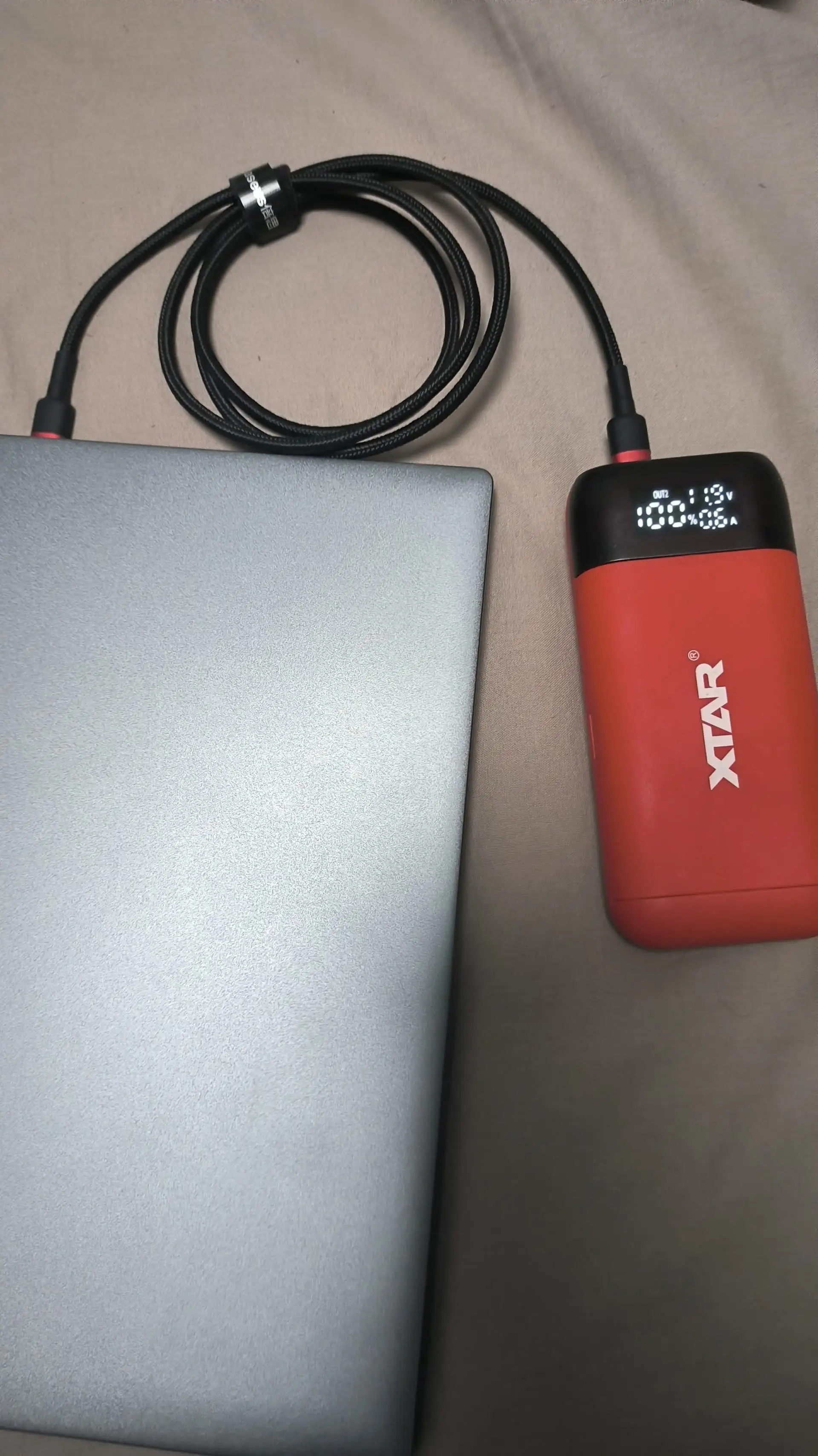
A: Expect 3–4 hours under moderate load, up to 8 in power‑save with light office work. Travel users often carry a USB‑C PD power bank.
Q: Is the screen suitable for photo or design work?
A: On the N5100 variant, colors are vibrant with deep blacks. The N100 variant has muted colors and lower brightness, making it less ideal for color‑critical tasks.
Q: Can it replace a full‑size laptop?
A: For light productivity, yes—but GPU limits and shorter battery life mean it won’t fully replace high‑power machines for gaming or heavy editing.
Q: How’s the keyboard quality?
A: Good for its size, with tactile keys. Older model allows permanent backlight; newer auto‑shuts off after 15 seconds.
Final Verdict
Buy if you’re a student, mobile professional, or traveler seeking an ultra‑portable Windows 11 2‑in‑1 for office work, streaming, and light multitasking. Avoid if you need long battery life away from outlets, color‑accurate graphics, or rely on varied port selection without dongles. Pro tip from Reddit: consider the older N5100 variant for a superior screen, or budget for a USB‑C hub and portable charger to maximize usability on the road.