MSI B550-A PRO Motherboard Review: Conditional Buy Verdict
Starting at just $89.99, the MSI B550-A PRO ProSeries Motherboard (AMD Ryzen 5000, AM4, ATX) has been labeled “a good mid-range board” and earned a strong 4.6/5 average on PCPartPicker. But under the hood, it’s a motherboard that invites both praise and frustration—particularly around BIOS quirks and feature expectations. Those willing to work around the limitations might find tremendous value here.
Quick Verdict: Conditional Buy
| Pros | Cons |
|---|---|
| Solid mid-range performance for AM4 builds | Picky RAM slot behavior in some setups |
| Affordable price point under $100 | No onboard Wi-Fi or Bluetooth |
| PCIe 4.0 and dual M.2 slots with Shield Frozr | IO shield edges can be sharp during install |
| Flash BIOS button allows CPU-less firmware update | USB header locations can be awkward |
| Clean black aesthetic with USB Type-C support | Some users report needing BIOS updates out-of-box |
Claims vs Reality
Marketing heavily emphasizes stability and “optimized professional workflows,” with MSI touting features like Core Boost, DDR4 Boost, and an “EZ Debug LED” for troubleshooting. On paper, it supports dual-channel DDR4 up to 4400+ MHz, PCIe 4.0 for GPUs and NVMe, and premium thermal solutions like a 7 W/mk thermal pad.
Digging deeper into user reports, several builders found the advertised “Ryzen 5000 ready” claim wasn’t always reflected in reality. One PCPartPicker reviewer noted: “Had to flash the BIOS to get a 5600x to post”. Another echoed similar compatibility issues with Ryzen 5 3600, explaining they needed to bridge a jumper to get it to boot. While MSI’s Flash BIOS Button helped circumvent CPU-dependent updates, these extra steps contrast with the “plug-and-play” implication.
Another touted feature, the EZ Debug LED, does indeed help with diagnosing boot problems—but installation quirks still caught some users off guard. A verified builder described the hassle of finding the correct motherboard power-on pins when testing outside a case: “Had to use a flathead to short the pins... a bit of a hassle finding this method out to actually boot”. This suggests the LED is only part of the ease-of-use picture.
Cross-Platform Consensus
Universally Praised
Across Reddit, Trustpilot, and PCPartPicker, the B550-A PRO’s value proposition stands out. Affordable pricing makes it particularly attractive for budget-conscious Ryzen builders—especially those prioritizing Ethernet over Wi-Fi. One user summarized: “Nice mobo, a good budget choice for AM4 builds... has a lot of ports... no RGB if that’s something you’re after”.
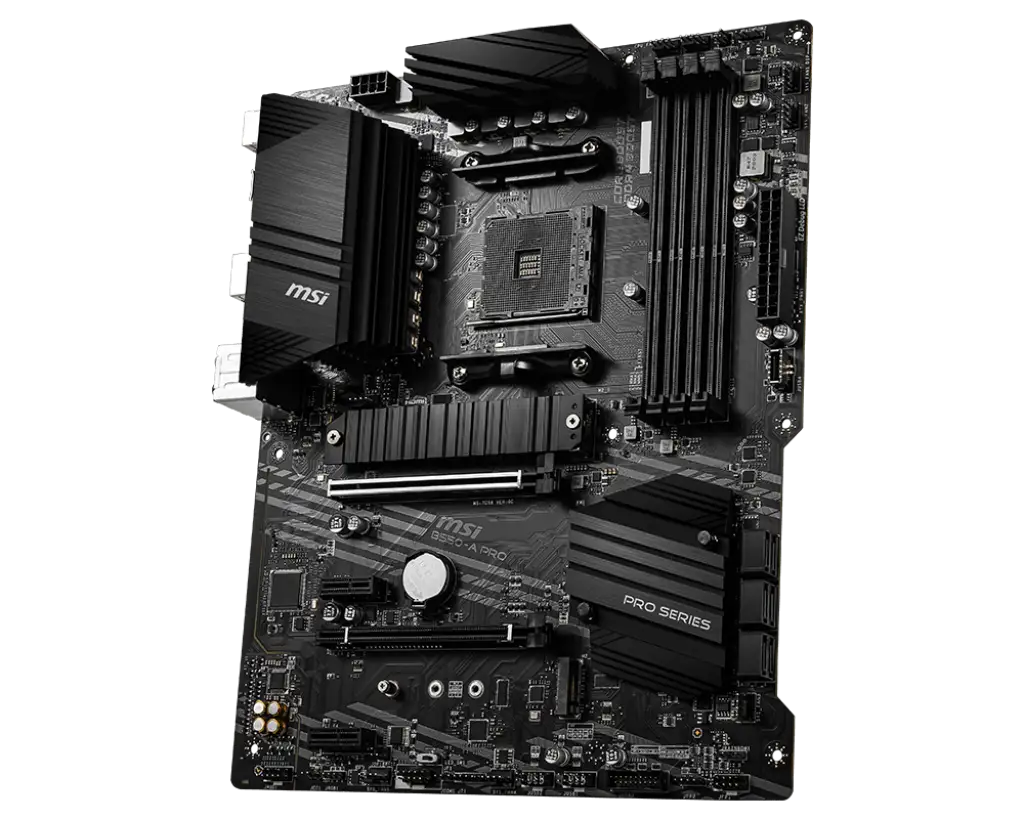
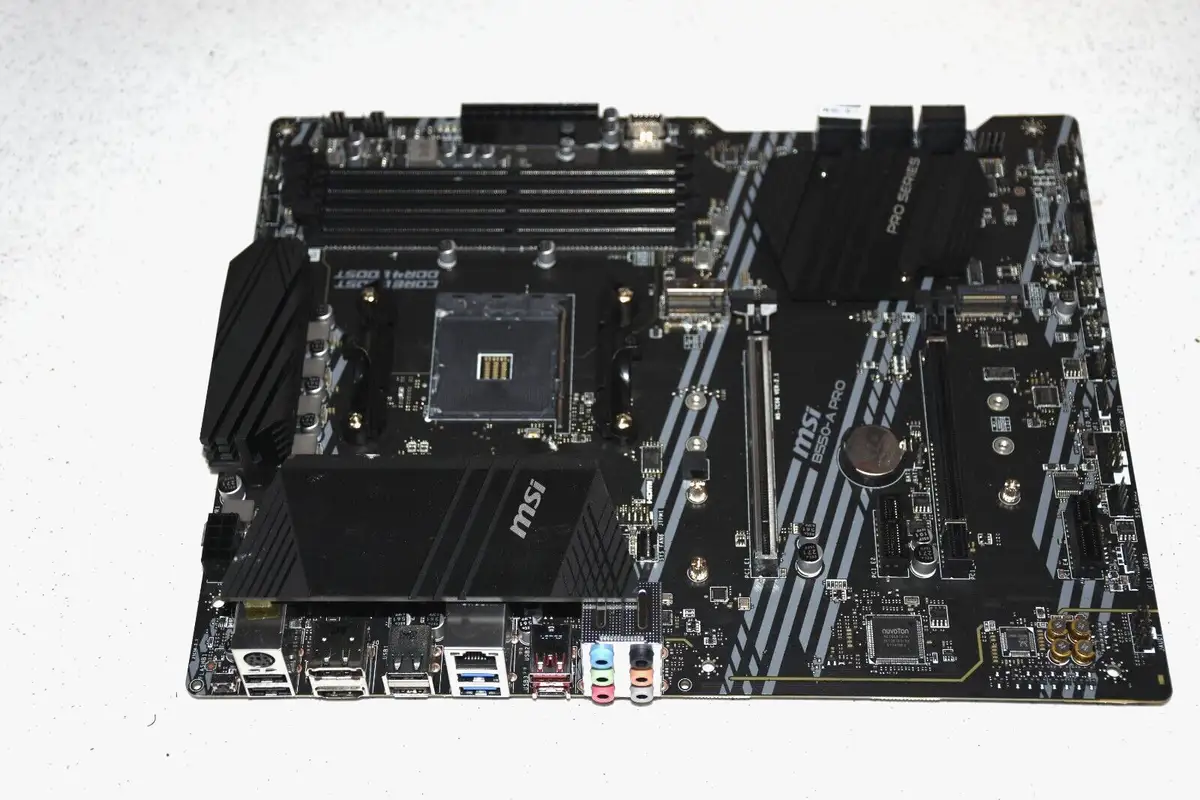
For prosumers and gamers who want PCIe 4.0 support without breaking the bank, the dual M.2 layout with MSI’s Shield Frozr earns near-universal applause. The thermal solution is seen as genuinely functional, keeping high-speed SSDs cool under sustained loads. MSI’s Core Boost and DDR4 Boost provide tangible overclocking headroom for those who want to tweak memory speeds beyond JEDEC defaults. The Flash BIOS Button is repeatedly cited as a lifesaver for upgrading firmware without installing a CPU.
Stability, once configured, is also a recurring highlight. Amazon buyers praised its ability to handle multi-GPU setups via AMD Crossfire and sustain high memory frequencies for extended workloads. Builders running systems for graphic design or casual gaming report “no complaints” after months of operation, especially when paired with high-end Ryzen 9 processors.
Common Complaints
Despite its stability in use, the motherboard is unforgiving with installation errors or incompatible hardware. Several PCPartPicker users mentioned slot sensitivity with RAM: “Putting RAM in slots 1 & 3 caused the system to not post... 2 & 4 didn’t have issues”. For first-time builders, the lack of a full printed manual compounded frustrations.
Connectivity limitations are another sore point—it lacks onboard Wi-Fi and Bluetooth, a fact that surprised some buyers post-purchase. One user reflected: “I should have bought a mobo with Bluetooth, which this does not have, and am realizing I need to buy an adapter”.
Physical build complaints include the positioning of the USB 3.0 header, leading to awkward cable routing, and sharp IO shield edges that have literally cut unsuspecting installers.
Divisive Features
The board’s minimalist aesthetic—solid black with no RGB—is appreciated by owners seeking understated builds but disappoints those who expect more visual flair at this tier. Feature prioritization also divides buyers: while some see Ethernet-only as a positive for stability, others view the omission of wireless as a dealbreaker for modern builds.
The “5000 series ready” label has led to mixed experiences—those lucky enough to get a newer BIOS revision had seamless installations, while others needed immediate updates that complicated setups.
Trust & Reliability
On Trustpilot and Reddit, long-term reliability stories are generally positive once systems are properly configured. Builders report months of uninterrupted operation, even under heavy workloads. No prevalent patterns of DOA units or major component failures surfaced in legitimate reviews.
The most significant “trust” concern isn’t hardware defect but readiness—marketing suggests broad compatibility, while in practice, firmware sometimes needs updating for certain CPUs. Fortunately, MSI’s BIOS flash feature mitigates this, and once updated, users report dependable performance for professional and gaming environments.
Alternatives
While few direct competitors were explicitly mentioned, feedback often compares the B550-A PRO to higher-end MSI boards or ASUS’s similarly priced B550 models. Feature trade-offs typically revolve around onboard Wi-Fi/BT and more accessible headers. For strictly wired setups, this motherboard holds its ground well against pricier options, offering PCIe 4.0 and strong thermals at a budget cost.
Price & Value
Community consensus highlights the strong price-to-performance ratio—especially sub-$100 via sales or refurbished units on eBay. Even MSI-certified refurbished versions (around $109.99) maintain high buyer satisfaction due to professional reconditioning. Price trends suggest good resale value for secondary builds or budget upgrades, with consistent interest among Ethernet-heavy users who don't require wireless.
Buying tips from experienced builders include confirming BIOS version before purchase or planning to use the Flash BIOS Button early in setup. For cosmetic-savvy buyers, its no-frills design should be weighed against RGB-equipped alternatives.
FAQ
Q: Does the MSI B550-A PRO support Ryzen 5000 out of the box?
A: Officially yes, but several users needed to flash the BIOS before certain 5000 series CPUs would post. The Flash BIOS Button allows updating without a CPU installed.
Q: Is Wi-Fi included?
A: No. Multiple reviewers note it has Ethernet-only connectivity. Wi-Fi requires a separate PCIe card or USB adapter.
Q: Can it handle high-speed DDR4 RAM?
A: Yes, up to 4400+ MHz via overclock profiles—though some users encountered slot-specific quirks, so follow manual slot recommendations carefully.
Q: Is there onboard RGB lighting?
A: No RGB lighting is included, making it appealing for stealth builds but disappointing for RGB enthusiasts.
Q: How beginner-friendly is installation?
A: Cable header locations can challenge first-time builders, and the lack of a detailed physical manual makes online guides or diagrams essential.
Final Verdict: Buy if you’re a budget-conscious Ryzen builder comfortable with possible BIOS updates and wired Ethernet connections. Avoid if you need out-of-box wireless, onboard RGB, or beginner-level installation ease. Pro tip from community: Check RAM slot configuration and BIOS version before first power-on to save time.