HP 24" FHD IPS Monitor (2024) Review: Worth It? 8.2/10
“Great monitor with high screen clarity” is the kind of line that keeps showing up when people talk about the HP 24" FHD IPS Monitor (2024 Model)—but it’s often followed by a catch like “lacks speakers and mounting.” Verdict: a strong office/home-work pick with clear tradeoffs, 8.2/10.
Quick Verdict
Conditional Yes — if you want a sharp, comfortable 24" 1080p IPS display for work/school and don’t need built-in audio or flexible mounting/ergonomics.
| What people agree on | Evidence from users | Who it matters to |
|---|---|---|
| Easy setup | A verified buyer on Amazon noted: “It was so easy to set up the second monitor… love it.” | Home office, students |
| Strong picture for the price | A verified buyer on Amazon wrote: “excellent monitor for the price.” | Budget buyers |
| Ergonomics (model-dependent) | A reviewer on Best Buy said: “The adjustable height feature is a game-changer.” | All-day desk users |
| No speakers (common gripe) | A verified buyer on Amazon complained: “not having a speaker sucks.” | Anyone doing calls/media without external audio |
| VESA/mounting confusion | A Best Buy reviewer wrote: “returned because it’s not compatible with vesa mounts.” | Monitor-arm users |
| Some durability/defect stories | A verified buyer on Amazon reported: “after about 2 months… screen went completely black.” | Risk-averse buyers |
Claims vs Reality
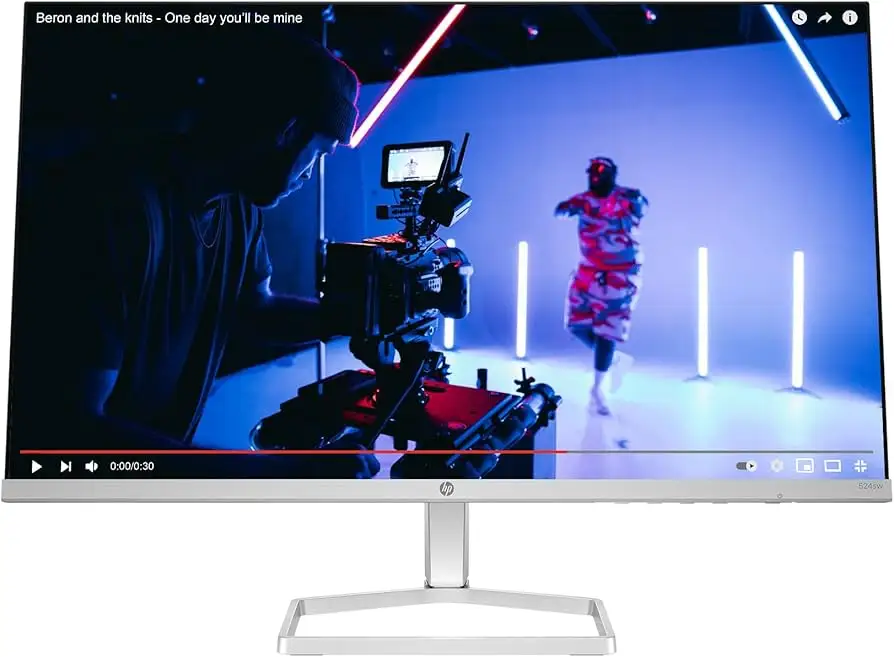
Digging deeper into the listings, the “HP 24-inch FHD IPS (1920x1080)” positioning is consistent across sources, with office-work framing and comfort language (low-blue-light / Eye Ease). In practice, user feedback generally reinforces that this is a productivity-first monitor: setup is straightforward and the display is “sharp,” “clear,” and “vivid” for everyday tasks.
Where the marketing-to-reality gap shows up most is around ports/features and expectations. Some product copy emphasizes convenience and connectivity, but user comments zoom in on what’s missing. On Amazon reviews for an HP 24" IPS FHD model, one buyer summed it up as: “Nothing fancy but it works,” adding: “not having a speaker sucks… this does not have a vesa mount so you will need a vesa mount converter for a monitor arm.” That’s a recurring theme: people like the display, but feel the feature set can be bare depending on the exact sub-model.
Another gap is gaming-adjacent language (FreeSync, higher refresh references) versus how owners frame actual use. Best Buy reviewers praised the monitor for work and general use, but one reviewer drew a line for performance expectations: “definitely are not gaming monitors for anyone who’s considering using them for that purpose.” So while spec sheets and listings may mention FreeSync or refresh rates, the lived experience described is closer to “great for work, fine for casual.”
Cross-Platform Consensus
Universally Praised
A recurring pattern emerged around image clarity and readability, especially for office tasks. Best Buy feedback repeatedly celebrates sharpness and color: one reviewer wrote, “The color and clarity of this monitor was a big improvement over the older monitor that it replaced.” Another leaned into everyday comfort, saying: “sharpness of the images really makes a difference on my eyes.” For spreadsheet-heavy users, students, and anyone staring at text all day, that’s the core value story: IPS + 1080p at 24" is described as comfortably readable without being overwhelming on a small desk.
Ease of setup is another near-consensus win, especially for mixed-device households. A Best Buy reviewer emphasized cross-platform simplicity: “easy set up on both windows and ios operating systems.” On Amazon, a verified buyer echoed the same quick-start vibe: “It was so easy to set up the second monitor and follow the settings.” That kind of feedback tends to come from people who just need the display to show up reliably for work calls, email, homework, and light media—no driver drama, no fiddling.
Ergonomics get praise when the model includes an adjustable stand—and that detail matters. Best Buy reviewers repeatedly celebrate height adjustment: “The adjustable height screen is really good,” and another called it “a game-changer.” For taller users, standing desks, or anyone trying to align a laptop screen + external monitor, that height range is described as a quality-of-life upgrade.
Finally, the “value” narrative shows up constantly. A Best Buy reviewer framed it plainly: “Impressed by how nice this monitor is for the price.” On Amazon, the vibe is similar: “excellent monitor for the price.” For buyers building a home office on a budget—especially those buying two displays—the combination of decent visuals, thin-ish design, and straightforward setup is the main draw.
Quick summary (praised most often):
- Display clarity for text and office work
- Straightforward setup (including MacBook use via adapters)
- Adjustable stand/height (on certain versions)
- Value pricing for a 24" IPS 1080p monitor
Common Complaints
The loudest complaint across user feedback is audio—either no speakers at all, or buyers wishing it had them. From Amazon reviews of an HP 24" IPS FHD model, one verified buyer didn’t mince words: “not having a speaker sucks.” Best Buy feedback also flags this as a frequent con: “Fantastic monitor, but lacks speakers and mounting,” with the reviewer adding they returned it due to mounting needs. For remote workers who take calls, students watching lectures, or anyone streaming on a secondary display, missing speakers means budgeting for external audio or headphones.
Mounting and VESA support is where confusion (and returns) happens. Some listings emphasize VESA mounting (or accessories), while certain models—especially consumer-oriented variants—are reported by users as not VESA-compatible. A Best Buy reviewer wrote: “ended up returning because it’s not compatible with vesa mounts, and i needed a mountable monitor.” On Amazon, a verified buyer similarly warned: “This does not have a vesa mount so you will need a vesa mount converter for a monitor arm.” For monitor-arm setups, that’s not a minor detail—it changes the buying decision.
A smaller but notable thread is fragility and damage/defects. Best Buy’s summary mentions “concerns about the monitor’s fragility and report experiencing cracks around the edges.” On Amazon, there are also harsher durability stories: one verified buyer reported, “after about 2 months of use, screen went completely black,” and another said it “was great for 5 months and then out of the blue lost pixels… completely unusable.” These are not the majority sentiment, but they are consequential for risk-averse buyers and argue for inspecting quickly and leaning on return windows/warranties if needed.
Divisive Features
The refresh-rate/gaming angle is split, largely because users approach this as an office monitor but sometimes hope it will double for gaming. One Best Buy reviewer praised FreeSync in a broad endorsement—“notably improved gaming experiences, delivering smooth and tear-free graphics”—while another brought expectations back to earth: “definitely are not gaming monitors.” The common middle ground: it can be fine for casual play, but competitive gamers or anyone chasing 120/144Hz expectations often won’t be satisfied.
Design aesthetics also split slightly in multi-monitor setups. One Best Buy reviewer liked the thinness but noticed small alignment quirks: “silver framing… does not line up… so there’s a little more of a gap when having 2… side by side.” For minimalist desks and dual-screen symmetry seekers, that’s the kind of “tiny annoyance” that becomes visible every day; for most buyers, it’s background noise.
Trust & Reliability
On reliability, the cross-platform picture is mostly optimistic—high aggregate ratings on retailer sites—yet individual stories introduce caution. Amazon’s negative reviews include reports like “screen went completely black” after a couple months and “lost pixels” after five months. Best Buy’s review summary also references physical issues: “cracks around the edges.” Digging deeper into user reports, these read more like isolated failures or shipping/handling damage than a universally reported defect, but they’re serious enough that careful inspection on arrival is part of the ownership story.
Reddit discussion included in the dataset leans more toward buying/selling chatter around similar HP 24" IPS models (not always the exact 2024 office model), with sellers emphasizing condition claims like “0 dead pixels / scratches” and “works perfectly.” That doesn’t function like a durability study, but it does highlight what the community fixates on when assessing risk: dead pixels, scratches, and whether the monitor was “only used for maybe less than a week.” In other words, the long-term reliability proof points here are thinner than the day-one satisfaction comments.
Alternatives
Only a few specific alternatives are mentioned directly in the provided data. On Reddit, one user suggested a short list that included the Dell SE2717H, HP 25er, and HP Envy 24. The reasoning wasn’t framed as lab-style measurement, but as lived preference.
For buyers who prioritize a glossy screen and aesthetic, the HP Envy 24 is repeatedly described in Reddit snippets as glossy with ultra-thin bezels and, in some listings, USB-C charging support. One Reddit commenter added a cautionary personal downside: “the only big downside to it would be faint vertical lines over certain colors, but i still like it.” That’s a good example of the trade: Envy 24 gets talked about as more premium-feeling, but not without quirks.
For console users focused on color, a Reddit commenter positioned the HP 25er as a strong option, calling it “probably one of the best ones you can get for consoles.” And for those wanting 75Hz on a budget, the same thread mentions the Dell SE2717H (75 hz) as another option. Compared to the HP 24" FHD IPS office model, these alternatives come up when shoppers want either a different screen finish, a slightly different refresh target, or a perceived color edge.
Price & Value
Current pricing varies widely by listing type and channel. The Amazon specs snapshot for a 2024 HP 24" FHD IPS model shows $150.29, while Best Buy lists the HP M24h at $209.99 (sold out). That spread matters: at the lower end, users are more forgiving of missing speakers or limited ports; as price climbs, the “it should at least have that” complaints get louder.
Resale and open-box pricing signals also show that these monitors often circulate below big-box pricing. eBay listings in the data show an “open box” HP 24" IPS FreeSync adjustable-height monitor around $110 with free shipping, suggesting bargain hunters frequently look for returns/open-box units to get the ergonomics without paying full retail.
Buying tips drawn from user patterns:
- If you need a monitor arm, verify VESA support before purchase; a Best Buy reviewer explicitly returned theirs because “it’s not compatible with vesa mounts.”
- If you need audio, plan on external speakers; a verified buyer on Amazon said “not having a speaker sucks.”
- Inspect quickly for panel issues; Amazon reviewers reported “lost pixels” and a screen that “went completely black” within months.
FAQ
Q: Does the HP 24" FHD IPS Monitor (2024 Model) have built-in speakers?
A: Often, no—several buyers specifically complained about missing speakers. A verified buyer on Amazon wrote: “not having a speaker sucks,” and Best Buy reviewers also flagged “lacks speakers.” If you need audio for calls or videos, budget for external speakers or headphones.
Q: Is it VESA mount compatible for a monitor arm?
A: It depends on the exact model/variant, and that’s where buyers get burned. A Best Buy reviewer said they returned it because “it’s not compatible with vesa mounts,” while an Amazon reviewer warned: “This does not have a vesa mount… you will need a vesa mount converter.” Verify the specific SKU before buying.
Q: Is it good for MacBook (MacBook Air/Pro) setups?
A: Many users report it works well, usually via HDMI and sometimes with an adapter. A Best Buy reviewer wrote: “i purchased this screen to use with my macbook air and it works great,” noting they used an adapter. Setup is commonly described as straightforward.
Q: Is it good for gaming?
A: Casual gaming can be fine, but expectations matter. One Best Buy reviewer praised FreeSync for “smooth and tear-free graphics,” while another cautioned: “definitely are not gaming monitors.” If you want high-refresh competitive performance, some users wished for “120hz.”
Q: Any durability issues reported?
A: Most feedback is positive, but there are notable negative stories. A verified buyer on Amazon reported: “after about 2 months… screen went completely black,” and another said it “lost pixels… completely unusable” after five months. Best Buy’s review summary also mentions some users “report experiencing cracks around the edges.”
Final Verdict
Buy if you’re a student, remote worker, or home-office user who wants a clean 24" 1080p IPS monitor that’s “easy to set up” and delivers “sharp” text and “clear and vivid” visuals.
Avoid if you require guaranteed VESA mounting, built-in speakers, or you’re shopping specifically for a “gaming monitor” experience.
Pro tip from the community: confirm the exact model’s mounting support before you commit—one Best Buy reviewer returned it because “it’s not compatible with vesa mounts,” and an Amazon reviewer recommended planning for “a vesa mount converter” if you’re using an arm.