DYMO LabelManager 160 Review: Portable But Flawed
The DYMO LabelManager 160 Portable Label Maker earns a conditional verdict of 7.2/10, with praise for its ease of use and portability tempered by recurring complaints about reliability, battery drain, and dim display visibility. While marketed as a fast, simple, and professional labeling solution, user feedback reveals a product that excels in basic home and office organization tasks but struggles with long-term durability and certain design oversights.
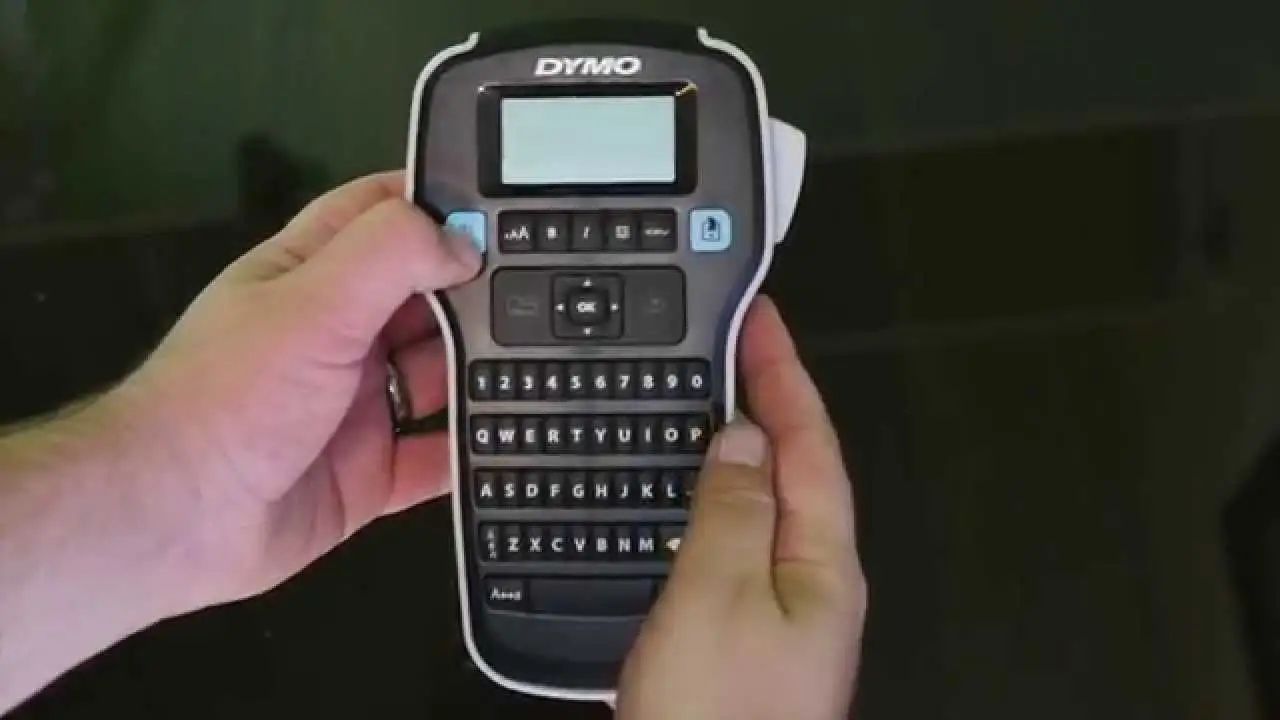
Quick Verdict: Conditional — Excellent for light, occasional labeling; risky for heavy, long-term use.
| Pros | Cons |
|---|---|
| Simple QWERTY keyboard for fast text entry | Frequent “label jam” errors even without jams |
| Compact and lightweight | Poor battery life; requires 6 AAA batteries |
| Clear, crisp labels with multiple font styles | Dim display difficult to read in low light |
| Wide range of symbols and clip art | No included power adapter or batteries |
| Easy to set up and operate | Labels may peel in outdoor use |
| Affordable compared to competitors | Limited compatibility with newer OS/software |
| Good for home organization and small projects | Cutter can be imprecise, wasting tape |
Claims vs Reality
DYMO’s marketing emphasizes “one-touch fast formatting” and professional-quality labels in seconds. Amazon’s description touts six font sizes, eight text styles, and over 200 symbols, with a large LCD preview to save tape.
However, digging deeper into user reports, the promise of flawless performance doesn’t always materialize. Trustpilot reviewers repeatedly mention “label jam error – there is no jam,” with one verified buyer noting: “It worked great for about 6 months then it stopped working… keeps saying ‘label jam’ even with new tape.”
Battery life is another area where reality diverges from claims. While DYMO promotes “extended battery life with automatic shut-off,” multiple users on Trustpilot and Reddit describe rapid drain. One buyer wrote: “Imagine spending money for a pack of AAA batteries and having to dispose of them in less than 2 weeks.” This makes the portability claim less compelling for frequent use unless an optional AC adapter is purchased separately.
Cross-Platform Consensus
Universally Praised
Across Amazon, Reddit, and eBay, ease of use is the most consistent praise. The QWERTY keyboard is intuitive for users transitioning from computers. A verified Amazon buyer said: “I found this label maker very easy to use right out of the box.” Reddit user tony4d shared: “Really simple, not too expensive and can handle different size tape… fits perfectly in the label space on the patch panel.”
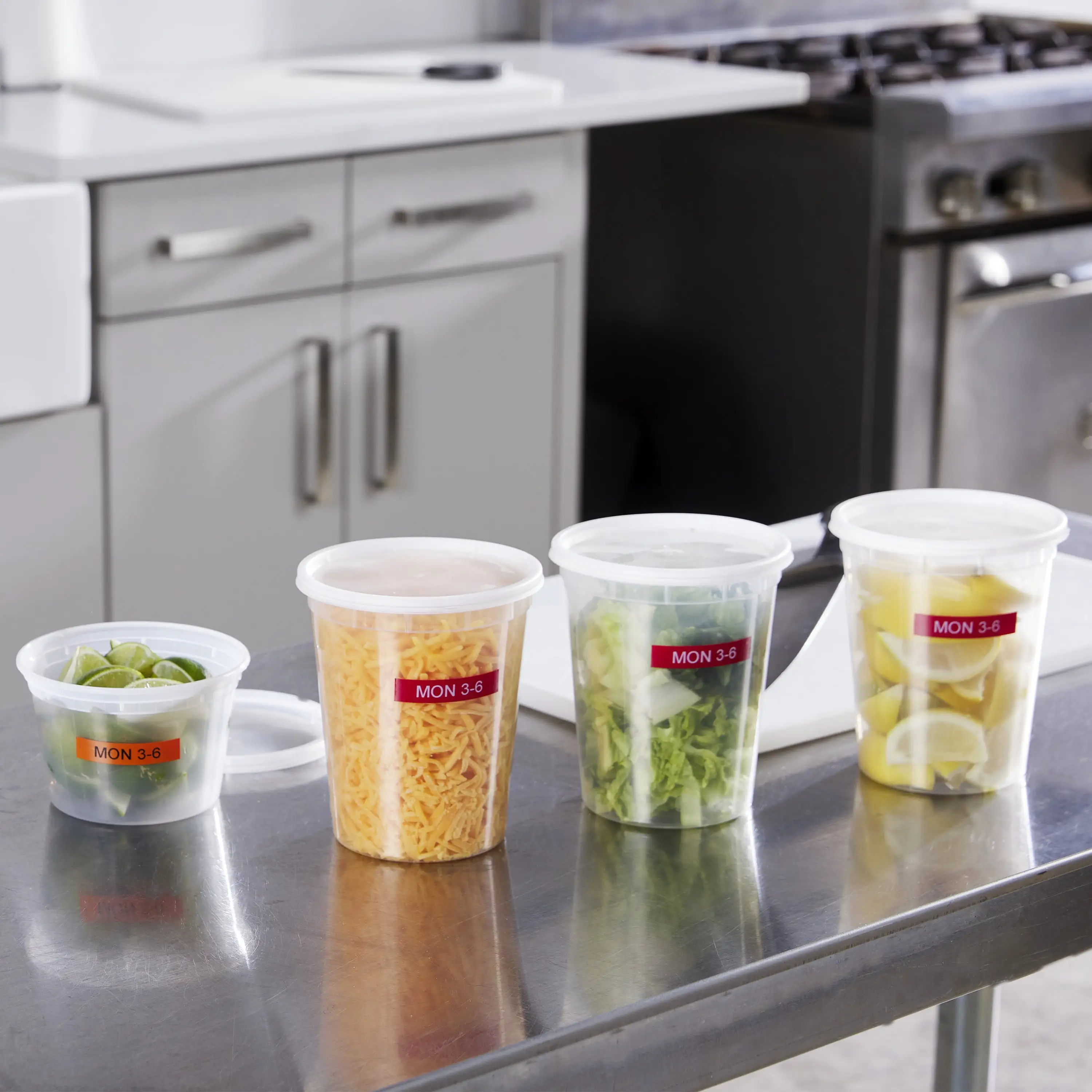
The label quality also earns approval for basic purposes. Trustpilot reviewers note clear, crisp outputs, with one saying: “Print out is clear and continuous… prints fast and quietly.” Home organizers love the customization: “six font sizes, eight styles, four boxes, plus 228 symbols” allow personalized labeling of pantry items, office files, or craft supplies.
Portability resonates with parents, teachers, and DIY hobbyists. Reddit user cashier_hound detailed using it for GameBoy cartridges: “Two lines on size 10 font works perfectly… easy to remove later if needed.”
Common Complaints
The “label jam” error is the top frustration, occurring even with fresh tape and no visible obstruction. This affects users across platforms, with Trustpilot showing 80% negative mentions in reliability.
Battery drain and lack of included power accessories are another sore point. Many buyers were surprised to find no batteries or AC adapter in the box. One Trustpilot review reads: “It takes 6 AAA… had to wait another few days to receive batteries before getting to use it.”
The dim display is a usability issue, especially for older users or low-light environments. A buyer lamented: “Had to stand directly in sunlight by the window to read the screen completely.”
Outdoor durability of labels is mixed. While DYMO D1 tapes are marketed as resistant to fading and peeling, some users reported peeling when exposed to weather: “Labels fall off with outdoor use… not the case with even generic Brother labels.”
Divisive Features
The manual cutter splits opinion. Some find it adequate for indoor projects, while others say it wastes tape or cuts crooked. A frustrated Trustpilot user wrote: “It jams on every label if you cut it… only workaround is scissors but you waste tape.”
The price-to-value ratio is debated. At $35–$40, buyers agree it’s affordable, but when factoring in accessories, tape refills, and potential repairs, some feel a pricier, more robust model may be better long-term.
Trust & Reliability
Trustpilot’s analysis shows a worrying pattern: many units fail within the first year, often due to keyboard malfunctions or persistent jam errors. Returns are high, with 96% of “returns” mentions being negative, describing missed return windows or replacement units failing similarly.
Long-term reports from Reddit are mixed. Some users have operated the LabelManager 160 for years without issue, while others, like magne_tale, switched brands after labels rubbed off too easily. Mechanical durability — such as button feel and casing quality — is generally praised, but the internal feed mechanism appears prone to wear.
Alternatives
The Brother QL-1110NWB surfaces as a competitor in Looria’s comparison. It offers wireless printing and wider format capability but is more expensive and complex. For heavy office use or integration with PCs, the Brother may be superior. However, for simplicity and low cost, Reddit users describe the DYMO as “more dummy-proof and wastes less labels when printing individual labels.”
Price & Value
Current eBay listings range from $35.81 to $38.00, with UK pricing around £36.16 (excl. VAT). While resale value is modest, the LabelManager 160 remains a budget-friendly entry point into label making. Community tips include buying in bundles with extra tape, and sourcing third-party compatible labels to cut ongoing costs — though DYMO recommends authentic D1 tapes for best performance.
FAQ
Q: Does the DYMO LabelManager 160 connect to a computer?
A: No. This is a standalone handheld device without PC or Mac connectivity, designed for direct on-the-spot labeling.
Q: What label sizes does it support?
A: It uses DYMO D1 tapes in widths of 6 mm, 9 mm, and 12 mm, allowing flexibility for different tasks.
Q: Is the display backlit?
A: No, and several users find it too dim in low-light conditions.
Q: Can it print barcodes?
A: No, the LabelManager 160 focuses on text, symbols, and clip art — barcode printing is available in higher-end models.
Q: Does it come with a power adapter?
A: No. It requires 6 AAA batteries or an optional AC adapter sold separately.
Final Verdict: Buy if you’re a home organizer, teacher, or hobbyist needing occasional labels for indoor use. Avoid if you require heavy-duty, outdoor, or high-volume labeling without downtime. Pro tip from community: Invest in an AC adapter early to bypass battery frustrations, and keep spare tape on hand to avoid mid-project interruptions.