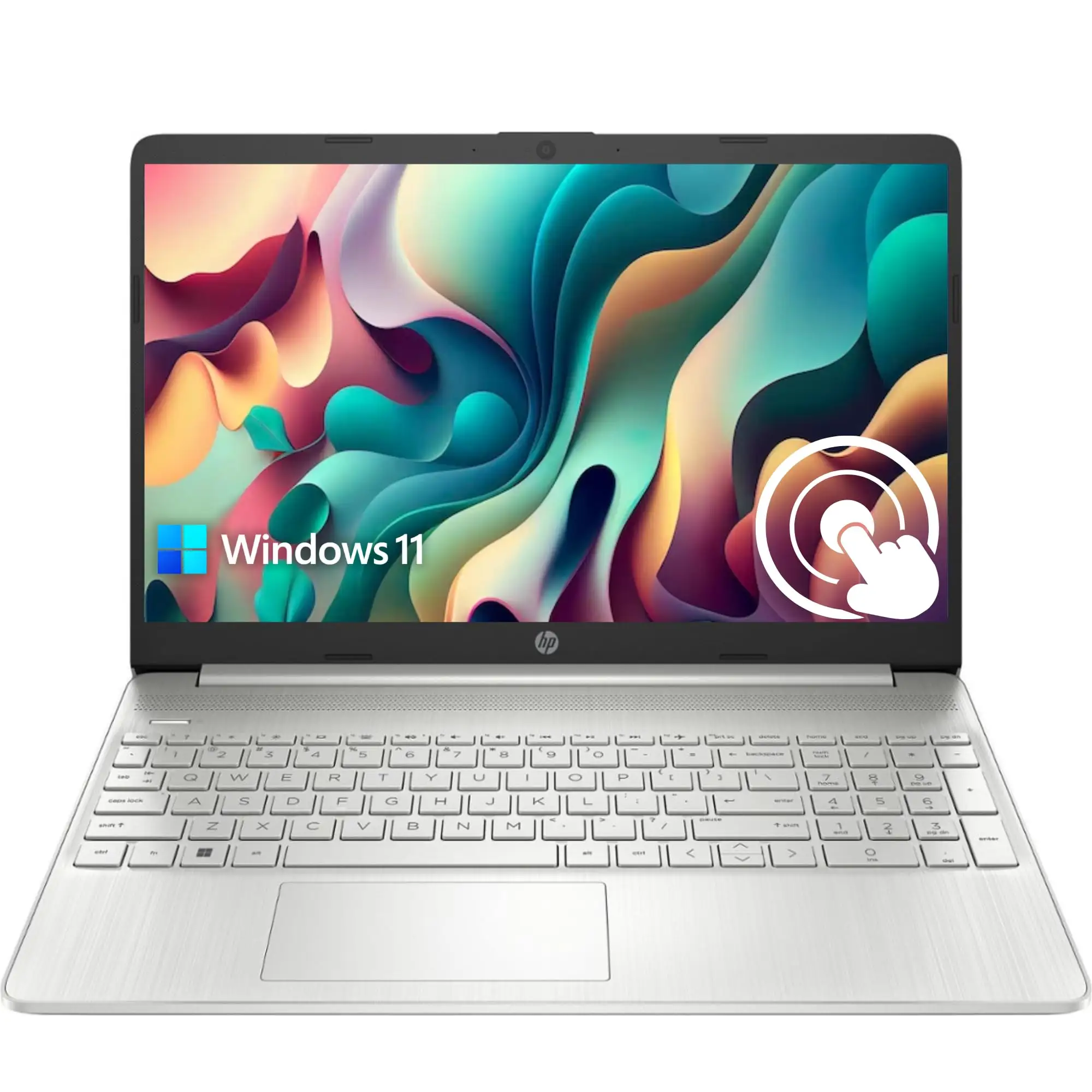
HP Pavilion 15 Touchscreen Laptop Review: Conditional Buy
The HP Pavilion 15.6-inch Touchscreen Laptop earns a conditional 8/10 from user feedback—praised for its performance, versatility, and affordability, but with recurring complaints about display quality inconsistencies, battery life variance, and misleading product descriptions in some sales channels.
Quick Verdict: Conditional Buy
| Pros | Cons |
|---|---|
| Strong performance for everyday tasks and multitasking | Some users receive lower screen resolution than advertised |
| Responsive touchscreen functionality | Battery life varies widely depending on load |
| Lightweight and portable | Inconsistent inclusion of backlit keyboard |
| Fast SSD storage and large capacity options | Windows S Mode limitations frustrate some buyers |
| Solid build quality reported by many | Touchscreen responsiveness issues reported in select units |
| Attractive pricing, especially refurbished deals | Restocking fees during returns surprise customers |
| Good port selection including USB-C and HDMI | No optical drive or memory card reader in many models |
Claims vs Reality
HP markets the Pavilion 15 as a sleek, powerful laptop built for productivity, entertainment, and portability. Specs list up to a 12th or 13th Gen Intel Core i7, FHD IPS touch display, fast SSD storage, and features like a backlit keyboard and fingerprint reader.
However, digging into buyer reports reveals a gap between the promise and delivery. While the product page touts vibrant FHD visuals, several Twitter users noted receiving a 1366×768 resolution panel instead. One buyer complained: "A complaint was made about receiving a display with lower resolution... instead of the advertised 1080 × 1920." This mismatch impacts users relying on high-resolution visuals for work or media.
HP’s claim of “long battery life” also varies in reality. Consumer Reports testing found 9.75 hours under light use but only 6.5 hours with heavier 4K playback. Best Buy customers noted cases of “rapid 1% battery discharge every minute,” suggesting possible unit-specific faults. While HP promotes fast charging to 50% in 45 minutes, that’s confirmed positively across platforms.
Another marketed feature—the backlit keyboard—is inconsistently present. Twitter complaints highlight missing backlighting despite product descriptions, which can be a dealbreaker for late-night typists.
Cross-Platform Consensus
Universally Praised
Across Reddit, Best Buy, and Trustpilot, performance is the most celebrated trait. Even entry-level i3 models get praise for responsiveness. A Trustpilot reviewer shared: “It synced with my desktop and OneDrive almost instantly, and to my surprise, it connected to my printer right away.” Students and home users highlight smooth multitasking with 16GB RAM and SSD storage, making it suitable for coursework, streaming, and light creative work.
Touchscreen functionality earns consistent accolades. Best Buy user noted, “It makes navigating through applications, browsing the web, and even creative tasks... remarkably easy and intuitive.” For tablet-like use cases, the capacitive touch is seen as a productivity booster.
Portability is another win—weights around 3.85 lbs make it travel-friendly. Consumer Reports called it “lightweight for a laptop of this size category,” which benefits professionals and students moving between classes or meetings.
Common Complaints
Display quality and accuracy have been criticized. Consumer Reports noted colors “not reproduced as accurately as on better displays.” Several Best Buy buyers described screens as “washed out” and lacking vibrancy—important for designers and media watchers.
Battery life inconsistency is a recurring frustration. While some users get a full day’s work, others report rapid drain or sub-6-hour runtimes. This hits travelers hardest, as they rely on predictable endurance.
Windows S Mode limitations annoy many first-time buyers. Best Buy comments warn that apps outside Microsoft Store can’t be installed without disabling S Mode, which then prevents certain updates. For students needing specific testing browsers, this becomes a hurdle.
Return policies also draw heat. Twitter users mention high restocking fees and lack of prior notice during returns, adding to buyer dissatisfaction when specs don’t match expectations.
Divisive Features
The keyboard design splits opinion. Some praise large keys and comfortable spacing, while Consumer Reports noted “low contrast letters” that are hard to read without backlighting. For touch typists, it’s fine; for visual typists, it’s a strain.
Touchscreen responsiveness varies. While most find it smooth, a minority report lag or missed inputs. Consumer Reports observed “friction on the touch screen may prevent fast swiping,” suggesting possible panel coating issues.
Trust & Reliability
Trustpilot reviews for HP Pavilion 15 are generally positive regarding short-term performance, but long-term durability threads on Reddit are mixed. Some owners report stable operation after a year, while others face battery capacity drop-offs and hinge wear. Misleading specs from certain online sellers erode trust—buyers advise purchasing from reputable channels to ensure advertised features are present.
Alternatives
From the same HP lineup, the Pavilion x360 convertible gets praise for versatility with its 360-degree hinge and pen support, appealing to creatives. However, it lacks a fingerprint reader in some trims. For users needing dedicated graphics, higher-end Pavilion 15 configurations with NVIDIA GeForce MX550 outperform integrated Iris Xe in light gaming and photo editing.
Price & Value
Prices range widely: new high-spec i7 models retail around $1,049–$1,099, while entry i3 models hit $339–$358. Refurbished units on eBay can drop below $400, often with SSD and touchscreen intact. Resale value holds moderately, with older 8th Gen i7 versions still fetching $350–$450 if in good condition. Community buying tips stress verifying resolution and keyboard features before purchase to avoid return hassles.
FAQ
Q: Does the HP Pavilion 15 always come with a backlit keyboard?
A: No. While many configurations include it, several buyers report receiving non-backlit keyboards despite listings claiming otherwise.
Q: Is Windows S Mode easy to disable?
A: Yes, but disabling it prevents certain updates and removes Microsoft Store-only restrictions, which some buyers find necessary for installing apps.
Q: How long does the battery last in real use?
A: Light tasks can stretch up to 9–10 hours, but heavy video playback or multitasking may cut that to 6 hours or less.
Q: Can it handle gaming?
A: Integrated Iris Xe graphics manage light gaming; higher-end models with MX550 allow smoother performance for casual titles.
Q: Is the touchscreen reliable?
A: Mostly yes—smooth and responsive for most users—but a few report lag or friction issues.
Final Verdict: Buy if you’re a student, professional, or home user seeking a responsive, portable laptop with solid multitasking power and touchscreen convenience. Avoid if your work demands color-accurate visuals, guaranteed backlit keyboard, or all-day battery under heavy load. Pro tip from the community: verify your exact configuration’s specs before checkout—especially resolution, keyboard type, and storage—to avoid surprises.