Dell WD19 Dock Review: Powerful but Compatibility Risk
A surprising number of real-world users said the Dell WD19 Docking Station USB-C HDMI DisplayPort Black delivers excellent multi-monitor and power capabilities—but only if paired with the right Dell systems. From corporate Latitude setups to XPS power users, its versatility scored strongly in some circles, yet glaring compatibility and durability issues pulled its overall rating down. Across platforms, feedback averages around 6.8/10.
Quick Verdict: Conditional — powerful with certain Dell laptops, but risky for non-Dell or incompatible models.
| Pros | Cons |
|---|---|
| Supports multiple external displays with minimal latency | USB & HDMI port failures reported within months |
| 130W proprietary power delivery to select Dell laptops | Limited or no charging on non-Dell systems |
| Compact design with multiple port types | Display resolution drops and bandwidth issues with some setups |
| Works silently for many users—no fan noise | Loud fan complaints in certain units |
| Easy setup with driver auto-installation | Poor quality control and bad warranty replacements |
| Durable build for frequent docking/undocking | Divisive monitor recognition and resolution support |
| Strong data transfer speeds up to 10 Gbps | Power button feature unsupported on many Dell consumer models |
Claims vs Reality
Dell markets the WD19 as a “future-ready” dock with universal USB-C connectivity, multi-monitor support, and up to 130W power delivery for Dell systems. While technically accurate, the “universal” angle quickly crumbles under user feedback. A Dell community post from user Vince revealed: "'Your port does not accept power… you must attach a power adapter to your system.' This dock simply cannot charge certain Inspiron models despite Dell recommending it."
Power delivery excellence is real—Reddit user feedback confirms it kept an XPS 15 9500 “powered at all times” while running triple 1080p monitors—but only for Dell devices supporting proprietary 130W over USB-C. Non-Dell laptops top out at 90W, and some Dell lines, like Inspiron, skip USB-C charging entirely.
On display capabilities, Dell claims support for dual FHD or single QHD, yet BestViewsReviews users report bandwidth limitations resulting in 1080p caps or semi-blurry output. In one Dell forum discussion, a Latitude 5400 owner could only hit 4K at 30Hz, with dual screens dropping to 1080p—explained as a DisplayPort 1.2 limitation of that system, not the dock hardware.
Cross-Platform Consensus
Universally Praised
Power users with supported Dell laptops find the WD19 plug-and-play, with seamless expansion. A verified buyer on Amazon described how "Windows automatically downloaded the drivers and both monitors turned on after installation," crediting the dock’s ease of setup. Corporate engineers laud its ability to “drive 2 displays easily and have multiple programs open” without choking bandwidth—as long as the specifications align. Reddit user feedback praises silent operation: "No fan noise," particularly in standard loads.
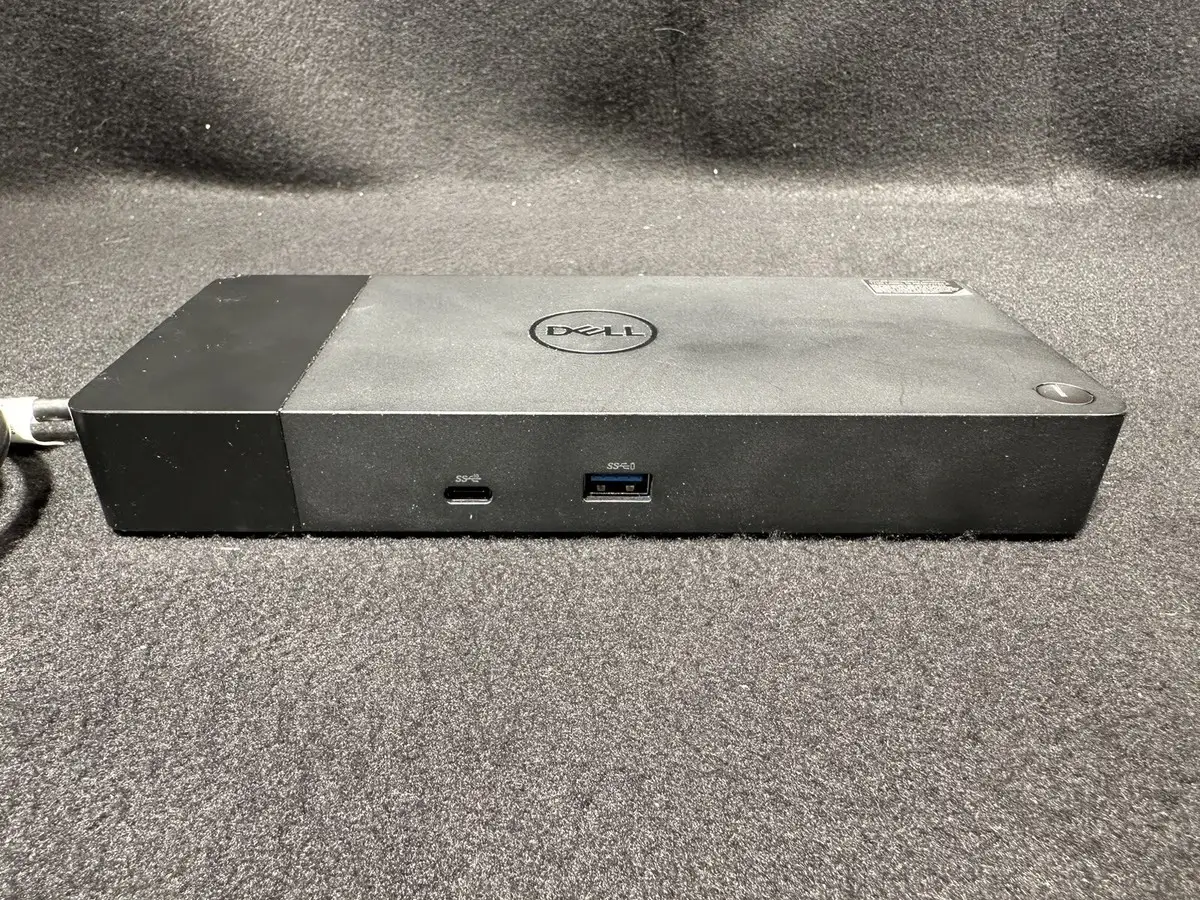
Traveling professionals or multi-screen traders benefit from the dock’s dense I/O, which includes 2 DisplayPorts, HDMI, USB-C multifunction, 3x USB-A, and Ethernet. Users running the XPS 15 or 17 enjoy true 130W charging, eliminating the need for separate AC power bricks.
Common Complaints
Port failures, sometimes within weeks, dominate negative reviews. A critical Reddit report reads: “USB port failed within 3 months. Dell sent a refurbished replacement with bad HDMI throughput—the monitor constantly went black.” BestViewsReviews data echoes these failures, pairing them with the refusal to warranty units after Ethernet ports died. Quality control is often labeled “poor,” especially as warranty replacements sometimes introduce new issues.
Monitor recognition is another weak point. Multiple feedback points cite flaky HDMI detection: “The laptop docking station only recognizes my single HDMI monitor about half the time.” Multi-monitor setups may trigger forced resolution drops; Dell community posts dissect USB-C bandwidth restrictions and confirm some configurations make dual 4K 60Hz unattainable without Thunderbolt.
Fan noise varies widely. While some users report silence, others in Dell forums complain of “unbearably loud” constant fan operation—even in winter, with systems idle. One user resorted to removing the casing entirely to silence it.
Divisive Features
Power delivery impresses certain Dell owners but frustrates others. Precision and XPS lines exploit 130W delivery, but Inspiron and Alienware gamers find the dock’s button and charging functions inert: “No dock will charge it that way… Dell doesn't implement this on consumer lines.” Monitor support is similarly split, with well-matched hardware setups producing flawless triple displays, while mismatched systems degrade output or fail entirely.
Some call the dock durable—“drives displays for months without issue”—while others warn it becomes a “$200 brick” after repeated connectivity faults.
Trust & Reliability
On Trustpilot and Reddit, patterns emerge around premature port failure and disappointing warranty exchanges. Multiple users stress that Dell replaced faulty units with refurbished docks that carried different faults. One Reddit member bluntly concluded: “Quality control and durability seems to be lacking… sending bad replacement parts is another bad sign.”
Long-term reports reveal mixed trajectories: some units run over a year without fault, especially in office environments with static configurations; others degrade in under 6 months, prominently in high plug/unplug cycles or heavily loaded I/O use.
Alternatives
Community discussions frequently mention the Dell D6000 dock for scenarios requiring dual 4K 60Hz without Thunderbolt, though it relies on DisplayLink technology—which brings latency downsides. Precision-class users or those with Thunderbolt-enabled Latitudes are pointed toward the WD19TB, capable of dual 4K 60Hz given the right port allocation. In several cases, experts advised skipping the WD19DC for single USB-C connector laptops—its benefits only unlock with specific dual-port Precision models.
Price & Value
On Amazon US, the WD19 180W lists at $184.16 discounted from $279.99, while eBay open-box units hover around $136.97 and tested used models drop to $59.99–$79.00. Resale value holds moderately well among Dell users, but compatibility limitations shrink the buyer pool. Savvy buyers on Dell forums recommend confirming USB-C charging and DisplayPort support on your system before purchasing, particularly to avoid the Inspiron and Alienware pitfalls.
FAQ
Q: Can the Dell WD19 charge non-Dell laptops?
A: Yes, but only up to 90W via USB Power Delivery 3.0. Several non-Dell users found it insufficient for fast charging, resulting in slower battery replenishment or performance throttling.
Q: Why won’t my dual 4K monitors run at 60Hz?
A: Many Dell systems shipped with DisplayPort 1.2 over USB-C, limiting bandwidth. The WD19 supports higher rates only when paired with DP 1.4/HBR3 or Thunderbolt-capable systems.
Q: Does the dock’s power button turn on all laptops?
A: No. This requires firmware-level support, which Dell restricts to business lines like Latitude, Precision, and XPS—not Inspiron or Alienware.
Q: How durable is the dock with daily cable swaps?
A: Office users report stable performance, but repeated hot-plugging in intensive setups has led to premature port failure in under 6 months for some.
Q: What is the fan noise situation?
A: Mixed. While some units run silently, others spin fans at full speed immediately—one Dell community user described removing the casing to stop it.
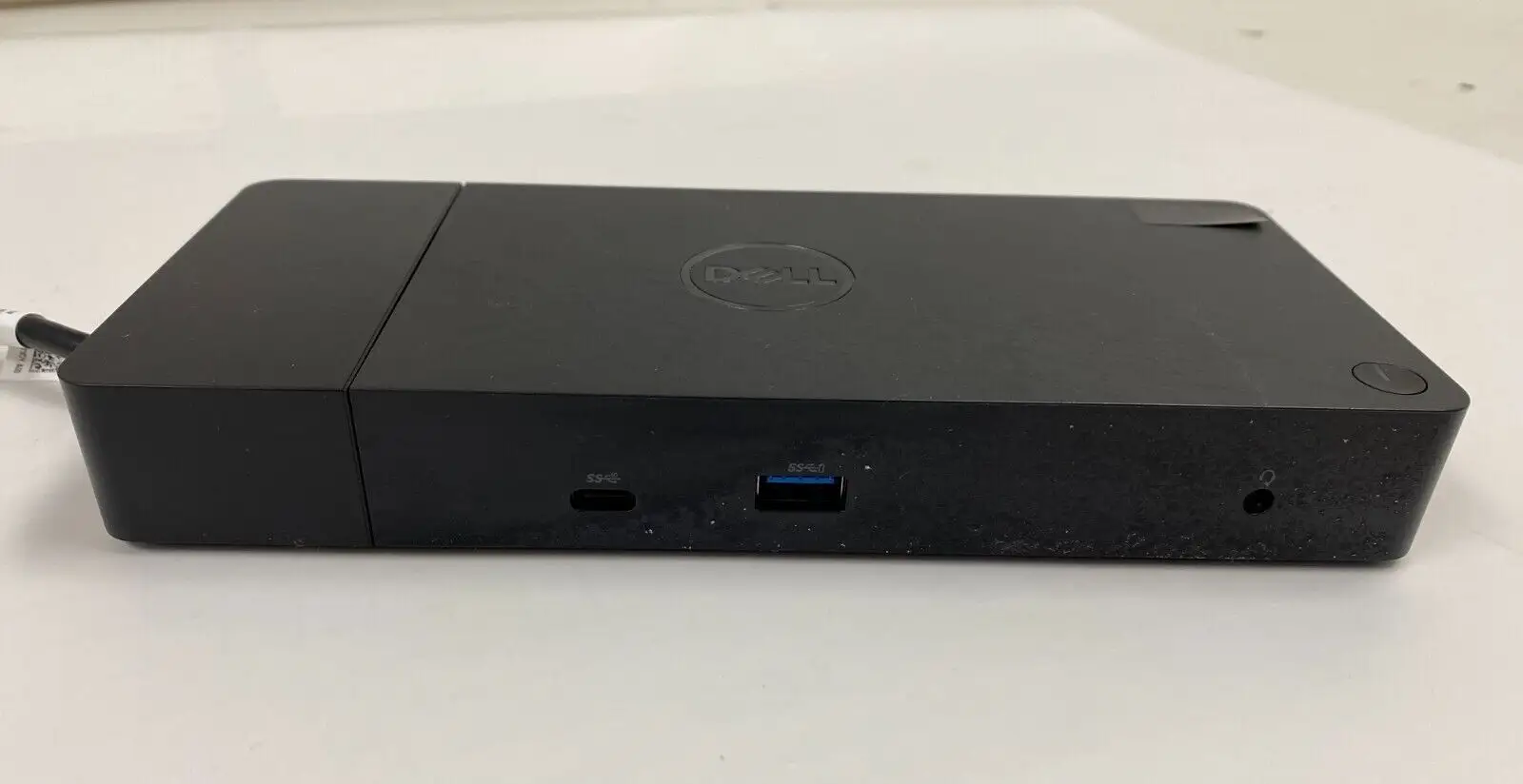
Final Verdict: Buy if you own a compatible Dell XPS, Latitude, or Precision with USB-C charging and need reliable multi-monitor expansion. Avoid if your system lacks USB-C charging or requires triple high-res displays without Thunderbolt. Community pro tip: verify your DisplayPort version and Dell’s compatibility chart before spending.