Logitech Rally Bar Review: Conditional Verdict & Insights
The surprising finding from user reports is that while the Logitech Rally Bar garners consistent praise for its video and audio quality—often described as “cinema-quality” and “remarkably natural” by testers—it faces compatibility frustrations for certain setups, especially those relying on Mac systems. Recon Research scored it highly, with an 8.5/10 sentiment in industry reviews, but scattered Reddit experiences reveal reliability contradictions tied to operating environment more than hardware faults.
Quick Verdict: Conditional
| Pros | Cons |
|---|---|
| Exceptional 4K video clarity with accurate color rendering | Connectivity issues reported with Mac systems, especially Apple Silicon |
| Strong audio pickup with advanced AI noise suppression | Dependent on Logitech Sync software for full functionality |
| Easy setup and scalable mic expansion for larger rooms | Limited to two display outputs, no 4K HDMI passthrough |
| Certified for Zoom, Microsoft Teams, and Google Meet | Occasional manual intervention needed for USB connectivity |
| Appliance mode enables PC-free operation | Price remains high in most markets |
| Solid build quality with sustainable materials | Variable resale condition and cosmetic wear on second-hand units |
| Remote management capability via Logitech Sync | Requires firmware updates to unlock best performance |
Claims vs Reality
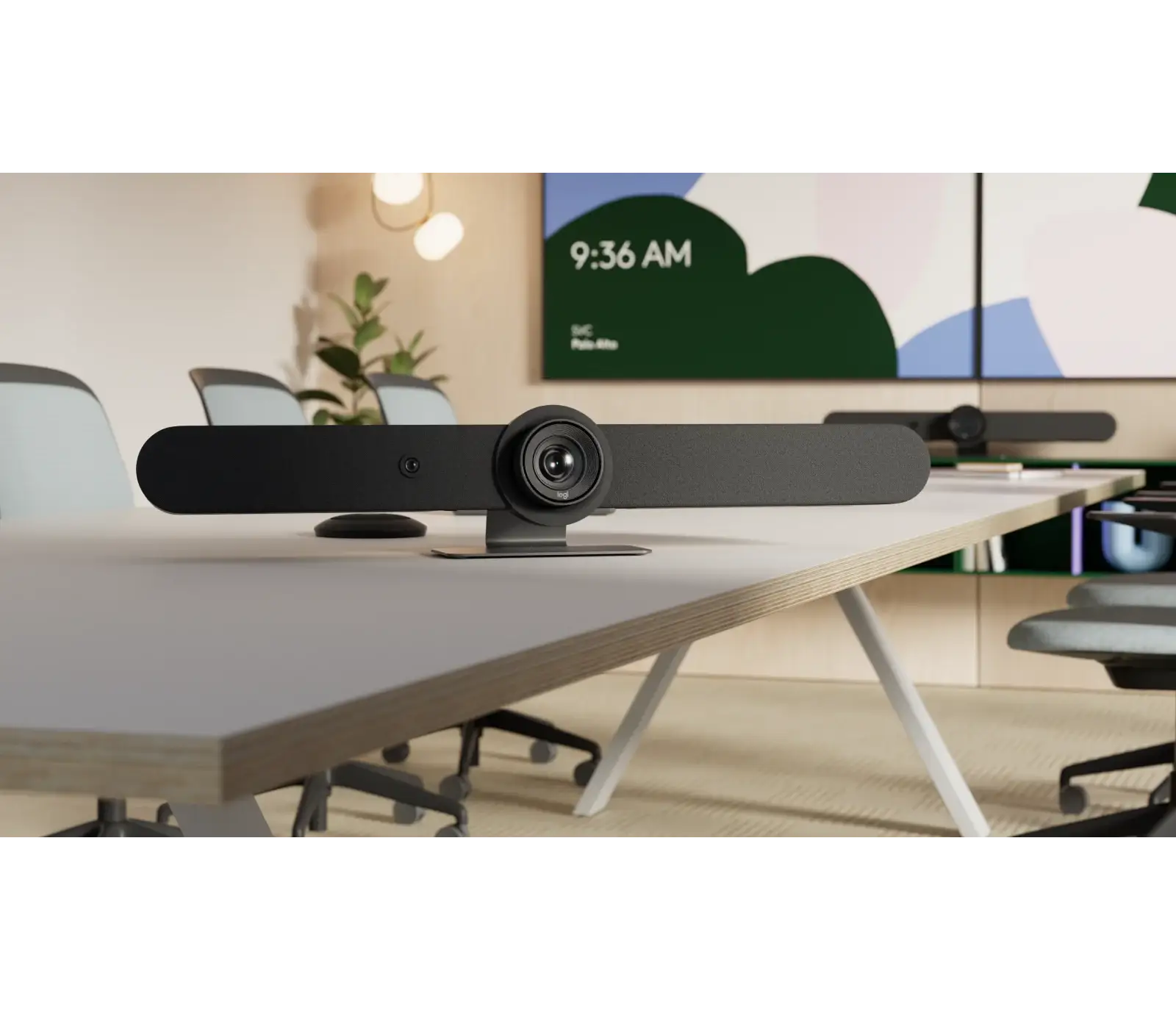
Logitech promotes the Rally Bar as offering “remarkably simple, all-in-one video conferencing” with AI-driven performance. On paper, it’s designed for medium to large rooms, boasting a 4K PTZ camera, 6 beamforming mics, and expansion up to four mic pods. Digging into long-term usage reveals these strengths materialize for many—especially enterprise users on Windows or running in appliance mode—but not universally.
Marketing asserts “plug and play” compatibility with PC and Mac. Reddit user commercial_leg_181 noted trouble-free operation in hundreds of appliance-mode setups, but another thread by an M1 Mac Mini owner says, “It takes a song, dance, and a prayer to make it work” and calls the system “too software driven” when dependent on Sync via Rosetta. This mismatch highlights that plug-and-play works under certain OS/network combinations but becomes temperamental in others.
The brand also claims “AI-driven voice leveling and noise suppression deliver outstanding clarity.” Recon Research’s lab testing backs this up with “exceptional microphone performance when used with Rally mic pods” and “excellent noise reduction.” Side-by-side, the discrepancy in experience seems tied less to feature failure and more to environmental and compatibility factors—when systems work, they work extremely well.
Cross-Platform Consensus
Universally praised features begin with video quality. Recon Research documented “image sharpness, vivid colors, and accurate flesh tones” across multiple platforms including Webex, Meet, Teams, and Zoom. Verified buyers on Trustpilot emphasized ease of setup with “cinema-quality video and advanced audio features.” Enterprise IT teams prefer the Rally Bar in appliance mode, free from reliance on external PCs, because it reduces points of failure.
For hybrid meeting rooms, the AI-driven auto-framing is a standout. Logitech’s RightSight technology impressed reviewers in its responsiveness. A Reddit comment from the_doughboy suggested “MTR on Android is the best way to go, the bar running the built-in Android is much better than the Rally Pro,” aligning with appliance mode’s reputation for stability.
Audio pickup garners similar acclaim, especially when expanded with rally mic pods. In updated firmware via CollabOS, microphone reach extends to 14 meters with four pods, allowing participants at the far end of large rooms to contribute seamlessly. Twitter commentary from Logitech’s blog detailed this improvement alongside dereverberation algorithms and speaker boosts.
Common complaints center around connectivity with Macs. Multiple Reddit voices identify Apple's USB handling as a bottleneck. super_not_clever explained, “Macs just have shitty USB management… mice and keyboards are fine, everything else needs to be touched on a regular basis.” Others like winkwink13 and shy_tucker attribute the issue entirely to using Macs instead of Rally hardware flaws. For Mac-first offices, this means more manual workarounds, especially as newer macOS versions tighten compatibility.
Another recurring friction point is the reliance on Logitech Sync. While Sync enables robust remote management—monitoring room health, pushing updates—some see it as overhead. There are limitations too: official specs confirm support for only two display outputs, and Provantage notes “no 4K HDMI passthrough,” which can be a constraint for high-res multi-monitor setups in complex AV environments.
The divisive aspect lies in hardware expansion philosophy. For some, adding mic pods and using Tap IP touch controllers creates a premium, integrated experience. For others, especially small meeting spaces, it feels like overkill compared to cheaper standalone cameras. Corporate AV teams almost universally prefer the Rally Bar over the Rally Kit in Reddit debates, but enthusiasts and small business owners weigh cost against necessity.
Trust & Reliability
While no widespread scam patterns emerged on Trustpilot, reliability under certain configurations is questioned. The Mac-related threads illustrate a pattern where Rally Bars connected to M1 or M2 Mac Minis require “manual intervention to reestablish USB connectivity… regularly,” according to commercial_leg_181. Over long-term use, these setups had consistent hiccups, prompting some to revert to earlier macOS versions or switch hardware entirely.
Conversely, for Windows-based or appliance-mode installs, multiple Reddit users report “no problems with them connecting with other Logi hardware” even after years of deployment. Build quality feedback calls it “attractive” and “well-built,” with sustainable materials noted in Logitech’s own disclosures—40% post-consumer recycled plastic in graphite units.
Alternatives
From the data, direct competitors mentioned include Intel NUC-driven setups and the Rally Pro kit. Reddit consensus leans toward the Rally Bar in appliance mode as superior to Rally Pro due to fewer compatibility headaches. crispi_city advised avoiding external compute boxes when possible: “Even the Intel NUCs [are] problematic, so just go NUC free.” For Zoom Rooms, Frost & Sullivan’s evaluation praised native integration on Rally Bar appliances, highlighting streamlined setup and ease of use.
Price & Value
Prices vary sharply between channels. Amazon lists new units at around $3,799, Provantage features similar retail, while eBay shows used Rally Bars under $1,000 depending on condition—though wear can be severe, as in one listing with “heavy damage from a semi accident but… fully operational.” Open-box Rally Bar Minis still fetch $1,600+, showing strong resale for lightly used models.
Community buying tips skew toward ensuring firmware is updated immediately after purchase to benefit from CollabOS audio and camera enhancements. Enterprise adopters suggest budgeting for additional mic pods to maximize room coverage and mute access.
FAQ
Q: Does the Logitech Rally Bar work reliably with Mac computers?
A: It can, but multiple users report connectivity issues with Macs, especially Apple Silicon models, due to USB handling. Windows or appliance mode setups avoid these issues.
Q: Can it support very large rooms?
A: Yes, especially with added rally mic pods. Recent updates allow up to four pods, extending mic range to 14 meters, making it suitable for large spaces.
Q: Is Logitech Sync necessary?
A: For remote management and updates, yes. Some users prefer not to rely on it, but functionality is optimized through Sync.
Q: Which platforms is it certified for?
A: Microsoft Teams, Zoom, and Google Meet, as well as compatibility with Webex and other major conferencing applications.
Q: What’s the benefit of appliance mode?
A: It allows the Rally Bar to run conferencing apps directly without a computer, reducing complexity and improving reliability.
Final Verdict: Buy if you operate a medium-to-large meeting space with Windows systems or plan to use appliance mode. Avoid if your environment is heavily Mac-based without fallback PCs, as USB compatibility issues can impede performance. Pro tip from the community: first update firmware via Sync to unlock audio and camera enhancements before deploying to production rooms.