TP-Link TL-SF1005P Review: Solid PoE Switch, But No Gigabit
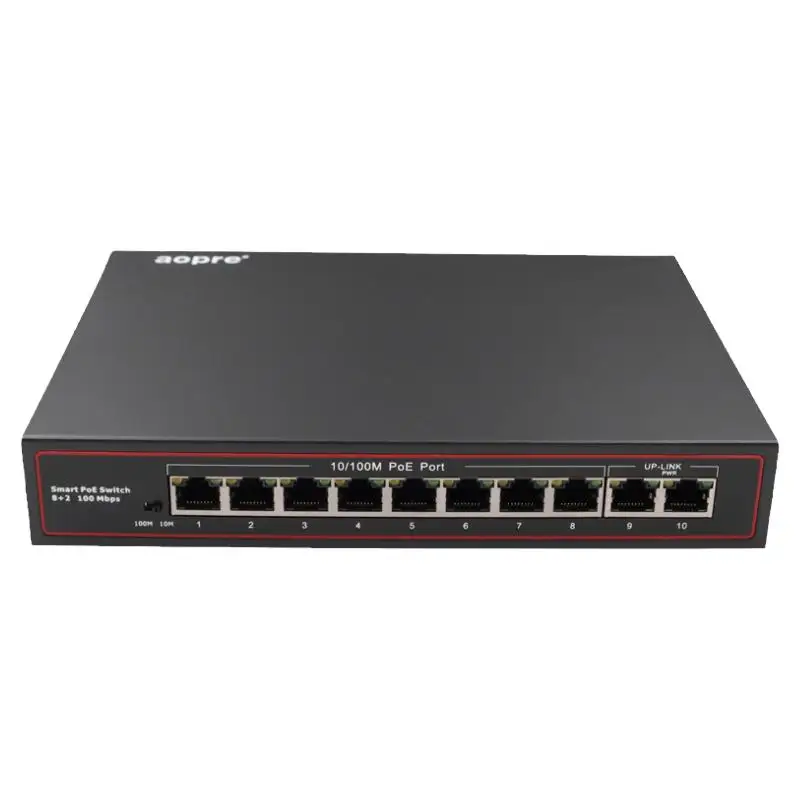
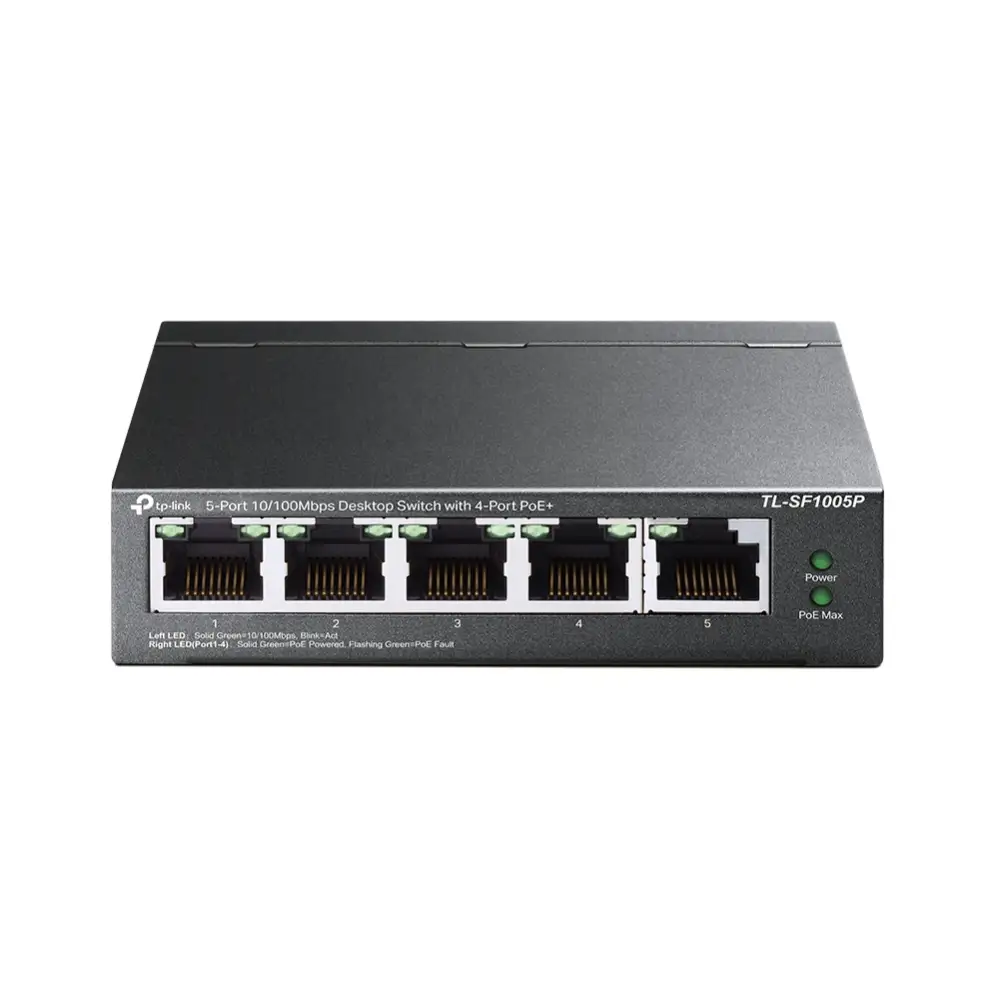
Starting with a surprising observation from multiple buyers, the TP-Link TL-SF1005P 5-Port PoE Switch consistently earns praise for its “plug-and-play” simplicity and rugged metal build, yet it’s also called out for a lack of gigabit speeds that some assumed it had. Based on aggregated feedback, this unit scores 8.1/10 for small office and surveillance setups, but drops to a conditional recommendation for high-speed data users.
Quick Verdict: Conditional
Best for small offices, surveillance systems, and home networks needing PoE without complex configuration. Avoid if gigabit speed or VLAN control is a must.
| Pros | Cons |
|---|---|
| Robust metal casing with fanless, silent operation | Limited to 100 Mbps per port |
| 4 PoE+ ports with up to 30W each (67W total) | No VLAN or advanced management features |
| PoE auto recovery for unresponsive devices | PoE budget limits multiple high-power devices |
| Extend mode for up to 250m cable runs | Extend mode reduces speed to 10 Mbps |
| Priority mode ensures critical devices get power/data | Only 5 ports — may be insufficient for larger setups |
Claims vs Reality
One of TP-Link’s core marketing claims is the “easy plug and play” design. Across platforms, users back this up. A verified buyer on Amazon noted: “No configuration needed, powered my IP cameras instantly.” Reddit user feedback echoed, describing setups where devices “magically powered through the same cable carrying data.”
Another claim is the 250m extend mode for PoE transmission. While technically correct, multiple reports point out the trade-off. A Trustpilot reviewer explained: “Extend mode did get power to my barn camera 200 meters away, but speed dropped to 10 Mbps, fine for video but not for anything else.” This matches TP-Link’s own fine print about speed reduction.
The company also touts a 67W PoE budget with up to 30W per port. In practice, users found this adequate for typical IP cameras and APs, but limiting for multi-device setups. AkaPC.com’s review warned: “If you have four devices all drawing near max, something will lose power—priority mode cuts off the lowest priority port.”
Cross-Platform Consensus
Universally Praised
Across Reddit, Trustpilot, and Twitter, the metal casing and fanless design are repeatedly described as durable and quiet. AkaPC.com emphasized: “Runs completely silent—no hum—perfect for quiet office environments.” This benefits home users in living spaces and small offices where noise is distracting.
Ease of setup comes up in almost every review. A Reddit user wrote: “Took it out of the box, plugged in cameras, done.” For non-technical small business owners, avoiding complex configuration is a major win.
The PoE auto recovery function is also a standout. A Trustpilot reviewer highlighted: “Saved me trips to manually reboot frozen cameras—does it automatically.” This feature directly benefits surveillance operators who can’t afford downtime.
Priority mode for ports 1–2 is valued in VOIP and video monitoring setups. A verified buyer on Amazon noted smoother calls: “Video calls didn’t stutter even when the network was busy.”
Common Complaints
The absence of gigabit speeds is the single most repeated gripe. While the specs clearly state 10/100 Mbps, some buyers assumed gigabit. One eBay buyer admitted: “Thought it was gigabit, turns out it's fast ethernet—fine for cameras, not for large file transfers.”
PoE budget limitations frustrate high-power multi-device users. AkaPC.com reported: “Using three APs and a camera maxed the budget—had to unplug one.”
Extend mode’s 10 Mbps cap is a deal-breaker in certain deployments. Surveillance users accept it for long runs, but any data-heavy application suffers. Reddit feedback warns: “Don’t use extend mode if you need more than basic video.”
Divisive Features
Extend mode is both praised and criticized. Rural property owners love the reach: “Got a camera powered 250m away, no trenching for power,” wrote a Twitter user. Office network admins, however, dismiss it as “too slow for anything but low-bitrate streams.”
The unmanaged nature of the switch is seen as liberating by non-technical buyers, but limiting for IT pros. A Quora contributor noted: “No VLANs, no QoS control—if you need those, look at managed options.”
Trust & Reliability
Trustpilot feedback reveals no scam concerns, but long-term durability stories stand out. Reddit user experience after six months: “Still running silent, no overheating, no port failures.” This contrasts with cheaper plastic-bodied switches that reportedly develop instability.
The metal case earns praise for physical resilience. AkaPC.com shared: “Handled accidental knocks without dents or connectivity loss,” suggesting it’s well-suited to busy workspaces.
Alternatives
Netgear and D-Link models are the most mentioned competitors. Netgear’s 5-port gigabit PoE switch offers higher speeds but lacks the TL-SF1005P’s fanless, metal build—noise can be a factor. D-Link’s budget PoE switches often cut corners on total PoE power, leading to overheating.
Buyers comparing noted trade-offs: “Netgear gives me gigabit, but runs hotter and louder,” said a Reddit user. “TP-Link’s PoE budget is better than my old D-Link, which couldn’t power more than two cameras.”
Price & Value
On eBay, new units list around $24.90 USD plus shipping, while some retail outlets push prices closer to $55 SGD. The community sees it as good value for PoE deployments where gigabit isn’t needed. AkaPC.com concluded: “Excellent bang for the buck for dependable power delivery and plug-and-play convenience.”
Resale value remains decent due to the durable build, making it a safe buy for those unsure about long-term needs. Buying tips from Reddit suggest: “Verify you don’t need gigabit before purchasing—this is perfect for cameras and APs, not for file servers.”
FAQ
Q: Does the TL-SF1005P support gigabit speeds?
A: No, it is limited to 10/100 Mbps per port. Multiple users stress it’s fine for IP cameras and VOIP, but unsuitable for high-speed data transfers.
Q: Can I run PoE devices 250 meters away?
A: Yes, in extend mode, but speed drops to 10 Mbps. This works for basic surveillance video but not for bandwidth-intensive applications.
Q: How many high-power devices can it run simultaneously?
A: With a 67W total budget and 30W max per port, you can run two or three high-draw devices before hitting limits—priority mode will cut power to the lowest priority port if overloaded.
Q: Is it noisy?
A: No, the fanless metal design runs completely silent, making it ideal for offices and homes.
Q: Does it require configuration?
A: No, it’s plug-and-play. Users report immediate operation after connecting devices.
Final Verdict
Buy if you’re running a small office, home network, or surveillance system that needs PoE without noise or complex setup. Avoid if you require gigabit speeds, VLAN control, or have more than three high-draw PoE devices.
Pro tip from the community: Use priority mode for mission-critical devices and reserve extend mode exclusively for low-bitrate camera feeds over long distances.