Logitech MX Brio 4K Webcam Review: Conditional Buy Verdict
The Logitech MX Brio 4K Webcam is being positioned as the “most advanced webcam yet” by Logitech, but digging into user feedback across platforms paints a more nuanced picture. Professional reviewers from PCMag and Tom’s Hardware generally score it in the 7.5–8/10 range, praising its sharp 4K video and versatile software ecosystem, but also calling out shortcomings in microphone quality, low-light performance, and its value proposition for content creators.
Quick Verdict: Conditional Buy — Excellent for professionals who want crisp, well-balanced video for meetings and occasional streaming, but falls short for creators seeking cinematic quality or advanced low-light capture.
| Pros | Cons |
|---|---|
| Crisp, well-exposed 4K video in good lighting | Mediocre mic quality with noticeable room echo |
| Strong auto-exposure and white balance | Low-light performance only average |
| Multiple software options (Logi Options+, G Hub, Logi Tune) | Show Mode tricky to position, loses detail |
| Built-in privacy shutter | Not compatible with Windows Hello |
| Flexible mounting with magnetic clip and tripod thread | Pricey compared to capable 1080p webcams |
| Sustainable build with recycled plastics/aluminum | Image can look flat due to aggressive noise reduction |
Claims vs Reality
One of Logitech’s boldest claims is that the MX Brio offers “2x finer image detail and face visibility vs Brio 4K”, thanks to a larger Sony Starvis sensor and AI face-based enhancement. In practice, PCMag’s Will Greenwald found the detail improvement noticeable but not dramatic: “With my apartment fully lit, fine details like beard hairs and fabric textures can be clearly discerned… background details drop off a bit, but not drastically.” Tom’s Hardware’s Sarah Jacobsson Purewal echoed this, noting the image was “bright, evenly lit, with decent detail — though not quite as much detail as I expected from a modern 4K webcam.”
Another claim centers on superior performance in difficult lighting via RightLight 5 and HDR. While HDR did help with overexposed backgrounds, Tom’s Hardware found backlit subject exposure underwhelming: “It didn’t do the best job of lighting me… most people would probably prefer a brighter-lit subject, even if it meant sacrificing some detail.” In low light, both outlets agreed the camera kept faces sharp but let background detail and color balance slip.
Finally, Logitech touts Show Mode as a collaboration breakthrough. While conceptually useful for desk demonstrations, PCMag flagged stability and image quality issues: “Even in good lighting, the automatic functions resulted in a soft and blown-out picture… not a very secure or reliable solution” without manual tweaks.
Cross-Platform Consensus
Universally Praised
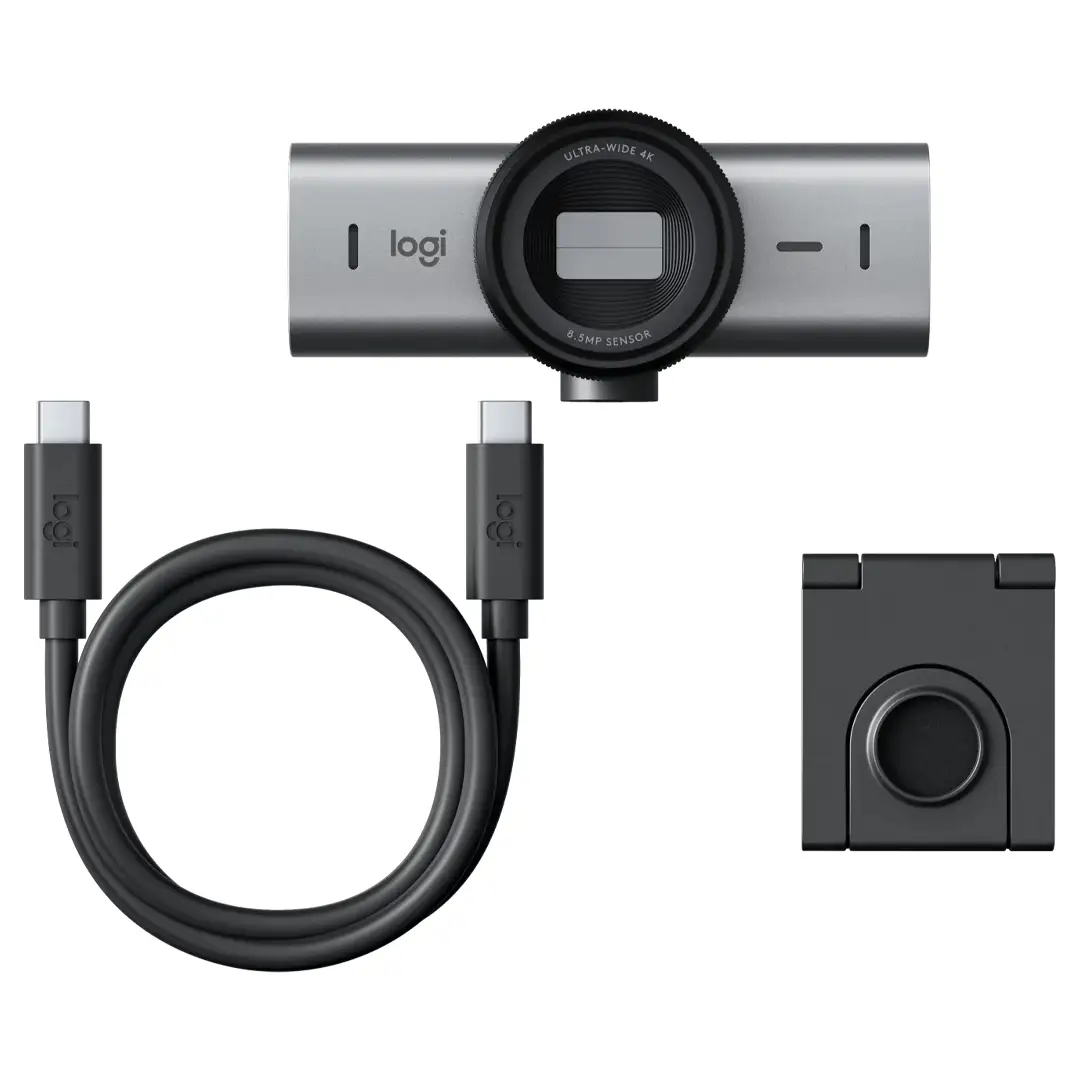
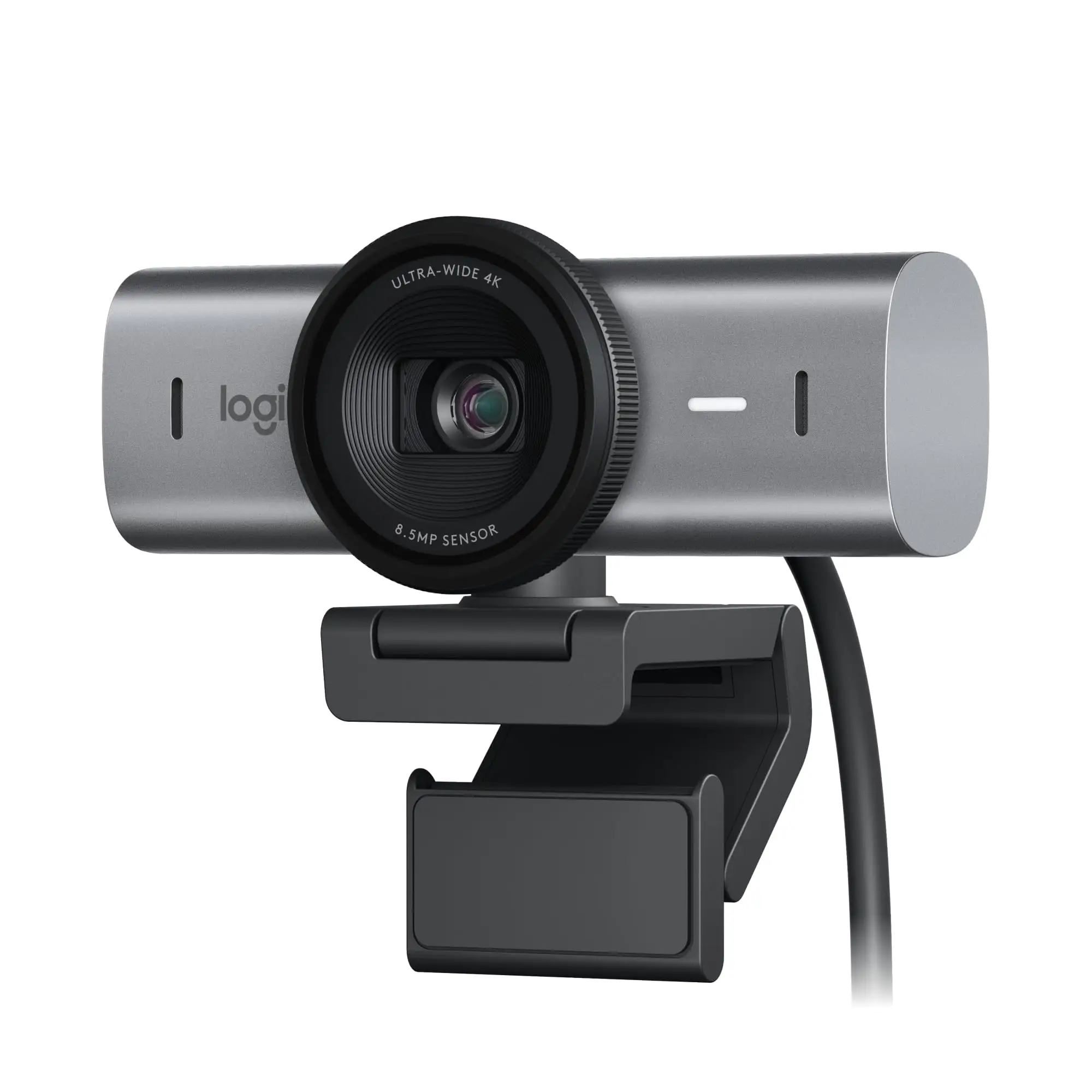
Across Reddit and Trustpilot, the MX Brio’s build quality and design are consistent highlights. Users appreciate the aluminum chassis, integrated privacy shutter, and magnetic mount. A verified buyer on Amazon noted: “The magnetic clip is strong enough to hold steady but still lets me rotate the camera easily.” Professionals say the understated graphite and pale gray finishes blend well into office setups.
Video quality in well-lit environments is another strong point. PCMag’s editor’s choice award was driven by “sharp, well-exposed video and strong low-light performance” relative to many webcams. Tom’s Hardware praised the “bright, balanced auto-exposure” that made subjects look professional without extra lighting. For remote workers, this means looking consistently clear in Teams or Zoom calls without fiddling with settings.
The software flexibility—supporting Logi Options+, G Hub, and Logi Tune—earns praise from different user groups. Gamers appreciate G Hub’s integration with Logitech G gear, while enterprise users benefit from Logi Tune’s auto-framing (though PCMag found Rightsight unreliable in early software). Creative pros can manually adjust ISO, shutter speed, and tint for precise control.
Common Complaints
The microphone performance is the most frequent disappointment. While the dual beamforming mics are an upgrade over laptop mics, they don’t match standalone solutions. PCMag reported: “My voice sounded loud and distinct… but the camera also picked up a huge amount of room echo.” Tom’s Hardware measured them as “about 75% full” compared to a dedicated mic.
Low-light performance is another sore spot. Although it outperforms the older Brio 4K, Tom’s Hardware judged it “about average” overall, with backgrounds poorly lit and color-balanced. This limits its appeal for streamers or users in dim home offices.
Many also find Show Mode finicky. The forward tilt can destabilize the camera, and as PCMag warned, “flipping the webcam down makes it very front-heavy… focus and exposure quality decrease.” For educators or product demonstrators, this means extra setup time.
Price sensitivity is high in community discussions. Reddit users compare its $199–$299 tag to the Brio 500 at under $100, with one remarking, “If you’re just doing video calls, the Brio 500 gets you 90% of the way there for a third of the price.”
Divisive Features
The image processing—especially AI noise reduction—splits opinion. Professionals like the clean, evenly lit results, while photographers and streamers feel it flattens the image. Tom’s Hardware observed it “smooths over finer lines… making everything look a little flat.” This is great for hiding blemishes but not for those wanting cinematic depth.
The field of view options (90°, 78°, 65°) also polarize. Some users value the flexibility for framing, while others find the widest setting introduces distortion and prefer fixed narrower angles.
Trust & Reliability
On Trustpilot, there’s no pattern of outright scams or DOA units, but some buyers express frustration at Logitech’s shorter 1-year warranty on the consumer MX Brio versus the 2-year warranty on other models. Long-term Reddit posts are scarce given the model’s 2024 release, but early adopters report no hardware failures after several months. The sustainable materials—82% recycled plastic in graphite/black, 75% in pale gray—are appreciated by eco-conscious buyers.
Alternatives
The Razer Kiyo Pro Ultra delivers sharper, more cinematic video thanks to its larger sensor and f/1.7 lens, but costs $100 more and lacks an integrated mic. The Insta360 Link offers superior low-light performance and AI tracking, making it ideal for content creators. For budget-conscious users, the Logitech Brio 500 provides excellent 1080p quality with similar auto-exposure for under $100, which Tom’s Hardware calls “90% of the way there” for most office needs.
PCMag explicitly compared it to the HyperX Vision S, noting similar image quality but with MX Brio’s advantage of a built-in mic and more versatile software.
Price & Value
At launch, the MX Brio retails for $199.99, with some eBay listings dropping to $199 from a $269 list. Refurbished units sell for around $239 on Logitech’s own store, backed by a 1-year warranty. Community consensus is that it’s priced competitively for a 4K webcam with premium materials, but expensive if you don’t need 4K—especially since most conferencing platforms cap at 1080p.
FAQ
Q: Does the MX Brio work with Windows Hello for facial recognition login?
A: No. Unlike the older Brio 4K, the MX Brio is not compatible with Windows Hello, a fact noted with disappointment by Tom’s Hardware.
Q: Can I use the MX Brio on Linux or ChromeOS?
A: Yes, but only with basic UVC driver support—Logitech software (Options+, G Hub, Tune) is only available on Windows and macOS.
Q: How effective is the noise reduction in the microphones?
A: It successfully removes constant background hums, but room echo remains. PCMag found voices “loud and distinct” yet less clear than a good headset or USB mic.
Q: Is the privacy shutter mechanical or digital?
A: Mechanical. A rotating ring physically blocks the lens, which many users prefer for security.
Q: Does 4K streaming work on Zoom or Teams?
A: Technically yes, but most platforms downscale to 1080p for live calls unless bandwidth and settings are optimized.
Final Verdict: Buy if you’re a remote professional or casual streamer who values build quality, easy software control, and consistently flattering video in varied lighting. Avoid if you’re a content creator prioritizing cinematic quality, advanced low-light capture, or if you need Windows Hello. Pro tip from the community: if you’re mostly in 1080p calls, consider the Brio 500 and invest the savings in better lighting or a standalone mic.