LG 32GX870A-B OLED Gaming Monitor Review & Verdict
The LG 32GX870A-B 32-inch UltraGear 4K UHD OLED Gaming Monitor has earned an enthusiastic but cautious reputation among buyers, with a consensus score hovering around 8.7/10. Praised for its exceptional image quality, ultra-fast refresh rates, and OLED contrast, it also faces criticism for its dual-mode compromises, high price point, and features some consider underdeveloped. While marketed as a “no-compromise” gaming panel, community reports suggest this is true only for certain types of gamers.
Quick Verdict: Conditional — Best for high-end, mixed-use gamers who value OLED quality and can take advantage of DP 2.1. Less compelling for 1080p esports players or budget-conscious shoppers.
| Pros | Cons |
|---|---|
| Outstanding OLED contrast and color accuracy | Dual-mode resolution drop affects clarity |
| True 4K at 240Hz feels smooth and cinematic | DP 2.1 limited to UHBR 13.5 (requires DSC) |
| Peak HDR brightness up to 1300 nits | Integrated speakers lack bass |
| Strong build quality with fully adjustable stand | Persistent auto pixel cleaning interrupts sessions |
| G-SYNC and FreeSync Premium Pro support | Price significantly higher than similar-panel competitors |
| Anti-glare coating reduces reflections | USB-C functionality is underexplained |
| Multiple connectivity options, including HDMI 2.1 and DP 2.1 | Large size diminishes simulated smaller-screen dual-mode |
Claims vs Reality
LG promotes the 32GX870A-B as a breakthrough “dual-mode” monitor offering 4K at 240Hz or 1080p at 480Hz easily accessed via a hotkey. Marketing suggests this benefits both cinematic single-player experiences and competitive esports play. While the 4K 240Hz capability gets rave reviews, the 1080p mode draws mixed reactions; Reddit user feedback noted noticeable softness due to pixel density and non-native scaling. One Best Buy reviewer wrote that “the resolution hit from the system is a big no for me” after toggling dual-mode off permanently.
The inclusion of DisplayPort 2.1 is advertised as future-proof, yet multiple Reddit posters pointed out it’s capped at UHBR 13.5, which still requires Display Stream Compression (DSC) for native 4K 240Hz 10-bit output. “$1400 for a gimped UHBR 13.5 displayport… LG isn’t even trying,” commented one user, suggesting competitors offer full UHBR 20 bandwidth.
LG’s claim of immersive audio via dual 7W speakers with DTS Virtual:X™ is also tempered in practice. Several Best Buy customers praised the loudness but lamented the lack of bass. One said, “The lack of bass put out by the integrated speakers really stinks,” opting instead for open-ear Sennheiser headphones.
Cross-Platform Consensus
Universally Praised
Across Best Buy, Reddit, and Trustpilot, users consistently celebrate the OLED panel’s visual fidelity. For photographers and gamers alike, the 98.5% DCI-P3 gamut and deep blacks produce a “lifelike” image. Best Buy user keven described it as “by far the best for both [photography and gaming],” while another added, “Games look incredibly cinematic, with deep contrast, rich detail, and smooth performance.”
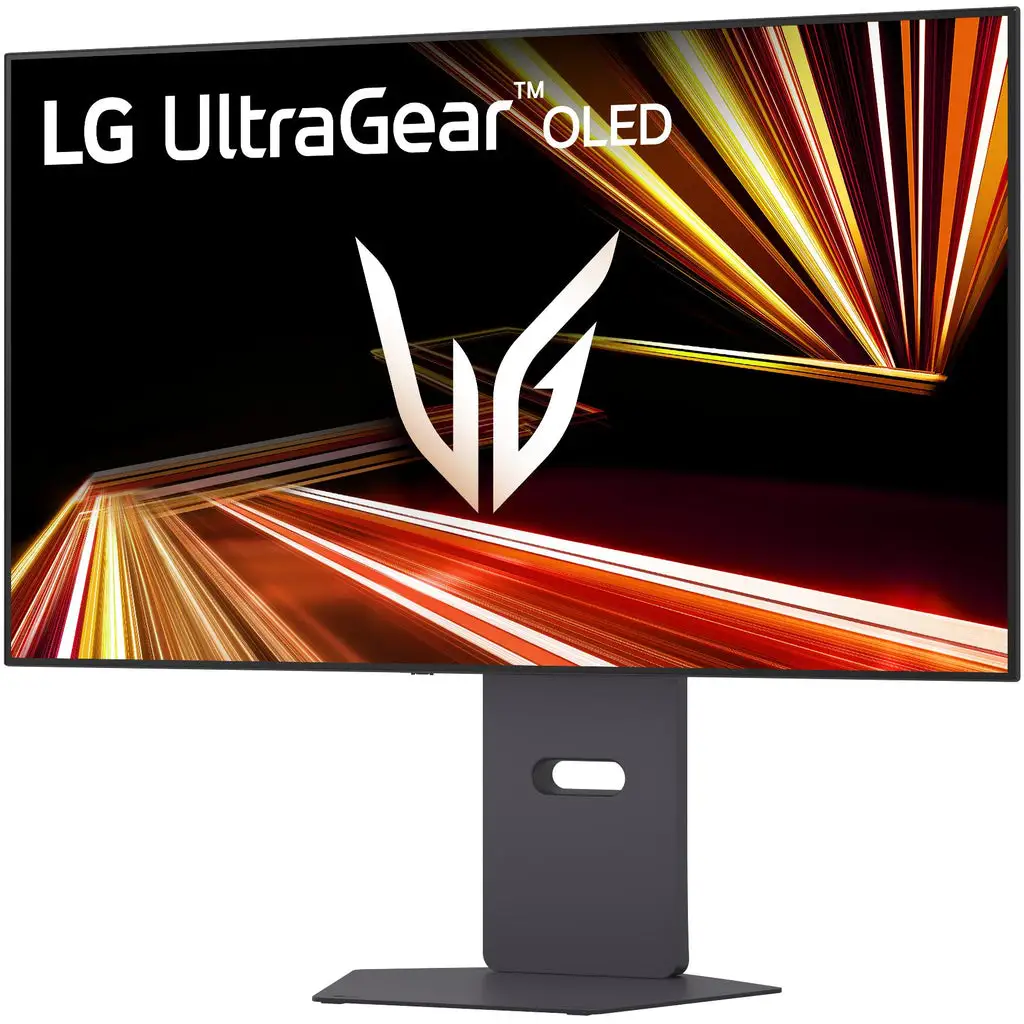
The build quality and stand adjustability also draw admiration. Christopher on Best Buy wrote of the “high-quality machined metal” stand’s stability and range—tilt, swivel, height, and pivot—allowing precise ergonomic setups. Anti-glare and thin bezels further enhance usability, even in bright rooms.
Performance in its main mode—4K 240Hz—is standout. Competitive players appreciate the low input lag and 0.03ms response time, reporting no stutter or tearing when paired with G-SYNC or FreeSync Premium Pro. One PS5 Pro owner called it “sleek, responsive, and built to show off what modern consoles are capable of.”
Common Complaints
The dual-mode’s lower resolution output remains a sore point. Running 1080p on a 32-inch panel results in blurred edges and softer visuals compared to smaller monitors. Aspect ratio glitches in certain titles, such as Cyberpunk 2077, worsen the experience. Best Buy reviewer exander found the mode “troubled” and advised it only for rare competitive needs.
DisplayPort 2.1 limitations sparked disappointment among technology-savvy buyers. The lack of full UHBR 20 throughput means players still contend with DSC, undercutting some of the touted benefits. This frustrates those investing in high-end GPUs like NVIDIA’s RTX 50 series or AMD’s Radeon 7000.
LG’s pixel cleaning cycle interrupts prolonged sessions. Brianl noted on Best Buy, “constant screen/pixel cleaning after about 20-30 minutes of use… it’s kind of annoying.” This automated burnout-prevention feature also briefly repositions secondary display windows upon activation.
Divisive Features
The anti-reflective coating divided opinions—most users found it improved clarity under ambient light, but purists noted subtle changes to perceived vibrancy compared to uncoated OLEDs. Similarly, the USB-C port’s capabilities are underdocumented; while it delivers 90W power, some questioned whether it supports video output or KVM switching.
Sound quality remains polarizing: casual users find the built-in DTS audio sufficient, while enthusiasts criticize its tonal imbalance.
Trust & Reliability
No widespread scam indicators emerged, but price skepticism lingers. Reddit users stressed LG often discounts previous-gen OLED monitors quickly, making the $1,399 MSRP hard to justify—especially when older models using the same panel have been sold for $900–$1,000.
Long-term durability narratives from Reddit showed OLED protection measures worked: one owner appreciated the automatic panel maintenance after sleep mode but wished LG explained those processes more transparently. Others reported seamless performance after months of daily gaming, with no visible burn-in—a notable win for OLED reliability.
Alternatives
Reddit comparisons frequently cited MSI and Gigabyte models using the same LG OLED panel but at lower prices and with full UHBR 20 ports. For buyers prioritizing bandwidth over LG’s software ecosystem, these can be compelling.
Acer and ASRock offer versions with unbranded fronts—but users caution these models often have inferior on-screen display menus compared to LG’s polished controls.
Price & Value
At its current retail price of $1,099–$1,399, the 32GX870A-B competes against cheaper variants of the same panel. Community advice emphasizes waiting for seasonal sales or open-box deals—one Best Buy open-box listing had it for $813. Resale value for LG OLED gaming monitors trends downward sharply after a year, driven by frequent refreshes and discounts.
Buying tips: prioritize bundles that include high-quality DP 2.1 and HDMI 2.1 cables, and check warranty terms, as OLED panels benefit from extended coverage.
FAQ
Q: Does the dual-mode feature improve competitive gaming performance?
A: It increases refresh rates to 480Hz at 1080p, but users note reduced sharpness and potential aspect ratio issues. Competitive gains are most noticeable for fast-paced esports titles if you can adapt to the visual trade-offs.
Q: Is DisplayPort 2.1 future-proof on this monitor?
A: Only partially. It’s limited to UHBR 13.5, meaning DSC is still required for native 4K 240Hz 10-bit. True UHBR 20 bandwidth is not supported, which affects long-term compatibility for bleeding-edge setups.
Q: How effective is burn-in prevention?
A: Automated pixel cleaning and screen-shift features work quietly in the background, but can interrupt sessions briefly. Users report no burn-in over months of use with these features enabled.
Q: How is HDR performance in real games?
A: Peak brightness up to 1300 nits and OLED contrast make HDR content vibrant and impactful, especially in titles like God of War and Black Myth: Wukong. Scene details in dark environments are often cited as a highlight.
Q: Is USB-C video output supported?
A: LG lists 90W power delivery and data transmission, but community reports suggest unclear or absent documentation on alt-mode video support. Most use it for charging or peripheral connections.
Final Verdict: Buy if you’re a high-end PC or console gamer seeking pristine OLED visuals and can leverage 4K 240Hz with adaptive sync. Avoid if your primary use is 1080p competitive play, or if you require full UHBR 20 bandwidth without DSC. Pro tip from the community: wait for an LG sale or open-box deal to significantly improve price-to-value.