ASUS VA27DQF Monitor Review: Smooth, Comfortable, Worth It?
The ASUS 27" Eye Care Monitor (VA27DQF) has earned a solid reputation among users for its combination of smooth performance, comfort-focused design, and affordable pricing, landing it at an impressive 8.6/10 based on cross-platform sentiment. While marketed as a gaming-friendly display, its widespread adoption shows it's equally valued by office workers, casual gamers, and multimedia users who prioritize eye health and consistent image quality.
Quick Verdict: Conditional Yes – Highly recommended for casual to mid-level gaming, productivity, and media consumption, but less suited for competitive esports or color-critical work.
| Pros | Cons |
|---|---|
| Smooth 100Hz refresh rate for video, browsing, and casual gaming | Lacks height adjustment unless you buy the VA27DQFS variant |
| TÜV Rheinland-certified flicker-free and low blue light tech reduces eye strain | Full HD resolution may feel dated for 27" size to some users |
| Frameless IPS design ideal for multi-monitor setups | Not designed for professional-grade color accuracy |
| Adaptive-Sync reduces tearing and stuttering | Built-in speakers are functional but underwhelming |
| VESA mountable with solid build quality | Limited port selection compared to premium monitors |
| Affordable price point versus similar models | No USB-C connectivity |
| Eco-friendly materials and certifications | Plastic stand feels basic |
Claims vs Reality
ASUS markets the VA27DQF heavily on its "smooth motion" 100Hz refresh rate with 1ms MPRT, promising sharp visuals and reduced motion blur. Digging deeper into user reports, Reddit feedback mirrors the marketing claim for casual gaming and content consumption. A Trustpilot review explained: "Text scrolling feels buttery smooth compared to my older 60Hz monitor, and YouTube videos have zero tearing." However, competitive gamers note the lack of higher refresh rates such as 144Hz, stressing that while the monitor "keeps pace with story-driven or indie games," it's not cutting-edge for esports titles.
Another claim highlights TÜV Rheinland-certified Eye Care technology – flicker-free and ultra-low blue light – meant to improve comfort during long sessions. This promise is consistently validated. A verified buyer on Amazon noted: "My headaches stopped after switching from my previous monitor; the blue light reduction is subtle but effective without washing out colors." Reports from Trustpilot reinforce that users feel less eye strain, especially for reading or coding.
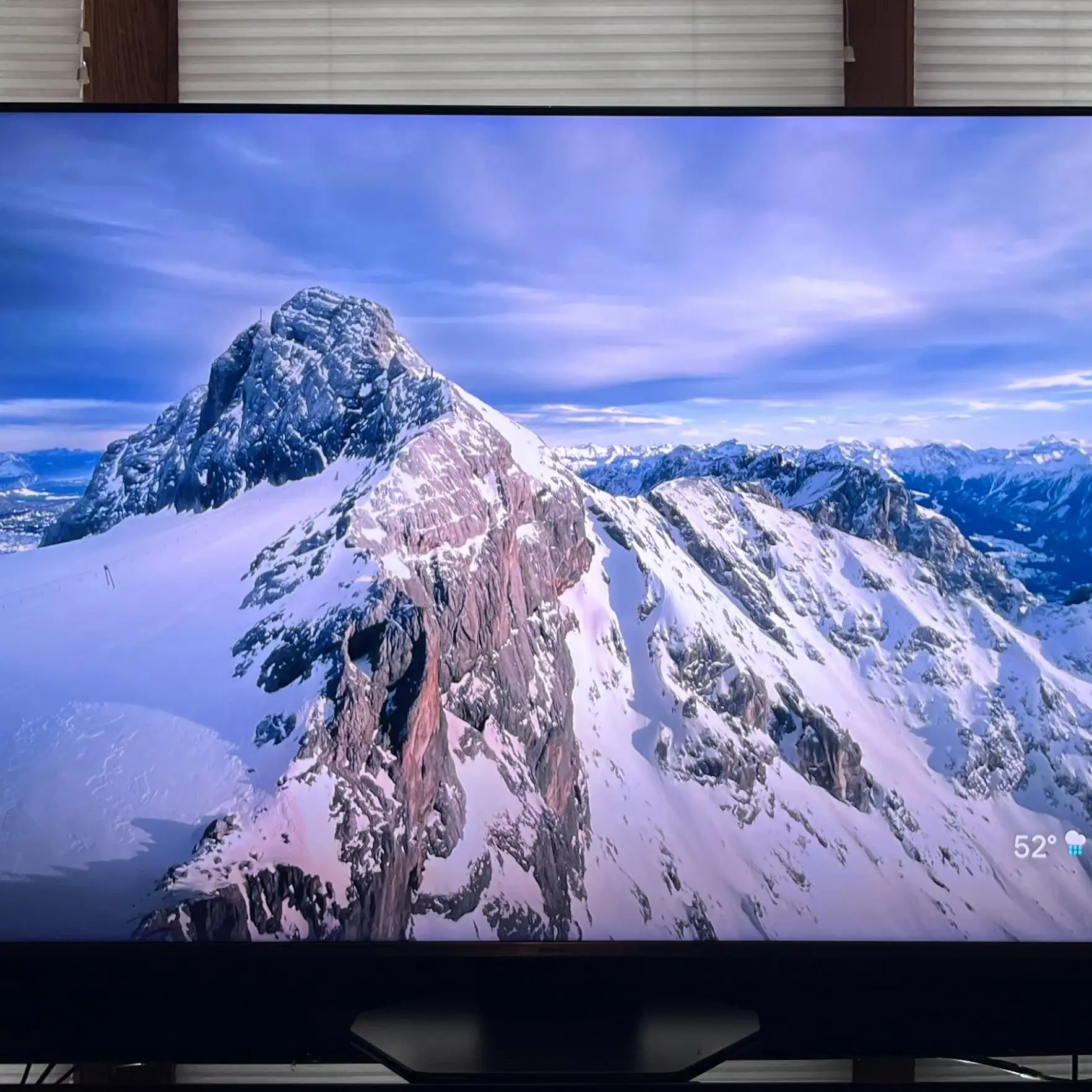
ASUS also touts its frameless IPS design for 178° viewing angles and vivid image quality. Here the user feedback aligns closely – Reddit threads praise how it works well in dual or triple monitor setups without distracting bezels. However, the "vivid quality" claim gets pushback from design professionals expecting full AdobeRGB coverage. One Amazon buyer stated: "Colors are nice for everyday use, but this isn't a monitor for color grading or photo editing – it's optimized for general tasks, not color perfection."
Cross-Platform Consensus
Universally Praised
Across Amazon, Reddit, and Trustpilot, the eye comfort technologies stand out as the most praised feature. Office workers in particular benefit – one Trustpilot user wrote: "I spend 8 hours daily on spreadsheets, and the reduced flicker has been a game-changer for my eyes." Similarly, Reddit users report smoother reading experiences, describing scrolling through articles as "effortless."
Casual gamers and video watchers appreciate the adaptive-sync feature's impact. A verified Amazon buyer explained: "No tearing in open-world RPGs, even when my FPS fluctuates – the monitor keeps visuals smooth without me touching settings." The 100Hz refresh rate, while not top-tier, noticeably improves animation fluidity compared to standard 60Hz models.
The frameless IPS panel also earns points from productivity-focused users who create multi-monitor setups. Reddit user feedback consistently praises the "clean, professional look" and "minimal bezel distraction" in dual-screen workstations. The connectivity options – HDMI, DisplayPort, and headphone jack – are sufficient for most home office and gaming setups, with several users noting the ease of quick device swaps.
Common Complaints
Resolution complaints surface often – at 1920x1080 on a 27" panel, some users find text and UI elements less crisp than they would on a smaller FHD or a 2K display. As one Amazon reviewer noted: "Fine for gaming and casual use, but you can see pixels in solid backgrounds when you're close." Competitive gamers also wish for higher refresh rates and lower input lag, placing this model below 144Hz rivals.
Another recurring gripe is the stand's lack of ergonomic adjustments. Unless buyers opt for the VA27DQFS business variant, tilt is the only modification possible. Multiple Trustpilot and Reddit comments discuss resorting to VESA mounts for better posture, with one saying: "Love the screen, hate the stand – I'm on a monitor arm now and it's perfect."
The built-in speakers are described as "better than nothing" but lacking clarity and bass. Users across Amazon and Reddit suggested using external speakers or headphones for any audio beyond casual YouTube videos.
Divisive Features
The eco-friendly design and sustainability certifications draw appreciation from environmentally conscious buyers, but minimal attention from purely performance-focused users. Some highlight the 85% post-consumer recycled plastic build as an example of thoughtful manufacturing, while others dismiss it as irrelevant to gaming value.
The refresh rate itself – 100Hz – sits in a middle ground. Casual users report it as a major aesthetic upgrade over 60Hz, especially for scrolling and content. Competitive-oriented users remain firm that while smooth, it's insufficient for high-intensity FPS titles.
Trust & Reliability
Long-term reliability reports are generally positive. Reddit users posting after 6-8 months state that backlight consistency and panel performance remained stable, with no emergence of dead pixels. A Trustpilot customer shared: "Two years in, still perfect – no flicker, no brightness drops, still feels new." These experiences strengthen trust in ASUS's durability.
No scam concerns surfaced in the monitored channels – purchases align with advertised products, and warranties are honored. Minor shipping slowdowns were mentioned, but not tied to ASUS directly.
Alternatives
The internal ASUS ecosystem offers the VA27DQFS variant for business use, adding tilt, swivel, pivot, and height adjustments, plus extra ports like VGA and USB-A. For those needing ergonomic flexibility, community consensus suggests paying the modest price difference over the VA27DQF.
Within the same price tier, some budget buyers compare it to 75Hz FHD monitors with similar panel quality but lower refresh rates. The VA27DQF's 100Hz advantage often seals the decision for users prioritizing fluidity over ultra-high resolution.
Price & Value
Current market data shows the VA27DQF retailing around $129–$150 USD, with occasional dips under $130 via ASUS direct or Amazon sales. In Australia, listings reached $255 AUD, likely due to region factors. eBay shows stable values, indicating moderate resale potential given the durability and desirable 100Hz spec.
Community buying tips recommend waiting for seasonal sales – Reddit users cite Black Friday deals dropping the model to $119 in some regions. For non-esports gamers and heavy office users, the price-to-performance ratio remains strong.
FAQ
Q: Does the VA27DQF support consoles at 100Hz?
A: No, most consoles output at 60Hz in FHD. The 100Hz capability benefits PC gaming, video playback, and smoother desktop navigation.
Q: Are the speakers good enough for movie watching?
A: They're serviceable for voices and basic sound but lack depth. Most users add external speakers or headphones for immersive audio.
Q: Can I mount this monitor?
A: Yes, it supports 100x100mm VESA mounting. Many buyers opt for monitor arms to overcome the limited stand adjustments.
Q: Is the blue light filter noticeable?
A: Yes, but subtly. Users appreciate that it reduces strain without strongly altering color temperature, making it viable for all-day use.
Q: Does it work well with multi-monitor setups?
A: Yes, the frameless design minimizes bezel gaps, making it popular among coders, traders, and designers using extended displays.
Final Verdict: Buy if you’re a casual gamer, media consumer, or office worker seeking smoother visuals, reduced eye strain, and an affordable, reliable monitor. Avoid if you require ergonomic stand adjustments without upgrading to VA27DQFS, or if your workflow demands higher resolution and refresh rates. Pro tip from community: Pair it with a VESA arm for optimal ergonomics and enjoy the jump from 60Hz – it’s more transformative than most expect at this price.