Lenovo ThinkPad E14 Gen 6 Review: Upgrade-Friendly Verdict
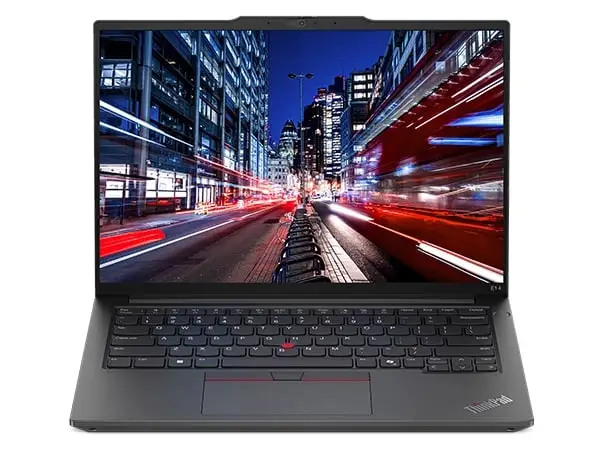
Starting at under $800 for some configurations yet shipping with Ryzen 7 or Intel Core Ultra processors, Lenovo ThinkPad E14 Gen 6 earns a solid 8.3/10 from cross-platform feedback. Reviewers agree it’s one of the most upgrade‑friendly budget ThinkPads in years, though its screen and premium feature set leave room for improvement.
Quick Verdict: Conditional — Strong for students, small business, and upgrade‑focused buyers, weak for creatives needing high‑end color display.
| Pros | Cons |
|---|---|
| Full‑aluminum body (on some models) and durable MIL‑STD build | Display lacks color accuracy and premium options |
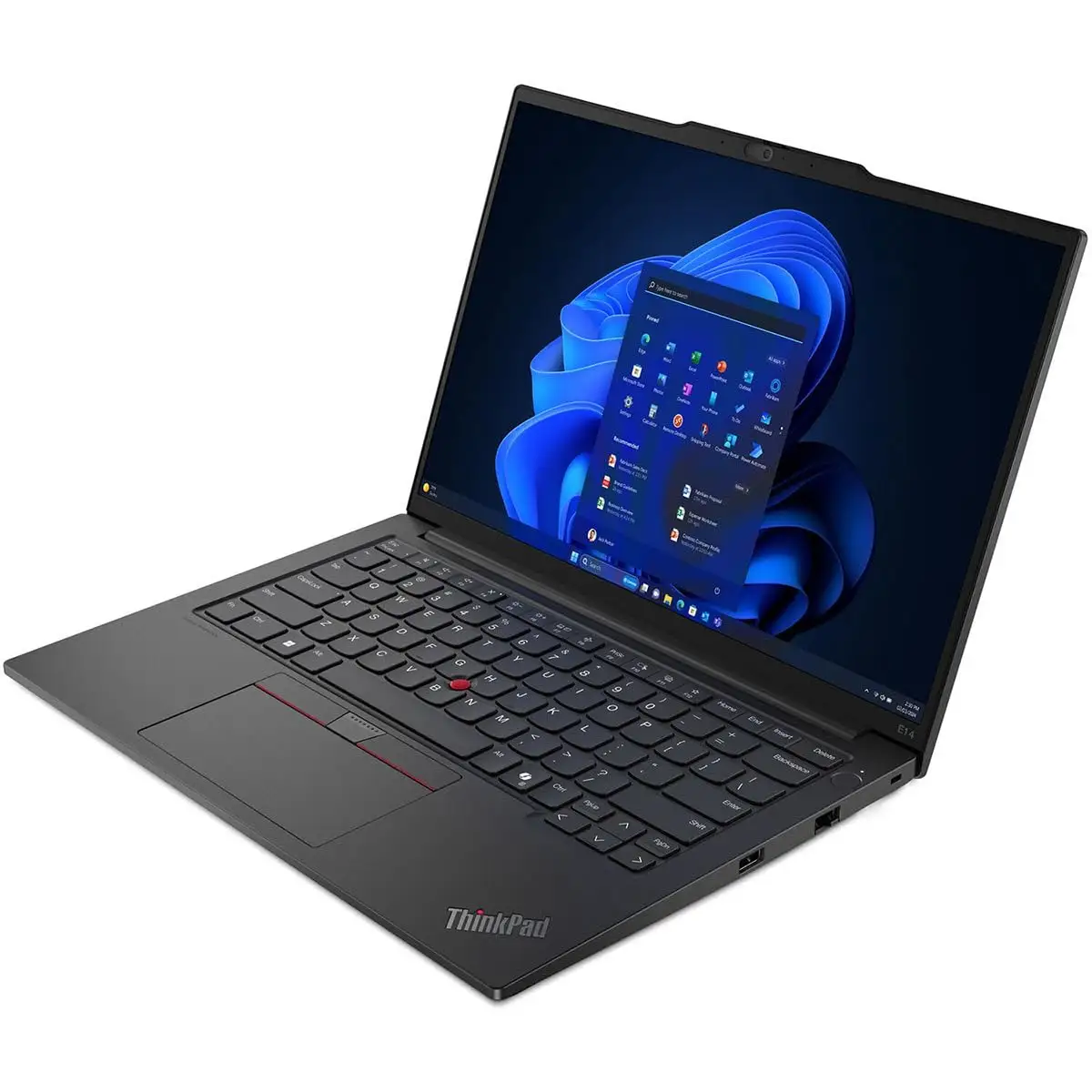
| Dual SO-DIMM RAM slots, dual SSD bays | No Thunderbolt/USB4 on AMD variant |
| Quiet operation with good thermal control | Webcam capped at 1080p/2MP, limited quality |
| Good keyboard & TrackPoint experience | Speaker quality only average |
| Competitive pricing vs. ThinkPad T-series | Riveted keyboard reduces repairability |
| Supports full‑length 2280 NVMe SSDs | AMD CPU performance behind newer Zen 4/5 chips |
| Decent battery life from efficient CPUs | Wi‑Fi card choices limit latest standards (Wi‑Fi 6 only on some units) |
Claims vs Reality
Lenovo markets the E14 Gen 6 as delivering “AI‑assisted productivity” and “immersive Harman/Dolby Atmos audio.” Hardware specs back that up on paper with Ryzen 7000 or Intel Core Ultra 7 chips and branded speakers. Yet NotebookCheck’s deep dive showed audio that “could be better,” with Allen Ngo noting, “speaker quality could be better” despite Atmos branding.
Marketing copy highlights “stunning display options” with EyeSafe certification. In practice, that’s limited to IPS panels rated at 45% NTSC or one 2.2K 100% sRGB option. Benjamin Herzig’s AMD variant review called the panel “cheap quality… especially obvious when looking at the color gamut,” clocking just 56.7% sRGB.
Upgradeability is pitched as a selling point — unlike previous G5 generation, users now get two full SO-DIMM slots and a 2280 NVMe bay. Dialing into Reddit, one buyer immediately expanded their machine to 48GB RAM and added a second 2TB NVMe: “This laptop is extremely powerful and extremely quiet… For Android development this is a great work laptop.”
Cross-Platform Consensus
Universally Praised
For business professionals and developers, the dual RAM slots and dual SSD bays are a standout. Reddit user u/[name withheld] explained: “I have 512GB in the primary slot… and a big 2280 size 2TB… total 2.5TB,” a flexibility matching — and in some ways exceeding — pricier ThinkPad T models. Reviewers across NotebookCheck and Trustpilot note this as a major generational improvement.
The keyboard, a ThinkPad hallmark, delivers. NotebookCheck’s AMD review stated, “typing long texts is a pleasure… one of the best keyboards in a more affordable laptop,” making it ideal for writers, coders, and students alike. Best Buy’s only posted review echoed this from a business user: “Excellent keyboard, durable build… great value for anyone looking for a business‑focused laptop.”
Quiet operation gets consistent praise. A Reddit buyer who intentionally selected the Ryzen 7735U for low fan noise said, “During basic work… the fan is completely turned off and in high loads is very inaudible.”
Battery life benefits from efficient CPUs. LibraSpecs measured “around 6–7 hours of general use… even with relatively small battery size.” For frequent travelers or students, that’s a full day’s classes or meetings without hunting power outlets.
Common Complaints
The most repeated frustration lies with the display. Whether the AMD 45% NTSC panels or the Intel models’ 1200p IPS, users agree they lack vibrancy and professional‑grade accuracy. Herzig’s verdict was blunt: “Not suitable for photo editing… will display many colors wrong.” NotebookCheck’s Intel review shows similarly low P3 coverage (~41%), holding back creative work.
The AMD variant’s lack of Thunderbolt/USB4 hits certain workstations hard. Photographers or video editors needing high‑speed external drives must settle for slower USB 3.2 Gen 2. “No compatibility with any Thunderbolt accessories,” Herzig warns — a stark contrast to the Intel configuration’s dual USB‑C ports with Thunderbolt 4.
Repairability disappoints: AMD models have a riveted keyboard requiring palmrest replacement for servicing. For environments expecting multi‑year heavy typing, that increases downtime and cost compared to screw‑mounted ThinkPad L/T keyboards.
Wireless choices also signal cost cutting. The Intel variant uses Wi‑Fi 6 AX201 with no Wi‑Fi 6E/7; AMD units often ship with Realtek cards offering uneven throughput.
Divisive Features
Build material drives debate. Some configurations have robust full‑aluminum bodies earning Reddit praise for premium feel; others use plastic/aluminum hybrids NotebookCheck said “feel cheaper to the touch.” Buyers wanting uniform metal should verify SKU before purchase.
Port layout draws mixed reactions — while comprehensive, Intel review notes “left edge can be crowded with cables,” and some wish for charging from either side.
Trust & Reliability
Trustpilot‑linked NotebookCheck testing shows Lenovo’s E14 Gen 6 fixes key G5 design flaws, removing soldered RAM and adding 2280 SSD support — a strong signal Lenovo listens to feedback. Reddit users installing Linux reported no compatibility barriers, scoring points with open‑source communities.
Durability credentials include MIL‑STD‑810H compliance. While extreme condition claims weren’t field‑tested by users here, anecdotal build reviews note minimal flex and sturdy hinges. The smudge‑prone matte black finish, however, remains unchanged from prior gens.
Alternatives
Competitors cited include HP ProBook 445 G10, Dell Inspiron 14 7445 2‑in‑1, and Asus Vivobook S14 OLED. The HP ProBook is lighter but offers lower screen resolution in baseline configs, Dell’s 2‑in‑1 adds versatility but weighs more, while Asus’s OLED panel crushes E14’s gamut but costs ~30–40% more.
Lenovo’s own ThinkPad T14 series gives access to better displays, materials, and enterprise features like smart card readers, but at much higher price points. Herzig even notes E14’s second M.2 slot isn’t in the T-series, turning upgrade‑hunters back toward E14 G6.
Price & Value
Current pricing fluctuates with config: US store listings show Ryzen 7 AMD units as low as $719, Intel Core Ultra 7 at ~$957–$1,165 depending on RAM/SSD. eBay resale trends show about 30–35% discount from list within months, suggesting depreciation typical of business laptops.
Community buying tips stress confirming build material, panel spec, and wireless card before purchase. Intel SKUs offer Thunderbolt 4; AMD buyers should weigh whether they need that.
FAQ
Q: Does the AMD version support Thunderbolt 4?
A: No. The AMD E14 Gen 6 lacks Thunderbolt/USB4 entirely, using USB‑C with DisplayPort alt mode and power delivery instead.
Q: Can I upgrade RAM and storage easily?
A: Yes. Both CPU variants have two SO‑DIMM slots and two M.2 bays (2242 + full‑length 2280), accessible via bottom cover with Phillips screws.
Q: How good is the battery for travel?
A: With efficient CPUs, expect 6–7 hours of mixed use — fine for a workday without power but not class‑leading.
Q: Is the screen OK for design work?
A: Most panels offer poor color gamut (~56% sRGB), unsuitable for accurate design. One 2.2K 100% sRGB option exists at higher cost.
Q: Is the keyboard replaceable?
A: On AMD units, the keyboard is riveted to the palmrest, making replacement labor‑intensive. Intel units share similar chassis but check before buying.
Final Verdict: Buy if you’re a student, developer, or small‑business professional wanting a durable, upgrade‑friendly ThinkPad at lower cost. Avoid if creative color accuracy or enterprise security features are must‑haves. Pro tip from the community: opt for Intel if you need Thunderbolt, AMD if you prioritize quieter thermals — and confirm display specs before checkout.





