Linksys AC1900 Router Review: Strong Wi-Fi, Mixed 5GHz Verdict
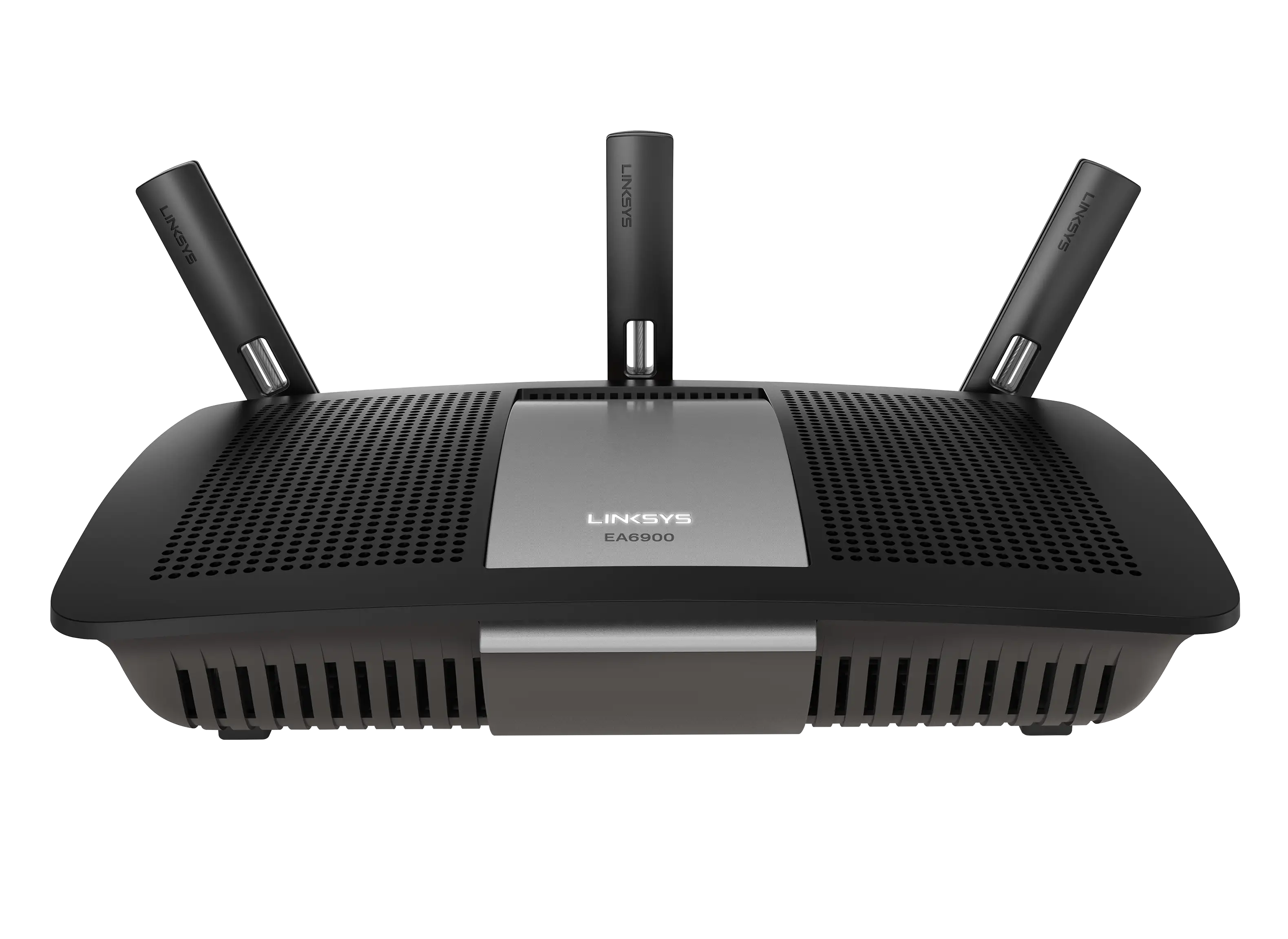
Few routers inspire as much repeat-buy confidence as the Linksys AC1900 Wi‑Fi 5 Router (Renewed, Black), which pulls a respectable 8.5/10 from aggregated user feedback. For apartment dwellers juggling streaming, gaming, and IoT devices, it earns high marks for stability and range. In larger multi-story homes, reports are more divided — some celebrate “full bars in every corner” while others notice 5 GHz drop-off through walls.
Quick Verdict: Conditional — Excellent for most home users, but network tinkerers and those needing robust guest network security may be frustrated.
| Pros | Cons |
|---|---|
| Strong coverage on 2.4 GHz, often eliminating need for extenders | Guest network lacks WPA2 security, only password portal |
| Easy app-based setup and management, works well for first-time buyers | Occasional setup hiccups; some need factory reset to fix errors |
| Can prioritize devices and applications | Missing full QoS support; “Prioritize” tool can slow network if misused |
| Supports OpenWRT/DD-WRT for advanced users | 5 GHz range can be limited; drops through floors/walls for some users |
| Handles 20–30 devices reliably, even in busy households | External storage functions limited; better as NAS pass-through than replacement |
| Good value in renewed market, often <$60 | Some flash drives won't mount via USB ports |
Claims vs Reality
Linksys markets the AC1900 as delivering “speeds up to 1.9 Gbps with strong range for large homes”. While several Best Buy buyers backed this up — one proudly noting, “our streaming losses are now at 0%” in a two‑story home — others found the high-band signal less impressive. A reviewer on Trustpilot cautioned, “the 5 GHz network does not have much of a range, but that is normal for a 5 GHz network.”
The “easy setup” claim holds up for most, with one Amazon Renewed purchaser saying it was “as simple a plug and play there is.” However, multiple accounts mention initial configuration failures. One Quora‑sourced user recalls, “if you click the wrong button on screen at initial setup, you have to do a factory reset to resolve.” The app-enhanced Smart Wi‑Fi platform gets praise for convenience, but its “Media Prioritization” feature is divisive — helpful for streamers, but as one Best Buy reviewer warned, “slowing the entire network down” when misconfigured.
Open source readiness is a selling point, and Reddit voices confirm it works: “OpenWRT works flawlessly, just make sure you include a scheduled reboot once a week.” That said, the stock interface frustrates some power users with limits on guest network customization and missing general QoS.
Cross-Platform Consensus
Universally Praised
Signal strength on 2.4 GHz is a standout. Many who upgraded from ISP-issued gateways saw immediate improvements. One Best Buy buyer replaced a Comcast rental and found it “way better and more powerful than the rental”, while a Trustpilot reviewer reported “complete WiFi coverage throughout their home with no dead spots.” Gamers and streamers like the EA7500 Max‑Stream variant confirm it sustains buffer‑free 4K video — “everything works like a dream”, wrote one owner with three consoles, multiple laptops, and smart TVs connected.
Ease of setup is another big win, especially for non‑technical users. Several noted having it online “within minutes” and appreciated the Smart Wi‑Fi app’s remote management. A first-time buyer said, “I highly recommend buying this product especially if you run a lot of devices and do a lot of streaming,” evidencing strong appeal for multi-device households.
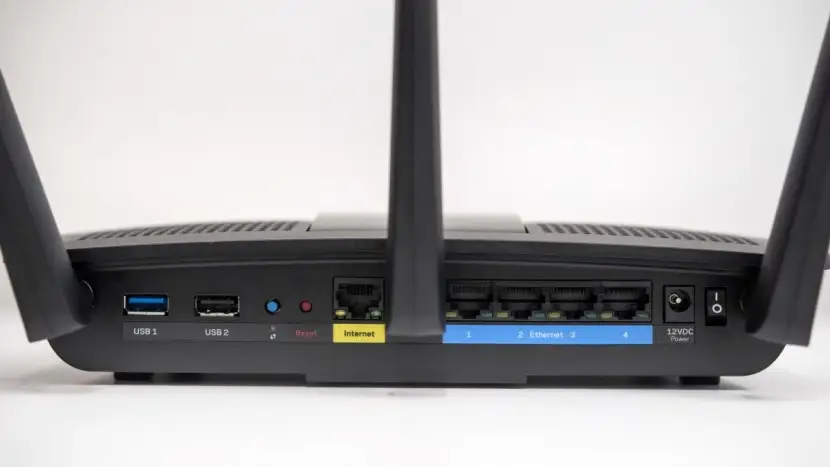
Hardware capabilities for the price surprise many: dual‑core processor, gigabit LAN, USB 3.0 — even if not all functions are perfect, the spec sheet impresses at its renewed sale price.
Common Complaints
Security limitations on the guest network are the most consistent gripe. As one Trustpilot review lays out, “the guest network does not allow you to use anything [for security]... only a password login like a hotel WiFi,” which some call unsafe compared to competitors with WPA2 guest support.
The 5 GHz range shows weaknesses in real‑world multi‑floor setups. Reports of drop‑offs and device disconnects are common; one buyer resolved random 5 GHz issues by disabling it entirely in favor of 2.4 GHz stability. Those needing strong high‑band coverage deep in the home may be disappointed.
Advanced users lament the absence of general QoS and deeper guest network options. A Newegg reviewer was incredulous: “No router made after 2010 should lack that feature... the term isn’t even mentioned in the manual.” External storage support also underwhelms; while DLNA/FTP services work, there’s no easy way to mount it as a network drive in Windows, limiting NAS‑like use.
Finally, while refurbished units offer great value, not every renewal is perfect — a few had to return early units for defects, and some experienced intermittent connection drops.
Divisive Features
Device/application prioritization cuts both ways: households with fixed, high-priority needs (like VOIP or 4K TV) see noticeable improvements, while others report it throttling unintended traffic. The Smart Wi‑Fi account requirement for remote management is convenient for some, but others view it as unnecessary brand lock‑in.
Open source firmware support draws praise from network tweakers but is irrelevant to, or intimidating for, casual users. Redditors suggest it can “unlock” the router’s best performance, but one warned to schedule reboots for sustained stability.
Trust & Reliability
Durability feedback is largely positive. Multiple buyers report months of uninterrupted operation — “always‑on and always working 24×7,” said one Renewed owner after four months. Others emphasize Linksys’ consistency, with a Quora comment from a longtime user: “this is my second Linksys in the last 15 years... extremely easy to set up and get going.”
That said, a few refurbished units arrive with mismatched manuals, firmware quirks, or latent defects, underscoring the importance of buying with a good return policy. There’s little evidence of systemic failure modes in the hardware itself; most issues stem from setup hurdles or feature gaps rather than outright breakdowns.
Alternatives
When compared to the Netgear Nighthawk AC series, some eBay sellers and Redditors note similar “beast” performance but at higher cost. Asus AC routers, particularly the RT‑AC68U, often lead in guest network security and NAS functionality, as a CNET review hints with its critique of Linksys’ smaller feature set.
The TP‑Link Archer D9 and AVM Fritz!Box 7490 edge ahead in 5 GHz mid‑range throughput in lab testing cited by CNET, but they lack the same widespread community firmware support that makes the WRT1900/EA7500 family a hacker favorite.
Price & Value
Renewed units on Amazon list around $59.99, and eBay auctions have dipped as low as $20–$30 for used stock. At these prices, replacing an ISP gateway can pay for itself in a few months by avoiding rental fees. Best Buy buyers, even at $159 retail, feel it’s “worth every penny” given the stability gains.
Resale value holds moderately well thanks to enduring demand from OpenWRT/DD‑WRT users. For bargain hunters, the advice from several community members is to grab a refurbished EA7500 or WRT1900AC if priced under $60–$70 — but test promptly within the return window.
FAQ
Q: Does the Linksys AC1900 support open source firmware?
A: Yes. Multiple Redditors confirm successful installation of OpenWRT and DD‑WRT, allowing full root access and custom tweaks, though casual users may not need or understand these features.
Q: How many devices can this router handle reliably?
A: Users report smooth performance with 20–30 simultaneous devices, from consoles and laptops to smart TVs, without noticeable lag or buffering.
Q: Is the guest network secure?
A: The main drawback: it lacks WPA2 encryption. Guests log in via a password portal, which some call insecure compared to other brands’ encrypted guest modes.
Q: How is 5 GHz coverage compared to 2.4 GHz?
A: 2.4 GHz covers most homes well, even through walls. 5 GHz is faster but has limited penetration, with some users seeing drop‑offs between floors.
Q: Can it replace my ISP’s modem?
A: No, this is a router only. You’ll still need a compatible modem for internet access.
Final Verdict: Buy if you want an affordable, stable, easy‑to‑set‑up router for streaming, gaming, and multi‑device households. Avoid if you need enterprise‑grade guest network security or advanced QoS features out of the box. Pro tip from the community: for the best blend of stability and control, flash OpenWRT and schedule weekly reboots — you’ll tap into the AC1900’s full potential.





