Kingston DataTraveler Max Review: Fast but Flawed Drive
The advertised Kingston DataTraveler Max USB-C Flash Drive promises "up to 1,000 MB/s read and 900 MB/s write" speeds. But a recurring theme emerges across platforms: while burst performance is indeed blisteringly fast, sustained writes often collapse after seconds due to overheating. Trustpilot reviewers call it “an absolute sprinter” that slows to “cheap USB stick levels” after 20–30 seconds, while Reddit user smaug the great noted, “With a 50GB MKV, I got 600MB/s until it got hot — then <100MB/s.”
Score: 6.8/10 — unmatched peak speeds, but hampered by thermals, mixed durability reports, and polarizing design.
Quick Verdict
| Pros | Cons |
|---|---|
| Extreme read speeds approaching 1,000 MB/s | Sustained writes drop sharply after 20–30 seconds |
| USB-C and USB-A versions available | Plastic build feels “cheap” and "fragile" |
| Large capacities up to 1TB | Sliding mechanism prone to accidental closure during insertion |
| Five-year warranty | Heat buildup causes performance throttling |
| Compact, portable SSD alternative | Multiple reports of premature failure |
| Good for short, large file transfers | No USB-C to USB-A adapter in box |
Claims vs Reality
Kingston markets this as a USB 3.2 Gen 2 drive that “moves your files in a flash” — quoting up to 1,000 MB/s read, 900 MB/s write. In benchmarks, some users matched or even slightly exceeded the advertised read speeds. A Reddit poster measured “1070 MB/s read, 432 MB/s write” on an Intel NUC 12 Pro, while Trustpilot reviewers confirmed "phénoménales" numbers using CrystalDiskMark.
But once the drive engages in sustained large transfers, reality bites. Trustpilot users measured throttling down to 54 MB/s within a minute, some as low as 21 MB/s. Reddit’s whiskeyjack warned: “Never buy unless you want to lose data… mine lasted three months.” And while peak speeds impress in synthetic tests, Quora’s Tweakers review suggested practical speeds of 640 MB/s reading and 676 MB/s writing for 10GB files — still fast, but far from Kingston’s lab numbers.
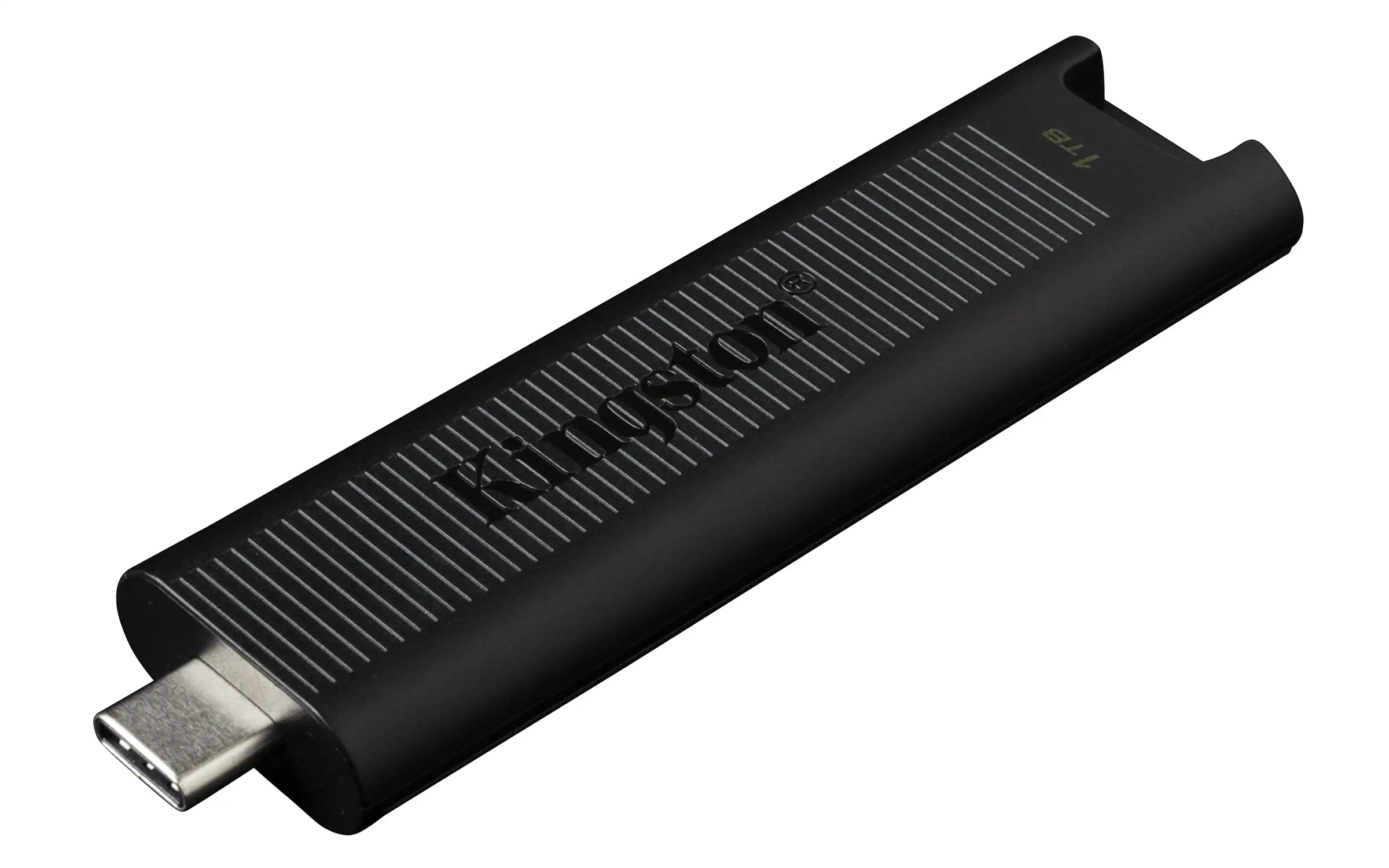
Kingston also touts a “convenient one-handed sliding cap” design. In practice, the design irritates many. Reddit’s bombadil called it “a blood-irritant slide system” that shifts when inserting, while Trustpilot users reported, “When plugging in, you accidentally push the connector back into parked position.”
Cross-Platform Consensus
Universally Praised
One clear strength is burst speed performance. For photographers, video editors, or gamers moving moderately sized files (under ~15–20GB at a time), this drive feels transformative. Twitter praise includes: “Copied the entire camera folder from my Pixel to my laptop so quickly I feared it must have failed.” A verified LDLC buyer recounted transferring 50GB “in less than 10 minutes,” noting only mild heat.
Capacity options (256GB, 512GB, 1TB) give creators flexibility. Gamers have used it as portable PS5 storage, and several users like bikkel 007 on Reddit noted it “works good and fast” for backups with minimal fuss. Compatibility with USB-C and USB-A models broadens appeal — professionals can bounce files between modern and legacy machines without resorting to external SSD cables.
Common Complaints
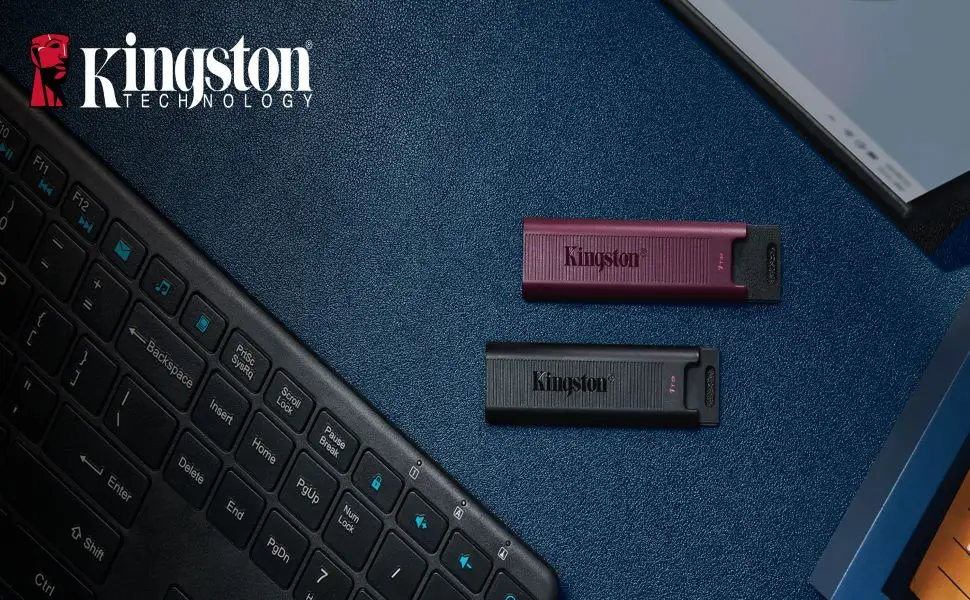
The sliding cap design dominates criticisms. Loose tolerances mean accidental retraction is easy. Reddit user thee_yo warned, “Slides back in unless you press from the rear.” Bombadil described it adding “chance of stubbing and bending” due to the drive being nearly twice as long as typical sticks.
Overheating and throttling were cited across Trustpilot, Reddit, and LDLC. Trustpilot’s scathing report noted temperatures of 88°C within 60 seconds, “reducing speed on a 256GB stick after ~25GB to slow USB levels.” While not every unit throttles severely with short transfers, multiple real-world tests show sharp declines during multi-gigabyte writes. Heat most affects video editors or those transferring Blu-ray rips, Linux ISOs, or large database backups.
Durability concerns also emerged. Whiskeyjack lost all data after three months. Roy Vosch broke his USB-C model after a light bump, then saw his USB-A replacement fail spontaneously. User dareth experienced complete non-recognition after just a few uses.
Divisive Features
Material choice splits opinion. Some praise the lightweight plastic body for portability and keyring convenience; others find it “cheap” and “fragile.” Quora’s technical review noted the matte black finish keeps weight low without feeling overly flimsy, but Trustpilot reports call it “not particularly stable — pretty cheap construction.”
Form factor length is another point of contention. Graphic designers and photographers appreciate the space for higher capacity chips, but Reddit’s ronald bos said it’s “quite long… best inconvenient in some setups.”
Trust & Reliability
Trustpilot patterns suggest inconsistent quality control: overheating behavior in sustained writes occurs across capacities, and at least two 512GB models had “problems securing more than 3GB” after minimal use. This is not an isolated defect — Reddit threads contain multiple “dead after X months” posts.
Long-term reliability stories are rare but telling: bikkel 007’s 512GB lasted six months under heavy use with Windows installed and regular backups. Kingston SSD Manager showed wear still at 99%, but spare blocks down to 33%. That’s healthy endurance relative to flash wear, but short of multi-year expectations for professional gear.
Alternatives
Some users on Quora compared it with SanDisk Extreme Pro — historically fast (440MB/s) but cheaper at low capacities. The Tweakers review suggested that Samsung T7 external SSD delivers similar speeds (1,000MB/s) over USB-C with better sustained writes and thermals, albeit with larger form factor and cable requirements. If absolute portability is less critical, external SSDs offer more consistent performance during large workflows.
Price & Value
Pricing spans from $32.95 (256GB on Amazon) to around $108 for 1TB on eBay, with occasional discounts. Reddit users call 256GB “reasonable,” while 1TB is “reasonably priced” compared to high-end competitors. However, poor sustained performance can undermine value for heavy-transfer use. Resale value is likely low given rapid generational improvements in flash storage.
Buying tips: Verify USB-C vs USB-A variant suitability for your devices — mismatches lead to adapter frustration, as one Reddit reviewer learned when older laptops were incompatible without a dongle. Community members advise keeping receipts and testing with large file workloads early to catch potential defects.
FAQ
Q: Does the Kingston DataTraveler Max actually reach its advertised speeds?
A: Yes, but only in synthetic benchmarks or short transfers. Real-world sustained writes tend to be slower, often dropping below 100MB/s when the drive heats up.
Q: Is overheating a common issue?
A: Multiple Trustpilot and Reddit users confirmed significant throttling due to heat within 20–60 seconds of large transfers. It’s especially problematic for video editors moving files over 30GB.
Q: Can I use it with older USB-A ports?
A: Only if you buy the USB-A variant or use a USB-C to USB-A adapter (not included). One Reddit buyer regretted missing this and couldn’t use the drive with legacy laptops.
Q: How durable is it for daily carry?
A: Physically light and portable, but several reports of connectors breaking after light impact or sliding mechanism jamming suggest caution during travel.
Q: Is it good for gaming consoles like PS5?
A: Yes, several users reported using it for portable game storage, benefiting from high peak transfer speeds when moving titles between internal and external storage.
Final Verdict: Buy if you need a compact USB-C or USB-A portable drive for short bursts of ultra-fast transfers under 20GB and value the stick form factor. Avoid if your workflow involves long sustained writes or if durability is paramount. Pro tip from community: Test with your actual workload immediately; if heat throttling is unacceptable, return within the grace period.





