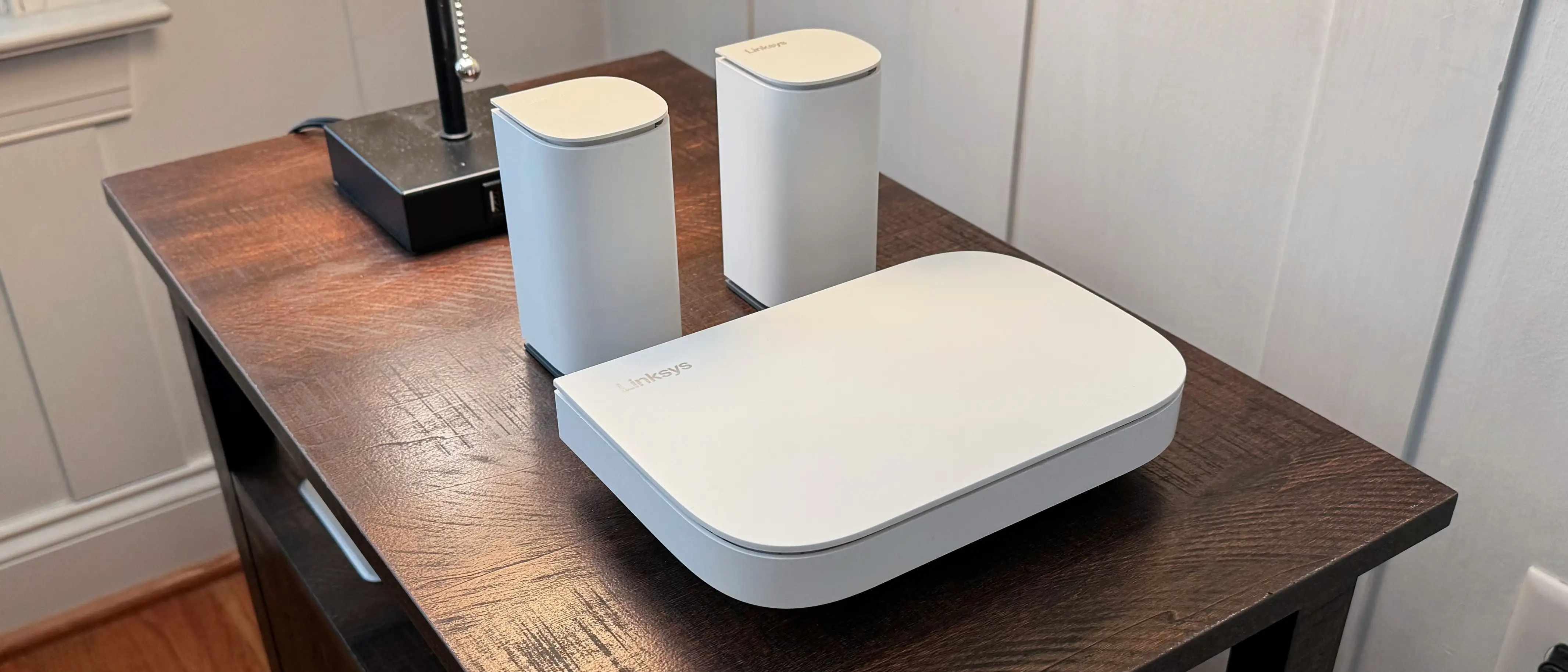
Linksys Velop Pro 6E Review: Strong Range, Mixed Reliability
Delivering solid range in homes that traditionally kill signal, the Linksys Velop Pro 6E WiFi Mesh System (2-Pack) earned praise for “very strong radio and range” from a Best Buy reviewer who noted it “overcame a lot of interference in my house.” But this 3.8-star rated tri-band WiFi 6E system isn’t without missteps, especially around app stability and certain band speeds. Overall score: 7.5/10.
Quick Verdict: Conditional – strong performance for large homes, but reliability and app UX issues make it risky for less tech-savvy users.
| Pros | Cons |
|---|---|
| Strong 5GHz and indoor 6GHz performance | 2.4GHz band underperforms |
| Handles 200+ devices per network | Occasional connection drops reported |
| Elegant, unobtrusive node design | App is essential — slow startup and unstable |
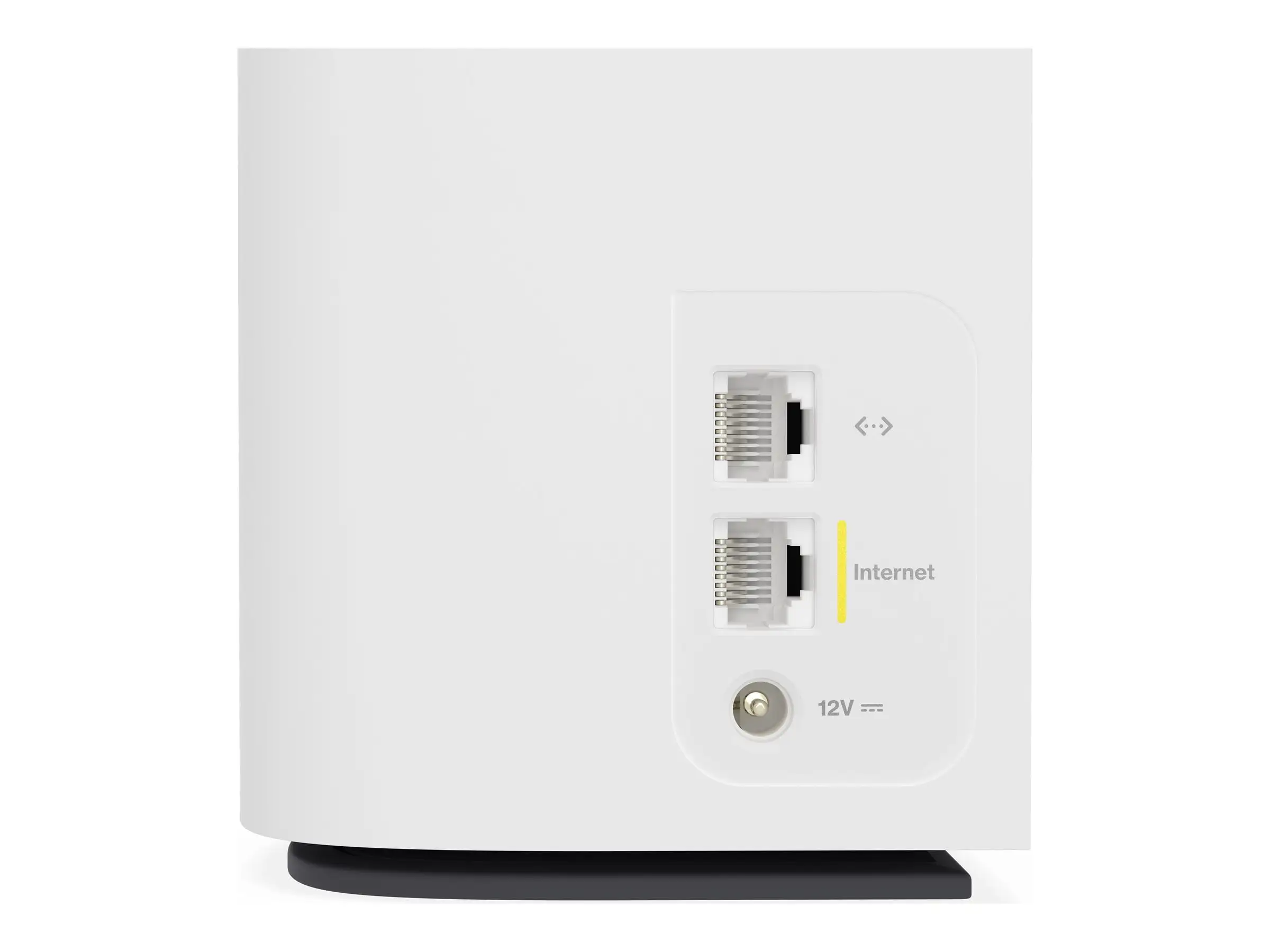
| Wired backhaul support | Limited Ethernet ports (1 LAN per node) |
| Works with Wi-Fi 7 Velop nodes | No built-in malware blocking |
| Competitive price for Wi-Fi 6E | Some firmware instability reports |
Claims vs Reality
Linksys markets “true gigabit speeds up to 5.4Gbps” with “cognitive mesh technology” to intelligently route connections and eliminate dead zones. In practice, TechRadar testers saw their 150Mbps ISP speed maxed “within 30 ft and three partition walls,” suggesting excellent range consistency when devices supported 6E.
Claimed whole-home coverage of up to 3000 sq. ft per node proved accurate for many. A Best Buy customer running the mesh through metal walls found “satellite pods pick up the main router signal with ease and...tremendous signal quality.” However, Tom’s Hardware found the “lackluster 2.4GHz band” topped out at 86.8Mbps near and just 37.6Mbps far, far below headline rates.
The “easy-peasy setup” claim is contradicted by repeated user frustrations. A verified Best Buy buyer called the app “nearly impossible to use...extremely long start up times” while Reddit’s Tom’s Hardware review noted a “17-step process” where setup “failed my first time through,” requiring a redo.
Cross-Platform Consensus
Universally Praised
Strong 5GHz and indoor 6GHz performance benefited streamers, gamers, and work-from-home users. Expert Reviews found “superb download speeds over ordinary Wi-Fi 6” on the 5GHz band, saturating a 500Mbps connection in every room. A Best Buy customer said it was “super fast...at least 30 devices and there’s no lag or interruptions.”
Design quality also resonated cross-platform. Nodes were described as “sleek, unobtrusive” by Trustpilot reviewers, short enough to fit on bookshelves yet not an eyesore in living spaces. For high-device households, TechRadar noted each can “cope with 200 connected devices all at once,” giving peace of mind to smart home enthusiasts balancing lights, cameras, and consoles.
Common Complaints
Mandatory use of the Linksys app drew universal ire from advanced users and those with slow phones. One Best Buy user dubbed the process “one of the dumbest ideas in the history of networking...jumped through all their stupid hoops,” losing router access after minor DHCP changes.
Firmware instability was another sore point. Multiple Best Buy reviewers described devices being “pushed off network and given ‘password is incorrect’” — traced to bad firmware updates. Linksys support responses advised manual updates, node repositioning and SSID separation — fixes not every buyer is willing or able to implement.
Connection drops also appeared repeatedly in negative feedback. “Continuously drops the connection” reported by a 1Gbps internet subscriber echoes similar frustrations: loss of Wi-Fi multiple times per week, forcing channel optimizations that only temporarily solved the problem.
Divisive Features
Parental controls drew mixed reactions. Some parents liked the scheduled internet “bedtimes” while others were disappointed by the absence of content filters — TechRadar noted users must “manually type in the addresses...you want to block.”
The single available LAN port (per node) frustrated wired gamers and those with home offices requiring multiple connections. Others shrugged it off, relying fully on wireless backhaul and praising clutter reduction.
Trust & Reliability
Trustpilot feedback — adjusted by Fakespot for authenticity — shows polarizing patterns: well-executed installs by experienced network users yielded “stable and speedy connection for months,” yet customer service experiences ranged from “remarkable tech support” to being “dropped from multiple support calls” before solutions emerged.
Longevity isn’t yet fully proven, as Wi-Fi 6E remains new in market. Reddit discussions highlight upgradability — the Velop Pro 6E works with newer Velop Pro 7 nodes, making it attractive for buyers seeking a future-proof mesh backbone. However, that same upgradability depends on consistent firmware support, and some buyers already distrust updates due to prior instability.
Alternatives
Expert Reviews set it against pricier but faster competitors like TP-Link Deco XE200 (£800 for two) and Netgear Orbi RBKE963 (£1,200 for two). Both outperformed the Velop 6E on 6GHz, but at sharply higher cost.
A discounted TP-Link Deco XE75 (~£340 for three) matched or beat its 6GHz speeds, while Wi-Fi 6-only meshes like Huawei Mesh 7 and Netgear Orbi RBK763 offered similar 5GHz prowess but without 6E capacity.
Eero 6+ emerged as a simpler, cheaper ($399 for a set) option with Wi-Fi 6, albeit at slower max speeds (~3Gbps) and less expansive device support.
Price & Value
The 2-pack has ranged from £315 on Amazon UK with 17% savings, down to $197.50 shipped on eBay for open-box units. Early depreciation is evident — several eBay listings in the $190-$199 range indicate competitive resale value if buyers encounter issues.
Community advice leans toward buying from sellers with easy return policies due to firmware unpredictability, and considering the 2-node pack for most homes unless structural materials (metal, concrete) demand more saturation.
FAQ
Q: Does the Velop Pro 6E need the Linksys app for setup?
A: Yes. Setup is app-based and cannot be fully completed without it, frustrating some advanced users who prefer web interfaces.
Q: How many devices can it handle?
A: Each node supports up to 200 connected devices, suitable for smart homes with cameras, sensors, and entertainment gear.
Q: Is the 6GHz band worth it?
A: Indoors and at short range, yes. At distance, performance drops more sharply than 5GHz, so positioning nodes matters.
Q: Does it work with older Velop systems?
A: Not with “Intelligent Mesh” Velops; only “Cognitive Mesh” units like Velop Pro 6E and Velop Pro 7.
Q: Can I expand later?
A: Yes, simply add more Cognitive Mesh nodes to widen coverage.
Final Verdict
Buy if you have a large, device-heavy home needing better 5GHz coverage and want eventual Wi-Fi 7 integration. Avoid if you rely on rock-solid 2.4GHz connections or dislike app-driven configuration. Pro tip from community: “Position nodes close during setup, then move them — it saved me from hours of app headaches.”