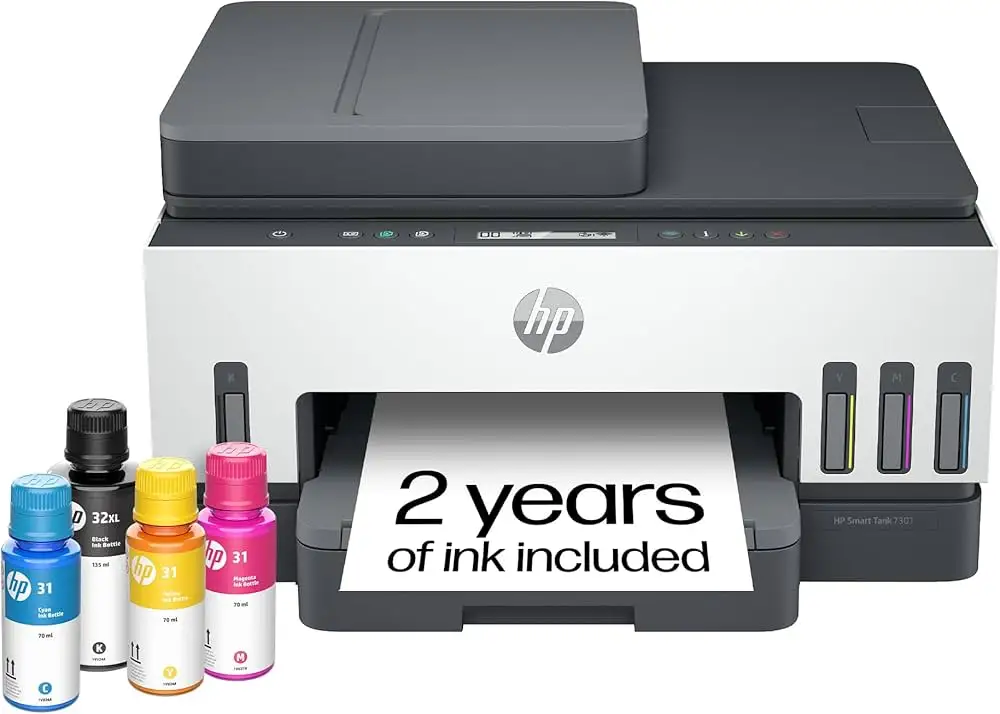
HP Smart Tank 7301 Review: High-Volume Value with Caveats
Starting with a surprising twist: while HP markets the HP Smart Tank 7301 Wireless All-in-One Printer as a high-volume, low-cost powerhouse for families and small offices, user reports show an unusual divide—some call it “life-saving,” others “maddening.” Across platforms, this model scores around 8/10 in expert tests, but real-world satisfaction varies widely depending on setup experience and tolerance for quirky hardware design.
Quick Verdict: Conditional – excellent for high-volume, cost-conscious users who can handle app-based setup and occasional connectivity quirks.
| Pros | Cons |
|---|---|
| Very low cost-per-page | Mediocre photo print quality |
| Massive ink capacity (6,000–8,000 pages) | Requires HP Smart app & account for scanning |
| Crisp black & white and color documents | Fragile paper tray design |
| Strong connectivity options (Wi-Fi, Ethernet, USB) | Small, non-intuitive LCD interface |
| Spill-free ink refills | Occasional Wi-Fi dropouts |
| Good build quality (except tray) | Long warm-up time |
Claims vs Reality
HP advertises “up to two years of ink in the box” and “seamless printing from start to finish.” Digging deeper into user reports, the two-year claim is based on “average use” estimates, not a time guarantee. Best Buy reviewers like Arthur G called it “misleading marketing… you get the ink that’s in the box, and that’s it.” Heavy users who burn through reams monthly may see refills needed much sooner.
The “seamless printing” claim is partially validated. Many owners praise wireless printing and sharp document output, but setup can be anything but seamless. Several users reported multi-hour setup struggles, particularly with Wi-Fi. One Trustpilot reviewer noted that “before you can connect this printer to Wi-Fi, you first need to fill all the tanks, install the print heads and calibrate the printer,” a sequence not clearly outlined in the quick-start guide.
HP’s “best Wi-Fi” with self-healing is another marketing highlight. While some, like Best Buy user Kayeg, found integration “super easy… looking forward to many good years,” others reported frequent offline errors. Average Wizard lamented, “It goes offline every few minutes… possibly an incompatibility between Windows and HP wireless network protocols.”
Cross-Platform Consensus
Universally Praised
Across Reddit, Best Buy, and Trustpilot, the HP Smart Tank 7301 earns strong praise for its ink economy. Verified buyers consistently highlight the savings. Best Buy user Raquel said, “By now I would have replaced my old printer cartridges at least 3 to 4 times… the ink hasn’t budged.” This makes it ideal for teachers, homeschoolers, and small businesses printing hundreds of pages monthly.
Print quality for documents is another standout. RTINGS.com’s lab testing rated color documents at 8.5/10, with “clear text and well-rendered details.” For small office managers, this means professional-looking proposals without recurring cartridge costs.
The spill-free refill system is also widely liked. Sdunnin on Best Buy described filling tanks as “100% mess-free,” noting HP’s bottles “exactly fill their color’s tank so there’s no guessing.” Parents running home classrooms value this simplicity—no ink-stained hands, no complicated cartridge swaps.

Common Complaints
A recurring problem is the fragile paper tray. A Reddit user described breaking a tray sensor “within four hours of buying this printer… the design of the tray is an obvious flaw.” Light weight means the printer shifts when loading paper, leading to jams or damage. This disproportionately affects small business users handling heavier paper stock.
Connectivity and app dependence draw repeated criticism. Scanning requires the HP Smart app and an account, which some see as intrusive. Harr Kev compared this unfavorably to Epson’s keyed ink bottles and direct scan functions, calling HP’s account requirement “abusive… no account, no scanning at all.”
The small monochrome LCD interface frustrates users who expect a more intuitive display. Many mention keeping the “tiny reference guide” nearby to decode icons. In low light, the lack of backlighting compounds the issue, making it harder for casual home users to perform quick tasks without the app.
Divisive Features
Photo printing splits opinion. While casual users find it “good enough” for snapshots, RTINGS notes a “narrow color gamut” and “mediocre color accuracy.” Side-by-side tests with Epson EcoTank showed HP prints skewing slightly brown/yellow compared to phone displays. For marketing professionals or photographers, this could be a dealbreaker; for parents printing family photos, it’s likely acceptable.
Duplex printing gets mixed reviews—praised for saving paper, but some find it slow compared to laser models. Small offices benefit from reduced costs, but students in a hurry may find the warm-up time annoying.
Trust & Reliability
Long-term durability is generally strong apart from the tray. HP’s build quality earns praise from users who’ve printed thousands of pages without mechanical failure. Best Buy user Tomtom808 reported “over a thousand pages… barely used any ink. No issues.”
However, the paper tray flaw has led to full replacements under store plans, as Reddit user’s experience shows. The absence of easy replacement parts for the tray means a minor break can trigger a costly swap, raising questions for those in heavy-use environments.
Alternatives
Community comparisons frequently mention the Epson EcoTank ET-series. Epson’s keyed bottle design prevents misfilling and offers better photo color accuracy. Canon’s Pixma G4270 is also cited for a wider color gamut. However, HP’s advantage lies in Ethernet connectivity (missing on some rivals) and easily replaceable print heads, a plus for long-haul maintenance.
Price & Value
Current retail pricing hovers around $329–$449 new, with eBay listings for used units around $230 plus shipping. While the upfront cost is higher than cartridge-based inkjets, the ultra-low cost-per-page (as low as $0.004) means the break-even point comes quickly for high-volume users. Resale value remains decent due to the long ink lifespan—used models with 95% full tanks still fetch strong prices.
Buying tips from the community include watching HP’s direct site for sales, where the printer is “frequently on sale,” and ensuring you have stable Wi-Fi or Ethernet to avoid connectivity headaches.
FAQ
Q: Does the HP Smart Tank 7301 really have two years of ink?
A: Only if your usage matches HP’s “average” estimate. Heavy printing will shorten that considerably, but most users still report months before needing refills.
Q: Can I scan without creating an HP account?
A: No. Scanning functions require the HP Smart app and account login, which has drawn criticism from privacy-conscious users.
Q: How is photo printing quality compared to other brands?
A: Acceptable for casual use, but with narrower color gamut and slightly off color accuracy compared to Epson or Canon tank printers.
Q: Is the paper tray replaceable if it breaks?
A: HP doesn’t list it as a readily available part. Users with broken trays have often had to replace the entire printer under warranty or store plans.
Q: Does it support Ethernet connectivity?
A: Yes, unlike some rival models, the 7301 includes an Ethernet port alongside Wi-Fi and USB options.
Final Verdict: Buy if you’re a high-volume document printer—teachers, small office managers, homeschool families—who can manage app-based operation and occasional quirks. Avoid if you need pro-quality photo prints or want fully standalone scanning. Pro tip from community: set the printer on a stable, non-slip surface (one Reddit user uses a glass cutting board) to protect the tray and ease paper loading.