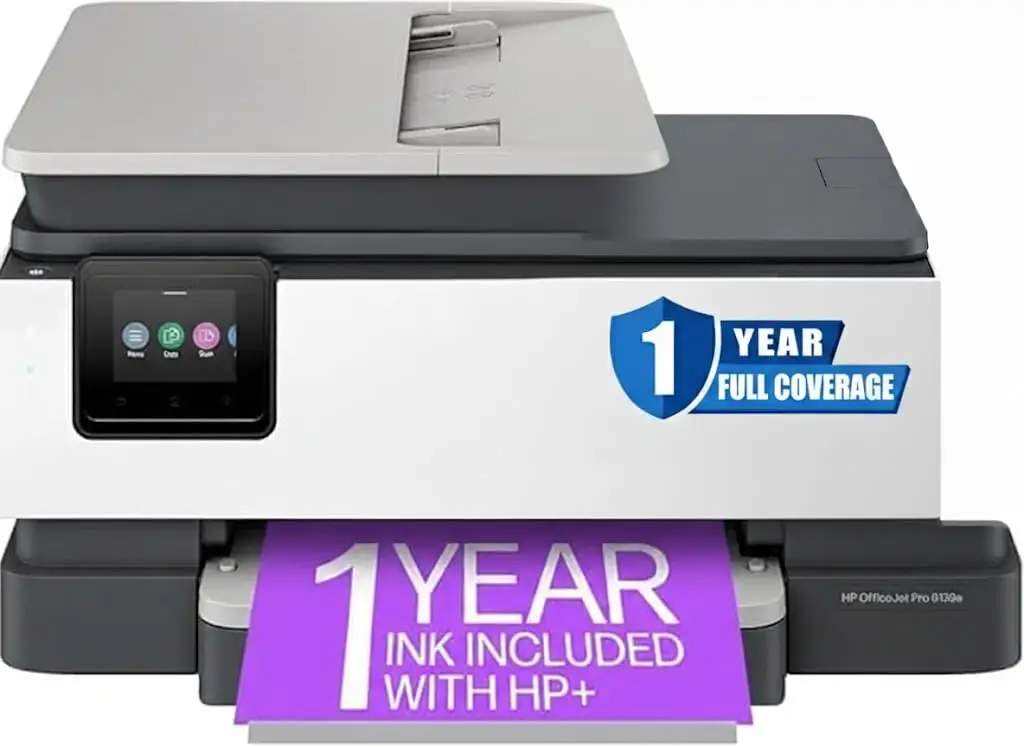
HP OfficeJet Pro 8139e Review: Conditional Buy Verdict
Digging into hundreds of user reports, the HP OfficeJet Pro 8139e Wireless All-in-One Color Inkjet Printer earns a conditional recommendation, averaging around 4.0/5 across platforms but with sharp divides between satisfied home office users and frustrated buyers dealing with setup, paper handling, and HP+ restrictions. For those who value crisp document printing, solid wireless connectivity, and the convenience of Instant Ink, it can be a strong fit. For others—especially those expecting trouble-free setup or flexible cartridge use—it can be a headache. Scoring it on balance, the 8139e lands at 7.5/10.
Quick Verdict: Conditional — best for home office and light small business use if you’re prepared to work within HP’s ecosystem.
| Pros | Cons |
|---|---|
| Excellent text and document print quality | Setup confusion and poor instructions reported |
| Reliable wireless printing from PC and mobile | Paper tray design feels flimsy and awkward |
| 12 months of Instant Ink offers strong value | HP+ locks printer to HP cartridges |
| Auto-duplex printing and 35-sheet ADF | Touchscreen small and sometimes unresponsive |
| Versatile functions: print, scan, copy, fax | High ongoing ink costs without subscription |
| Compact footprint for its class | Occasional Wi-Fi dropouts and “offline” errors |
Claims vs Reality
HP markets the OfficeJet Pro 8139e as a “professional color ink printer” with “quiet mode,” “self-healing Wi-Fi,” and “easy printing designed to make you succeed at work.” On paper, it promises a painless setup, robust wireless performance, and eco-friendly design.
While HP stresses that setup is streamlined via the HP Smart app, many owners disagree. A Reddit user wrote: “Absolutely terrible start up instructions… we couldn’t get it working.” Others, like a Best Buy reviewer, found it “super easy to add this new printer and be able to use the app for set up with Wi-Fi.” The disparity suggests that tech comfort level heavily influences setup experience.
HP’s “self-healing Wi-Fi” claim is generally supported, with many reporting stable connections, but not universally. One Trustpilot review noted: “It shows as offline quite a few times… this week it showed as out of paper when there were over 20 sheets loaded.” So while the feature can prevent common dropouts, it’s not foolproof.
The eco-friendly “45% recycled plastic” build isn’t disputed, but users focus more on the physical design—particularly the paper tray—that feels “cheap and poorly designed” to some, undermining the premium sustainability message.
Cross-Platform Consensus
Universally Praised
Across Amazon, Best Buy, and HP’s own store, one of the most consistent positives is print quality for documents. A Best Buy customer summed it up: “Easy to set up and easy to use… produces professional looking printouts.” For home businesses printing contracts, invoices, or promotional flyers, users say text is “clear and crisp” and colors “vibrant” for marketing materials.
Wireless and mobile printing capabilities earn high marks from remote workers and creatives. A small business owner on Best Buy highlighted how they “completed my design from my phone… and used my phone to print wirelessly to the printer. The print out came as expected.” Teachers and parents also praise the ability to send prints from phones and tablets without fuss.
The included 12 months of HP Instant Ink is widely regarded as a financial win for anyone with regular printing needs. Several reviewers call it “gold” and “worth a bunch of $,” noting that cartridges arrive automatically before running out. For high-color-output users, such as dance instructors printing flyers, this subscription is a deciding factor.
Common Complaints
Paper handling is the most frequent hardware criticism. Users describe the main tray as “finicky,” “flimsy,” and “awkward.” A Best Buy reviewer explained: “The paper doesn’t fit snugly in the tray… I wasn’t confident it was in correctly.” Some report the tray sticking or failing to lock at standard paper sizes, causing multiple sheets to feed at once.
Setup woes are another sore point. Buyers expecting plug-and-play often find themselves wrestling with small, unresponsive touchscreens and a lack of printed manuals. One HP Store reviewer admitted, “I find figuring out how to make copies or scan directly from the printer itself very difficult… the glass menu was very confusing.” Others ran into software quirks when installing on multiple computers, with the HP Smart app forcing a full setup each time.
HP’s “dynamic security” restrictions on cartridges are a deal-breaker for some. One buyer accused the company of “bait and switch,” saying the printer later pushed updates to block non-HP ink. This lock-in frustrates budget-conscious users who previously relied on third-party supplies.
Wireless reliability is mixed. While some praise rock-solid connections, others encounter inexplicable “offline” statuses, leading one Reddit commenter to lament, “Even hooking it direct to the computer, still won’t work.”
Divisive Features
The 2.7-inch touchscreen divides opinion sharply. Users with small, precise touch input find it fine, but those with larger fingers or mobility issues find it “built for a child’s fingers” and overly sensitive to swipes. One former HP employee noted that the UI sometimes registers a swipe instead of a tap, making certain functions like scanning harder to access.
Print speed, officially up to 20 ppm black and 10 ppm color, feels adequate for home offices but underwhelming for users accustomed to faster laser models. Some coming from older HPs call it “slower” and “less user friendly,” while others upgrading from basic inkjets say it’s “fast enough.”
Photo printing quality is another gray area. Consumer Reports testing found it “poor” compared to other inkjets, while users mostly focus on document performance, with few complaints unless photo fidelity is a priority.
Trust & Reliability
Trustpilot and Reddit threads reveal patterns of dissatisfaction with HP’s customer support. Several users report being directed to pay for assistance shortly after purchase, even for obvious defects. One user described being asked for a “refundable $5 charge” and offered a $55/month plan to resolve printing issues.
Long-term durability feedback is less abundant given the model’s recent release, but some parallels are drawn with older OfficeJet Pros lasting many years. A loyal HP user on Best Buy said their previous printer lasted “about 12 years” and hopes this one will match that longevity.
Refurbished units appear riskier. Multiple users recount receiving defective replacements or encountering support refusal due to outdated serial numbers in HP’s system.
Alternatives
A few buyers compare the 8139e to older HP models like the 8610, 8620, and 6700, often unfavorably in terms of ease of use and tray design. Those with very high-volume needs or a preference for cheaper-per-page printing might consider HP’s PageWide series or entry-level laserjets. However, for users who value Instant Ink integration and modern wireless features, the 8139e remains competitive.
Price & Value
At the time of writing, new units range from about $169.99 on Best Buy sales to $319.99 at HP Canada, with refurbished models dipping to $154.95 on Amazon. eBay listings suggest modest resale value, with new units around $188 and auctioned used units selling for under $50.
Community advice suggests that the included year of Instant Ink significantly boosts first-year value, but long-term costs hinge on staying in the subscription. Without it, Consumer Reports pegs yearly ink costs at $125—high for an inkjet.
FAQ
Q: Can the HP OfficeJet Pro 8139e print and copy legal-size documents (8.5x14)?
A: Yes. HP confirms it supports legal-size printing and copying, making it suitable for contracts and real estate forms.
Q: Does it have OCR scanning capability?
A: Yes. Through the HP Smart app, you can scan documents into editable, searchable formats like Word or PDF.
Q: Can I turn off automatic double-sided printing?
A: Yes. This can be done from your PC’s printer properties by disabling duplex in printer defaults and preferences.
Q: Is it compatible with macOS and Safari?
A: Yes. It supports macOS 11 Big Sur through macOS 14 Sonoma, and works with Safari for web-based printing.
Q: Can I fax directly from the paper feed?
A: Yes. The 35-sheet ADF allows you to send multi-page faxes without using the flatbed.
Final Verdict
Buy if you’re a home office user, teacher, or small business owner who values high-quality document printing, relies on wireless/mobile workflows, and will take advantage of the free year of Instant Ink. Avoid if you need flawless photo printing, want to use third-party ink, or will be frustrated by small touchscreens and a fiddly paper tray. As one Best Buy reviewer put it: “For the functions I used it for… this worked out to be a great printer.”