ARCTIC Liquid Freezer III Pro 360 Review: Cooling King
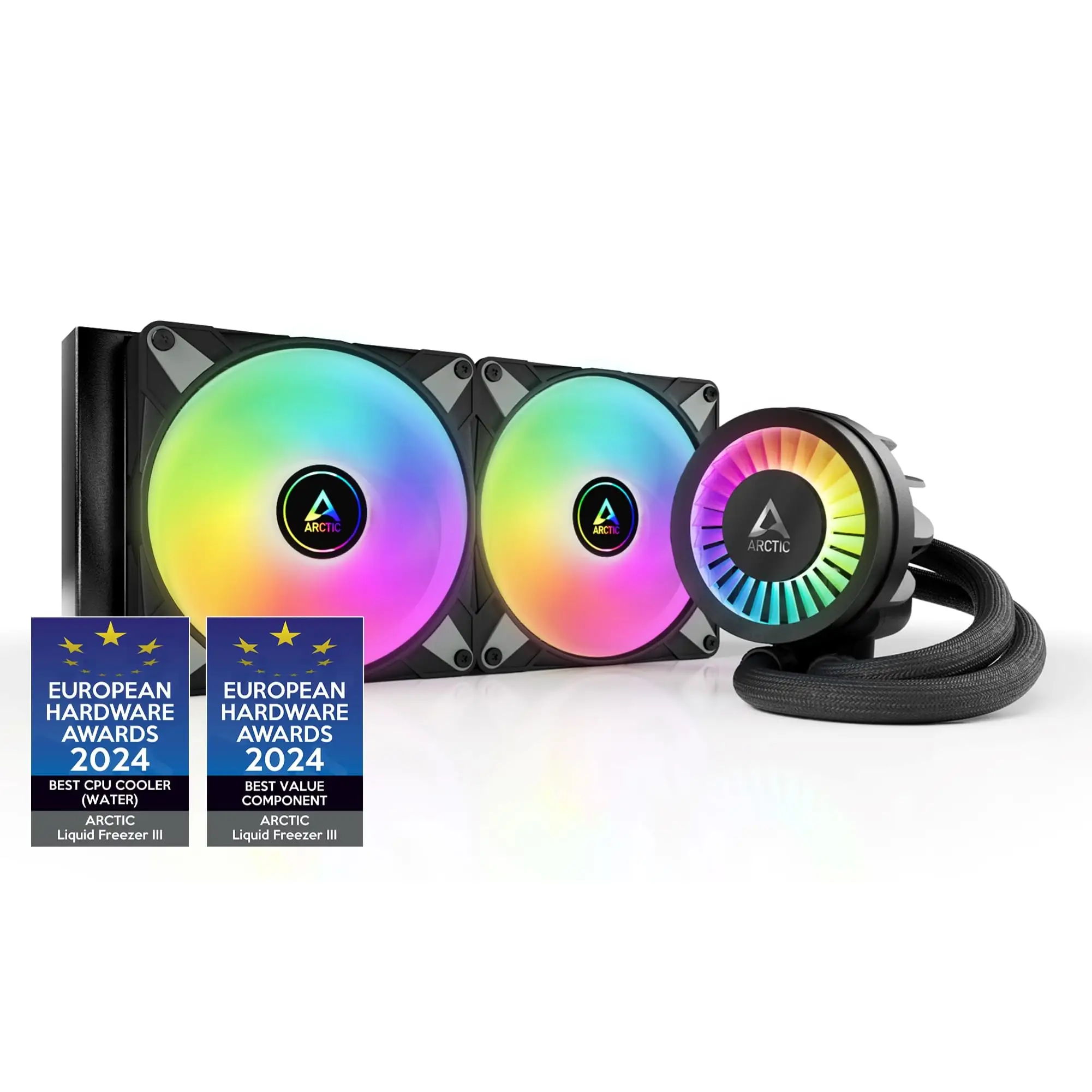
The ARCTIC Liquid Freezer III Pro 360 has been making waves for delivering top-tier cooling performance at a price point that undercuts many competitors. Rated an impressive 4.8/5 across multiple platforms, it’s being called “probably the best cooler for under 100 €” by one PCPartPicker reviewer, yet it’s not without quirks. Digging deeper into user reports, this 38 mm thick radiator unit with P12 Pro fans can tame even the hottest CPUs — but at full tilt, it earns its “jet engine” nickname from some owners.
Quick Verdict: Conditional — unmatched cooling per dollar, but only if your case can fit it and you can tolerate or control the noise.
| Pros | Cons |
|---|---|
| Exceptional cooling even under extreme loads | Very loud at maximum RPM |
| Excellent value when discounted | Thick radiator limits case compatibility |
| Integrated VRM fan aids motherboard cooling | Intel installation requires custom contact frame |
| Premium build with reinforced tubing | Slight pump whine for sensitive users |
| Simple all-in-one cable option for clean builds | Mounting hardware screws prone to wear |
Claims vs Reality
Marketing emphasizes whisper-quiet operation at low speeds thanks to the P12 Pro fans. While this holds true under noise-normalized settings, multiple users note that “at 100% PWM, Arctic becomes very loud,” as Tech4Gamers’ test confirmed with a 59 dB(A) reading. A Reddit user wrote that it “keeps 7800X3D cold but can become a jet engine at times,” highlighting the trade-off.
Another major claim is easy installation. On AMD systems, reports back this up — “installation was very easy, the design is sleek and looks premium,” said a PCPartPicker reviewer. However, Intel users face a hurdle: Tom’s Hardware warns that “you’ll first need to remove the standard CPU socket… due to the required use of a custom contact frame,” which some builders find daunting.
The brand touts broad compatibility with AM4/AM5 and LGA1700/1851. While accurate, there’s a catch — the thick radiator demands at least 63 mm clearance, and some motherboards with oversized M.2 heatsinks won’t fit without a free replacement cooler from Arctic. One Reddit user cautioned, “please do check your case’s clearance… and think how you’ll connect the 8-pin CPU cable from the top side.”
Cross-Platform Consensus
Universally Praised
Cooling performance is the undisputed star. Users from Reddit to LDLC repeatedly cite astonishing temperature drops. An LDLC buyer saw their CPU go from “100 degrees… now under heavy load it’s between 50 and 60 degrees.” Reddit reports mirror this: a 9900X user never exceeded 67 °C under sustained load, while a Core Ultra 9 owner endured a 6‑hour Linpack run at 85–90 °C in 32 °C ambient — without throttling.
This brute force is amplified by the integrated VRM fan, which reviewers note keeps motherboard regulators stable under overclocking. Tom’s Hardware found it “easily handles even the 9950X3D with PBO enabled.” For high-end builds, especially with power-hungry CPUs, the extra VRM cooling is a rare and valued feature.
Build quality also earns near-universal praise. From the reinforced EPDM tubing to the premium aluminum radiator, Tech4Gamers remarked it “provides a premium look” once installed. LDLC customers called it “very good product, perfect cooling” and appreciated Arctic’s inclusion of MX-6 paste.
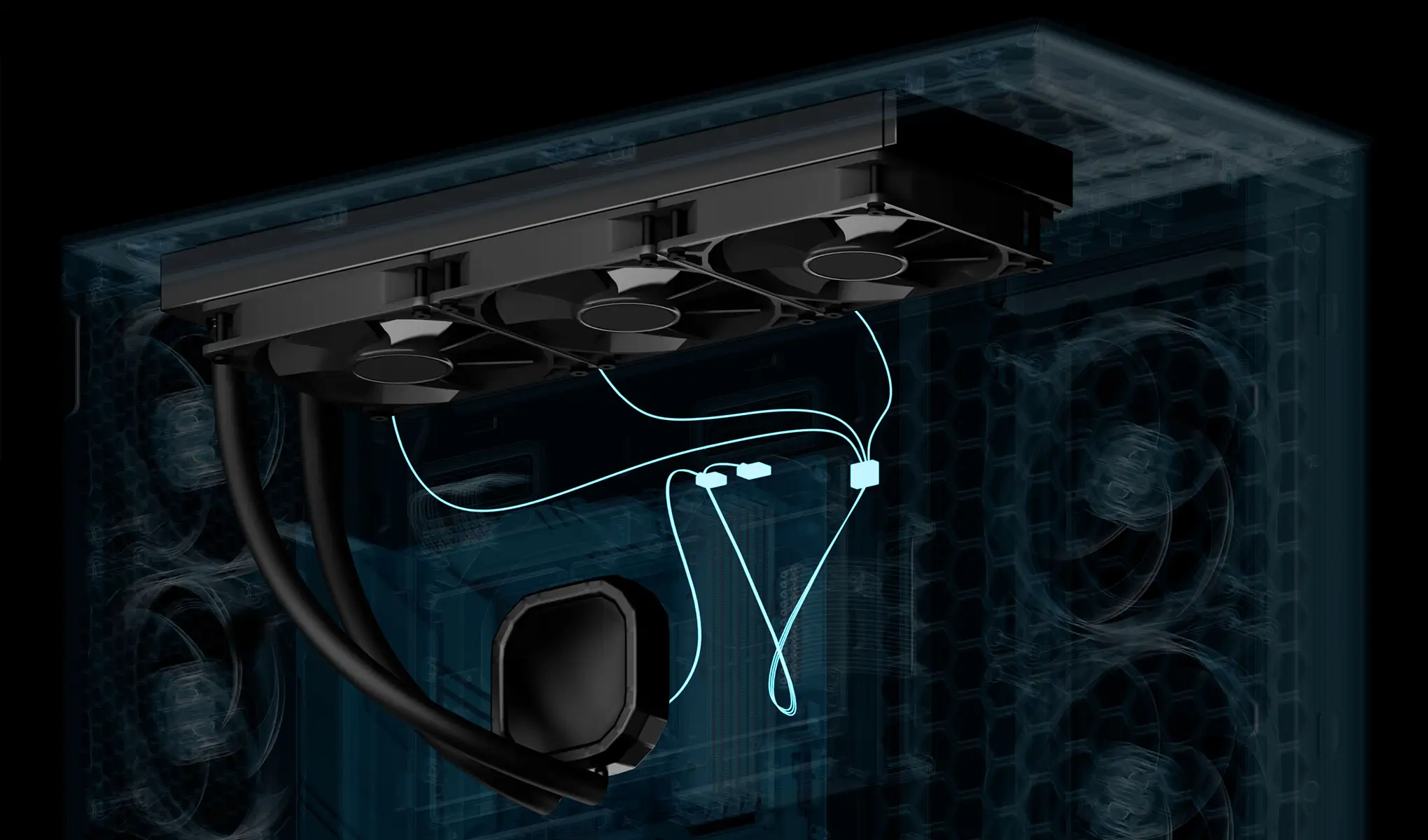
Cable management is another high point. The option to use one all-in-one PWM/RGB cable means, as Tech4Gamers put it, “there is no cable clutter at all,” appealing to those who want a clean build aesthetic without custom sleeving.
Common Complaints
Noise at full fan speed is the recurring downside. While quiet under moderate loads, the P12 Pros can spin to 3000 RPM. “Fans are the quietest yet the loudest, depending on the scenario,” Tech4Gamers noted. A Reddit user echoed this: “super easy install… but can become a jet engine at times.”
Intel installation is a sore spot. Both Tom’s Hardware and Tech4Gamers detail the need to remove the ILM (Integrated Loading Mechanism) to install Arctic’s contact frame, a process that can intimidate first-time builders. Some call for Arctic to “take this seriously and make [it] easier.”
Hardware quirks include reports of “soft” mounting screws on the cooling plate wearing after several reinstalls. One PCPartPicker reviewer said Arctic support required sending the whole unit back for screw replacement. Others mention slight pump whine above 75% speed, though most find it unobtrusive compared to fan noise.
Divisive Features
The 38 mm radiator thickness divides opinion. Performance seekers love the extra thermal mass, but small-case owners struggle. Reddit and LDLC comments stress checking clearance, with one buyer calling it “a beautiful baby” but warning about case size.
The absence of pre-applied thermal paste is viewed both positively and negatively — experienced users appreciate controlling application, while novices find it an extra step.
Trust & Reliability
There’s no widespread concern over scams or faulty units; Arctic’s 6‑year warranty inspires confidence. Long-term Reddit reports show stable performance months later, with no coolant loss or pump degradation noted.
However, the Intel mounting frame requirement means potential future CPU swaps could involve repeating the more complex installation. For AMD users, the mounting system has proven durable and straightforward over repeated builds.
Alternatives
Tech4Gamers’ noise-normalized benchmarks put the Liquid Freezer III Pro 360 neck-and-neck with the DeepCool Mystique LE 360 in performance, with Arctic often edging ahead by 1–2 °C. Tom’s Hardware suggests that while other AIOs may be quieter at full load, none matched Arctic’s thermal headroom in their tests. Users migrating from NZXT Kraken models report significantly quieter operation at similar cooling levels — “my PC is much quieter and cooler” said one Redditor after switching.
Price & Value
Pricing is a major factor in its appeal. While MSRP sits around $144–$152 (€129–€152), discounts as low as $95 in the US and ~£98 in the UK on eBay make it a performance bargain. eBay listings show strong resale, with used units fetching near-new prices. Community consensus is to “buy when discounted” — the performance is unchanged, but the value skyrockets.
FAQ
Q: Will it fit in my mid-tower case?
A: Only if you have at least 63 mm clearance for the radiator and fans combined. Multiple users stress checking dimensions, especially with top-mounted installs.
Q: Is it quiet?
A: At moderate speeds, yes — many call it “really quiet.” At full RPM, expect noticeable noise; running at 45–55% PWM balances cooling and sound.
Q: How hard is it to install on Intel?
A: Harder than average. You must remove the stock CPU socket clamp to fit Arctic’s contact frame, which some find intimidating.
Q: Does it come with thermal paste?
A: Yes, a tube of MX-6 (0.8 g) is included, but it’s not pre-applied.
Q: Will it work with older CPUs?
A: Not on Intel platforms before 12th Gen (LGA1700). It supports AM4/AM5 and LGA1700/1851 only.
Final Verdict: Buy if you’re an enthusiast or overclocker with a roomy case who wants unmatched cooling per dollar. Avoid if you need a whisper-quiet rig at full load or have a cramped chassis. Pro tip from the community: use the all-in-one cable for a cleaner build, but cap fan speeds for sanity.