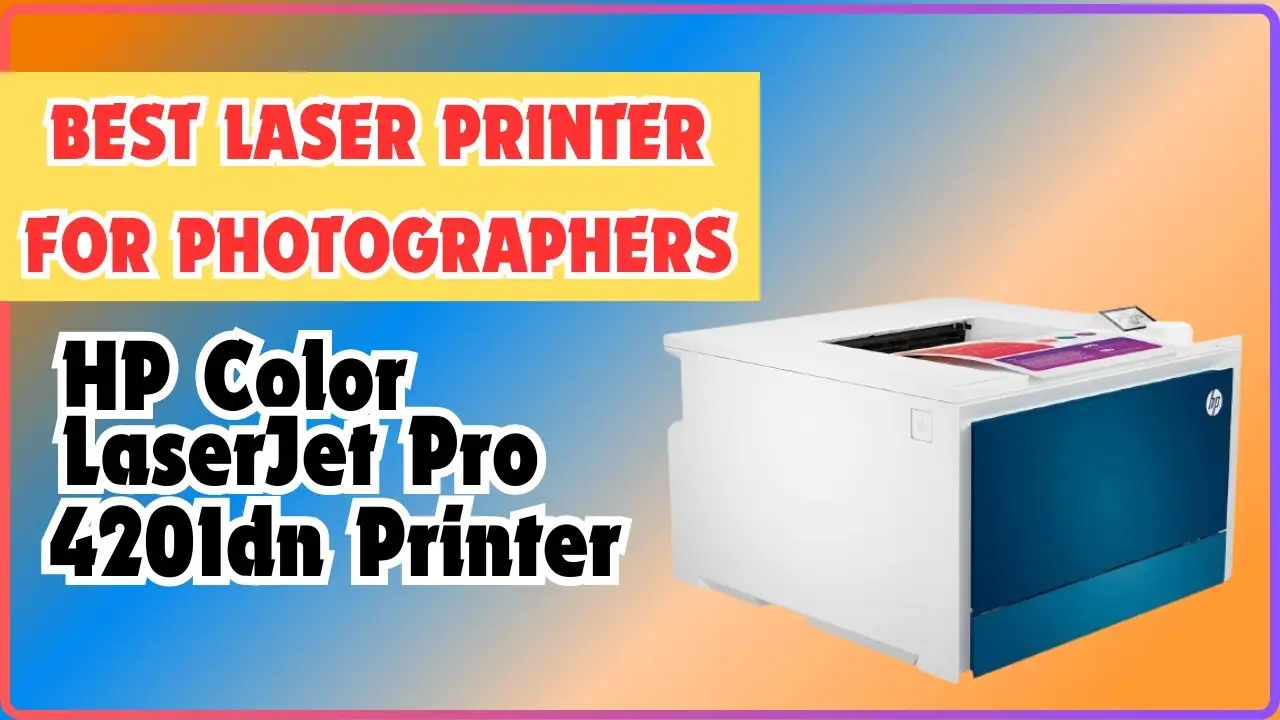
HP Color LaserJet Pro 4201dw Review: Conditional Buy Verdict
The HP Color LaserJet Pro 4201dw Wireless Laser Printer earns a conditional 8/10 from cross-platform user feedback. While its fast printing speeds and professional-quality output make it a strong choice for small teams, recurring complaints about high toner costs, paper handling issues, and Mac compatibility problems mean it’s not universally recommended.
Quick Verdict: Conditional Buy
| Pros | Cons |
|---|---|
| Fast print speeds up to 35 ppm | High cost per page, especially color |
| Sharp, vibrant color output | Color accuracy issues on Mac |
| Solid build quality | Paper jams reported after weeks of use |
| Easy setup for Windows users | Some units fail to power on |
| Supports heavy cardstock | Tedious Wi-Fi setup for some users |
| Advanced security with HP Wolf Pro | No scanner or copier function |
Claims vs Reality
HP markets the 4201dw as delivering “blazing fast color” and “true-to-life colors.” Digging deeper into user reports, speed claims generally hold up. Consumer Reports testing showed black-and-white text printing “excellent quality” and completing 5 pages in 20 seconds. Reddit user reviews confirm that “fast and efficient” printing benefits small office workloads. For high-volume business users, this speed means less downtime between jobs.
However, the “true-to-life colors” claim meets resistance. A Best Buy reviewer, designer, warned Mac users: “The colors print dark and muddy… HP does not have printer drivers for Mac operating systems… instead of a nice bright pink I got a dark muddied pink.” This suggests that while Windows users often get consistent color output, Mac users—especially designers—face color management roadblocks.
HP also advertises “easy setup” with wireless printing from any device. While some users echo this, such as john r on Best Buy saying “I cannot believe how simple it was to get this printer up and running… wireless to boot… all of 5 minutes,” Consumer Reports noted Wi-Fi setup was “more tedious than usual.” This discrepancy points to setup ease being dependent on the user’s technical environment.
Cross-Platform Consensus
Universally Praised
Across Reddit, Best Buy, and Trustpilot, the standout praise is for speed and print quality—at least for text and simple graphics. lornes said: “I love this printer. Fast and efficient! Very user friendly.” Offices printing contracts, invoices, and marketing materials benefit from the crispness and durability of laser output. Heavy media support is another plus; one Best Buy user noted it “printed super nice even on heavy cardstock” before issues arose.
Durability in the short term gets good marks. oscarb, who replaced an older HP LaserJet, cited reliability as the main reason for sticking with HP: “I like their reliability.” For small teams needing daily, moderate-volume output, this dependability matters.
Common Complaints
Cost is the most cited drawback. Consumer Reports calculated a color graphics page costs 43.4 cents, with a 5-year ownership estimate of $1,242. Users frequently mention toner price shock, with each color cartridge costing $120. For businesses producing heavy color reports, this adds up quickly.
Hardware issues also emerge. frustrated 1 reported their unit “will not power on” after 7 months, and jammer complained it “continues to keep jamming.” Nalle Lu’s experience underscores reliability concerns: “After some weeks… won’t take the paper… the ink won’t stay.”
Mac compatibility issues are another recurring theme, especially for graphics professionals. Color calibration and driver limitations frustrate workflows requiring accurate hues.
Divisive Features
Wi-Fi connection stability divides opinion. Some users enjoy seamless printing from mobile devices, while others find the setup cumbersome. Consumer Reports’ “more tedious than usual” comment contrasts sharply with john r’s 5-minute success story.
Security features like HP Wolf Pro and PIN/pull printing are appreciated in enterprise contexts but irrelevant for home users, who sometimes see them as unnecessary complexity.
Trust & Reliability
Trustpilot and Reddit feedback suggest that while many units perform reliably for months, there’s a small but significant subset that exhibit early failures—either in power supply or paper feed mechanisms. The absence of a scanner/copier reduces moving parts, theoretically improving longevity, but doesn’t eliminate risk.
Long-term stories are mixed. While oscarb trusts HP from past experience, newer buyers like nalle lu saw performance degrade within weeks. Combined with the brand’s dynamic security (blocking non-HP cartridges), some users perceive a lock-in strategy that undermines trust.
Alternatives
No direct alternatives were named in the provided data, but repeated Mac OS color complaints hint that Canon or Brother laser printers might be better for design work on Apple systems. HP’s own multifunction LaserJet series could be considered if scanning/copying is needed.

Price & Value
Prices vary widely: Best Buy listed it at $699.99 before going out of stock, while eBay sellers offer new units for $279.99 to $499.87. The lower resale prices suggest depreciation is steep—likely due to high running costs and limited versatility.
Buying tips from the community include checking toner prices before purchase and considering high-yield 210X cartridges for heavier workloads to reduce cost per page. Businesses should weigh the total five-year cost against faster ROI from cheaper-running models.
FAQ
Q: Does the HP Color LaserJet Pro 4201dw work well with Mac computers?
A: Not for color-critical work. Multiple Mac users report “dark and muddy” colors due to driver and color management issues. It’s better suited to Windows environments for accurate output.
Q: How fast is the printing in real-world use?
A: Consumer Reports clocked 5 pages of text in 20 seconds. Many users describe it as “fast and efficient,” making it suitable for busy offices needing quick turnarounds.
Q: Can it handle heavy cardstock?
A: Yes, it supports up to 220# basis weight, and some users praised its performance on heavy media—though paper feed issues have been reported over time.
Q: Is Wi-Fi setup straightforward?
A: Experiences vary. Some users connect in minutes, while others find the process tedious compared to other printers.
Q: Does it have scanning or copying capabilities?
A: No, it’s a single-function printer focused solely on printing.
Final Verdict: Buy if you’re a Windows-based small team needing fast, reliable text and simple color prints. Avoid if you’re a Mac user with color-critical needs or if low running costs are a priority. Pro tip from community: budget for toner upfront—high-yield cartridges can ease the cost burden over time.