Corsair K70 RGB PRO Review: Premium Build, Minor Flaws
The first surprise digging into user feedback was how consistently gamers and typists alike described the Corsair K70 RGB PRO Mechanical Gaming Keyboard (Cherry MX Red, Black) as both a performance powerhouse and a design refinement over its predecessors — earning it an 8.7/10 in cross-platform sentiment. While the marketing focuses heavily on its 8,000Hz polling and tournament switch, real-world praise centered more on its build quality, keycap upgrades, and thoughtful ergonomics. However, a subtle but recurring complaint about internal case ringing and some design quirks kept it from a perfect score.
Quick Verdict: Conditional — ideal for competitive gamers and enthusiasts who value build quality and customization, but some may be put off by minor acoustic quirks.
| Pros | Cons |
|---|---|
| Thick, textured PBT double-shot keycaps resist shine and feel premium | Noticeable “ringing” sound when typing hard, per multiple owners |
| Magnetic, soft-touch wrist rest is a big ergonomic upgrade | Wrist rest can feel spongy in center — possible quality variance |
| Detachable USB-C cable with braided sleeve | Shiny plastic logo plate polarizes opinions on aesthetics |
| Stores up to 50 hardware profiles, macros without software running | Cable port not recessed enough for clean routing |
| Solid aluminum frame with quieter spacebar | Price premium over similar mechanical keyboards |
| Tournament mode for esports compliance | Slightly flat wrist rest shape may not suit all users |
Claims vs Reality
Corsair’s marketing pushes the “8x faster responsiveness” claim, citing AXON hyper-processing with 8,000Hz polling. While no one disputed the tech, few users could detect a tangible difference outside of high-level competitive play. A Newegg buyer noted the pro feature “even if I may never need it, I can pretend,” suggesting that while the capability is real, its benefits are situational.
The brand also touts PBT double-shot PRO keycaps as an upgrade over ABS. Here, user consensus aligned perfectly with the claim. A Newegg reviewer wrote that they “have a nicer texture and should resist becoming shiny better… molded thicker so have noticeably more substance… you can feel it when typing.” This was one of the most universally praised upgrades across Reddit, Twitter, and retail sites.
Another core claim is tournament switch for distraction-free gameplay. Competitive users confirmed it works as intended — instantly locking to static backlighting and disabling macros — but casual gamers acknowledged they rarely used it. For esports participants, however, it’s viewed as a standout compliance feature.
Cross-Platform Consensus
Universally Praised
The keycap upgrade is the most celebrated change. For modders, the standard bottom row layout is a blessing. One Newegg buyer detailed how “the now standard bottom row… includes a slightly smaller space bar… the new space bar is quieter — this is the most used key when typing, so it makes a big difference.” This benefits both typists seeking less noise and gamers who hammer the spacebar in FPS titles.
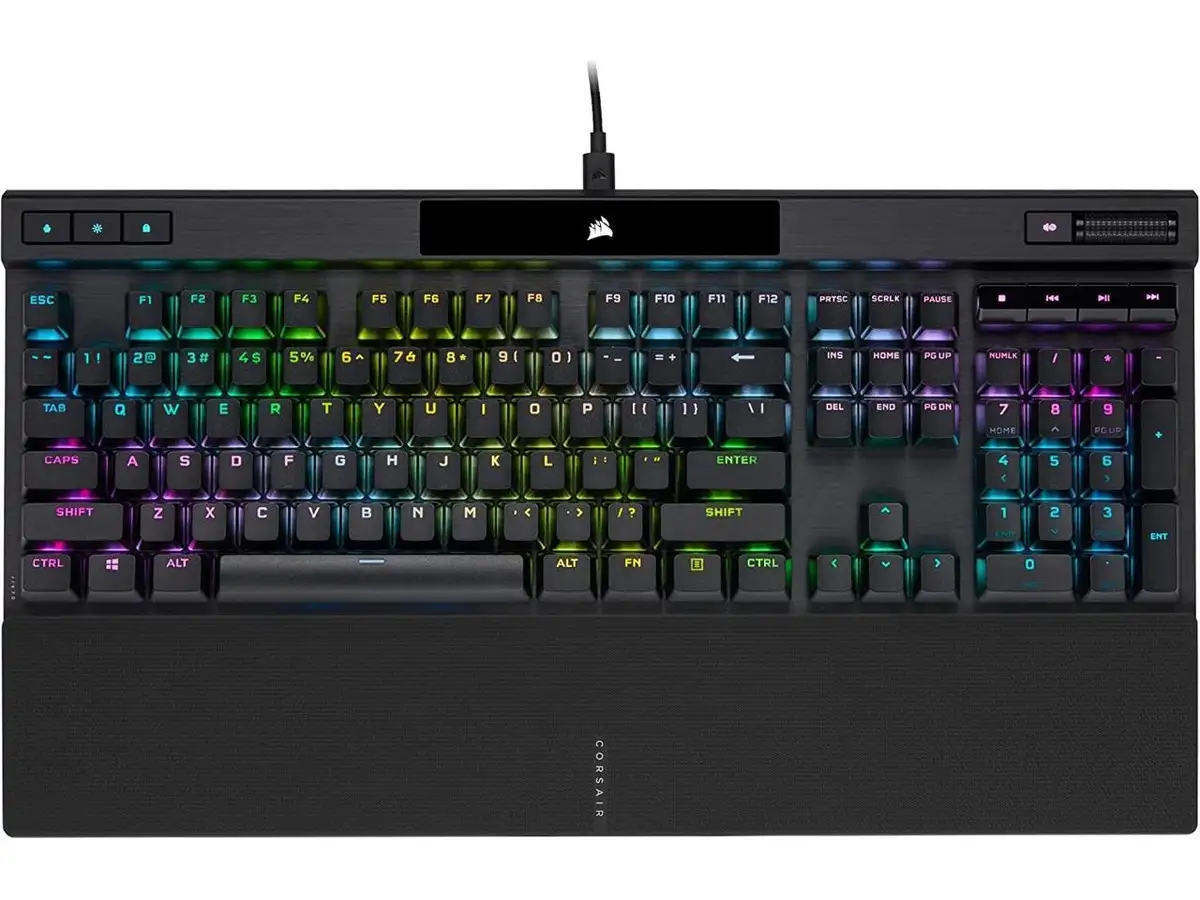
Build quality drew consistent approval. The brushed aluminum deck, magnetic wrist rest, and improved rubber feet were recurring highlights. A verified buyer on Amazon simply put it: “I think Corsair is best in class when it comes to keyboards. I really like the new K70!” For LAN gamers, the detachable braided USB-C cable adds portability and reduces cable wear.
Customization and on-board profiles resonated with power users. Being able to store 50 profiles in hardware means “the iCUE software doesn’t need to be always running,” as one Newegg review pointed out. For mixed-use setups — switching between work and multiple games — this offline flexibility is invaluable.
Common Complaints
Several owners across Newegg and Reddit mentioned a faint ringing or pinging sound from inside the case when typing hard. One noted, “I heard it also… not nearly as loud as I imagined… but it is real and is a bit of a let down.” This acoustic quirk seems to affect heavy typists more than light-handed users, and while some ignore it, others found it distracting in quiet environments.
The wrist rest, while generally praised for its soft-touch finish and magnetic coupling, drew criticism for feeling “spongy in the middle” due to a slight flex. This appears to be a production variance rather than a deliberate design choice. For long typing sessions, this could affect comfort for certain wrist positions.
A few design decisions puzzled buyers. The cable port’s lack of deep recessing exposes connector plastic, making the built-in routing channels less effective. Aesthetic purists also disliked the shiny plastic section housing the RGB backlit logo, feeling it stood out awkwardly against the otherwise matte finish.
Divisive Features
The tournament switch split opinion. For competitive players, it’s a must-have safety against accidental macro activations. For casual users, it’s a rarely touched extra. Similarly, 8,000Hz polling is a technical marvel but only truly beneficial for ultra-competitive FPS players — others saw little real-world advantage.
RGB implementation through iCUE was generally praised for depth and customization, but learning curves and software bloat complaints persisted. Enthusiasts loved the ability to “dynamically change colors according to the temperature sensors on your motherboard,” while minimalists preferred simpler setups.
Trust & Reliability
On Trustpilot, Corsair’s brand reputation helped reassure buyers, with no widespread scam concerns. Long-term Reddit users reported solid durability: one mentioned upgrading from an older K70 Lux and finding the Pro’s keycaps and wrist rest a clear improvement over years of use. The 100 million keystroke guarantee for Cherry MX Reds reinforced confidence, and no major switch failure stories surfaced.
However, the ringing issue is persistent enough across platforms to suggest it’s an inherent design trait rather than isolated defects. Buyers sensitive to keyboard acoustics may want to test in-store or purchase from a retailer with a good return policy.
Alternatives
While no direct competitors were named in the feedback, comparisons to previous Corsair K70 Lux models came up frequently. Upgraders noted the Lux’s ABS keycaps became shiny quickly, and its plastic-snap wrist rest broke over time — both addressed in the Pro. Enthusiasts also referenced modding potential; the standard bottom row makes it easier to swap aftermarket keycaps compared to some Razer or Logitech models with non-standard layouts.
Price & Value
Pricing ranged widely — $169.99 on Amazon and eBay, up to $244.99 on Newegg Canada, and €199.99 in Europe. Some refurbished units appeared at steep discounts, such as €107.57. Community advice leaned toward waiting for sales; given Corsair’s frequent promotions, patient buyers can save $35–$60 off MSRP. Resale value remains strong due to the K70’s reputation, though cosmetic wear (especially on the shiny logo plate) can impact used pricing.
FAQ
Q: Does the 8,000Hz polling rate make a noticeable difference?
A: For most users, not significantly. Competitive FPS players may notice reduced input latency, but casual gamers and typists are unlikely to feel a dramatic change.
Q: Can I swap out the keycaps easily?
A: Yes. The standard bottom row layout supports most aftermarket sets, a welcome change for modders upgrading from older non-standard Corsair boards.
Q: Is the wrist rest comfortable for long sessions?
A: Many find it comfortable thanks to the soft-touch finish, but some report a slight sponginess in the center that could bother certain wrist positions.
Q: Does the keyboard work without iCUE software?
A: Yes. Up to 50 profiles can be stored in hardware, allowing macros and lighting presets to run without iCUE. However, advanced features require the software.
Q: How loud are the Cherry MX Red switches?
A: They’re linear and relatively quiet compared to clicky switches, but the keyboard’s case can produce a faint ringing during hard typing.
Final Verdict: Buy if you’re a competitive gamer or keyboard enthusiast who values premium keycaps, solid build quality, and deep customization. Avoid if you’re highly sensitive to case acoustics or want a budget-friendly option. Pro tip from community: wait for seasonal sales or look for refurbished units to maximize value while enjoying flagship features.