TI-30X IIS Lavender Review: Durable but Tactile Flaws
A surprising pattern emerged across multiple platforms: despite its low price, the Texas Instruments TI-30X IIS Scientific Calculator, Lavender consistently earns praise for lasting a decade or more, even under heavy use, yet button responsiveness sparks recurring frustration. This durable track record drives a strong community verdict — 8.6/10 — with value-conscious buyers recommending it for high school through early college, but warning about its tactile quirks in timed testing scenarios.
Quick Verdict: Conditional Buy — highly reliable and exam-approved, but not ideal for lightning-fast data entry
| Pros | Cons |
|---|---|
| Extremely durable — often lasts 10+ years | Buttons require firm presses, sometimes lag |
| Dual solar/battery power avoids downtime | Display readability suffers in angled/low-light viewing |
| Approved for SAT, ACT, AP exams | Documentation is minimal |
| Two-line display aids error checking | Not suited for advanced graphing/calculus |
| Compact and lightweight for backpacks | Limited ergonomics for desk use |
| Affordable entry-level scientific functions | No equation storage feature |
Claims vs Reality
Texas Instruments markets the TI-30X IIS as a “fundamental, two-line calculator” ideal for math and science from general math through statistics, with a clear, bright display and comfortable design. While many buyers agree on the utility, the comfort and clarity claims are not universal.
A verified Best Buy customer highlighted: “Great display and small size makes it easy to carry,” but over 13% of users on BestViewsReviews noted that “looking directly at the LCD screen makes it difficult to read due to low contrast and washed-out appearance.” This tension suggests that while the display excels in direct overhead lighting, glare and angle sensitivity remain a usability gap.
Marketing also emphasizes “hard plastic, color-coded keys” for intuitive use. Yet, Reddit reports and Trustpilot feedback repeatedly mention tactile issues. Reddit user feedback noted, “Buttons are on the small side and there is a bit of play… at times it slows down data entry.” This persistence of tactile complaints shows that durable casing doesn’t guarantee perfect button feel.
Cross-Platform Consensus
Universally Praised
Across Amazon, Best Buy, and Trustpilot, long-term resilience stood out. A verified Trustpilot reviewer shared: “I used this calculator for over 10 years before it finally stopped working… treated it fairly roughly (e.g., coffee spills).” This resilience reassures parents buying for students who may transport it daily in backpacks.
The dual power feature gained equally broad endorsement. BestViewsReviews found that 91% liked “long-lasting battery life,” with many noting they “don’t have to worry about batteries” thanks to solar backup. For exam takers like SAT or ACT candidates, that peace of mind means one less logistical concern.
Two-line entry and backscroll are heavily favored among educators and students. A Best Buy customer explained: “The two-line display… allows you to view previous computations without having to redo them.” For students tackling algebra or statistics, this reduces mental load during multi-step problem solving.
Common Complaints
Button mechanics dominate negative feedback. BestViewsReviews reported 34% experiencing lag or unregistered input: “I have to press really hard… half the time the button presses do not register.” In timed tests or dense data sessions, this frustrates users aiming for speed. Some also report loose keys, impacting accuracy during rapid sequences.
Display readability issues persist. Comments across BestViewsReviews and Trustpilot stress difficulty in angled lighting. One complaint noted: “Numbers are not legible when viewed from an angle… have to look almost directly at it.” This affects users in classrooms with overhead lighting causing glare, or when the calculator sits flat on a desk.
Documentation earned criticism from Graphing Calculator Online, calling it “weak… everything is on a single folded sheet of paper.” For beginners, this sparse guidance means they often turn to YouTube tutorials to discover all functions.
Divisive Features
The compact, lightweight form factor splits opinion. While 91% enjoy the portability (“easy to store in backpack”), some find it awkward for desktop use over prolonged problem sets. On the design side, sleek aesthetics like “snazzy blue accents” receive warm reception, but function-first users prioritize tactile reliability over looks.
Trust & Reliability
Trustpilot and Reddit stories establish a strong trust baseline. Multiple owners kept the same TI-30X IIS for over a decade, emphasizing high internal build quality. One Trustpilot review detailed dropping it multiple times without functional loss, a reassuring sign for those prone to accidents.
However, trust is slightly eroded by recurring button-force complaints. A BestViewsReviews user warned, “This weakness costs me time because I need to push the buttons slowly and firmly to avoid entering everything a second time.” For standardized tests under rigid timing, such hesitancy becomes a practical risk.
Alternatives
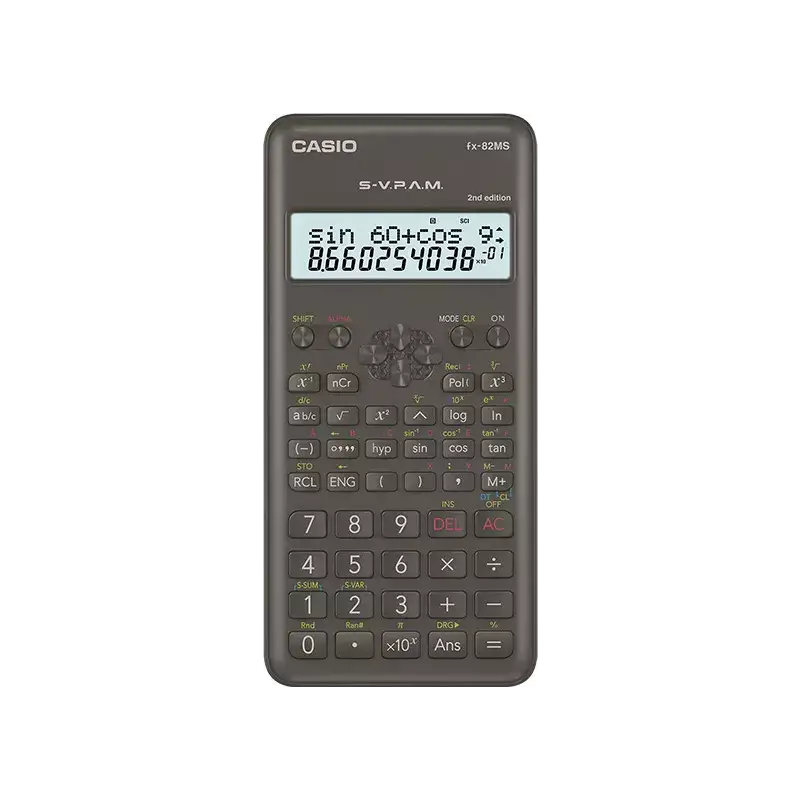
The only direct competitor mentioned by Reddit is Casio, with users advising to “scope out one of TI’s major competitors.” Casio models in the same price range sometimes avoid the tactile lag but may lack SAT/ACT/AP approval, a decisive factor for many U.S. students. Teachers often default to the TI-30X IIS recommendation due to school familiarity and exam compliance, even when Casio offers comparable features.
Price & Value
Pricing spans from around $12.99 on eBay (international seller) to $57.58 for certain new-condition listings in the U.S., suggesting wide variance based on availability, color, and bundling. Community consensus from Best Buy notes frequent sales and price matches, making sub-$15 purchases common.
Resale potential is modest due to broad supply and long life cycles — many keep their unit until failure. Buying tips from Reddit include watching for school-season sales and avoiding overpaying on secondary markets unless seeking rare colors like Lavender.
FAQ
Q: Is the TI-30X IIS allowed on the SAT and ACT?
A: Yes. Multiple platforms confirm it is approved for SAT, ACT, and AP exams, making it a safe standard choice for test takers.
Q: How long does the battery last?
A: Reports suggest over 5 years without change, with solar assist extending life. BestViewsReviews users often note they’ve “never had to worry about batteries.”
Q: Can it store personal equations?
A: No. As a non-graphing scientific model, it lacks custom equation storage. Best Buy reviewers point out this limits advanced math convenience.
Q: Does the two-line display help with mistakes?
A: Yes. Users praise being able to edit entries and scroll previous calculations, reducing rework in multi-step problems.
Q: Is it suitable for geometry and trigonometry?
A: Yes. TI’s own specs and customer feedback confirm full basic trig functions in degrees, radians, and grads.
Final Verdict: Buy if you’re a student from middle school to early college seeking an exam-approved, durable calculator with strong core functions and minimal maintenance. Avoid if rapid, tactile entry without miss-presses is critical, such as in high-speed data work or competitive test scenarios. Pro tip from Best Buy customers: take advantage of seasonal sales and price matching to secure this model for under $15.