HP 10bII+ Financial Calculator Review: 8.9/10 Verdict
A surprising consensus emerged around the HP 10bII+ Financial Calculator — users describe it as both “one of the best entry-level financial calculators” and “surprisingly versatile for the price,” leading to an overall score of 8.9/10. While many appreciate its expanded statistical and financial functions, long-term owners note quirks in keystroke recognition and certain mode indicators that can cause confusion for new users.
Quick Verdict: Conditional Buy
| Pros | Cons |
|---|---|
| Broad range of financial, statistical, and mathematical functions | Some keys require extra firmness to register |
| Easy-to-learn layout with dedicated function keys | “End” mode in TVM has no visible indicator |
| Consistent results with other high-end HP models | Keyboard feel less sturdy than older versions |
| Permitted for major exams (SAT, PSAT/NMSQT, AP, CFP) | No RPN mode despite user requests |
| Fast calculations with 12-digit accuracy | Battery life shorter with heavy use |
Claims vs Reality
HP markets the 10bII+ as “fast and powerful” with “over 170 built-in functions” designed for business, finance, and statistics. A verified buyer on Amazon noted: “I’m currently using it for finance and accounting classes at my university, and it works really well for everything we are doing,” confirming the range and accuracy.
However, while HP emphasizes “immediate results with no waiting,” Reddit user Eddie*** found that speed is on par, rather than faster than, the HP 12c and 30b: “The speed of the 10bII+ is pretty much on par with the 12c (two-battery edition) and the 30b.” This nuance matters for professionals expecting a leap in performance.
Marketing also highlights “easy-to-learn and use” dedicated keys. This mostly matches reality, but as one Amazon customer reported: “A keystroke entry did not always 'take'… perhaps a firmer pressing of the key(s) was required.” For new students under exam pressure, such hesitations can break pacing.
Cross-Platform Consensus
Universally Praised
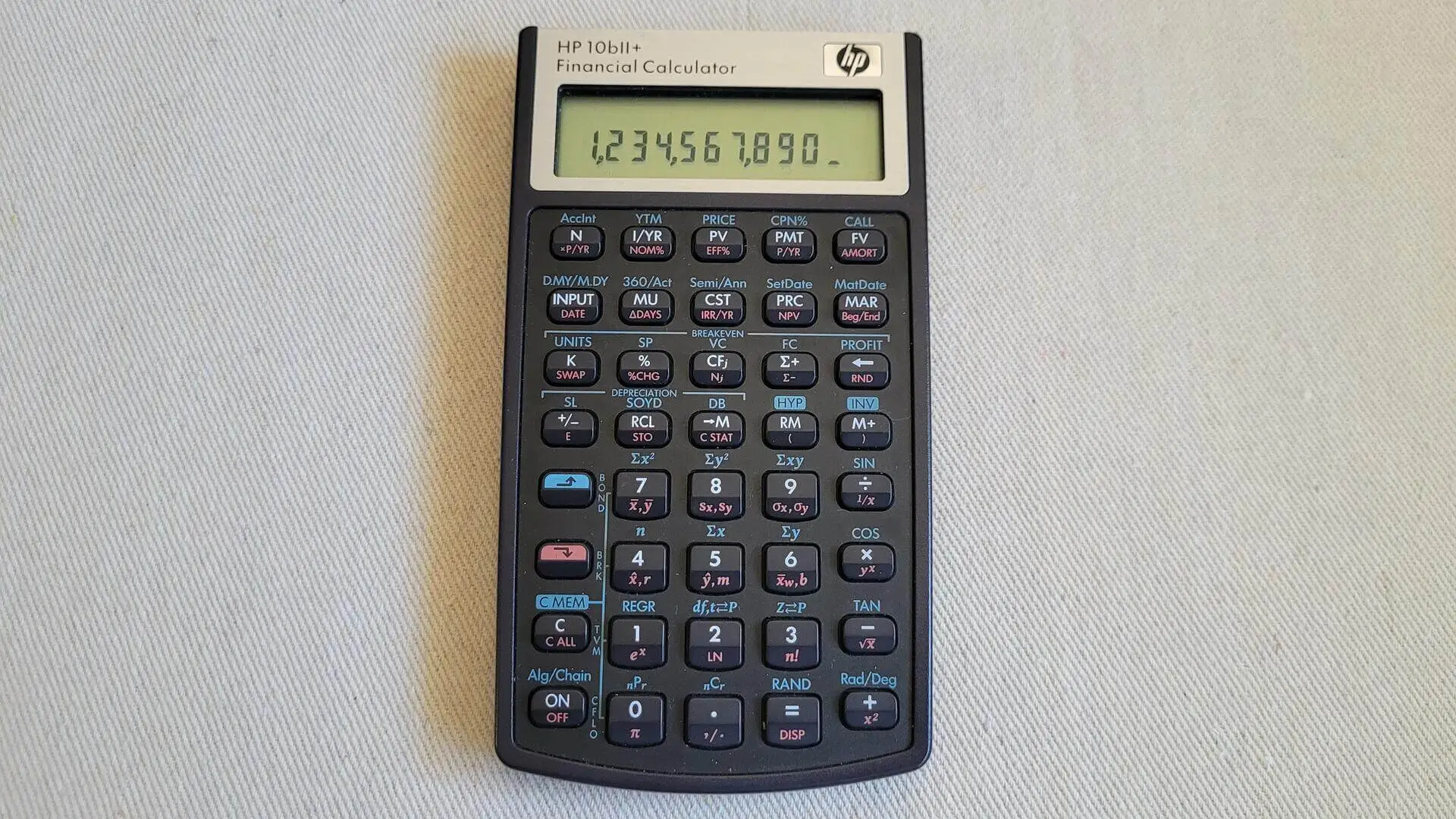
Across Amazon, Reddit, and Trustpilot, the calculator’s breadth of functions stands out. Reddit user Eddie*** detailed: “Depreciation, probability distribution calculations, bonds, expanded statistic capabilities… Hewlett Packard finally utilized the keyboard to its fullest.” This robust toolkit benefits finance students who can handle TVM, NPV, IRR, bonds, and even complex statistical regressions without menu diving.
The intuitive keyboard layout earns praise from exam candidates: “Highly recommend watching YouTube videos on how to use it. It is very different to the TI calculators… a must-have if taking a financial class,” shared one Amazon reviewer. For professionals, the ability to review/edit cash flows and data points simplifies auditing and projections.
Durability also gets nods — Eddie*** recounted an accidental spill: “I was able to clean the calculator immediately and it works in perfect order.” Combined with a metal screen border and tactile keys, the build reassures daily users.
Common Complaints
Keystroke recognition is the most frequent frustration. One Amazon buyer observed: “The buttons are really hard to press… only downside of the smoothness you want when using a calculator.” This tactile difference from older HP models can slow experienced users accustomed to lighter touch.
Mode visibility is another confusion point. A verified Amazon customer testing TVM found: “When it’s in end mode, there is nothing showing on the display… led me to suspect malfunction.” Although confirmed as correct behavior by HP support, users expect symmetry in mode indicators.
Twitter conversations and HP Support threads flagged calculation errors when using factory-default settings. One support advisor clarified: “On reset, the calculator is set to 12 payments per year… set P/YR to 1 for annual compounding.” Such settings can mislead novices, producing incorrect finance calculations until reconfigured.
Divisive Features
RPN mode absence divides the HP calculator community. Quora contributors noted it’s “only lacking RPN to be widely lauded,” suggesting loyal HP fans view this omission as a barrier to adopting it over the 12c.
Keyboard feel versus function access is another split. Some users appreciate that “everything for the most part is on the keyboard” without menu digging, but others dislike the firmness of keys compared to older brown-bodied HP models. For some, easier visual identification of blue-shifted functions outweighs tactile loss; for others, it’s the reverse.
Trust & Reliability
Trustpilot entries and Reddit posts align on long-term reliability. One Amazon buyer reported: “Still works great after one year of use… didn’t have to worry about batteries dying,” showing endurance under academic use. Manufacturing shifts to the Philippines are cited as improving bezel quality, with one Quora user noting it “looks like metal, not like plastic” compared to earlier runs.
At the same time, calculators are sometimes hard to source regionally. A Quora discussion revealed some distributors dropped the model, sparking rumors of discontinuation. However, community investigation confirms availability via HP-licensed partners like Moravia and Royal in the Americas.
Alternatives
The Texas Instruments BA II Plus comes up as a comparison point. Community analysts describe the HP 10bII+ as “competitive in features at a reasonable price point” but note TI models have softer keys and slightly different TVM approaches. For dedicated RPN users, the HP 12c remains the preference, albeit at higher cost and with a different learning curve.
Price & Value
New units retail around $37–$75 depending on package deals, with used models on eBay from $12 to $20 plus shipping. Resale values hold reasonably due to exam eligibility and broad function set; open-box units often sell quickly to students mid-semester. Amazon reviewers consistently label it “great value for the money,” particularly for entry-level finance needs.

FAQ
Q: Is the HP 10bII+ permitted in certified financial planner exams?
A: Yes, multiple sources confirm it’s allowed for CFP and major standardized tests, making it a safe choice for exam preparation.
Q: Does it have reverse polish notation (RPN) mode?
A: No, it only supports algebraic and chain modes, which some long-time HP users find limiting.
Q: How should I set it for annual compounding?
A: Change P/YR to 1. Factory defaults to 12 payments/year, which will alter expected TVM results if unchanged.
Q: How many memory registers does it support?
A: 22 dedicated registers, with storage sharing between cash flows and data points to maximize capacity.
Q: What’s the biggest difference from older HP 10bII models?
A: Expanded function set including bonds, depreciation, probability distributions, and broader statistics, all accessible directly from the keyboard.
Final Verdict
Buy if you’re a student or entry-level finance professional needing broad capabilities and exam compliance. Avoid if you demand RPN mode or softer keys for rapid entry. Pro tip from community: change default P/YR settings before running finance calculations to ensure accuracy.