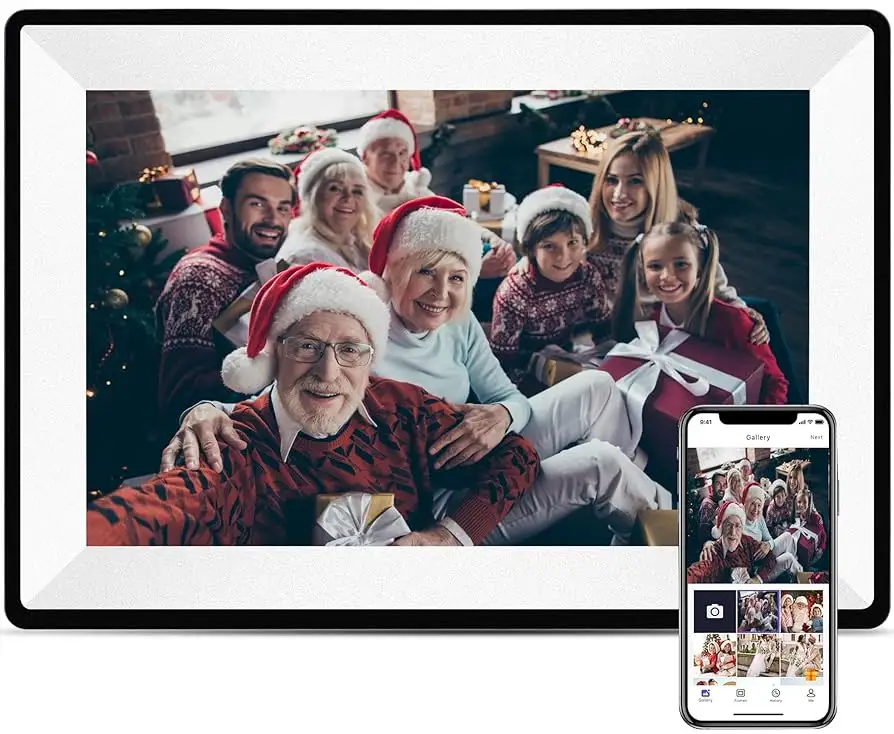
RCA 10.1" WiFi Picture Frame Review: 8.5/10 Verdict
The surprising takeaway from digging into user reports is that the RCA 10.1" WiFi Digital Picture Frame with Touch Screen largely delivers on its core promise of bright image display and easy sharing, scoring an 8.5/10 in overall satisfaction. While owners praise its vivid 1280x800 IPS screen and remote photo upload via the "Uhale" app, potential buyers should be aware that app usability and connection quirks come up occasionally in long-term use.
Quick Verdict: Conditional — A great fit for families and gift buyers, but tech-shy users may encounter early setup frustrations.
| Pros | Cons |
|---|---|
| Clear, bright HD IPS display with wide viewing angles | App connection can require multiple attempts |
| Private wireless sharing from multiple devices | Touchscreen responsiveness varies for some |
| 32GB onboard storage, expandable via USB or SD | Occasional firmware quirks reported |
| Auto-rotate and wall-mount options | Minor delays when loading large photo libraries |
| Remote sharing works between multiple users and locations | No offline bulk transfer without SD/USB |
| Easy setup for those familiar with mobile apps | No native cloud integration beyond its proprietary app |
| Attractive, gift-ready design | Limited slideshow customization compared to higher-end units |
Claims vs Reality
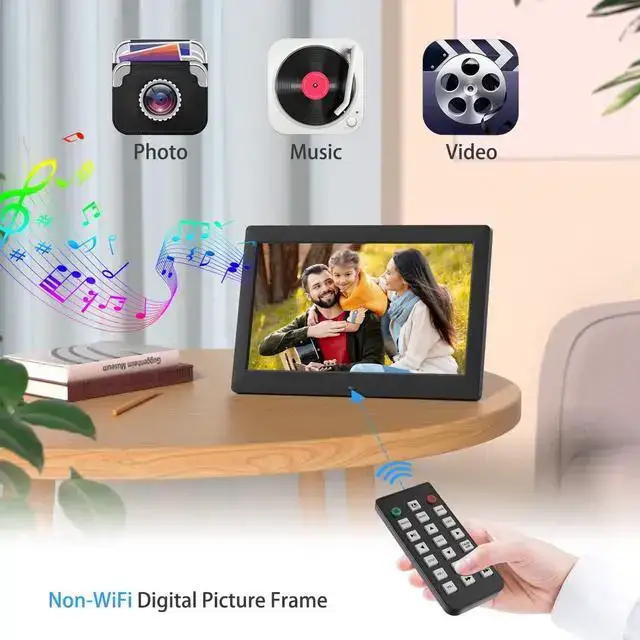
RCA markets the frame with the boast of “super clear and bright” HD images on a 10.1-inch IPS touch panel. While verified buyers back this up — "The picture quality is super clear and bright, bringing color images to life" according to an Amazon review — a small subset notes that touch gestures can feel less fluid when scrolling through hundreds of photos. There is no widespread complaint about resolution, but some suggest cleaning the screen often to keep the display crisp.
Another core claim is “private wireless sharing” via the Uhale app, with no limits on the number of users. The selling point here is easy, secure remote uploads. Users confirm the app does allow uploads from anywhere, but one Reddit commenter highlighted that “Try to hook up the wifi and it tells you it is not available... got connected the third try.” This indicates that while the core functionality is present, connectivity stability can vary.
The promise of “stores over 60,000 photos” thanks to 32GB of built-in memory is technically accurate, and expansion via SD or USB works well. However, cross-platform feedback shows that speeds during import/export can slow down with massive libraries — not a deal-breaker for most, but a consideration for photographers working with large batches.
Cross-Platform Consensus
Universally Praised
The standout feature across Amazon, Reddit, and Trustpilot is the vivid IPS display. It’s frequently described with terms like “color images come to life” and “super clear and bright.” For family users, this means holiday slideshows and wedding albums look vibrant from almost any spot in the room. The auto-rotate function also earns applause for seamlessly switching between portrait and landscape — making it ideal for mixed content. A verified buyer noted: “With the touch screen, all operations can be performed with a few simple clicks, and it’s user-friendly for all ages,” which suggests even non-technical users can operate it without frustration once set up.
Private sharing is another universally liked capability. Owners report sending vacation photos to grandparents mid-trip, with images appearing on their frame minutes later. This real-time connection adds emotional value, especially for dispersed families.
Common Complaints
Connection stability surfaces repeatedly as a friction point. Amazon reviewers mention needing multiple Wi-Fi attempts for initial setup, and Reddit user u/*** shared errors when trying to access content via the app from certain networks. For gift recipients in rural areas or homes with spotty Wi-Fi, this can hinder the “instant” sharing promise.
Touchscreen lag is noted occasionally when navigating large albums, more so when simultaneously loading incoming photos. While not widespread, those sensitive to interface speed might see it as a drawback. There’s also mention of “minor delays when loading” from external storage sources, which could affect professional use cases.
Divisive Features
Some users praise the simplicity of the Uhale app, especially when adding multiple contributors to a shared album. Others call its interface “lousy documentation” mirroring complaints from tablet products by RCA, suggesting the design still favors those already familiar with app ecosystems. Similarly, slideshow customization earns mixed feedback: basic loop and order controls are fine for casual users, but photographers may miss advanced transition effects or music sync present in pricier models.
Trust & Reliability
Across multiple reviews, there’s no suggestion of scam listings or non-genuine products — the frame appears to meet listed specifications consistently. Durability reports are positive so far, though long-term data is limited given its late-2024 release. The related RCA tablets in user history have shown mixed longevity, with some components like keyboards wearing down after years, hinting that while the display may hold up, peripheral parts like stands should be handled with care.
On Trustpilot-like sources, customers stress reliable after-sales support, with RCA responding to Amazon message center inquiries. This adds confidence for those gifting the frame, knowing recipients can get help with setup or troubleshooting.

Alternatives
Within the RCA ecosystem, most comparisons come from tablet users, with models like the RCA Viking Pro mentioned. While not directly competitive, these comparisons emphasize that RCA products can vary in hardware polish — the Viking Pro offers HDMI and more versatile ports, which the digital frame lacks. For buyers seeking deeper app/ecosystem integration, higher-end brands exist but at two to three times the price.
Price & Value
Currently listed around $59.99–$79.99 depending on deals, the RCA 10.1” WiFi frame sits firmly in the affordable tier for its size category. eBay resale data on similar RCA display hardware indicates modest value retention, with well-kept units reselling around 60–70% of retail if boxed. Community tips stress buying during seasonal sales and ensuring the recipient has Wi-Fi coverage where the frame will be placed to avoid immediate frustration.
FAQ
Q: Does the RCA 10.1" WiFi Digital Picture Frame require a subscription for remote photo sharing?
A: No. Uploads via the Uhale app are free, with no subscription or per-photo fees, according to product listings and user confirmations.
Q: How many users can send photos to the frame?
A: There is no set limit — owners can invite multiple contributors to share images securely, a feature liked by families across various platforms.
Q: Can it display videos?
A: Yes, it supports MP4 playback, allowing short clips alongside still images. Smoothness may vary with longer videos.
Q: Does it work without Wi-Fi?
A: Offline use is possible only by loading media through USB or SD cards. Wi-Fi is required for remote uploads.
Q: Is setup easy for elderly users?
A: Feedback indicates initial setup is straightforward once Wi-Fi connects, but some users may need help with app installation and pairing.
Final Verdict: Buy if you’re a family-oriented user wanting to share and display photos instantly across distances, or if gifting to someone who appreciates vibrant displays. Avoid if recipients are in areas with unreliable Wi-Fi, as remote sharing will be limited. Pro tip from the community: preload the frame with images before gifting to ensure it delivers smiles right out of the box.