Surface Pro (2024) Snapdragon X Elite Review: 6.8/10
“Works intermittently” is the phrase that keeps popping up when real owners talk about living with this premium 2‑in‑1 day to day.
Microsoft Surface Pro 2-in-1 Laptop/Tablet (2024, Snapdragon X Elite) verdict: Conditional buy — 6.8/10. The hardware design and OLED wow factor land, but app compatibility and accessory economics repeatedly sour the experience, especially for people who need everything to “just work.”
Quick Verdict
The answer depends on your workflow: Conditional. If your day is mostly Microsoft apps + Chrome + web work, many reports sound satisfied. If you rely on niche Windows software, games, or driver-heavy peripherals, the complaints get sharp fast.
| What matters | What people liked | What people didn’t like | Source(s) |
|---|---|---|---|
| OLED screen | “the surface pro’s 13-inch oled display is a stunner” | OLED tied to pricier configs/CPU tier | Tom’s Hardware; Amazon specs |
| Battery life | “pushing to 12 hours and 17 minutes on our test” | Still behind some rivals; OLED can draw more | Tom’s Hardware |
| Keyboard (Flex) | “works over bluetooth… even when it’s not directly connected” | “prohibitively expensive”; durability complaints | Tom’s Hardware; Microsoft Q&A |
| App compatibility | “more native arm software than ever” | “some apps… won’t work” / “don’t support most apps” | Tom’s Hardware; Microsoft Q&A |
| Heat | “can run hot under load” | “too hot to comfortably hold as a tablet” | Tom’s Hardware |
| Value | Premium feel for some | “Not worth the hefty price tag” | Microsoft Q&A; PCMag |
Claims vs Reality
Microsoft’s marketing frames this as a new AI-era flagship with “all day battery life” and a flexible laptop-tablet identity. Digging deeper into user reports and review narratives, the gap isn’t that the device is bad—it’s that the experience changes dramatically depending on whether your apps are ARM-native and whether you budget for the accessories.
Claim #1: “A new AI era begins” / Copilot+ experiences.
Across professional reviews, the AI pitch is consistently treated as the least convincing part of the product story. Tom’s Hardware flatly set the tone: “it’s the hardware, not the ai, that makes the new surface pro sing,” and called the AI features “shrug-worthy.” PCMag echoed the vibe with “underwhelming ai features,” describing Copilot+ as “a few cutting-edge ai features” that still don’t feel like the reason to buy.
The biggest disconnect centers on Recall. PCMag described Recall as the “announced flagship feature” but said it “has since been… recalled and relegated” due to security concerns—meaning buyers attracted by that headline feature may not actually get it in a stable, mainstream form when they expect it.
Claim #2: “All day battery life.”
The battery story is one place where the tone is closer to the marketing, but still nuanced. Tom’s Hardware described the Surface Pro as “long-lasting” and measured “12 hours and 17 minutes” in their testing—strong for a Windows tablet-style PC. PCMag recorded “14:23” in its video rundown test, calling it “respectable.”
But the same sources caveat the experience: Tom’s Hardware noted the MacBook Air and HP Omnibook X lasted longer in their tests, and suggested “it’s possible that the oled screen… was more of a power draw.” So the claim isn’t “false,” but the real-world narrative is “good, not unbeatable.”
Claim #3: “The most flexible laptop… reimagined” (with detachable keyboards).
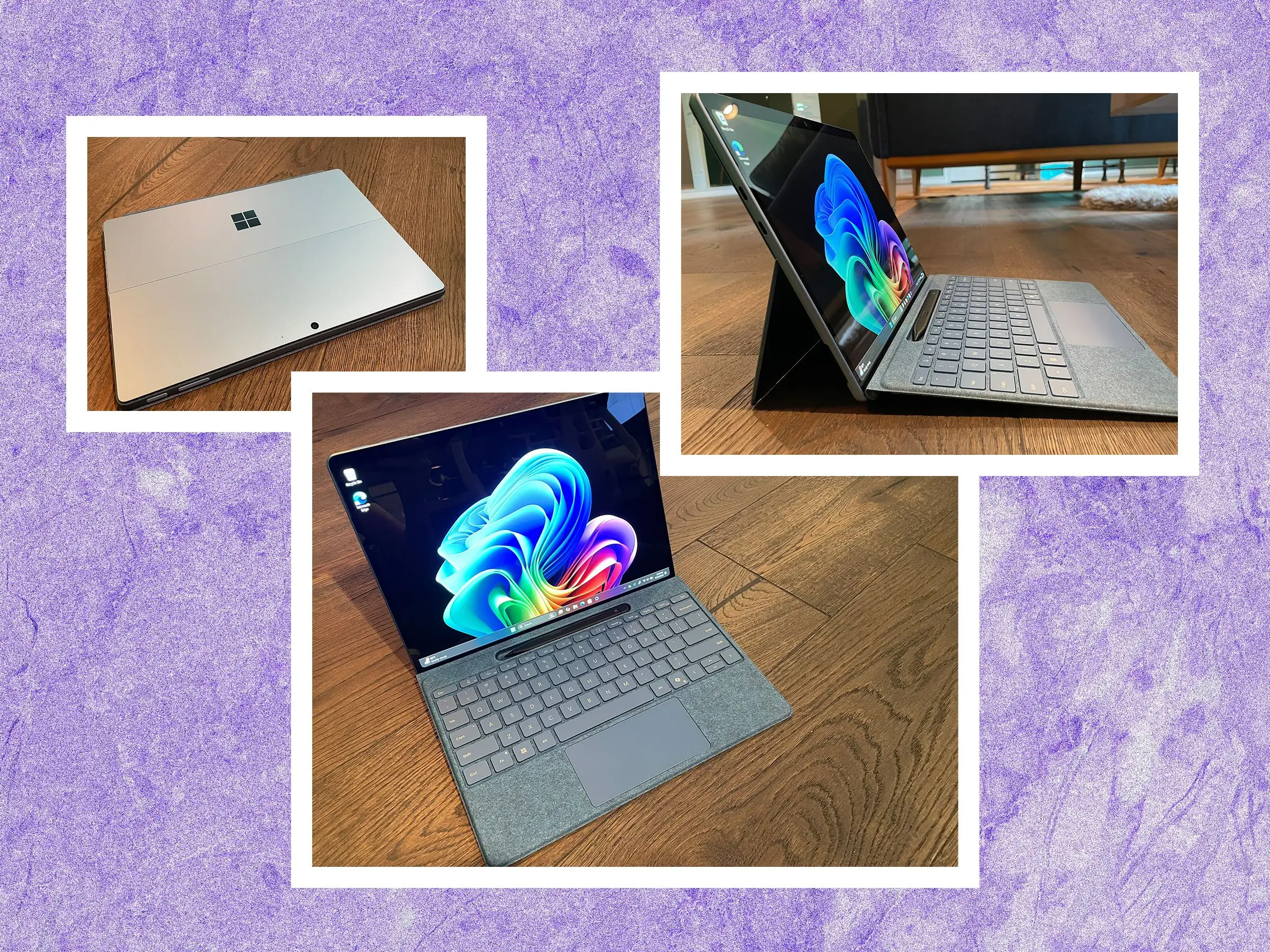
The flexibility is real, but users repeatedly frame it as paywalled. Tom’s Hardware reminded readers: “you still have to pay extra for the keyboard,” and called the Flex Keyboard “really cool (but obscenely expensive).” PCMag similarly said it’s “still grating that the true 2-in-1 capability… still requires an extra accessory purchase.”
And for at least one buyer, it’s not just price—it’s reliability and support. An anonymous poster on Microsoft Q&A wrote: “the keyboard… has started malfunctioning. it works intermittently… sometimes it’s fine, and other times it simply stops responding,” then added that support told them the extended warranty “only covers the surface device, not the keyboard.”
Cross-Platform Consensus
Universally Praised
A recurring pattern emerged: when people love this Surface Pro, they’re usually reacting to the physical product—screen, design, portability—and how well it fits a mobile professional’s rhythm.
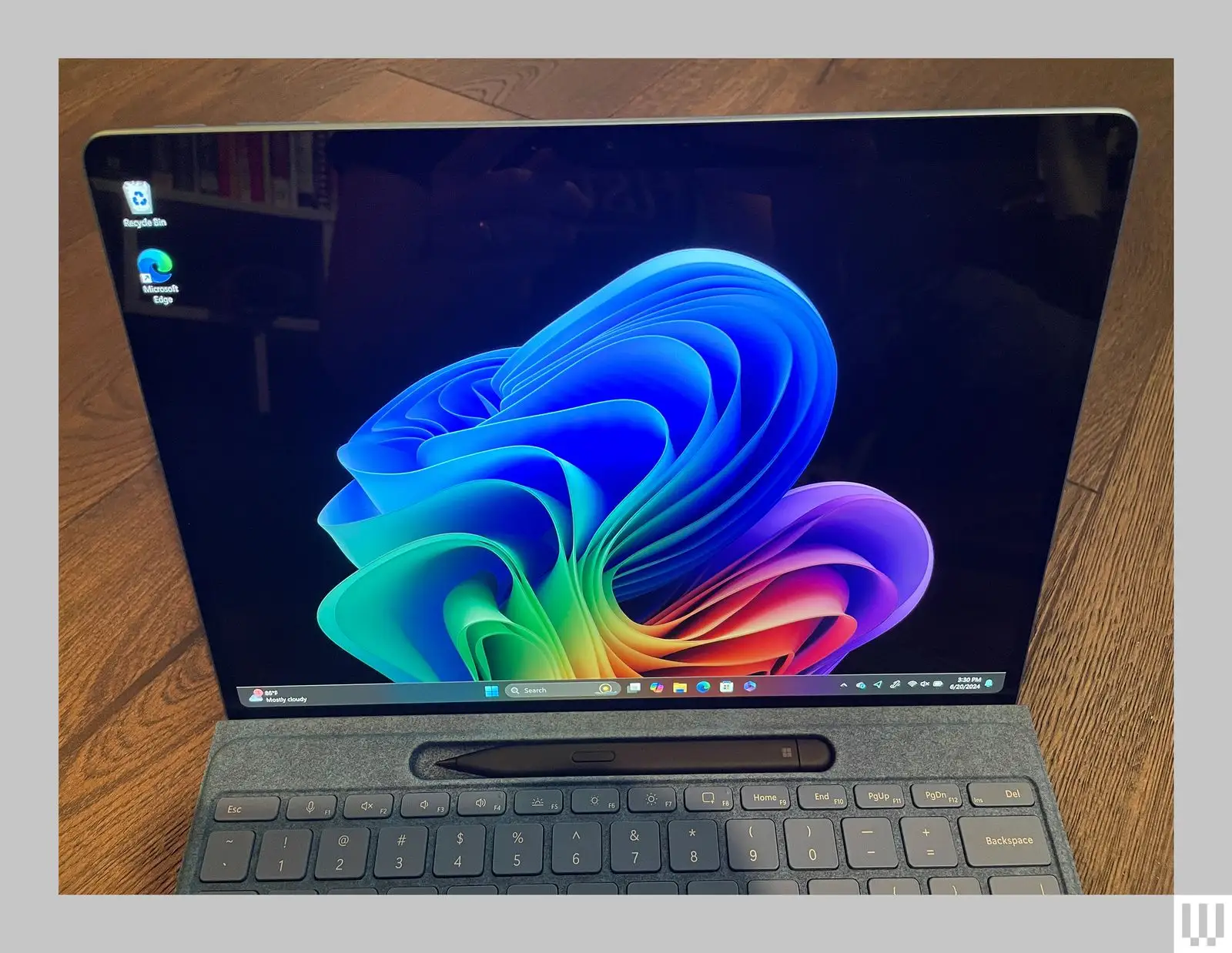
The OLED is the hero feature for visual-first users. For travelers, creatives, and anyone living in documents plus media, Tom’s Hardware didn’t hedge: “the surface pro’s 13-inch oled display is a stunner.” They described watching video where colors “popped,” and measured it as “the brightest of the group at 564 nits.” That praise matters most for people who use a 2‑in‑1 as a primary screen—presentations, photo review, and long reading sessions where contrast and brightness reduce fatigue.
The design and kickstand still read as category-leading. PCMag called it “the category leader among windows tablets,” praising the “integrated kickstand” as “second to none” for stability and angle flexibility. For remote workers who bounce between kitchen table, couch, and conference room, that kickstand isn’t a gimmick—it’s the difference between a tablet that’s constantly sliding and one that behaves like a tool.
Battery life is repeatedly framed as a real ARM win, even by critics. Tom’s Hardware argued it’s “about time we move on from calling 8 hours ‘all-day,’” and positioned the Surface Pro’s 12+ hours as a meaningful step forward for on-the-go work. PCMag’s 14+ hour video rundown reinforces that the Elite-based Surface Pro can last through travel days for the “email, browser, light creative work” crowd—especially those who keep workloads inside ARM-friendly apps.
Common Complaints
The loudest complaints aren’t about speed—they’re about friction: compatibility, accessories, and what happens when something breaks.
Windows on ARM app support is the recurring fault line. Tom’s Hardware warned: “some apps, especially games, won’t work,” and noted peripherals that require drivers “aren’t likely to work.” They gave concrete examples from gaming tests: “stray wasn’t able to install directx components and would not launch,” and “the finals would attempt to launch and then immediately stop.” For students or casual users who expect Steam libraries to behave, those stories read like dealbreakers.
Some buyers describe the mismatch more harshly. In Microsoft Q&A, one respondent wrote: “this device feels like a toy next to a more refined macbook… they don’t support most apps,” and called it “this brick that can’t run applications my 6-year-old notebook can.” That’s the nightmare scenario for professionals with one mission-critical tool outside the “supported garden.”
Accessory pricing is the second universal pain point. Tom’s Hardware called the Flex Keyboard “prohibitively expensive,” while PCMag highlighted how the “$999.99” base can jump dramatically once you add “crucial parts” like a keyboard cover and pen. For budget-conscious buyers, that turns the Surface Pro from “premium tablet” into “premium ecosystem tax.”
Reliability and support infrastructure show up as a high-stakes complaint when something fails. The Microsoft Q&A anonymous buyer described a cascade: “within a short span, the charger stopped working,” then later “the keyboard… started malfunctioning,” and support allegedly stated extended coverage “only covers the surface device, not the keyboard.” They added: “there’s no repair center in india,” and said they were left with “no options other than spending even more money.” For international buyers especially, that’s not a minor gripe—it’s a risk calculation.
Divisive Features
The new Flex keyboard experience splits opinion into “impressive upgrade” versus “why is this so expensive—and will it last?”
On the positive side, reviewers appreciated the engineering. Tom’s Hardware praised being able to use it “separately from the laptop,” noting Bluetooth control even when detached. PCMag called the wireless detach behavior “a small but impressive improvement,” and described a “stiffer design” that gets closer to a real laptop typing feel.
But the same theme turns sour fast if you’re cost-sensitive or unlucky with durability. Tom’s Hardware said the price is “a huge ask for a keyboard designed to work with the surface pro almost exclusively.” And that Microsoft Q&A owner experience—“works intermittently”—casts a shadow for buyers who need a dependable daily driver, not a clever accessory that might become an expensive consumable.
Trust & Reliability
A pattern in longer-form complaints is that trust erodes not from one flaw, but from a chain: expensive device, expensive accessories, then a failure plus limited coverage. The Microsoft Q&A anonymous buyer framed it bluntly as “Not Worth the Hefty Price Tag,” emphasizing they paid separately for the tablet, keyboard, and “an extended warranty,” then discovered the warranty “only covers the surface device, not the keyboard.”
Durability stories here are limited in timeframe, but they’re pointed: “within a short span, the charger stopped working,” followed by the keyboard that “started malfunctioning” and became intermittent. That kind of report hits hardest for traveling professionals and students—people who buy a Surface specifically because it’s meant to be portable and modular, then discover the modular pieces aren’t supported equally.
Alternatives
Competing devices come up most often when users question value or compatibility.
If you’re deciding between this and a MacBook Air, both Tom’s Hardware and the Microsoft Q&A thread reflect the comparison pressure. Tom’s Hardware measured the MacBook Air M3 lasting longer on battery in their test (15:13 vs 12:17 for the Surface Pro in that specific run), and the Q&A respondent said they’d try returning the Surface and “getting my money back for a macbook air.” For buyers whose workflow is cross-platform or browser-based, those comments suggest the MacBook Air is perceived as a safer “it just works” option.
Within the Copilot+ Windows field, Tom’s Hardware compared battery life with HP’s Omnibook X (16:18 in their test) and mentioned Dell’s XPS 14 for other performance notes. The implication from those comparisons: if you want Snapdragon-era battery benefits but don’t need a detachable tablet format, clamshell Copilot+ PCs may feel like better value.
Price & Value
The value debate is dominated by accessory math and resale volatility. Professional reviews repeatedly show how quickly the total climbs: Tom’s Hardware described a configuration where the Surface Pro plus Flex Keyboard with Slim Pen reached “$1,949.97 total,” emphasizing the keyboard cost alongside the tablet. PCMag similarly itemized the jump: base device plus keyboard/pen pushes far above the headline starting price.
Resale data is messy but revealing. An eBay market listing showed a “brand new” unit (32GB/1TB) “sold” for “$686.00” against an “msrp $1,399.00.” Even allowing for listing quirks, that kind of spread reinforces why buyers fixate on whether the premium is justified—and why some users call it “not worth” the investment when compatibility or accessories disappoint.
Buying tips implied by the feedback are practical: if you’re tempted, budget the keyboard from day one and validate your app stack first. The most negative comments—“can’t run applications my 6-year-old notebook can”—sound like people who bought the concept before confirming software support.
FAQ
Q: Does the Snapdragon X Elite Surface Pro (2024) have app compatibility issues?
A: Yes. Tom’s Hardware warned “some apps, especially games, won’t work,” and noted driver-dependent peripherals may fail. A Microsoft Q&A commenter went further, saying “they don’t support most apps” and called it a “brick” for their needs.
Q: Is the Flex Keyboard worth it?
A: It depends. Tom’s Hardware called it “really cool” but “obscenely expensive,” and also “prohibitively expensive.” PCMag praised the wireless detach feature, but an anonymous Microsoft Q&A buyer reported the keyboard “works intermittently,” raising durability and support concerns.
Q: Is battery life actually “all day”?
A: Often, yes for light productivity. Tom’s Hardware measured “12 hours and 17 minutes” in its test; PCMag recorded “14:23” in a video rundown. Tom’s Hardware still noted competitors like MacBook Air M3 and HP Omnibook X lasted longer in their testing.
Q: Does the Surface Pro (2024) get hot?
A: Under heavy load, it can. Tom’s Hardware listed “can run hot under load,” and reported the device became “too hot to comfortably hold as a tablet” at the hottest spot during stress testing, recommending keyboard use during intense work.
Q: Is the AI (Copilot+) the reason to buy it?
A: Most feedback here says no. Tom’s Hardware framed the AI features as “shrug-worthy,” and PCMag called the AI set “underwhelming,” describing Recall as delayed/limited due to security concerns. The strongest praise is directed at hardware—OLED, design, battery—not AI.
Final Verdict
Buy if you’re a mobile professional who wants a premium Windows tablet-first machine and your daily stack is mostly ARM-friendly apps—Tom’s Hardware said “it’s the hardware… that makes the new surface pro sing,” and repeatedly praised the OLED and battery.
Avoid if you rely on niche Windows programs, games, or driver-heavy peripherals; the same Tom’s Hardware review warned “some apps… won’t work,” and a Microsoft Q&A commenter said they were “stuck with this brick that can’t run applications my 6-year-old notebook can.”
Pro tip from the community: treat the keyboard like part of the real price—because as one Microsoft Q&A buyer learned, even after paying for extended coverage, they were told it “only covers the surface device, not the keyboard.”