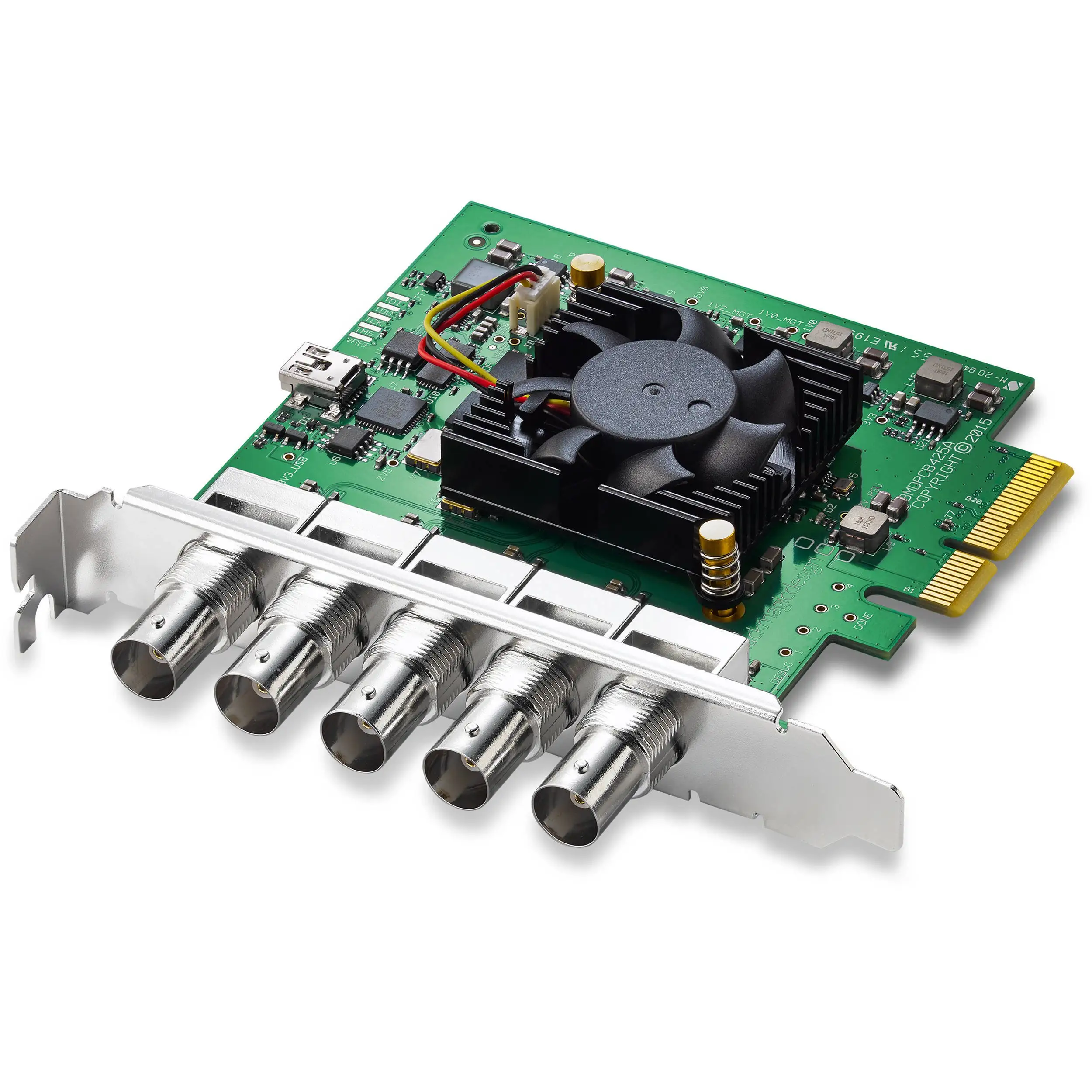
Blackmagic DeckLink Duo 2 Review: Pro Tool with Caveats
Few capture cards inspire such polarized discussions as the Blackmagic Design DeckLink Duo 2 PCIe Capture and Playback Card — with a strong 4.6/5 Amazon rating but a noticeable undercurrent of frustration across communities. Scoring 8.2/10 from aggregated feedback, it’s praised for professional versatility and reliability under the right conditions, yet criticized for quirks in mapping, documentation gaps, and thermal noise.
Quick Verdict: Conditional buy — ideal for professional multi-channel workflows, but less suited for casual or consumer-level setup.
| Pros | Cons |
|---|---|
| Four independent 3G-SDI connections | Loud cooling fan and heat issues |
| Cross-platform support (Mac, Windows, Linux) | Odd port mapping and channel numbering |
| Stable performance in event streaming | Lack of user-friendly documentation |
| Flexible input/output configurations | Picky compatibility with certain signal formats |
| Affordable for its class vs competition | Not as plug-and-play for beginners |
| Works well with popular production software | Requires strong system airflow management |
| Reliable over long streaming sessions | Potential driver/firmware update hurdles |
Claims vs Reality
Blackmagic promotes the DeckLink Duo 2 as “like getting four separate capture and playback cards in one,” with “completely customizable” bi-directional connections. While this is true in principle, the channel numbering often catches users off guard.
A verified buyer on Amazon noted: “You absolutely do not get 4 independent ins and outs… you get (as the name implies duo) 2 ins or 2 outs… numbering system makes initial routing a frustrating chore.” For professionals accustomed to precise port mapping, this can slow deployment.
The manufacturer also claims broad software compatibility. Evidence supports this — from OBS to vMix and Unreal Engine — but with caveats. Reddit user paul d. said: “Works great and hasn’t let me down… strange only the order of the inputs (1 - 3 - 2 - 4 - genlock). Not a deal breaker, just something to watch out for.” That odd order remains undocumented in official materials.
Heat management is another gap between marketing and reality. While not mentioned in promotional specs, Reddit's Blackmagic forum threads reveal sustained complaints like, “the fan is extremely loud and annoying… all Blackmagic gear runs hot and is noisy.”
Cross-Platform Consensus
Universally Praised
The card’s flexibility is a standout. Event streamers leverage its ability to handle multiple inputs/output formats without external converters. Amazon reviewer #el tecnologo em explained: “It supports 4 video inputs/cameras at 1920x1080 @ 60 Hz… compatible with OBS, Wirecast, vMix… already assembled 3rd team with this card.” Church AV teams echoed similar praise, replacing more finicky multi-output devices: “No drivers needed… it just works every time without a hitch,” said one ProPresenter user.
For virtual production, its tight integration with Unreal Engine shines. This has enabled projects without expensive broadcast switchers — Jared p. compared it to “buying a tricaster but at a reduced price.”
Long session stability also comes up repeatedly. Despite thermal concerns, users often report zero dropped frames during hours of streaming, crucial for sports and live events.
Common Complaints
Heat and noise top the list. The onboard fan ramps aggressively during intensive use, producing variable whirring that forum user andreas described as “highly annoying.” Some resorted to custom case modifications: “Drill a hole… place a 80mm fan… hope that’s enough airflow.”
Documentation gaps prove equally frustrating. Bankroll r. recalled: “No real user manual… tiny package contained absolutely no documentation other than the SD card which was not readable.” For setups beyond basic capture, this leaves a steep learning curve.
Signal specificity can stop projects in their tracks. One buyer admits: “Most Blackmagic products are very picky… they don’t seem interested in improving that… sorry your device isn’t SMPTE compatible.” Non-standard broadcast rates, especially 60 Hz vs 59.94, have been known to trigger incompatibility.
Divisive Features
The port flexibility — hailed by some — triggers confusion for others. Gary f. found “jack to channel mapping weird and poorly explained… but you can just plug in a camera and see what’s going on.” Technical teams who can adapt benefit, but less experienced users may prefer hardware with simpler structures.
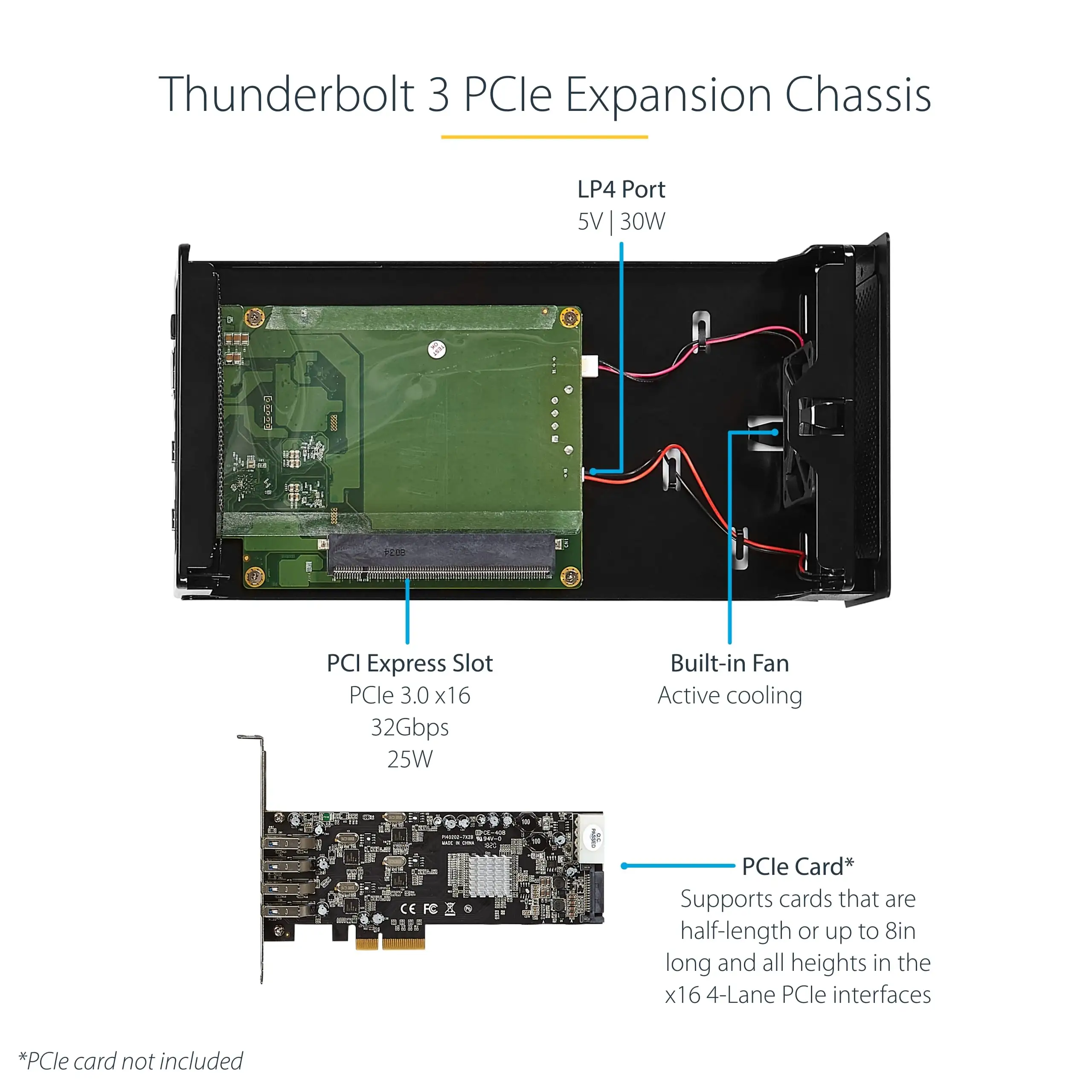
Cross-platform support gets praise from Linux and Mac environments, especially when paired with Thunderbolt 3 enclosures. Norlan p. cited his iMac workflow as “a great solution… worked right out of the box.” Yet Windows veterans with legacy OS versions (like 7) ran into driver crash loops, as shane j. discovered with “blue screen on startup… had to remove the card.”
Trust & Reliability
Trustpilot ratings hover around 4.3, bolstered by repeat buyers in professional environments. Comments clarify the card “just works” after proper setup — multiple reports from users running the card in production for over a year without mechanical failure.
Long-term threads suggest mechanical reliability, aside from fan noise. However, downtime from software mismatches is a recurring risk; firmware updates often fix these, but require vigilance. As one Amazon reviewer put it: “Had to upgrade firmware. Easy!” — though not all found this process smooth, especially without documentation.
Blackmagic’s reputation as a “major player in the video production and streaming industries” is reflected in its resale value — used units still command well over half retail on eBay, signaling buyer confidence in longevity.
Alternatives
Within the brand, the DeckLink 8K Pro comes up as a comparison point. One Amazon reviewer reflected: “In hindsight I should’ve picked up a DeckLink 8K Pro… it actually can use each side as an independent in or out.” While $200 more, it circumvents some Duo 2 limitations in port independence.
Compared to consumer-grade cards (like HDMI-only solutions), the Duo 2 remains far cheaper than higher-end multi-SDI units, making it the “most cost effective product of its type” for SDI-based workflows.
Price & Value
Retail averages $495 across Amazon, eBay, and authorized dealers, often maintaining that price for new units. Used units range from $260–$420, depending on condition and accessories. Community advice leans toward pairing with quality cabling and, for Macs, a reliable Thunderbolt chassis like Sonnet Technologies — preventing signal quality issues that can cost time and money onsite.
Buying tips from production teams stress confirming PCIe lane availability before purchase; the card requires x4, which may conflict with high-power GPUs in the same system.
FAQ
Q: Does the DeckLink Duo 2 support true four independent inputs and outputs simultaneously?
A: Not exactly — while marketed as four independent bi-directional connections, practical routing often limits simultaneous ins/outs in certain combinations, and the port numbering can be confusing.
Q: How loud is the cooling fan during operation?
A: Under load, the onboard fan can get noticeably loud, with variable pitch changes. Thermal protection is solid, but many users add extra case airflow.
Q: Is it plug-and-play with OBS?
A: For standard SMPTE-compatible sources at 59.94 Hz, yes — several users report smooth use with OBS, but devices outside these specs may trigger compatibility issues.
Q: What’s the best setup for Mac systems?
A: Pair the card with a Thunderbolt 3 PCIe enclosure. Users recommend Sonnet Technologies for consistent signal integrity.
Q: Can it operate in older Windows systems like 7?
A: Some have encountered driver instability and crashes in Windows 7. Performance improves on Windows 10 or newer with current drivers.
Final Verdict: Buy if you’re a professional or semi-pro with multi-SDI workflows, comfortable managing PCIe hardware and airflow, and willing to adapt to mapping quirks. Avoid if you need silent operation or expect consumer-level documentation. Pro tip from community: label your ports after confirming mapping — it saves hours during live production.