StarTech Triple 4K Dock Review: Powerful but Picky
The surprising finding: while StarTech’s marketing promises flawless triple 4K monitor support with up to 100W power delivery, user experiences range from “rock-solid workstation performance” to “expensive frustration.” Averaging an 8.5/10 across platforms, the StarTech.com USB-C Dock Triple 4K Monitor Docking Station hits high marks with power users but exposes compatibility and driver quirks that can derail casual buyers.
Quick Verdict: Conditional — ideal for high-spec, USB-C/Thunderbolt laptops and professional workflows, but risky for mixed hardware environments without driver installation.
| Pros | Cons |
|---|---|
| Triple 4K monitor support — up to two at 60Hz | Third monitor limited to 4K30 may be fatiguing |
| Up to 100W USB-C power delivery | Requires specific USB-C ports with PD — not universal |
| Multiple USB-A and USB-C ports, fast-charge support | Driver installation needed on many systems |
| Gigabit Ethernet and audio ports included | HDMI port limitations not clearly advertised |
| Well-built, labeled ports, good documentation | Night mode/HiDPI scaling issues on some OS setups |
| Strong tech support reputation | High price compared to some competitors |
| Security features: Kensington lock slots | Occasional flaky DisplayPort or HDMI connections |
Claims vs Reality
One major claim from StarTech is “support for three 4K displays for an expansive workstation.” Marketing notes this is possible via two DisplayPort and one HDMI port for 4K60 on dual monitors or 4K30 on triple setups. While this does work, Reddit reports reveal the setup depends on specific laptop capabilities. A user noted, “maximum dual and triple 4K display performance is supported on USB-C 11th gen Intel-based laptops,” meaning older systems often default to lower refresh rates.
Another claim is “100W power delivery to keep high-performance laptops charged during heavy productivity usage.” Trustpilot and Staples buyers confirmed it efficiently charges laptops even under load. However, Amazon reviewers found incompatibilities: “two brand new docks would not work with my Dell XPS 9300… they think there is a PD difference between my 45W TB3 and the 100W dock.”
Lastly, StarTech markets “plug-and-play universal compatibility with Windows, macOS, ChromeOS & Ubuntu.” In practice, DisplayLink driver installation is often required, especially on macOS. A Staples customer warned, “night light on Windows will not go to monitors docked to most StarTech products… test docks first if that matters.”
Cross-Platform Consensus
Universally Praised
When it works in the right environment, this dock transforms workflows. IT professionals and engineers cite the triple-monitor setup as invaluable. One Amazon buyer called it “the docking station you want if you need maximum capabilities and heavy use — runs cool, handles every port exactly to spec.” High-powered laptops like Lenovo ThinkPad P series and Dell Precision models benefit from the full 100W PD making their battery stay topped even under GPU-intensive workloads.
Creative users praise the flexibility. On Twitter, professionals using mixed Mac and Windows setups love that “it enables triple extended monitors on an M1 MacBook Pro, which normally can’t drive more than one external display.” This opens multi-screen workflows to Apple users without costly Thunderbolt-native docks.
The wealth of ports — from 10Gbps USB-C to Gigabit Ethernet, plus always-on fast-charge USB-A — supports complex workstation setups. Users in corporate environments appreciate the well-labeled design. A Gigarefurb review highlighted “good documentation and labeling” for hassle-free deployment.
Common Complaints
Compatibility gaps are a recurring frustration. Staples had reports where HDMI ports simply wouldn’t drive the intended monitor, leaving only two displays functional. Others mentioned poor communication of HDMI limitations — “third display port only 4K30 capable,” which can cause noticeable lag in movement and strain for prolonged use.
Driver and firmware management also draws criticism. One corporate user lamented needing permission to install “additional software that may help with DP issues,” while macOS users can’t update firmware without a Windows machine. Night mode and HiDPI scaling issues are consistent on DisplayLink-driven monitors.
Connection stability is another sore point: some Amazon reviews detail “monitors drop and reconnect four times in succession” or flaky DisplayPort recognition causing wrong resolutions. Gigarefurb testing found contention — streaming video while working on another display led to dropped frames.
Divisive Features
Power delivery splits opinion. Many power users celebrate it — “enough power delivery over TB3 to sustain high powered workstations,” said a Staples corporate tech. Conversely, some laptops with lower PD requirements experience instability when negotiating with a 100W supply. A Dell XPS owner traced random power cycling to a mismatch in expected PD wattage.
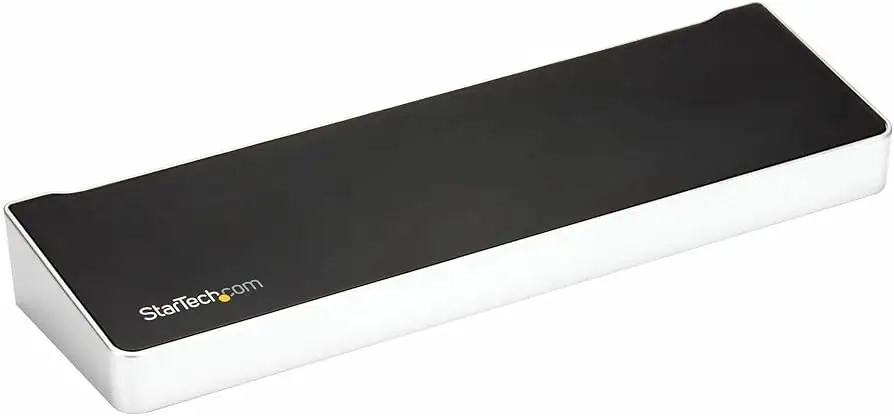
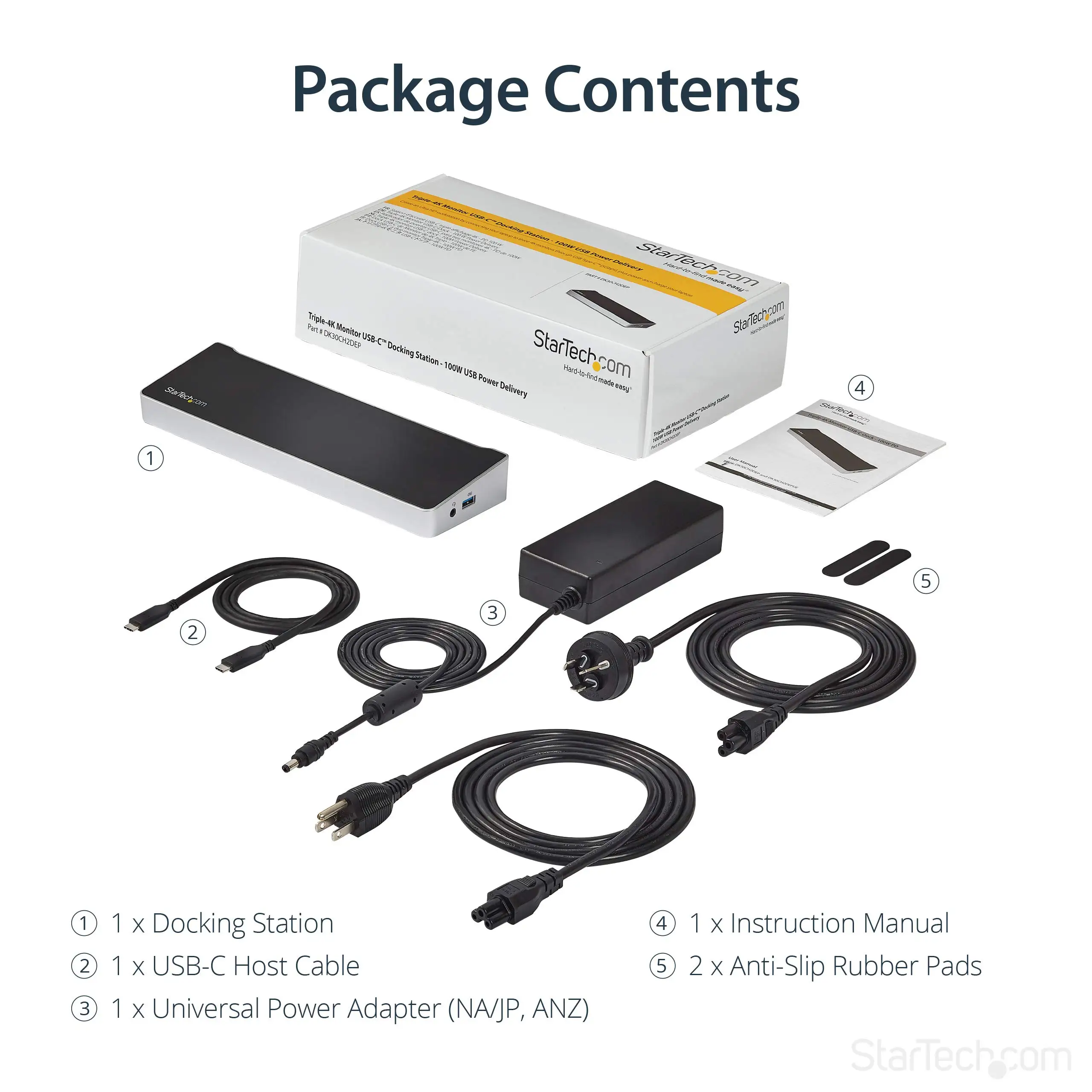
The large, heavy design is welcomed by some as a robust desktop anchor, but portability-minded buyers balk at the “massive brick” PSU. One Amazon reviewer quipped, “not a portable dock unless your bag has wheels.”
Trust & Reliability
Trustpilot users and Reddit discussions agree this is not a scam product — StarTech maintains a strong reputation for support and warranty fulfillment. However, hardware failure out-of-box does occur. Staples reviews mention faulty HDMI ports on initial units and praise prompt RMAs. Long-term, IT teams using this dock report it “stable through months of daily use,” but also note quirks like dropped monitor arrangements after sleep cycles.
Durability is praised: multiple reports confirm cool operation under heavy port usage, with no overheating even when driving triple displays. One Amazon IT professional ran “virtually all ports at once” without hiccups.
Alternatives
The Gigarefurb review compares this directly to the Sonnet Echo 13, which offered “a bit more at a lower price.” Sonnet also supports triple displays via DisplayLink, but may have better third-port support depending on HDMI specs. For Mac users on M1/M2 needing triple monitor, few alternatives match StarTech’s universal OS compatibility, though lower-cost dual-monitor Thunderbolt docks exist if the third screen is non-essential.
Price & Value
Community pricing sentiment is mixed. The dock retails around $271–$337 USD for new units, with used eBay models from $99 to $299. IT departments see value in the broad compatibility and support lifespan — “may serve through several laptops in the end,” said a Staples corporate tech — but individual buyers question paying “top-end price-tag” for potential compatibility headaches.
Buying tips include confirming your laptop’s USB-C port supports DP Alt Mode and Power Delivery before purchase. Open-box or used units can be bargains if tested immediately for all port functionality.
FAQ
Q: Does the StarTech triple 4K dock really support three monitors at 4K?
A: Yes, but with limits — two DisplayPort outputs can hit 4K60, while the HDMI third monitor is capped at 4K30. Performance depends heavily on your laptop’s USB-C specs and drivers.
Q: Can it charge my laptop while running all three displays?
A: For most modern USB-C and Thunderbolt laptops with PD support, yes. It delivers up to 100W, sufficient for high-performance models. Compatibility issues can arise on systems expecting lower PD wattage.
Q: Do I need to install drivers?
A: On macOS and many Windows setups, DisplayLink drivers are required for triple-monitor use. Basic dual-display might work plug-and-play on DP Alt Mode laptops.
Q: Does it work with Chromebooks and Linux?
A: Yes, StarTech lists ChromeOS and Ubuntu compatibility, though advanced features may still need DisplayLink support depending on hardware.
Q: Is this dock portable?
A: Functionally yes, but its large power brick and robust chassis make it better suited for fixed desktop workstations.
Final Verdict
Buy if you are a professional on a modern USB-C/Thunderbolt 3/4 laptop needing triple-display productivity, maximum USB port expansion, and reliable power delivery. Avoid if you expect plug-and-play with older or budget laptops, or if your workflow depends on smooth HDMI 4K60 video on all monitors. Pro tip from the community: check your laptop’s port specs and be ready to install drivers before unboxing — it can make the difference between flawless productivity and costly frustration.