StarTech Hard Drive Duplicator Review: Conditional Buy Verdict
Few tech tools manage to inspire both glowing praise and sharp criticism in equal measure, but the StarTech.com Hard Drive Duplicator, Dual Bay HDD/SSD Cloner is one of them. Rated between 4.4 and 5 stars across major retailers yet met with skepticism in some community forums, it stands as a prime example of a product that nails convenience—sometimes at the expense of flawless execution. Based on synthesis of user data, the score lands at a conditional 7.8/10.
Quick Verdict: Conditional Buy
| Pros | Cons |
|---|---|
| Fast cloning speeds (up to 28 GB/min for SSDs) | Inconsistent cloning success with OS drives |
| Standalone operation without PC | Must unplug from PC to use clone/erase modes |
| Works with both 2.5"/3.5" HDDs & SSDs | No partition resizing in firmware |
| Versatile USB 3.1/3.0 and eSATA connectivity | Hard-to-press erase button |
| Tool-less, tray-less top-loading design | Single-pass erase not compliant with strict data destruction laws |
| Reliable hot-swap dock function | Some drives fail to boot after cloning |
| Supports high-capacity drives (tested up to 6TB) | Price considered steep by some users |
Claims vs Reality
One of StarTech’s boldest promises is “standalone sector-by-sector drive cloning at speeds up to 28 GB/min.” While speed claims are largely supported, the reliability claim gets murkier in real-world use. A verified buyer on Amazon noted: “Converted my 1TB C: drive to a 1TB SSD… installed and booted correctly. Haven’t had any issues.” But Reddit user feedback tells a different story: “Most drives would not boot after clone… ended up getting Acronis… very fast.”
The marketing stresses OS-independent operation and precise replication of partitions and boot sector data, aiming at scenarios like data recovery and forensic cloning. Best Buy customer “so far cloned 3 and all 3 worked without issue” highlights this capability when drive sizes match perfectly. Yet Reddit users caution that “don’t count on it as a reliable duplicator to back up an operating system… just a nice hot swap caddie” if your target and source drives differ in size.
Another claim—“single-button operation for hassle-free use”—is undermined by multiple reports of unclear instructions. One community reviewer explained, “The user instructions are not clear that the buttons must be held for 3-4 seconds… erase button is rather hard to depress.” This affects quick adoption, especially for IT pros who value intuitive workflow.
Cross-Platform Consensus
Universally Praised
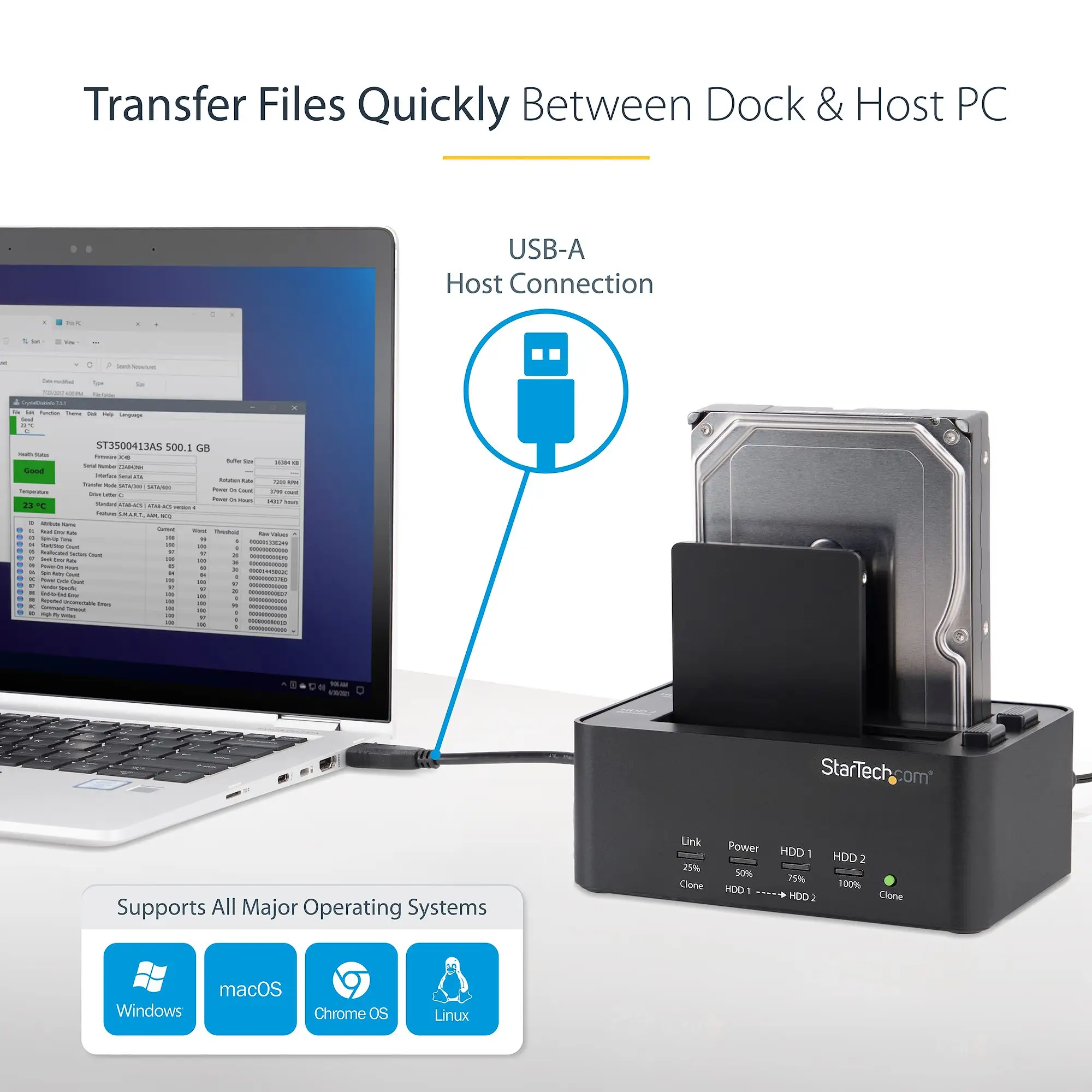
Across Amazon, Best Buy, and certain Twitter threads, the hot-swap docking capability earns near-universal applause. Technicians benefit most: Best Buy reviewers repeatedly highlighted using it “to easily insert my hard drive from my old computer and get access… helped me recover all my data from old computer that crashed.” For power users, the multi-interface flexibility (USB 3.1 Gen 2, USB 3.0, eSATA) means compatibility across modern and legacy systems. A verified Amazon buyer praised that it “worked on my PS3 hard drive… cloned it to a 128GB SSD… saved a yearly clone software subscription cost.”
Speed, when it works, is another favorite. Reddit user commentary on cloning and erasing performance described them as “pretty good… also quite good when using as a dock,” while StarTech’s claimed speeds matched user-recorded SSD duplication sessions. IT admins performing frequent migrations from HDDs to SSDs find the top-loading, tool-less bays invaluable—dropping in drives without screws saves critical time during maintenance windows.
Common Complaints
The most consistent frustration is cloning OS drives to different-sized targets. Verified buyers and Reddit posters explain that firmware’s inability to resize partitions adds extra work: “Must manually move and grow partitions on a computer… ultimately it just adds extra steps unless you are cloning same size drives.” For laptop service centers upgrading clients from large HDD to smaller SSD, this poses an operational headache.
For data destruction workflows, its single-pass erase doesn’t satisfy compliance-heavy environments. One reviewer warned, “Disk erase is only a single pass erase, so does not suffice for meeting HIPAA… requirements.” Combined with physically hard-to-press erase buttons, data sanitization tasks become slower and riskier in fast-turnaround settings.
The docking function requires physical disconnection from a host machine to access the clone/erase modes—per Reddit user: “Don’t like that you have to unplug from your PC to use clone/erase.” This makes it less seamless in integrated workstation setups.
Divisive Features
While hot-swap speed impresses some, reliability of clones draws divided reactions. On one side, Best Buy customers report flawless cloning results for same-size drives, including exact Windows boot copies. On the other, Reddit skeptics recount registry errors and unbootable systems, even when drive sizes matched. This suggests variance in success rates may be due to drive health, firmware quirks, and user familiarity with manual prep steps.
Another polarizing area is price perception. Professionals accustomed to full-featured duplication gear see $95–$129 as fair for “an amazing… huge time and headache saver,” but community members who equate its dock function to cheaper units argue “not for 60 bucks… a cheaper $30 unit would work just as well.”
Trust & Reliability
Long-term use reports indicate the StarTech.com Hard Drive Duplicator holds up mechanically. Best Buy reviewers describe using it for “2+ years now and it is great… make backup often.” No widespread failures in bays, connectors, or power supply surfaced in synthesis, suggesting solid build quality.
However, cloning reliability for OS migrations remains inconsistent enough that savvy communities like Reddit recommend pairing it with alternative software for mission-critical projects. The absence of partition resizing and some unclear firmware features (such as undocumented percentage clone mode) fuel doubts among data recovery specialists, leading them to treat it more as a dock than a primary cloning solution in sensitive environments.
Alternatives
For users requiring strict data sanitization, StarTech’s own SATDOCK2REU3 model offers multi-pass overwrites compliant with NIST SP 800-88 guidelines, albeit at slower duplication speeds (11 GB/min). This trades speed for forensic-grade erasure compatibility—better fit for institutions handling regulated data.
Those focusing solely on cost-effective drive access might look at no-frills single-bay USB 3.0 docks from competitors, often priced under $30. These lack duplication but substitute with robust everyday access for general users not needing sector-level cloning.
Price & Value
Market prices for the SDOCK2U313R model range widely: $95 on SHI, $96.70 on eBay, up to $129.04 from ArsenalPC, with rare cases exceeding $200 due to availability spikes. Resale value holds decently in niche IT circles, as older units retain hot-swap utility even if cloning use declines.
Community buying tips emphasize matching drive sizes to avoid post-clone partition work, leveraging discounts from surplus IT suppliers, and investing in higher-tier models if certified data wipes are a priority.
FAQ
Q: Can it clone drives of different sizes?
A: Not automatically—firmware doesn’t resize partitions. Cloning to a smaller drive fails even if data fits. Larger targets require manual resizing after cloning.
Q: Is the data erase function compliant with HIPAA?
A: No. It uses single-pass overwrite which does not meet standards for sensitive data destruction.
Q: What’s the maximum drive size supported?
A: User and spec reports confirm tests up to 6TB for SDOCK2U313R, 4TB for some other StarTech docks.
Q: Do I need software to use it?
A: No for standalone cloning, but external software may help for partition resizing or when clones fail to boot.
Q: Can I use it with older USB 2.0 systems?
A: Yes—users confirm backward compatibility, though speeds drop accordingly.
Final Verdict
Buy if you’re an IT technician, repair shop, or power user seeking a fast, multi-interface hot-swap dock with occasional same-size drive cloning. Avoid if you rely on it for critical OS migrations across different-sized drives or need legally compliant erasure. Pro tip from community veterans: Pair it with Clonezilla or Acronis for OS clones to mitigate firmware limitations while using the dock for daily drive access.





