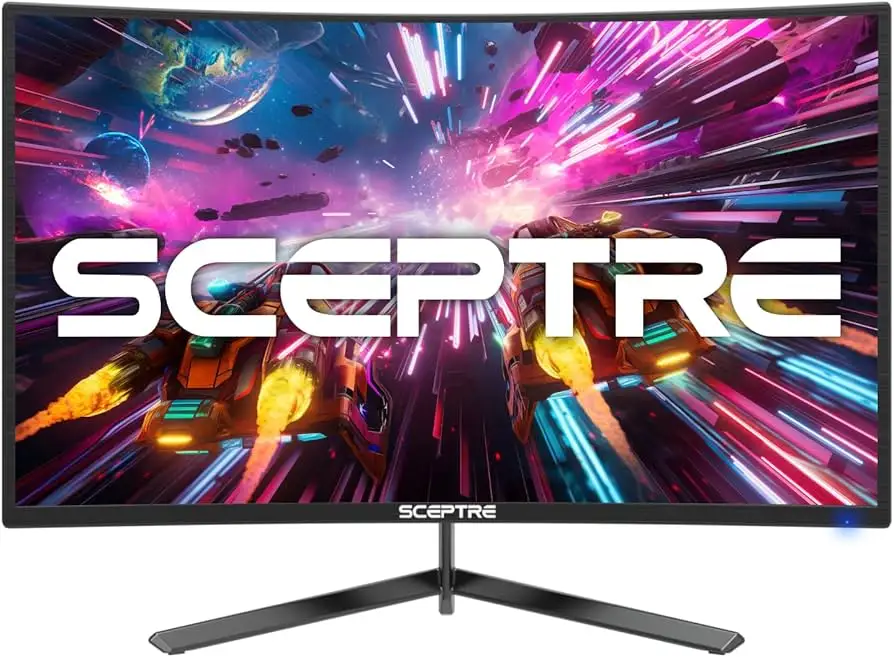
Sceptre 24-Inch Curved Gaming Monitor Review: 7.6/10
“Amazing compared to other monitor’s” and “sound quality is the worst I’ve ever had” can both be true in the same purchase—and that whiplash defines the Sceptre 24-inch Curved Gaming Monitor (AMD FreeSync, Build-in Speakers). Verdict: conditional buy, 7.6/10.
A recurring pattern emerged across marketplace feedback summaries and product listings: people come for “1080p up to 165Hz” smoothness and a curved VA panel, then quickly learn the built-in audio is more of an emergency option than a selling point. One buyer-oriented summary even frames the value proposition bluntly: “for the price i am very happy,” while still pointing out “this monitor lacks in adjustability.”
Digging deeper into user reports, the most consistent “story” is about expectations management. If you want a budget curved gaming monitor with FreeSync and high refresh rates, the tone leans positive. If you want premium ergonomics, strong speakers, or fuss-free multi-input audio behavior, the tone hardens fast.
Quick Verdict
Yes—conditionally (best if you prioritize refresh rate and price over ergonomics and audio).
Before the pros/cons, the feedback itself sets the boundaries. The praise clusters around picture clarity and setup ease, while complaints hit longevity concerns, fixed tilt/position limitations, and speaker quality. One Fakespot-highlighted reviewer summed up the “good enough” camp with: “it’s picture quality is pretty good for its price,” and another reinforced the low-friction setup angle: “mounting it and setting it up were a breeze.”
On the flip side, the harshest language is reserved for audio and durability expectations. A verified-review excerpt aggregated by Fakespot states: “sound quality is the worst i’ve ever had,” and another longevity-leaning warning says: “for longevity, spend the extra money.”
| Call | Evidence from provided data | Who it’s for | Who it’s not for |
|---|---|---|---|
| Smooth gameplay focus | Listed as “up to 165Hz” + FreeSync (Amazon/Walmart/Sceptre specs) | Budget FPS/RTS players | Those sensitive to motion artifacts who expect premium tuning |
| Picture clarity praised | “text and graphics are crisp and clear” (Fakespot highlights) | Work + play setups | Color-critical creators expecting higher-end calibration |
| Easy setup | “mounting it and setting it up were a breeze” (Fakespot highlights) | First-time monitor buyers | Ergonomics power-users |
| Weak speakers | “sound quality is the worst i’ve ever had” (Fakespot highlights) | Headset users | Anyone relying on built-in audio |
| Limited adjustability | “lacks in adjustability… fixed position” (Fakespot highlights) | VESA-mounters | Users needing height swivel/pivot from the stand |
Claims vs Reality
Claim 1: “Built-in speakers” (Amazon specs, Sceptre listings) = desk-ready audio.
Digging deeper into user reports, the speaker story is not “room-filling sound,” but “it technically makes noise.” A Fakespot-highlighted reviewer didn’t mince words: “sound quality is the worst i’ve ever had.” For apartment gamers or students trying to avoid extra peripherals, that kind of feedback suggests built-in speakers may frustrate more than they help.
Yet, not everyone buys this monitor intending to use internal audio at all. The same feedback set includes a tempered expectation: “the speakers are okay but i didn’t expect much to begin with.” For headset-first players, the speakers exist as a backup for calls or quick troubleshooting—not a replacement for even modest external speakers.
Claim 2: “Up to 165Hz refresh rate” (Amazon/Walmart/Sceptre) = guaranteed 165Hz everywhere.
The official specs add nuance that buyers may miss: Amazon’s listing notes different caps by port—“HDMI 2.0 up to 1920 x 1080 @ 165 hz; HDMI 1.4 up to 1920 x 1080 @ 144 hz,” plus DisplayPort support. That means the real-world “165Hz” experience depends on which input you use.
User commentary reinforces that what matters is the experience relative to older screens. One reviewer-focused highlight states: “the refresh rate i get from it is amazing compared to other monitor’s.” For competitive players upgrading from 60Hz, the jump can feel dramatic—even if they end up running 144Hz on certain HDMI ports.
Claim 3: “Tilt adjustment” and comfort features like blue light shift/anti-flicker (Amazon/Sceptre specs) = ergonomic flexibility.
While marketing claims basic tilt, at least one buyer story suggests the stand’s range doesn’t satisfy everyone’s setup geometry. A Fakespot-highlighted complaint explains: “this monitor lacks in adjustability… it’s always in its fixed position kinda downward facing… i just wish i could have it face up a little.”
That gap matters most for users without monitor arms. If you’re tall, use a low desk, or sit farther back, limited upward tilt can become a daily irritation—even if the panel itself looks sharp once aligned.
Cross-Platform Consensus
Universally Praised
The most repeated positive theme is that the picture looks good for the money, especially for 1080p gaming and everyday desktop work. A Fakespot-highlighted reviewer put it plainly: “it’s picture quality is pretty good for its price,” and another user story adds a practical work angle: “the text and graphics are crisp and clear.” For remote workers who game after hours, that “crisp and clear” readability is the difference between eye strain and comfort during long document sessions.
A second pattern is the satisfaction with setup and mounting. One buyer highlight reads: “mounting it and setting it up were a breeze.” That matters for dorm rooms, small desks, or anyone who doesn’t want a “weekend project” just to get a monitor running. The official listings reinforce this monitor’s common VESA-mount narrative (Amazon and Sceptre product pages both call out VESA patterns), which pairs well with the user complaint about stand ergonomics: many people solve it by mounting.
Finally, value language shows up repeatedly in buyer-style feedback summaries. “for the price i am very happy” is the clearest example. Even when a reviewer admits compromises, the conclusion often swings back to cost-effectiveness—especially when the alternative is paying far more for 1440p or higher-end brands.
After those narratives, the core praised points cluster into a predictable shortlist:
- Picture clarity/value: “pretty good for its price”; “crisp and clear” (Fakespot highlights)
- Easy setup: “setting it up were a breeze” (Fakespot highlights)
- Smoothness upgrade: “refresh rate… amazing compared to other monitor’s” (Fakespot highlights)
Common Complaints
Audio is the loudest pain point in the feedback you provided. The bluntest line—“sound quality is the worst i’ve ever had”—reads like the reaction of someone who expected built-in speakers to carry daily use. For budget buyers trying to minimize accessories, this can feel like a broken promise, even when the spec sheet technically delivered “built-in speakers.”
Ergonomics and adjustability come next. One reviewer describes a real-world posture problem rather than a spec problem: “fixed position kinda downward facing.” That kind of complaint tends to come from users who can’t (or don’t want to) mount, and it hits hardest in small workspaces where you can’t easily raise the display with books or a riser.
Longevity anxiety also appears in the buyer-text you supplied, even if it’s not a detailed “months later” diary. One line stands out: “for longevity, spend the extra money.” That’s not a failure report by itself, but it’s a warning that at least some buyers perceive the monitor as a value-first product, not an heirloom purchase.
After those narratives, the repeated complaint themes look like this:
- Built-in speakers disappoint: “worst i’ve ever had” (Fakespot highlights)
- Stand adjustment limits: “lacks in adjustability… fixed position” (Fakespot highlights)
- Durability concern framing: “for longevity, spend the extra money” (Fakespot highlights)
Divisive Features
Price-to-performance is where opinions split depending on expectations. The happiest buyers talk like bargain hunters who know exactly what they’re buying: “for the price i am very happy.” The frustrated buyers often sound like they wanted “budget” to mean “cheap but complete,” then get annoyed when the speakers or stand don’t meet that standard.
Even refresh rate—normally a slam dunk—can become divisive when port limitations enter the story. Official specs explicitly differentiate HDMI 2.0 vs HDMI 1.4 refresh caps on the 165Hz-class models, meaning some users will hit 144Hz depending on cable/port choice. Yet users who are upgrading from older displays still describe the experience in superlatives like “amazing compared to other monitor’s,” suggesting perceived improvement can outweigh the fine print.

Trust & Reliability
The only “Trustpilot” block in the provided data reads like product specifications rather than verified review narratives, so the strongest trust signal here comes from the review-aggregation framing in Fakespot: it claims “over 80% high quality reviews are present” and “minimal deception involved.” That doesn’t prove the monitor is reliable, but it does indicate the review set being summarized isn’t dominated by obvious manipulation, at least per that tool’s profiling.
Durability, however, is more about fear than forensic evidence in what you shared. The most direct longevity-related quote is cautionary rather than descriptive: “for longevity, spend the extra money.” Without concrete “6 months later” stories in the dataset, the reliability takeaway is limited to perception: some buyers see this as a short-to-medium-term value play, not a premium long-haul display.
Alternatives
Only competitors explicitly present in your data can be considered here, and the clearest alternative is another Sceptre model rather than a different brand: the Sceptre 24.5-inch up to 240Hz (C255B-FWT240) on Amazon. Its listing leans into esports-style upgrades—“240hz refresh rate” and “1ms response time”—which targets the same “I want smooth” buyer who praised that the refresh rate was “amazing compared to other monitor’s.”
If your pain points are speakers and stand adjustability, the alternative isn’t necessarily “240Hz”; it might be a monitor arm. The user complaint about “fixed position kinda downward facing” pairs logically with the many VESA-mount mentions in the specs across Sceptre’s pages and Amazon listings, suggesting that mounting is a common route to making these budget panels feel more premium day-to-day.
Price & Value
The price narrative in your dataset is volatile but consistently “budget-leaning.” Walmart’s listing for a 165Hz-class Sceptre curved 24-inch model shows $129.97, and an eBay “new” listing shows $123.43 shipped—both reinforcing why buyers say things like “for the price i am very happy.” That kind of pricing makes the monitor attractive as a first gaming display, a second screen, or a work/play compromise.
Resale and market pricing signals also point to “commodity monitor” behavior: plenty of similar listings, relatively low new-in-box prices, and buyer language focusing on value rather than brand loyalty. If you’re optimizing for value, the community-style buying tips implied by the data are practical: pay attention to which port supports the top refresh rate (Amazon specs spell it out), and don’t overpay for a “165Hz” label if your setup will run it at 144Hz anyway.
FAQ
Q: Are the built-in speakers actually usable for gaming and calls?
A: Usable, but expectations should be low. One Fakespot-highlighted buyer said: “sound quality is the worst i’ve ever had,” while another noted: “the speakers are okay but i didn’t expect much to begin with.” Headset users will likely care far less than speaker-dependent buyers.
Q: Will I definitely get 165Hz at 1080p?
A: Not always—port choice matters. Amazon specs state “HDMI 2.0 up to… @ 165 hz” but “HDMI 1.4… @ 144 hz.” Some buyers still call the upgrade “amazing compared to other monitor’s,” especially coming from 60Hz, but check your input and cable.
Q: Is it good for work (text clarity) as well as gaming?
A: Many buyers describe it as solid for mixed use. A Fakespot-highlighted reviewer wrote: “the text and graphics are crisp and clear,” framing it as good enough that “a 4k monitor might provide an incremental benefit” but not worth the cost for them.
Q: Does the stand adjust enough for comfortable viewing?
A: For some setups, no. A Fakespot-highlighted complaint says it “lacks in adjustability” and feels “fixed… downward facing,” with the user wishing it could tilt up more. If your desk height and seating position are finicky, plan for a riser or VESA mount.
Final Verdict
Buy if you’re a budget-minded gamer or work/play user who wants a curved 1080p display with high refresh rates and you’re fine using headphones; one buyer summed up the satisfaction case as: “for the price i am very happy.”
Avoid if you need good built-in audio or strong stand ergonomics; the harshest warning shot is: “sound quality is the worst i’ve ever had,” and another buyer flagged it “lacks in adjustability.”
Pro tip from the community: treat “165Hz” as “port-dependent,” and double-check which HDMI/DisplayPort path you’re using—because the specs themselves say the top refresh rate isn’t universal across every input.