Samsung UJ59 32" 4K Monitor Review: Budget Winner?
A recurring theme across multiple platforms is that the Samsung 32" UJ59 Series 4K UHD Monitor offers striking visuals for its price, but also hides some frustrating performance limitations. Based on aggregated feedback from thousands of buyers, the verdict leans towards a strong budget-friendly choice for productivity and casual entertainment—scoring 7.8/10—with caveats for gamers and users reliant on HDMI for full 4K at 60Hz.
Quick Verdict: Conditional Buy
| Pros | Cons |
|---|---|
| Sharp 4K UHD resolution with vivid colors | Limited 60Hz support via HDMI—requires DisplayPort |
| Slim bezels, modern design | Stand not height-adjustable |
| Wide color gamut suitable for design work | VA panel has narrower viewing angles than IPS |
| AMD FreeSync for smoother gaming | Occasional signal drop issues on HDMI |
| Versatile connectivity (HDMI + DisplayPort) | No built-in speakers |
| Excellent value for screen size | HDR not supported |
| Strong multitasking features (PBP/PIP) | Inconsistent black levels vs high-end displays |
Claims vs Reality
Samsung’s marketing heavily emphasizes “a billion shades of color” and “true widescreen 4K gaming.” Many users back the color claim—Best Buy customer feedback consistently praises “vibrant, rich” tones, with one buyer noting, “Colors are definitely vibrant. The only issue I have is how to calibrate the blacks”. However, black depth is a recurring point of contention. While specs list a 3000:1 contrast ratio typical for VA panels, several users found blacks less deep compared to high-end monitors, suggesting that the reality may vary by use case and calibration effort.
Another major claim is smooth gameplay via AMD FreeSync. Reddit discussions and BestViewsReviews data show that FreeSync effectively reduces tearing for compatible setups, but HDMI bandwidth becomes a bottleneck. A Best Buy reviewer complained, “I can only change it to 60 if I use 1080p… defeats the purpose”, indicating the need for DisplayPort to achieve full 4K/60Hz.
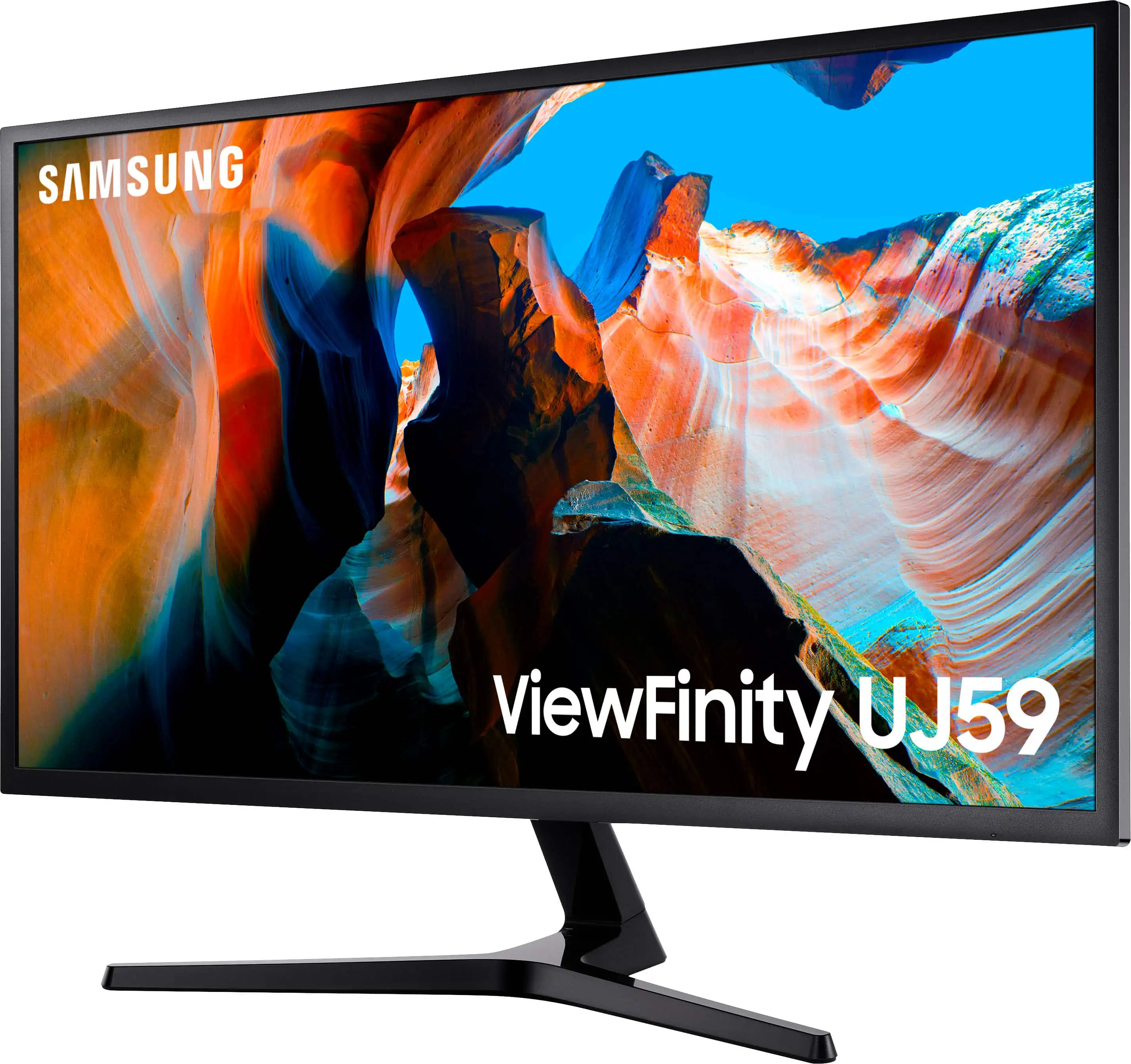
Finally, Samsung touts “slim bezel elegance,” and here the real-world consensus is overwhelmingly positive. 86% of BestViewsReviews users praised the design, describing bezels as “extremely thin, similar to that of a laptop screen.” This aspect matches the marketing without meaningful pushback.
Cross-Platform Consensus
Universally Praised
The standout praise surrounds the panel’s color accuracy and clarity. Creative professionals and hobbyists repeatedly highlight the monitor’s suitability for photo and video editing. A verified buyer on Amazon noted, “Perfect for watching high-quality media and for tasks like design and editing where color precision is key”. This aligns with the claimed 1.07 billion color support and wide gamut measurements.
For office productivity, the 32-inch 4K real estate earns accolades for multitasking efficiency. Users appreciate being able to work with multiple windows without resorting to dual-monitor setups. A Best Buy reviewer shared, “Big, eliminates the need for 2 screens for my office setup”, a sentiment echoed on Reddit where picture-by-picture mode was called “a game-changer for my security monitoring setup.”
Design aesthetics also win uniform approval. Many mention the sleek bezels and matte black finish complementing diverse workspaces. BestViewsReviews summarized consensus: “The monitor has a sleek and modern appearance with slim bezels and clean lines, making it a stylish addition to any workspace or gaming setup.”
Common Complaints
A frequent frustration is the refresh rate limitation via HDMI. Buyers expecting straightforward 4K/60Hz connectivity found themselves capped at 30Hz unless using DisplayPort. This affects both gaming and fast office work where smooth motion matters. One Best Buy user admitted closing their eyes when dragging windows due to sluggish movement at lower Hz rates.
Some reported signal dropout, particularly when connected via HDMI. On Samsung’s own community forum, a user vented, “It loves to cut off and on while the computer is running… replaced it with a high-end cable and it still cuts off”. The suggested fix—switching to DisplayPort—solved issues for some, but requires specific GPU compatibility.
The stand’s lack of ergonomic adjustment surfaces in nearly every platform’s feedback. While tilt is available, height, swivel, and pivot are absent, pushing many toward aftermarket stands. As one Amazon buyer put it: “It’s fixed as in any other monitor, so bought a separate stand… reduced the height now.”
Viewing angles are another detractor. VA panels, while strong in contrast, suffer more from color shifting at extremes compared to IPS. A Best Buy comment summarized: “Viewing angles are a little limited causing some darker areas at certain positions.”
Divisive Features
Gaming capability receives mixed reviews. Console users on PS4/PS5 and Xbox often describe satisfactory outcomes: “Best monitor for my PS5 without shelling extra cash for HDMI 2”. PC gamers, however, point to the lower refresh rate and input lag versus dedicated gaming models as reasons to look elsewhere.
Brightness adequacy is similarly split. In dim or moderate lighting, shoppers praise image pop and reduced glare from the matte screen. In bright rooms, others find it lacking, as one Best Buy buyer cautioned: “Not the brightest display out there… if your space is bright, look elsewhere.”
Trust & Reliability
While long-term durability appears solid—many Best Buy reviews mention 6+ months of use without degradation—isolated instances of random shutdowns and line artifacts raise reliability questions. One Best Buy shopper described “green and blue lines come on at random times,” suspecting software or hardware faults.
Trustpilot ratings hover low partly due to dissatisfaction with Samsung’s customer support rather than the product itself. Community exchanges show many resolving issues via self-help (changing cables, adjusting GPU settings) rather than official service channels.
On eBay, resale units generally list as “tested and in good working condition” even with cosmetic scratches, suggesting functional longevity if physical care is taken.
Alternatives
While no direct competitor is heavily mentioned in the aggregated data, several buyers compared this model’s value to much pricier monitors. One notable case saw a shopper return a $1200 panel to buy a second UJ59, citing comparable quality for their needs. Where high refresh rates or wider viewing angles are necessary, IPS-based 4K monitors or QHD high-refresh gaming panels are often suggested.
Price & Value
Community consensus is that retail pricing around $300–$340 in the US represents strong value for a 32" 4K display with FreeSync. eBay listings for open-box units range from $189–$310, hinting at a decent resale market. Bargain hunters report significant markdowns—one Best Buy purchaser saved $60 weeks after buying—and multiple users recommend waiting for seasonal sales.
Buying tip repeated across forums: use the included HDMI cable only for setups not requiring 4K/60Hz, and budget for a quality DisplayPort cable if you want to unlock the spec ceiling.

FAQ
Q: Can the Samsung UJ59 do 4K at 60Hz over HDMI?
A: Only via HDMI 2.0 input and with compatible hardware. Many users report being capped at 30Hz via HDMI unless using DisplayPort.
Q: Does it have built-in speakers?
A: No. Multiple reviews confirm audio output is via headphone jack only—external speakers or headsets are required.
Q: Is the stand adjustable?
A: It supports tilt (-2° to +15°) only. Height, swivel, and pivot adjustments are not available.
Q: How does it perform for gaming?
A: Console gamers tend to be satisfied, but PC gamers may find the 60Hz limit restrictive compared to high-refresh gaming monitors.
Q: What’s the best way to solve signal dropout issues?
A: Many users switched from HDMI to DisplayPort, which resolved dropout and improved stability.
Final Verdict: Buy if you’re a productivity-focused user, casual gamer, or creative professional seeking a large, color-accurate 4K screen at a budget-friendly price. Avoid if high refresh rates, flexible ergonomics, or HDR are essential. Pro tip from the community: connect via DisplayPort to unlock full 4K/60Hz performance and minimize signal interruptions.