Razer Seiren V3 Chroma Review: Stylish but Noisy
Digging into user reports, a striking pattern emerges: while the Razer Seiren V3 Chroma USB Microphone (Quartz Pink) dazzles with its RGB spectacle and delivers a warm, balanced sound out of the box, many users find its noise control lacking for the $129–$139 price point. Across Reddit, Trustpilot, and professional reviews, the consensus lands at a 7.5/10—a stylish, streamer-friendly mic that shines in aesthetics and ease of use, but stumbles in background noise suppression and advanced audio tweaking.
Quick Verdict: Conditional — Best for gamers/streamers who prioritize RGB aesthetics and plug‑and‑play simplicity over pristine noise‑free audio.
| Pros | Cons |
|---|---|
| Striking, customizable RGB lighting with stream/game reactivity | Noticeable background hiss/buzz, even at low gain |
| Warm default EQ suitable for casual streaming | No built‑in noise suppression or EQ control |
| Simple tap‑to‑mute with visual feedback | RGB can be distracting for some |
| Compact, premium build and small footprint | Synapse software freezes for some users |
| Plug‑and‑play with deeper Synapse customization | Requires boom arm for optimal performance |
Claims vs Reality
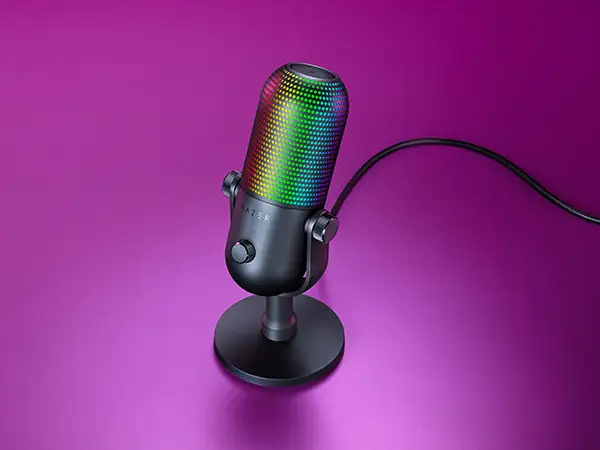
One of Razer’s core marketing claims is “stream and game reactive lighting” that enhances immersion. Users widely confirm the RGB spectacle. A GamesRadar+ reviewer noted the mic’s lighting “act[s] as a gain monitor, turning red if you speak too loudly and green when it’s just right.” This visual feedback benefits streamers who need quick level checks without software meters. However, other users—like one on PC Gamer—found certain reactive modes distracting: “I was subject to a series of eye-searing flashes… a gradual flow would be much easier on the eyes.”
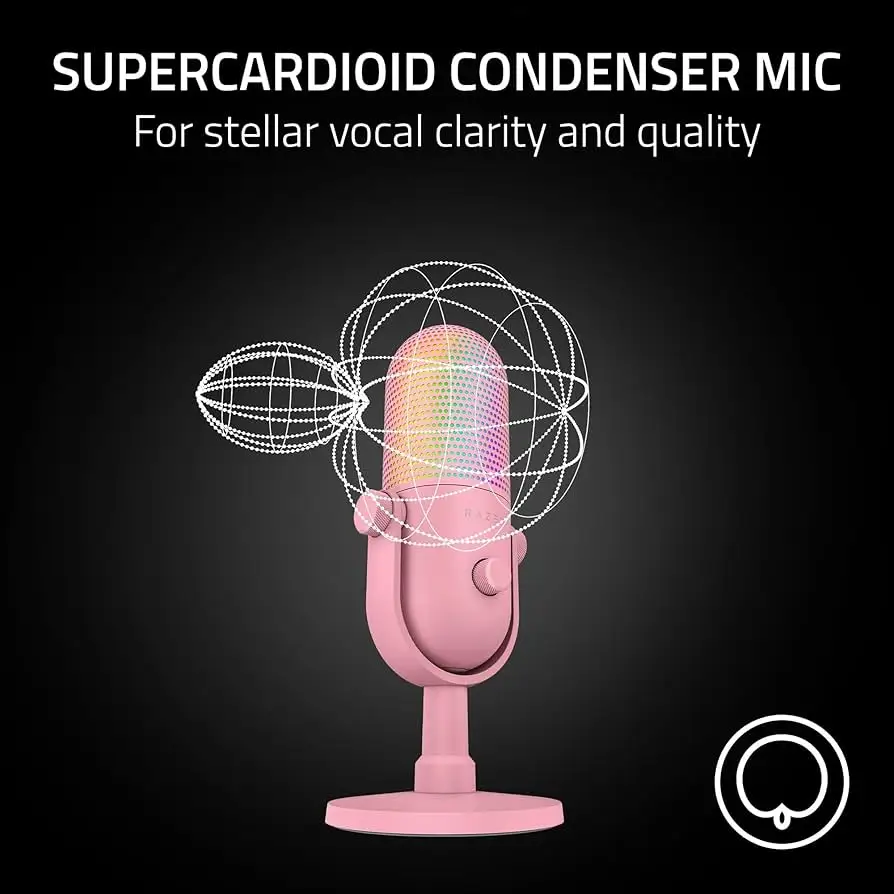
Razer also touts its “supercardioid condenser mic” for superior side/rear noise rejection. While specs promise tight pickup, multiple reviews show that reality is mixed. PCGamer’s test revealed “audible buzz and hiss even at low‑ish gain settings,” and GamesRadar+ reported that typing and PC fan noise behind the mic still bled through. For podcasters or creators in noisy rooms, this undercuts the claim.
Finally, “plug‑and‑play” is heavily marketed. This is accurate for basic use—users praise its out‑of‑box performance—but deeper customization or using stream‑reactive features requires Razer Synapse, which some report as unstable. On Razer Insider, one owner wrote: “Synapse completely freezes… I can’t change any settings without having to wait… disconnect the mic and Synapse works perfectly fine.”
Cross‑Platform Consensus
Universally Praised
Across Reddit, GamesRadar+, and PCGamesN, the RGB lighting is the showstopper. Streamers love its ability to sync with alerts or in‑game events. PCGamesN described it as “the brightest, most dynamic microphone RGB I’ve ever seen,” with nine programmable zones. For content creators already in Razer’s ecosystem, this lighting syncs with other Chroma devices, creating a cohesive look.
The warm, balanced default EQ also gets nods. PC Gamer credited it with a “fairly warm, round rendition of your vocals” that works well for casual streaming and voice chat. GamesRadar+ noted it was a “marked step up” from older entry‑level mics like the Blue Snowball. For gamers on Discord, the sound is clear and present without extensive tweaking.
Build quality is another cross‑platform win. The matte finish, metal stand, and compact 211mm height make it desk‑friendly. Reviewers repeatedly mention its premium feel. A Reddit summary called it “practical for content creators” with a solid anti‑shock mount—though not perfect at isolating knocks.
Common Complaints
Noise handling is the single most consistent complaint. Trustpilot feedback, PC Gamer, and Cryovex’s review all cite audible background hiss and buzz, with no native noise suppression or gate. As Cryovex put it: “Even at lower gain settings, you’ll notice a slight buzz or hiss.” This affects anyone recording in untreated rooms, especially podcasters or VO artists.
The Synapse software experience is divisive. While it unlocks full RGB control and the stream mixer, several users encounter freezes. On Razer Insider, one owner reported: “As soon as the microphone is connected back, Synapse starts to act up.” This frustrates those juggling multiple Razer peripherals.
The mic’s supercardioid pattern, while good for rejecting side noise, has a narrow sweet spot. PCGamesN found it tricky to balance sensitivity with background noise rejection without a boom arm. Keyboard noise was still picked up at typical desk distances.
Divisive Features
The RGB itself polarizes. Enthusiasts praise it as a functional showpiece; minimalists find it distracting. GamesRadar+ admitted to turning it off for focus. Similarly, the tap‑to‑mute feature is loved for its ease—PC Gamer highlighted the clear red mute indicator—but some wish for more tactile controls beyond the single dial and hidden touchpad.
The price is another split point. At ~$129, some see good value compared to XLR setups, while others, like Cryovex, argue you can find cleaner‑sounding USB mics for less if you skip RGB.
Trust & Reliability
Long‑term durability feedback is limited but positive on hardware. No widespread build failures are reported. The bigger reliability concern is software stability. Multiple reports detail Synapse freezing or hanging when the Seiren V3 Chroma is connected, sometimes requiring reinstalls. While Razer support engages on their forums, fixes aren’t consistent.
Physically, users note the supplied desk stand transmits taps and vibrations. A Reddit review recommended a boom arm “to get rid of this constraint” for stability and noise control over time. No major complaints about USB‑C connection wear or headphone jack failure surfaced.
Alternatives
The HyperX QuadCast S is the most frequently mentioned rival. Like the Seiren, it offers RGB and USB simplicity, but includes a built‑in shock mount and multiple polar patterns, giving it more flexibility for different recording environments. PC Gamer notes the HyperX also lacks advanced software noise reduction, but its mount better isolates desk noise.
The Audio‑Technica AT2020USB+ comes up in comparisons for its crisp, rounded sound at a lower price—around half of the Seiren’s cost—but it offers no RGB and minimal software. For pure audio quality without flashy lighting, reviewers suggest it as a better value.
Price & Value
At the time of writing, prices range from $114.99 (Best Buy sale) to $139.99 (Amazon), with eBay listings dipping to ~$64 for certain colors. Resale values remain decent among Razer fans, especially for the Quartz Pink variant due to its aesthetic appeal.
Community buying tips stress waiting for sales if audio is your priority, as other mics in the $80–$100 range can match or exceed its sound quality. However, for RGB‑centric setups, users feel the premium is justified.
FAQ
Q: Does the Razer Seiren V3 Chroma have built‑in noise suppression?
A: No. It offers a high‑pass filter and digital gain limiter, but no noise gate or suppression. Users in noisy environments often pair it with third‑party tools like Krisp.
Q: Can the RGB lighting be turned off?
A: Yes. Three quick taps on the touch‑sensitive top can disable RGB entirely, or you can adjust brightness and effects via Razer Synapse.
Q: Is it good for podcasting?
A: It can work, but the background hiss at higher gain makes it less ideal for professional podcasts without noise treatment or external processing.
Q: Does it work on a boom arm?
A: Yes. It’s compatible with standard boom arms, which many owners recommend for optimal positioning and noise reduction.
Q: How does the tap‑to‑mute work?
A: A single tap on the top mutes the mic, changing RGB to red for visual confirmation.
Final Verdict: Buy if you’re a gamer or streamer who values RGB integration, warm plug‑and‑play sound, and a compact premium build. Avoid if you need pristine, noise‑free audio for professional recording. Pro tip: Use a boom arm to lower gain and reduce background hiss—this small change can significantly improve results.





