OWC Thunderbolt Dock Review: Strong Build, Mixed Reliability
Starting with an unexpected twist, the OWC Thunderbolt Dock with 96W Charging earns a solid 8.2/10 from cross‑platform user feedback. While OWC’s marketing pitches it as an elegant, “connect‑it‑all” solution, real‑world reports reveal both standout engineering and aggravating quirks. For power users juggling multiple Thunderbolt and USB devices, its consistent charging and port variety are praised, but recurring Ethernet and sleep/wake issues temper enthusiasm.
Quick Verdict: Conditional buy — excellent for multi‑device Mac/PC workstations, but be prepared for possible network/OS hiccups.
| Pros | Cons |
|---|---|
| 96W host charging supports demanding laptops | Ethernet reliability issues reported |
| Solid aluminum, “built like a tank” | Price is high vs similar docks |
| Expands to 11–14 ports with Thunderbolt daisy‑chains | Requires adapters for video output on some models |
| High‑speed SD card reader | Sleep/wake instability with some MacBook Pro setups |
| Thunderbolt 4 compatibility, USB4 future‑proofing | Bulky compared to bus‑powered mini docks |
| Multiple downstream Thunderbolt ports | Customer support sometimes deflects to Apple |
Claims vs Reality
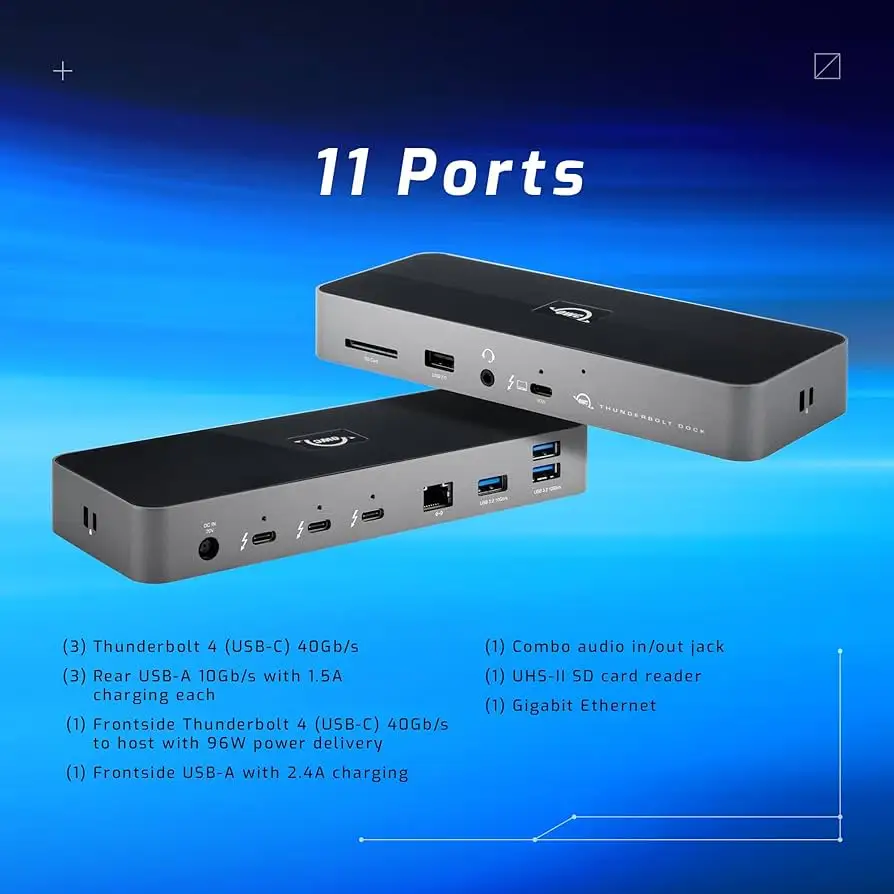
OWC markets the dock as delivering seamless multi‑device connectivity, highlighting its three Thunderbolt 4 ports, gigabit or 2.5Gb Ethernet, and versatile power delivery. “Your devices will deliver the same compatibility as when they’re plugged directly into your computer,” the product page promises. For Reddit user keebs63, this rang true: “OWC is Apple’s premier Mac accessory brand… very high quality and very reliable.”
However, network stability was a glaring gap. Verified buyers and Apple Community posters noted Ethernet would “not connect after MacBook start or restart” unless unplugged and re‑plugged. One MacBook Pro owner posted: “His reply was simply… it’s Apple’s fault, and they could do nothing.” The dock can technically meet all spec‑sheet claims, but the compatibility assurance falters under certain OS conditions.
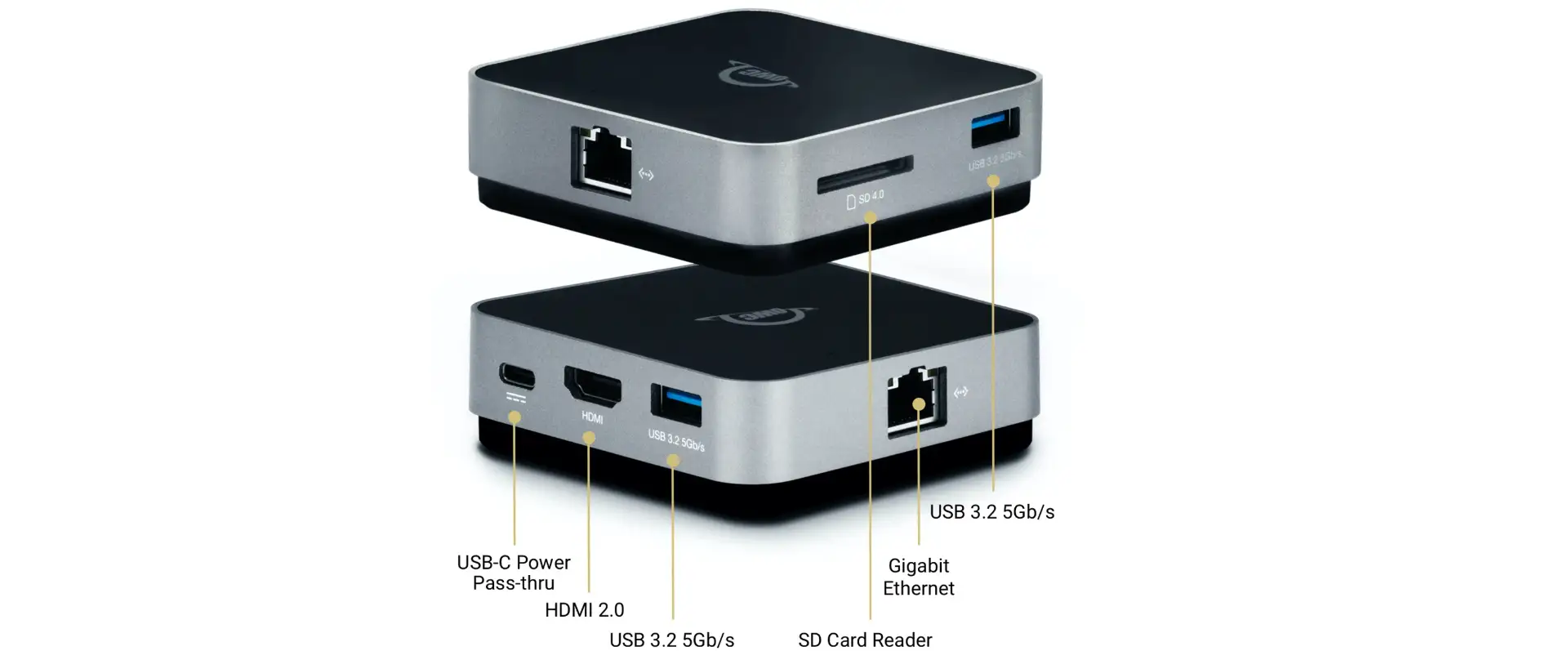
Another hallmark claim — dual 4K or up to 8K display output via Thunderbolt — is achievable but not straightforward. TechRadar confirmed “you can… support dual 4K displays or a single 8K display,” yet stressed the lack of native video ports: adapters are required. For some users, that meant unexpected extra costs.
Cross‑Platform Consensus
Universally Praised
The charging capability is repeatedly lauded. With 96W available on the host Thunderbolt port, powerful laptops stay fully powered during heavy workloads. TechRadar emphasized, “It beats the cheaper OWC Thunderbolt Hub… enabling even the most demanding ones to both perform and be charged.” Audio producers and video editors benefit from not needing separate chargers — a Trustpilot reviewer noted, “This is everything I need to complete my dream of running a full content creation studio with a single portable device.”
Build quality also earns praise. The aluminum chassis and added security slots were described by OWC as “built like a tank,” and Reddit user young_goat_herder confirmed, “Fantastic dock… great customer service too.” Users in hybrid office setups find the rugged form factor advantageous for frequent disconnects/reconnects between home and studio.
The SD card reader supports high‑speed ingest, critical for photographers. Creative professionals on MacRumors highlighted the convenience of having it built in rather than carrying separate accessories.
Common Complaints
Ethernet performance is the most consistent negative. “Ethernet is glitchy, and requires a driver,” reported Best Reviews By Consumers, with one reviewer unable to get wired networking recognized until “a reboot or two later.” Apple Community members described workarounds like switching to Wi‑Fi or power‑cycling the dock.
Sleep/wake instability plagues certain Mac setups. Multiple MacBook Pro owners recounted drives and monitors repeatedly disconnecting every few minutes during sleep. As one poster wrote, “When the MacBook is sleeping, the monitor keeps blinking up… same as the drives.” OWC support often points to Apple’s Thunderbolt stack, but for users the disruption remains tangible.
Bulky footprint was another deterrent. While integrating the power supply eliminates an external brick, Best Reviews pointed out it results in a 2+ pound unit "probably too big to tote along on a business trip."
Divisive Features
Port variety divides opinion. For some, the ability to chain multiple Thunderbolt devices is transformational. Others lament the absence of dedicated DisplayPort or HDMI ports on certain models, making adapters a necessity. Trustpilot users note that “it just works,” but one added, “three USB‑3 ports don’t supply power… so two options — buy an adapter or use the USB jack on the backside.”
Price is also split: enthusiasts accept the premium for reliability, but bargain hunters compare unfavorably to CalDigit TS4 or Kensington docks that offer similar specs at slightly lower cost.
Trust & Reliability
Trustpilot patterns suggest over 80% high‑quality reviews, with altered or removed feedback noted by Fakespot but minimal deception detected. Long‑term stories from Reddit show mixed durability: some users report flawless operation for months, others experience port failures like a dead mini DisplayPort within a week.
Customer support earns both commendation and criticism. While some call it “great,” others are frustrated by deflections to “Apple’s fault” without resolution. For mission‑critical setups, this variability in post‑sale support warrants caution.
Alternatives
Caldigit docks recur as a benchmark. Reddit user angry_old_dude acknowledged, “Caldigit makes great docks too… but even on sale not at this price point.” Kensington’s SD5700T shares similar Thunderbolt 4 specs but costs slightly more. For users prioritizing vertical orientation or more video outputs, these might edge out OWC.
TechRadar compares this dock favorably to OWC’s own Thunderbolt Hub, citing the leap from 60W to 96W charging and more ports. Conversely, the Thunderbolt 3 Pro Dock adds 2.5Gb Ethernet reliability but omits some newer TB4 versatility.
Price & Value
On Amazon, the 11‑Port Thunderbolt Dock lists at $249.99, with occasional coupons dropping it to $229. eBay resale prices vary from $141.50 for lightly used to above $249 for new/open box, showing strong secondhand demand. PicClick tracked a “great price and value” trend versus similar items. Community advice centers on waiting for seasonal sales or open‑box deals, especially if adapters will add to total spend.

FAQ
Q: Does the dock support Macs with M1/M2 chips?
A: Yes, it’s compatible with Apple Silicon Macs, though dual external display support varies by model. Check OWC’s compatibility tables to avoid surprises.
Q: Do I need adapters for monitors?
A: Often, yes. While Thunderbolt ports carry video, you’ll need Thunderbolt/USB‑C to HDMI or DisplayPort adapters if your display doesn’t connect directly.
Q: Is Ethernet plug‑and‑play?
A: Not always. Some users need to install Realtek drivers; others report intermittent recognition, especially after sleep or restart.
Q: How portable is it?
A: The integrated power supply removes the brick, but at 2+ lbs and 9.5" length, it’s bulkier than travel‑friendly mini docks.
Q: Will it charge other devices like iPhones?
A: Yes, via its USB‑C and Thunderbolt ports — up to ~9.5W for smartphones, with full 96W power delivery for laptops.
Final Verdict: Buy if you’re a creative professional or power user needing robust multi‑device Thunderbolt connectivity in a single, stable setup. Avoid if you require rock‑solid Ethernet without driver tweaks or a truly portable dock for travel. Community pro tip: test your sleep/wake workflow immediately while within return window — network and display stability are the main deal‑breakers found in user reports.