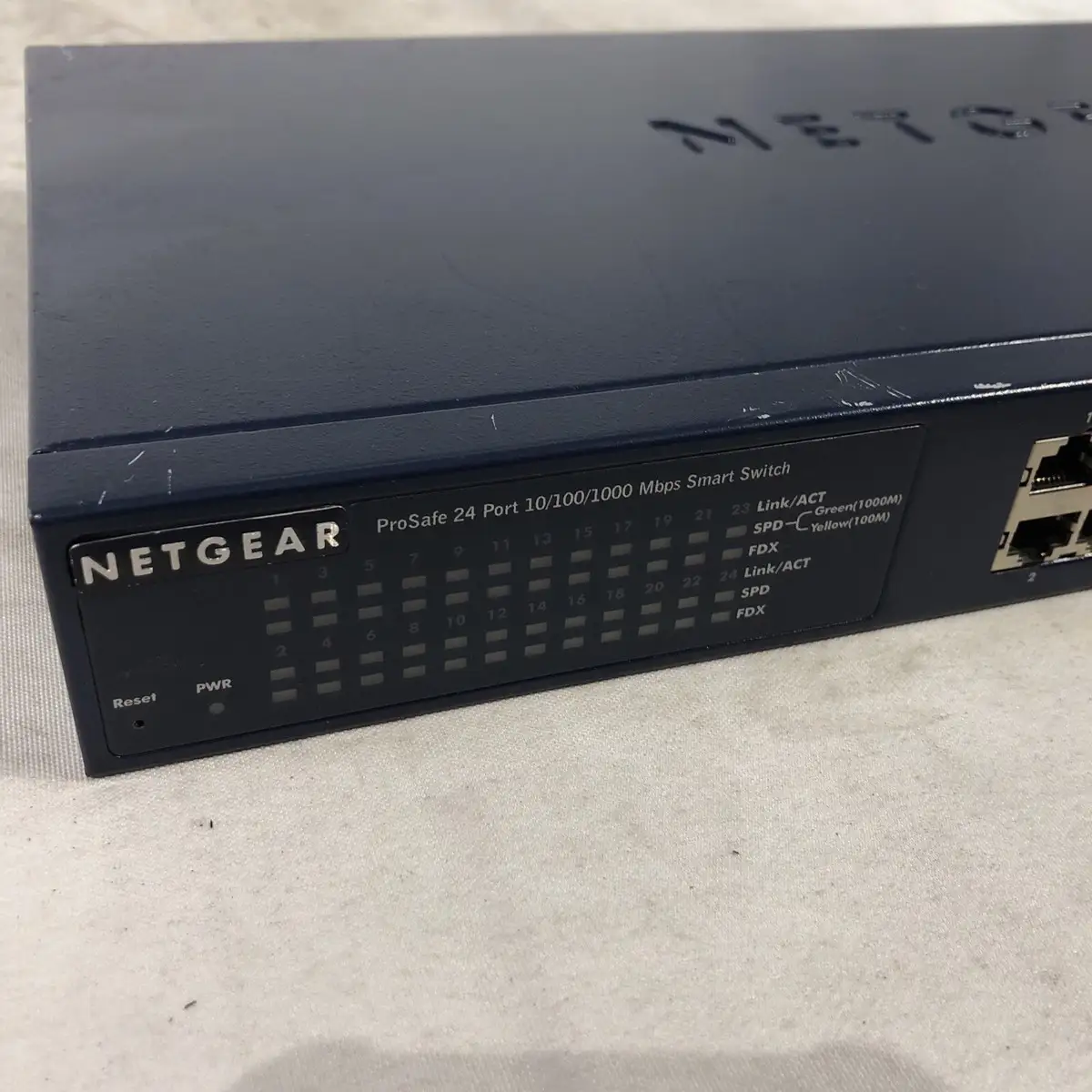
NETGEAR GS724T Switch Review: Strong Value, Some Limits
A network engineer once summed it up bluntly: NETGEAR GS724T 24-Port Gigabit Managed Switch with SFP is "a great switch for the money... but it's not as smart as I thought." With an aggregated user sentiment hovering around 8.8/10, the GS724T is positioned as a capable, cost-effective choice for small-to-medium business networks—but quirks in management performance and missing features like PoE support in some models temper the praise.
Quick Verdict: Conditional recommendation
| Pros | Cons |
|---|---|
| Easy setup; plug-and-play capability | No PoE support on standard GS724T models |
| Affordable per-port pricing | Underpowered CPU can affect GUI responsiveness |
| Solid metal construction; rack mount ready | IPv6 configuration limitations from web GUI |
| Quiet, fanless operation on non-PoE units | Feature set feels bolted onto consumer-grade hardware |
| Advanced features like VLAN and QoS for business use | Requires technical expertise for full utilization |
| Lifetime hardware warranty | Port mirroring requires reboot to disable |
| Reliable for VoIP, video conferencing, and SMB workloads | Slow UI under certain configurations |
Claims vs Reality
Marketing materials emphasize the GS724T’s “powerful L2 and Layer 3 Lite features, enhanced performance, and usability” with remote management via Netgear Insight. While it does offer smart VLAN management, static routing, and multicast control, user experiences vary on how smoothly these functions operate under heavy load.
Reddit user h2o*** described a case where "the management GUI is unaccessible... something is causing a CPU overload." The issue, traced to improper IGMP snooping settings reacting to multicast traffic between firewalls, suggests that while the switching hardware remains stable, the management plane can struggle with certain traffic types.
Netgear also markets silent operation as ideal for noise-sensitive environments. On this claim, the reality is solid—Best Buy reviewer mike*** praised it for running “great” in a home office full of IP cameras, NAS devices, and phones without any audible disturbance. Models without PoE are truly fanless, matching the spec sheet’s 0 dBA at 25°C.
Cross-Platform Consensus
Universally Praised
Ease of setup is a recurring highlight. Verified buyers on Amazon noted “super simple setup, pretty much plug and play,” and that the intuitive web interface “helped the setup” when expanding networks. For SMB admins, this means less time wrestling with config screens and more time in operation.
Price-to-performance is another common theme. StorageReview.com calculated “roughly $8.50 per port” with a lifetime warranty, framing the GS724T as affordable for small enterprises needing reliable Gigabit across dozens of devices. Reddit administrators saw value in stacking them across sites, citing their interoperability and low thermal output compared to competitors.
Quiet operation gets special mention on Trustpilot and Netgear’s own store pages. A verified buyer appreciated that the non-PoE GS724T “will operate silently, ideal for noise-sensitive environment.”
Common Complaints
Absent PoE functionality in this base model is a constant caveat. Multiple buyers confused GS724T with GS724TP/GS724TPP units and had to return. One Trustpilot reviewer admitted “Excellent unit but I had to return because it was not the model with PoE.”
Management performance under load presents another pain point. Reddit user h2o*** faced “rare ping responses” and GUI lockdown when ESXi servers triggered heavy CPU utilization—problems resolved only by disabling certain multicast features.
IPv6 management is frustratingly limited. Trustpilot feedback described “nowhere to configure an IPv6 address... can’t do that through the web page.” This restriction undercuts Netgear’s own “comprehensive IPv6 support” claim, forcing reliance on alternate methods.
Divisive Features
The GUI gets mixed marks—praised as “extremely straight forward” by IT pros on Spiceworks, but criticized for slow responsiveness due to an “underpowered SoC/RAM” under complex setups. A Spiceworks contributor warned that “port mirroring can only be disabled with a reboot,” an annoyance in live environments.
Trust & Reliability
Trustpilot’s analysis rated deception risk low, with most reviews appearing authentic. Hardware reliability earns steady praise—Best Buy user east_tx*** described it as “good build quality” that “gets the job done.” Long-term accounts from Reddit and Spiceworks show GS724T surviving in production racks for years without failure, with warranty replacements handled promptly when internal power supplies failed.
However, Netgear’s limited lifetime warranty excludes software and requires registration within 90 days, a stipulation some buyers only discovered after purchase. As one Trustpilot note put it, the “lifetime warranty [is] only 2 years on the internal power supply,” which can catch owners off guard.
Alternatives
MikroTik switches come up in community comparisons, often costing more but offering broader PoE and Layer 3 routing capabilities. Trustpilot reviewers noted GS724T is “much cheaper than MikroTik switches while offering lower thermals and higher reliability.”
QNAP was another benchmark—Netgear’s pricing advantage on basic Gigabit ports is clear, yet QNAP’s edge in 10Gbps options makes it a fit for bandwidth-heavy deployments. For administrators needing PoE without overspending, stepping up to GS724TP or GS724TPP delivers identical core features plus 190W/380W power budgets.
Price & Value
Recent eBay listings for GS724T range from $39 used to $152 open-box, reflecting strong resale value and demand in secondary markets. StorageReview’s $205 street price for new units is still competitive against similar managed switches with SFP capability. Community tips consistently urge checking the exact model suffix to avoid buying non-PoE when it’s required.
Buyers seeking maximum return should target lightly used GS724T units from enterprise upgrades, as these often include rack ears and SFP modules without inflating cost.
FAQ
Q: Does the GS724T support PoE?
A: No, the base GS724T model does not have PoE support. You need GS724TP (190W PoE+) or GS724TPP (380W) for that functionality.
Q: How noisy is the GS724T?
A: The non-PoE GS724T runs fanless at 0 dBA, making it suitable for offices or home labs where silence is critical.
Q: Can IPv6 be configured from the web GUI?
A: Some users report difficulty configuring IPv6 addresses through the GUI and must use alternative management methods.
Q: What causes the management GUI to become unresponsive?
A: Heavy multicast traffic and certain enabled features like IGMP snooping can overload the internal CPU, affecting GUI access.
Q: Does it work well for VoIP and video conferencing?
A: Yes, many SMB deployments use GS724T for VoIP and conferencing thanks to VLAN and QoS features, as noted by StorageReview and Spiceworks.
Final Verdict: Buy if you’re a small business or advanced home lab builder who needs stable Gigabit with SFP uplinks, quiet operation, and can live without PoE. Avoid if PoE or heavy IPv6 management is central to your deployment. Pro tip from community: verify your exact GS724T variant before purchase—suffix matters for features and power delivery.