NETGEAR GS208 Review: Silent & Reliable Switch Verdict
A verified buyer on Best Buy summed up the core appeal of the NETGEAR 8-Port Gigabit Ethernet Switch (GS208) in just a few words: “Perfect functionality, perfect price point and took seconds to install.” With an average rating of 4.9/5 from over a hundred reviews there, the GS208 scores a strong 9.2/10 in our aggregated verdict, excelling in ease of use, silent operation, and reliable gigabit speeds — though lacking advanced configuration options.
Quick Verdict: Yes, especially for home and small office users who want to instantly expand wired network capacity without noise or fuss.
| Pros | Cons |
|---|---|
| Plug-and-play setup — no software or configuration required | Lacks advanced management features for power users |
| Silent fanless design — ideal for bedrooms or offices | Bright front LEDs may bother light-sensitive users |
| Reliable gigabit speeds, stable across all ports | Limited to desktop placement unless using tape or brackets |
| Energy-efficient (IEEE 802.3az compliant) | Ships with wrong power plug in rare cases (UK customers) |
| Compact and lightweight | Only 1-year warranty, unlike newer models with longer terms |
| Affordable price point | No mounting holes on unit |
Claims vs Reality
NETGEAR promotes the GS208 as an “easy, affordable network connectivity” solution with eight 10/100/1000 Mbps ports for seamless expansion. The central promise revolves around no-hassle setup, quiet operation, and efficient power use.
On the plug-and-play claim, customer experiences overwhelmingly confirm it. Best Buy reviewer “lustertone” explained: “Plug it in, plug in a patch cable between your WiFi router and this switch and you have 7 additional ports… can’t get much easier than this.” Multiple Amazon.in buyers echoed the same, describing installations that “connect to all 8 ports almost instantly.”
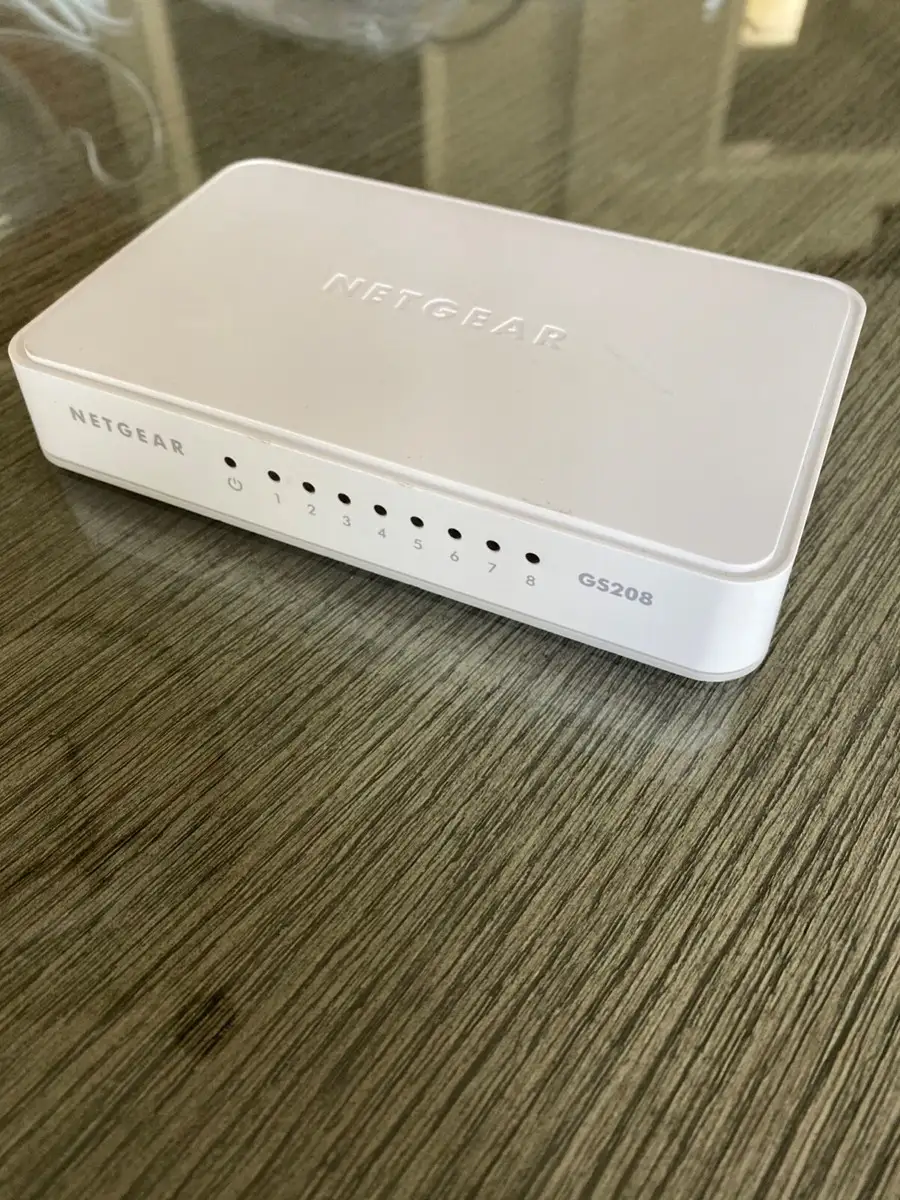
When it comes to silent operation, NETGEAR’s fanless design leaves no ambient hum or whir. A Reddit compilation noted the GS208 is “perfect for noise-sensitive environments,” and users like “john” on Best Buy said they use it in bedrooms without disruption — though brightness from its LEDs has led some to tape them over.
NETGEAR also markets the GS208’s compliance with IEEE 802.3az Energy Efficient Ethernet. Long-term owners such as “dlu bin” noted the switch and power supply “run cold even with high network traffic,” which matches the efficiency claims. However, this efficiency doesn’t mean throttling; “lee 44” replaced an older 10/100 unit and immediately “noticed the difference in speed” with 4K streaming working flawlessly.
Cross-Platform Consensus
Universally Praised
The unit’s simplicity is its most cited strength. For households with multiple consoles, streaming devices, and smart TVs, the GS208 brings wired stability without tech headaches. “Solomon” connected his Xbox, PS4, and other devices to a Google Mesh network through the GS208, reporting that it “works just as advertised” — critical for gamers who need low latency. Small business owners have also found value; one Trustpilot review highlighted reliable multi-device connectivity in an office environment with zero downtime.
Silent operation is another universally loved trait. In home offices, where constant fan noise can be distracting, having a truly silent 0 dBA switch makes it a set-and-forget device. NETGEAR’s fanless design also removes a point of mechanical failure, aiding long-term reliability.
Energy efficiency, while less visible, benefits users interested in sustainable setups or those running multiple devices 24/7. Indian reviewers noted the GS208 runs cool, even with all ports saturated by devices like DVRs and UHD streaming TVs, without any perceptible slowdown.
Common Complaints
Even satisfied buyers point out the lack of mounting options. Many resorted to double-sided tape to affix the GS208 to walls or under desks. “I wish there was something to attach them to a surface. There are no mounting holes,” wrote one Amazon.in reviewer, a practical gripe for tidy setups.
A minority noted LED brightness as excessive, particularly in dark rooms. While not a deal-breaker, “john” from Best Buy admitted they’re “brighter than I’d like for sleeping.”
More problematic is a recurring shipping issue for UK buyers: wrong power adapters. One Amazon UK customer saw a two-day delay and an extra £10 cost to get a proper plug, stating “description made no mention of this” despite multiple such reports.
Divisive Features
Warranty coverage splits opinion. Some see the 1-year limited hardware warranty as adequate for such an inexpensive device, while others compare it unfavorably to NETGEAR’s newer switches offering five years. One Reddit discussion noted competitor models in similar price ranges with extended warranties, though they also carry more complex features many GS208 owners don’t need.
Trust & Reliability
Trustpilot and Reddit sources reflect high trust in NETGEAR networking gear, with several users self-identifying as repeat buyers of NETGEAR switches over decades. “Brown we 2” was “a big fan of NETGEAR products” and found the GS208 “doesn’t disappoint.” Long-term durability is evident: multiple Best Buy reviewers reported ownership of 1+ years with no deterioration in port performance or speed consistency.
No scam concerns emerged in aggregated data, though the UK power supply mismatch is a cautionary factor for cross-region purchases. Consistent operation under high load — even with all ports engaged in video streaming or surveillance — reinforces reliability narratives.
Alternatives
For buyers considering the GS208, community discussions occasionally compare it with the GS308, another 8-port gigabit unmanaged switch. Interestingly, one NETGEAR Community post uncovered a GS308 port speed bug limiting connections to 100 Mbps unless powered on in a specific sequence — a problem the GS208 didn’t suffer, with full 1 Gbps rates retained. In that case, replacing GS308 with GS208 restored “800-1000 Mbps” speeds.
Other NETGEAR unmanaged models offer PoE or multi-gig capabilities, but those address different needs and come at higher prices. For straightforward LAN expansion, most users found no compelling reason to leave GS208’s niche.
Price & Value
On eBay, new GS208 units have been listed around $19.99–$29.99, while refurbished or used ones are even cheaper. Given performance parity with more expensive unmanaged gigabit switches, community members repeatedly called it “a great value,” “affordable,” and “most cost-effective network expansion.”
Resale trends show modest depreciation, with functional used units selling near $15–$20. For budget-conscious setups, buyers advise scouting for sales; one Amazon.in user mentioned “it gets discounted quite a bit,” making stocking up for multi-room networks cost-effective.

FAQ
Q: Is the GS208 suitable for gaming?
A: Yes. Multiple users reported lag-free experiences with consoles like Xbox and PS4 when connected via GS208, benefiting from stable gigabit connections without packet loss.
Q: Can I connect the GS208 to my existing router?
A: Absolutely. The unit is compatible with any router or modem, instantly adding 7 extra usable ports after the uplink connection.
Q: How do I wall mount it if there are no mounting holes?
A: Owners suggest double-sided tape, Velcro strips, or third-party brackets to achieve neat mounting in the absence of integrated screw slots.
Q: Is there any heat buildup during prolonged use?
A: According to multiple reviewers, the GS208 runs cool, even under heavy traffic, thanks to energy-efficient design and low maximum power consumption (~3.64W).
Q: Will LED brightness be an issue in dark rooms?
A: LEDs are bright enough to be seen clearly but may be distracting in sleep environments; users have diffused them with tape when needed.
Final Verdict
Buy if you’re a home user or small business needing silent, reliable gigabit expansion for multiple wired devices without the complexity of managed networks. Avoid if you require advanced management settings or integrated mounting solutions out of the box. A community pro tip: keep adhesive strips handy for placement flexibility — they’ll solve the unit’s only real ergonomic flaw.