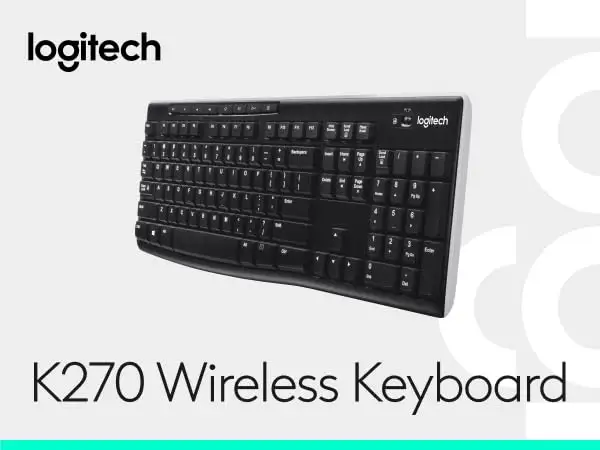
Logitech K270 Wireless Keyboard Review: Mixed Verdict
A surprising divide emerged in user sentiment toward the Logitech K270 Wireless Keyboard, with scores ranging from glowing praise to outright condemnation. While some buyers rate it as high as 9/10 for reliability and comfort, others give it a failing grade due to frequent connection drops. The aggregated score across platforms stabilizes at 6.5/10, hinging heavily on where and how it’s used.
Quick Verdict: Conditional — best for budget-conscious home/office users with clear line-of-sight setups, risky for gamers or environments with heavy wireless interference.
| Pros | Cons |
|---|---|
| Affordable price point, often under $30 | Frequent wireless disconnects in some setups |
| Long battery life (24–36 months reported) | Slippery or wobbly key feel for some users |
| Full-size layout with number pad | Lacks backlighting and wrist rest |
| Spill-resistant design | Height can be uncomfortable without palm rest |
| Easy plug-and-play setup with unifying receiver | Limited to single connection type (no Bluetooth) |
| Durable — some users report 10+ years of use | Receiver placement critical to avoid dropouts |
Claims vs Reality
Logitech markets the K270 as offering a “strong, reliable wireless connection with up to 33 ft range”, but Reddit user u/isaac_chan_3803 countered: “I have to put the keyboard on my lap… and occasionally, my K270 still loses connection”. Others echoed this, noting interference from other 2.4 GHz devices like Wi-Fi and Bluetooth. One long-term owner suggested using a USB extension cable to position the receiver in clear line of sight, which improved performance.
Battery life claims of 24–36 months do align with many reports. A verified buyer on Amazon noted: “Minimize downtime and battery changes with up to 36 months of keyboard battery life… standard batteries come pre-installed.” However, for users experiencing connection issues, the battery advantage becomes less relevant if the keyboard intermittently fails mid-task.
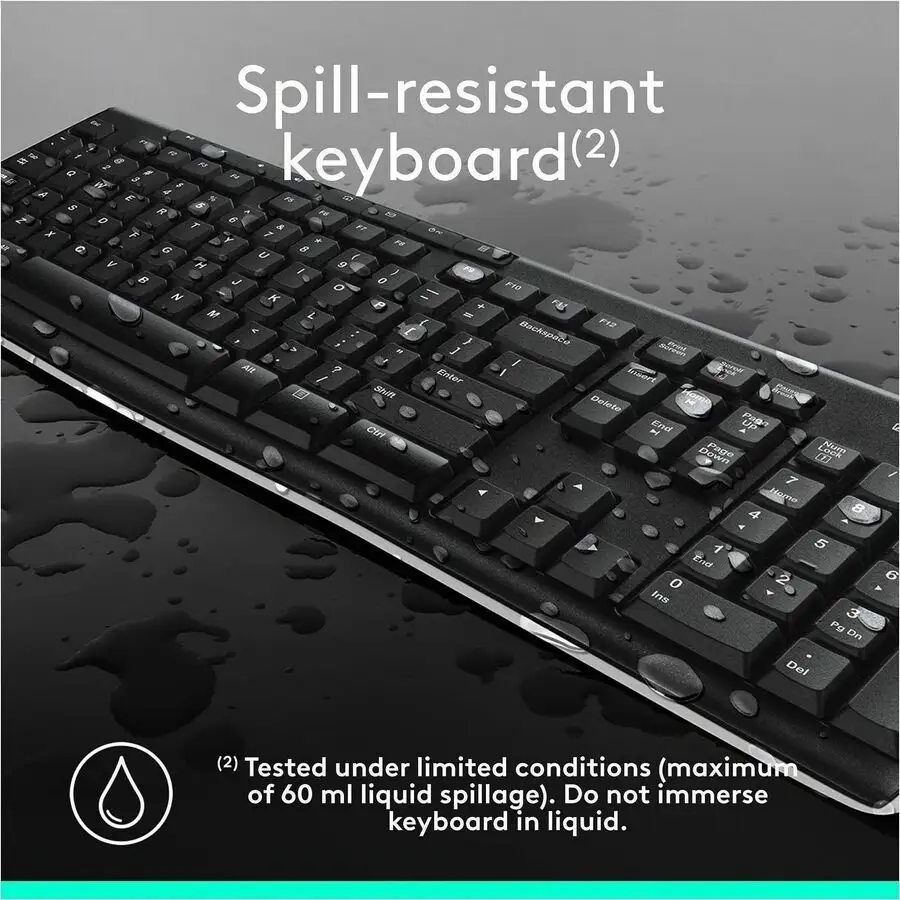
The advertised spill-resistant design holds up in light accidents, but one Redditor shared: “I spilled water on it… after that it was toast.” While the product is tested for up to 60ml liquid spillage, immersion or heavier spills can still destroy it.
Cross-Platform Consensus
Universally Praised
Budget-conscious buyers often praise the K270 for its value and simplicity. A Reddit user enthused: “You can be far from your PC and still hit headshots while strafing from the comfort of your bed.” Office workers appreciate the familiar layout and number pad, with an Amazon customer writing: “Full-size, spill-resistant keyboard with low-profile, whisper-quiet keys… built to last.” Durability is a recurring theme — multiple Reddit users report over a decade of use, with worn key surfaces but no functional failures.
The plug-and-play setup is another highlight. A Twitter reviewer said: “I love Logitech — just plugged the little thing into the USB and you’re off.” This ease of setup extends to multi-device pairing via the Unifying Receiver, reducing clutter for those integrating Logitech mice.
Common Complaints
Wireless connectivity issues dominate negative feedback. Trustpilot reviewers and Reddit users cited the need for “a perfectly clear view of the receiver or it fails to connect.” Gamers suffer most, losing competitive matches due to sudden dropouts. One Amazon 1-star review laments: “Keyboard stops working for several minutes at a time… total junk.”
Key feel divides opinion — some find them comfortable, while others complain of slipperiness or wobble. The height of the keyboard (21mm at lowest point) can cause wrist strain; without a palm rest, prolonged typing may be fatiguing.
Divisive Features
The tactile “deep-profile” keys split the crowd. Some users praise the bounce-back and curve, while TechGearLab testers noted a “mushy typing feel… rubbery surface underneath… almost swampy effect.” The lack of backlighting is another polarizing point — office users in well-lit spaces don’t mind, but low-light typists find it limiting.
Battery longevity is praised, but for those encountering signal loss, long life feels irrelevant compared to the frustration of frequent reconnections.
Trust & Reliability
Trustpilot data shows frustration when connection issues persist past return windows. One reviewer warned: “Going to return this one and pray that it lasts… Newegg should put in the title ‘for Mac’ so PC owners can make an informed decision.”
Long-term Reddit stories add nuance — some early K270 units lasted a decade without a single dropout, while newer revisions seem more prone to interference. One veteran user suspects cost-cutting measures reduced RF shielding quality: “Bought a keyboard back when they were higher quality… new one has the exact same issue nonstop.”
For those who keep the receiver positioned optimally, reliability can match the marketing claims. A Redditor reported: “After a year of use, the new K270 has never disconnected even once.”
Alternatives
Within the Logitech lineup, Reddit users mention the MK320 and K585 as slightly higher-tier options with similar layouts but potentially better build quality. TechGearLab recommends the Logitech MX Keys S for premium seekers — triple the price but offering superior comfort and connectivity.
Budget alternatives include Amazon Basics full-size keyboards and the Velocifire 87-key wired option for those willing to sacrifice wireless convenience for rock-solid reliability.
Price & Value
On eBay, open-box K270 units list around $17.99, while Amazon prices hover near $29.99 for the MK270 combo (keyboard + mouse). Resale value remains modest, with used units dropping under $10 without receiver included.
Community advice favors buying new if wireless performance is critical — missing receivers or damaged units can negate savings. Reddit power users suggest keeping spare Unifying Receivers for continuity across devices.
FAQ
Q: Does the K270 work with Mac computers?
A: Yes, but some users report inconsistent performance. Newegg reviewers found occasional connection failures on Windows 7/8, suggesting compatibility is broad but not flawless.
Q: How can I fix connection dropouts?
A: Position the receiver in clear line of sight, ideally using a USB extension cable. Avoid crowded 2.4 GHz environments when possible.
Q: Is the K270 good for gaming?
A: Not recommended for competitive play if wireless interference is possible. Some gamers report lag or disconnects costing them matches.
Q: How durable is the spill-resistant design?
A: It can survive small spills (up to 60ml) but immersion or larger accidents may permanently damage it.
Q: Can I pair other Logitech devices with the same receiver?
A: Yes, the Unifying Receiver supports up to six compatible Logitech peripherals.
Final Verdict: Buy if you’re a home/office user seeking a low-cost, full-size wireless keyboard with long battery life and you can ensure a clear receiver signal. Avoid if you’re a gamer or in high-interference environments. Pro tip from community: “Use a USB extension cable to keep the receiver close and in sight — it makes all the difference.”