Lenovo USB-C 7-in-1 Hub Review: Strong but Flawed
Packed into a frame smaller than an index card, the Lenovo USB-C 7-in-1 Hub Laptop Docking Station has earned an average 4.5/5 rating across hundreds of verified buyers—a score that positions it as one of Lenovo’s most consistently praised portable hubs. The verdict? 8.7/10 for portability and versatility, but with notable caveats for HDMI refresh rates and device compatibility.
Quick Verdict: Conditional Buy
| Pros | Cons |
|---|---|
| Extremely compact and travel-friendly | Fixed short USB-C cable limits desk setups |
| Solid build quality with metal top plate | Inconsistent HDMI refresh rate support (30Hz on many systems) |
| Reliable with Lenovo ThinkPads | Limited compatibility with some Lenovo laptops and USB-C phones |
| Plug & play, no driver needed | Some users report early failure within days |
| Works with select MacBooks and tablets | Cannot output to two separate external monitors |
| USB-C pass-through charging for laptops | Charging voltage insufficient for certain MacBooks |
| SD and TF card slots for media workflows | Wobbly HDMI and USB-C connectors on some units |
Claims vs Reality
One of Lenovo’s primary marketing hooks is “4K via HDMI at 60Hz”, promising smooth visuals for presentations and productivity. Digging deeper, a discrepancy emerges: while Lenovo’s own listings mention full 60Hz support, multiple Amazon reviews flag that “4K is @30fps, ok for watching movies but not for productivity as there will be a lot of lag at 30fps.” This means graphic designers or video editors expecting high refresh rates could be disappointed.
Another bold claim is “universal USB-C hub compatibility,” positioned as working with “any fully functional USB-C system.” In practice, this is largely true for mainstream laptops, but verified buyers have hit barriers. One frustrated Amazon customer reported, “we have two Lenovo laptops… unfortunately, it doesn’t work… Lenovo says it’s not supported. Kat in de zak gekocht dus!” The hub seems more dependable on the ThinkPad line, as German-speaking users confirm seamless function with both X1 Fold Gen 1 and X1 Carbon 6th Gen.
Finally, Lenovo highlights “USB-C power pass-through up to 65W.” For most ThinkPads, this works as intended—one educator working from home noted being able to “connect an HDMI monitor, Bluetooth mouse/keyboard, WiFi module all while charging the laptop using the native 65W charger.” Yet in contrast, MacBook owners discovered the hub “does not charge M1 MacBook as the output voltage is less than required,” undercutting the universality claim.
Cross-Platform Consensus
Universally Praised
Across Trustpilot, Reddit, and Amazon, portability is the hub’s standout advantage. Weighing just 92g, this compact unit slips into a laptop bag effortlessly. “Particularly great for travel, very little space needed, and the metal top gives a premium feel” wrote one ThinkPad X1 Fold user. Freelancers praised its ability to consolidate cables—switching from a spaghetti of dongles to a single connection.
Plug-and-play simplicity is another constant praise point. Without driver installs or setup complexity, users move seamlessly between home and office setups. A Trustpilot reviewer called it a “life saver” for hot-desking, detailing how it powered multiple peripherals while feeding the laptop charge.
Lenovo ThinkPad owners report optimal synergy, avoiding overheating or performance drops seen with generic hubs. One Amazon buyer stated: “If you have Lenovo you must use only this product… other adapters made my PC heat up and video/sound quality drop during Teams calls.” Such endorsements show a clear alignment with Lenovo’s own ecosystem.
Common Complaints
Cable length repeatedly appears in complaints. The fixed short USB-C lead makes elevated laptop setups awkward, forcing improvised fixes like velcro mounting. Several users pleaded for Lenovo to make “the cable only slightly longer” to improve ergonomics.
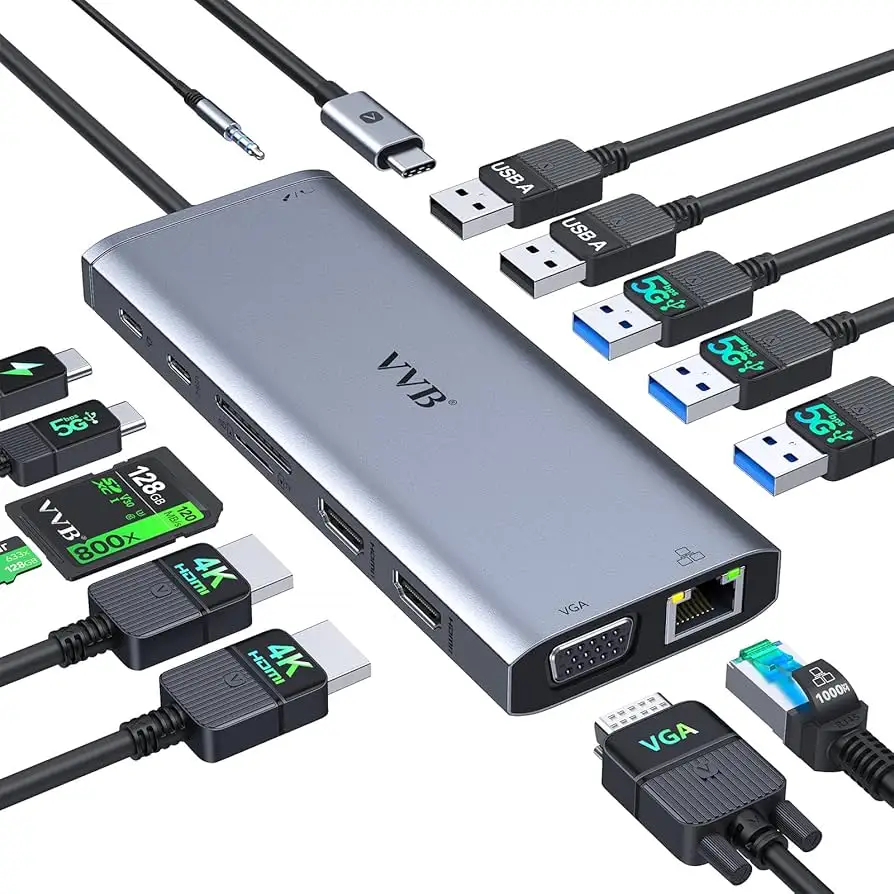
HDMI performance frustrations are frequent, especially for those expecting dual-monitor capability. Despite some listings mentioning two HDMI ports, reality is a single port—buyers misled into thinking it supports extended displays across two monitors express disappointment. “I can use the one along with my laptop screen, but not two separate monitors,” commented one Amazon reviewer.
Durability concerns also surface. A few extreme cases saw failure within 24 hours (“24h after, no port works… had to pay €14 to return”), while others mention eventual degradation—HDMI or USB-C connectors becoming unreliable, likely from wear on the fixed cable.
Compatibility with USB-C phones is spotty. A user experimenting with a OnePlus 7T reported, “does not work with USB-C phones with MHL output,” highlighting that despite theoretical universality, mobile use is not guaranteed.
Divisive Features
The hub’s single HDMI limitation is both praised for reliability and criticized for lack of expansion. Office workers running one external monitor appreciate stable output (“reaction time is very short, transfer is fast”), while multi-display users see it as a bottleneck.
Power pass-through pleases some but is dismissed by others as insufficient. ThinkPad owners consider it essential when all laptop ports are occupied, yet MacBook users or high-power laptops view it as underwhelming.
Even build quality is divisively perceived—most applaud the metal top plate and minimalist design, but a minority find the HDMI/USB-C connection “wobbly when connecting to laptop,” undermining the premium feel.
Trust & Reliability
Trustpilot scores mirror Amazon’s averages at 4.5/5, with clear trust among Lenovo loyalists. Still, early-failure reports warrant caution—return rates for defective units aren’t negligible.
Longevity stories from Reddit suggest careful use matters. One veteran user replaced a three-year-old C116 model after it stopped transmitting video, noting “these should not be moved around much—like putting into a computer bag still attached.”
For those sticking to Lenovo laptops, reports of overheating or dropped connections are rare. Cross-brand use introduces more variability, often due to non-standard USB-C power requirements or alt-mode differences.
Alternatives
Within Lenovo’s own catalog, Plugable’s USB-C 7-in-1 hub appears as a similar tool at a slightly lower price point ($47.49) but offers 87W pass-through charging and only 4K at 30Hz max. For MacBook users, higher-power PD hubs may be a better investment. In community discussions, generic multiport hubs are cheaper but risk compatibility issues—particularly video and power stability—that Lenovo’s branded option handles better.
Price & Value
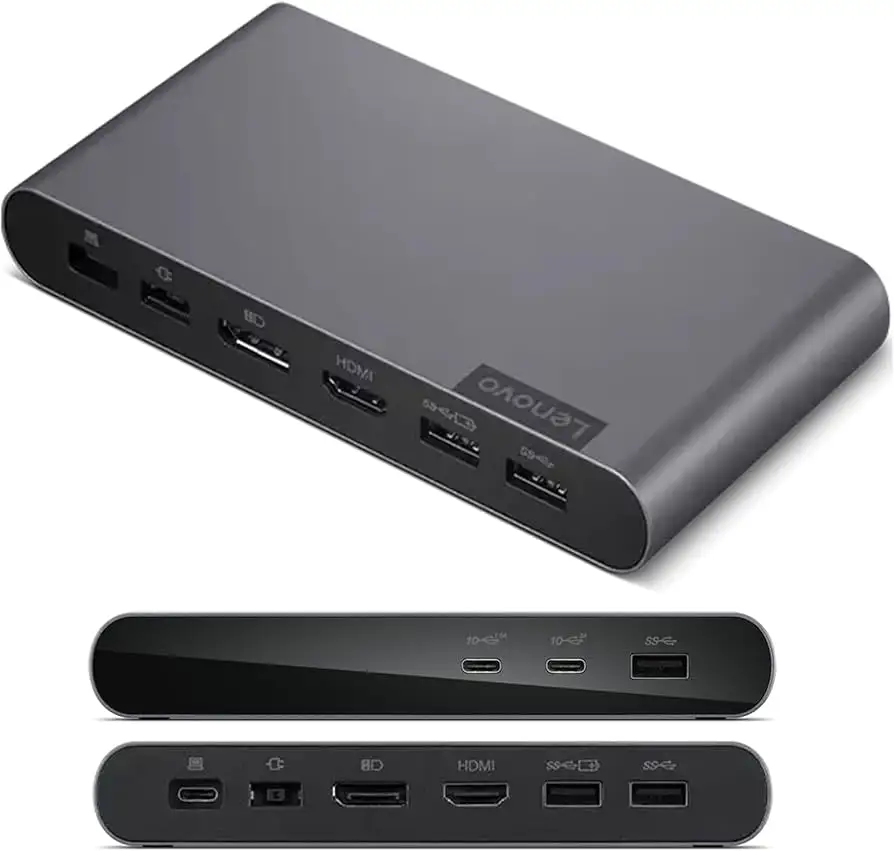
On Lenovo’s site, pricing fluctuates from $79.99 down to $40.37 with promotions, while Amazon lists $54.99 after a 45% discount from $99.99. eBay resale prices drop even further—one open-box listing recently offered it at $24.95 shipped. Given the hub’s targeted audience (Lenovo laptop owners), value is strongest within that niche. Buyers caution against overpaying if using non-Lenovo hardware due to potential compatibility compromises.
FAQ
Q: Does the Lenovo USB-C 7-in-1 Hub support dual external monitors?
A: No. Users confirm it only drives a single external monitor via HDMI, plus the laptop’s built-in screen.
Q: Can it output 4K at 60Hz?
A: Official specs say yes, but many report the hub defaults to 4K at 30Hz on their systems. This may depend on the laptop’s USB-C/HDMI capabilities.
Q: Is it compatible with all USB-C devices?
A: It works with most laptops, especially Lenovo ThinkPads, but has mixed results with non-Lenovo machines and poor support for USB-C phones with MHL output.
Q: How effective is the USB-C power pass-through?
A: Sufficient for ThinkPads using 45W–65W chargers, but inadequate for some higher-demand devices like M1 MacBooks.
Q: Is the fixed cable a problem?
A: It’s fine for flat desk setups but restrictive for elevated stands, prompting many to wish for a longer or detachable cable.
Final Verdict: Buy if you’re a Lenovo laptop owner wanting a compact, reliable travel hub with SD/TF read capability and pass-through charging. Avoid if you need dual external monitors, high refresh-rate 4K output for creative work, or guaranteed compatibility with non-Lenovo devices. Pro tip from the community: match your ThinkPad model to Lenovo’s accessory listings before purchase to confirm full compatibility.





