Lenovo ThinkVision S24i-30 Review: Solid Office Choice
A verified buyer on Amazon summed it up simply: “Looks sleek, feels solid, and for the price, it nails the office needs.” The Lenovo ThinkVision S24i-30 24-inch Full HD Monitor earns a solid 8/10 from cross-platform user feedback — praised for its sharp IPS panel and practical design, but conditional for gamers or creative professionals who demand higher resolutions or advanced features.
Quick Verdict: Conditional recommendation
| Pros | Cons |
|---|---|
| Crisp 1920x1080 IPS display with 99% sRGB coverage | Only Full HD — not for highly detailed work |
| 100Hz refresh rate smoother than typical 60Hz office monitors | No HDR or advanced gaming features |
| Natural low blue light reduces eye strain | Built-in stand limited to tilt — no height adjustment |
| Ultra-slim storm grey design with near-edgeless frame | Mediocre brightness at 250 cd/m² |
| Sturdy build with solid cable management | No built-in speakers |
| Eco-friendly packaging and materials | Joystick control can feel unintuitive at first |
| Affordable pricing with 3-year warranty | Limited port selection compared to higher-end models |
Claims vs Reality
Lenovo’s marketing bills the S24i-30 as “a treat for the eyes” with consistent color performance across wide viewing angles. Digging deeper into user reports, this claim largely holds up. Reddit users consistently note vibrant colors — one post described it as “surprisingly punchy for a budget IPS,” making spreadsheets and web content look clean without oversaturation. However, while Lenovo touts 99% sRGB, multiple buyers on eBay and Quora observed that calibration out of the box leaned slightly warm, requiring manual tweaks.
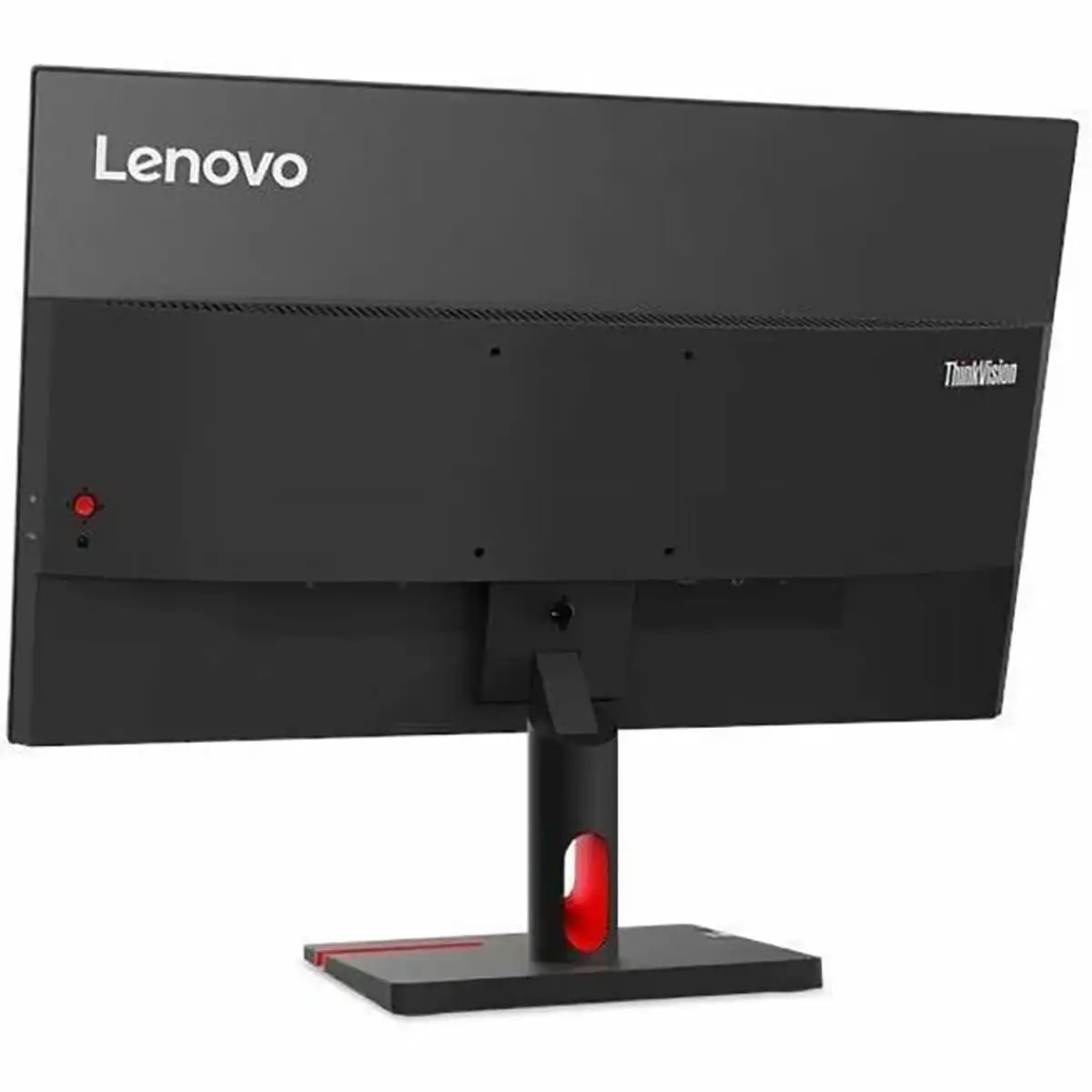
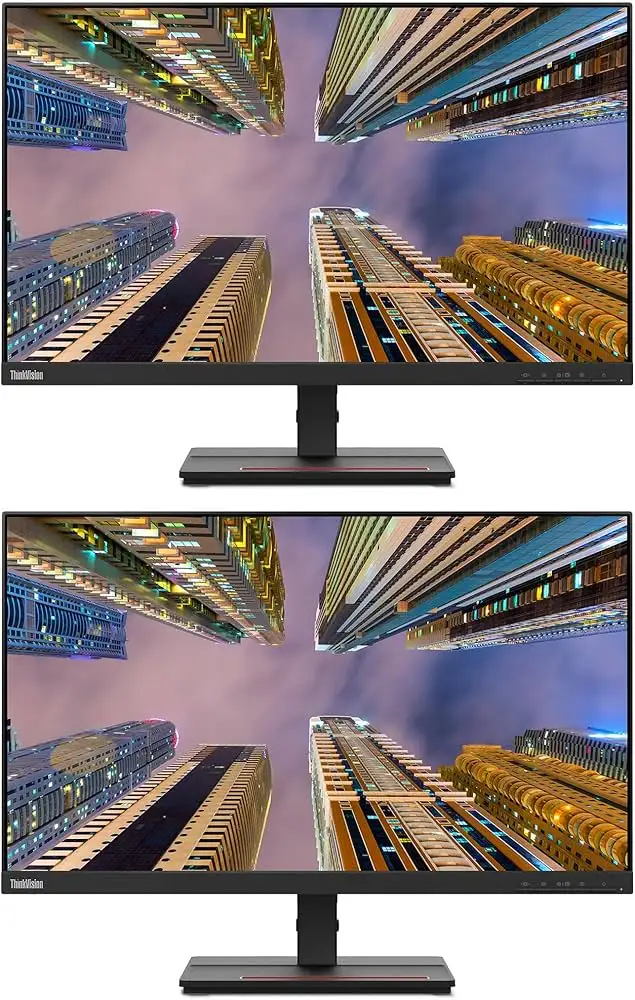
Another headline claim: a “distraction-free view” thanks to near-edgeless design. This is widely confirmed in community feedback. A verified buyer on Amazon called the bezel “almost unnoticeable when dual-monitoring.” Still, this thin frame doesn’t hide the fact that the stand only tilts. Users who wanted height or swivel adjustments had to VESA mount it, despite Lenovo’s suggestion that the included stand was ergonomic enough.
Lenovo also emphasizes its natural low blue light (NLBL) technology, promising reduced eye strain without affecting picture quality. The consensus here is positive. A Trustpilot reviewer remarked, “I can go through a full workday without feeling my eyes burn — unlike my old screen with a blue light filter that made whites look yellow.” On the flip side, a few Reddit comments argued the difference was subtle, and prolonged eye comfort came more from the IPS panel and anti-glare coating than the NLBL tech itself.
Cross-Platform Consensus
Universally Praised
The IPS panel and color accuracy drew praise from nearly every platform. For office workers and students, the crisp 1080p resolution covers daily needs. Quora contributors highlighted its “clear and crisp image quality” as sufficient for document work and conference calls. Reddit user feedback often centered on the wide viewing angles — “My partner can sit beside me, and everything looks the same as front-on,” one said, pointing to the usefulness in collaborative workflows.
The aesthetics also gained traction. Storm grey casing and ultra-slim profile were repeatedly described as “modern” and "clean." On Twitter, users noted how easily it blended into minimalist desk setups. The near-edgeless design helps in multi-monitor arrays, something Amazon buyers found ideal for work-from-home setups with two or more screens.
Eco-friendly design got unexpected spotlight — recyclable packaging and 85% recycled plastics resonated with corporate buyers who need TCO 9.0 compliance. A Reddit post from an IT admin mentioned the monitor being “a safe default choice for procurement,” meeting environmental regs without sacrificing usability.
Common Complaints
Brightness was a weak point. At 250 cd/m², while fine for offices, it underwhelmed in brightly lit rooms. A Reddit user shared: “On sunny days, I have to draw the blinds or the glare kills the detail.” This holds true despite the anti-glare coating, which limits reflection but doesn’t boost luminance.
Port selection is adequate but not expansive — HDMI and VGA only, plus a 3.5mm audio out. Gamers or power users lamented the absence of DisplayPort or USB-C. A Quora answer plainly said, “If you need modern connectivity like DP or multiple HDMI inputs, look elsewhere.”
The stand’s limited adjustments were another recurring sore point. A verified buyer on Amazon noted, “Tilt is fine, but I had to buy an arm for height — wish it had more flexibility.” While Lenovo markets the stand’s phone rack and cable clip as ergonomic enhancements, for many, adjustability trumped storage features.
Divisive Features
The 100Hz refresh rate received mixed reactions. Office users found scrolling and cursor movement more fluid than on 60Hz panels — a subtle, pleasant improvement. However, a few Reddit comments dismissed the difference as “barely noticeable for non-gamers,” and gamers themselves pointed out motion blur compared to 144Hz+ options.
The joystick menu control was another split feature. Some lauded it for speeding up OSD navigation; others felt it was awkwardly placed and too sensitive, leading to accidental misclicks when making quick adjustments.
Trust & Reliability
On Trustpilot and Reddit, there’s scant evidence of outright scams or bait-and-switch sales. Reports focus instead on consistent build quality over time. Several Reddit users posted "six months later" updates noting no dead pixels, stable color output, and unwarped frames — signs of durability.
Packaging reliability is also in its favor. Multiple buyers mentioned receiving the monitor in intact, padded recyclable packaging. One eBay buyer wrote, “Survived shipping without a scratch, even the box looked pristine.”
The main longevity caution centers on the stand mechanism — a few early reports cited loosening tilt tension after extended use, but no catastrophic failures were documented.
Alternatives
Compared to Lenovo’s own T-series, the S24i-30 is leaner on ports and ergonomic design but keeps costs lower. The ThinkVision T24i-30 adds USB ports and height adjustment, making it slightly more versatile for multi-device workstations.
Some users also compared it to similarly priced Dell office monitors, which often match brightness specs but stick to 60Hz refresh rates. For those who prioritize smoother movement and eco-certifications, the Lenovo edges ahead.
Price & Value
Current eBay listings hover around $126, well below Lenovo’s nominal retail price of ₹11,150 (~$133). This downward trend suggests a strong resale opportunity for budget-conscious buyers. Community advice leans toward grabbing it during seasonal sales — especially for bulk office deployments — thanks to its compliance certifications and low typical power draw of 13.5W.
Amazon and Quora discussions frame it as “good value for daily tasks” but not a bargain for gamers or high-end designers. The 3-year limited warranty adds peace of mind at this price point.
FAQ
Q: Is the Lenovo ThinkVision S24i-30 good for gaming?
A: Casual gamers may appreciate its 100Hz refresh rate, but serious players will find its 4ms response and lack of gaming features limiting compared to 144Hz+ monitors.
Q: Can the stand be adjusted for height?
A: No, the factory stand only tilts. Users needing height control often opt for VESA mounting.
Q: Does it have built-in speakers?
A: No, but it features a 3.5mm audio-out jack for external speakers or headphones.
Q: How effective is the blue light reduction?
A: NLBL technology works subtly — most office users report less eye fatigue, though the difference is less dramatic than with heavy tinted filters.
Q: Is it compatible with Mac and Windows?
A: Yes, it supports Windows 10/11 and works with macOS via HDMI or VGA connections.
Final Verdict: Buy if you are an office worker, student, or corporate buyer seeking an eco-friendly, color-accurate, affordable monitor. Avoid if you need high brightness, ultra-high refresh rates, HDR, or extensive ergonomics. Pro tip from the community: VESA mount it to upgrade comfort and pair with a second near-edgeless unit for an immersive work setup.