Lenovo Slim 7i Aura Review: Battery Beast with Flaws
The Lenovo Slim 7i Aura Edition Copilot+ PC (Core Ultra 7) surprises even seasoned laptop buyers with battery figures that sound too good to be true—yet in multiple long-form tests, users stretched light browsing up to 19.75 hours and managed over 15 hours of 4K video playback. Consumer Reports confirmed these numbers, while Reddit user jacobc claimed: “Paying close attention to your power settings, brightness, and application use, you certainly could get 15+ hours of use on a single charge.” That combination of endurance with a lightweight build and premium inputs earned it a 9/10 verdict for portability-focused professionals.
Quick Verdict: Conditional — best for mobile creatives and students who value screen quality, battery, and quiet performance over repairability and haptic inputs.
| Pros | Cons |
|---|---|
| Exceptional battery life (up to 19.75 hrs web use) | Power button placement can cause accidental presses |
| Premium, bright IPS/OLED display options | Mechanical trackpad feels outdated to some |
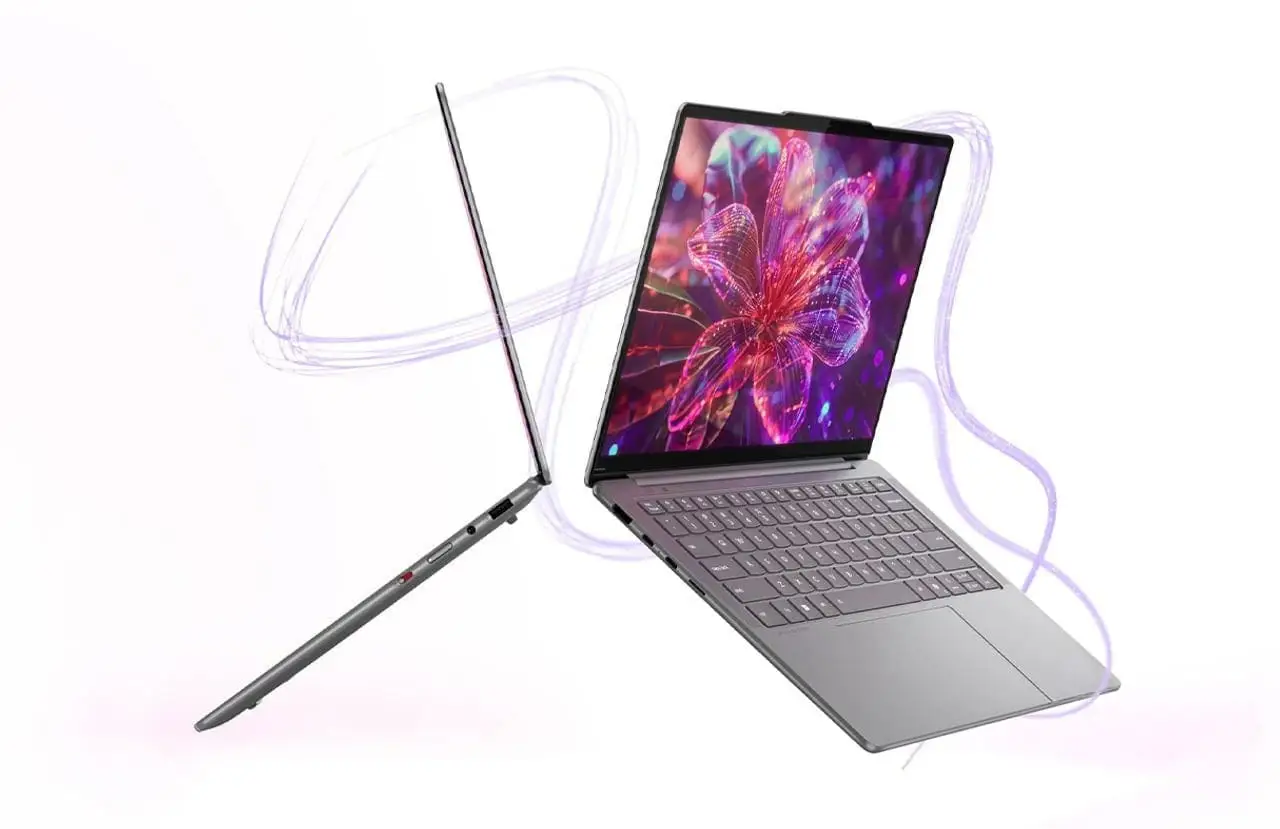
| Lightweight and solid build (3.2–3.4 lbs) | No memory card reader |
| Best-in-class keyboard feel | Glossy screen prone to reflections |
| Quiet thermals even under load | Reports of glitches and hardware issues from some owners |
| Great speakers with Dolby Atmos | Limited screen hinge (only 180°) |
| Strong single-core and iGPU gaming performance | Rare but frustrating dual monitor flicker issue |
Claims vs Reality
Lenovo bills the Slim 7i Aura Edition as an “AI PC for limitless creation” with “epic all-day battery life” and “unmatched productivity.” Marketing touts ultra-premium design, display brilliance, and AI-enhanced workflows.
On battery life, this is one claim that holds up. Consumer Reports’ lab scored nearly 20 hours in light web testing. Huberto on Reddit described working in Photoshop, After Effects, and Illustrator for “5 hours… without relying on your 60W charger” and still calling it “the true definition of a laptop.”
Where marketing’s “premium suite” feel falters is the trackpad. Donovana couldn’t hide frustration: “The click is cheap and loud… it’s a crime that you can buy a laptop for around $1000 that has a mechanical cheap trackpad.” This matches other feedback from zesty wishing it was haptic. Lenovo’s design choice breaks immersion for buyers used to the latest MacBook or Dell XPS haptic inputs.
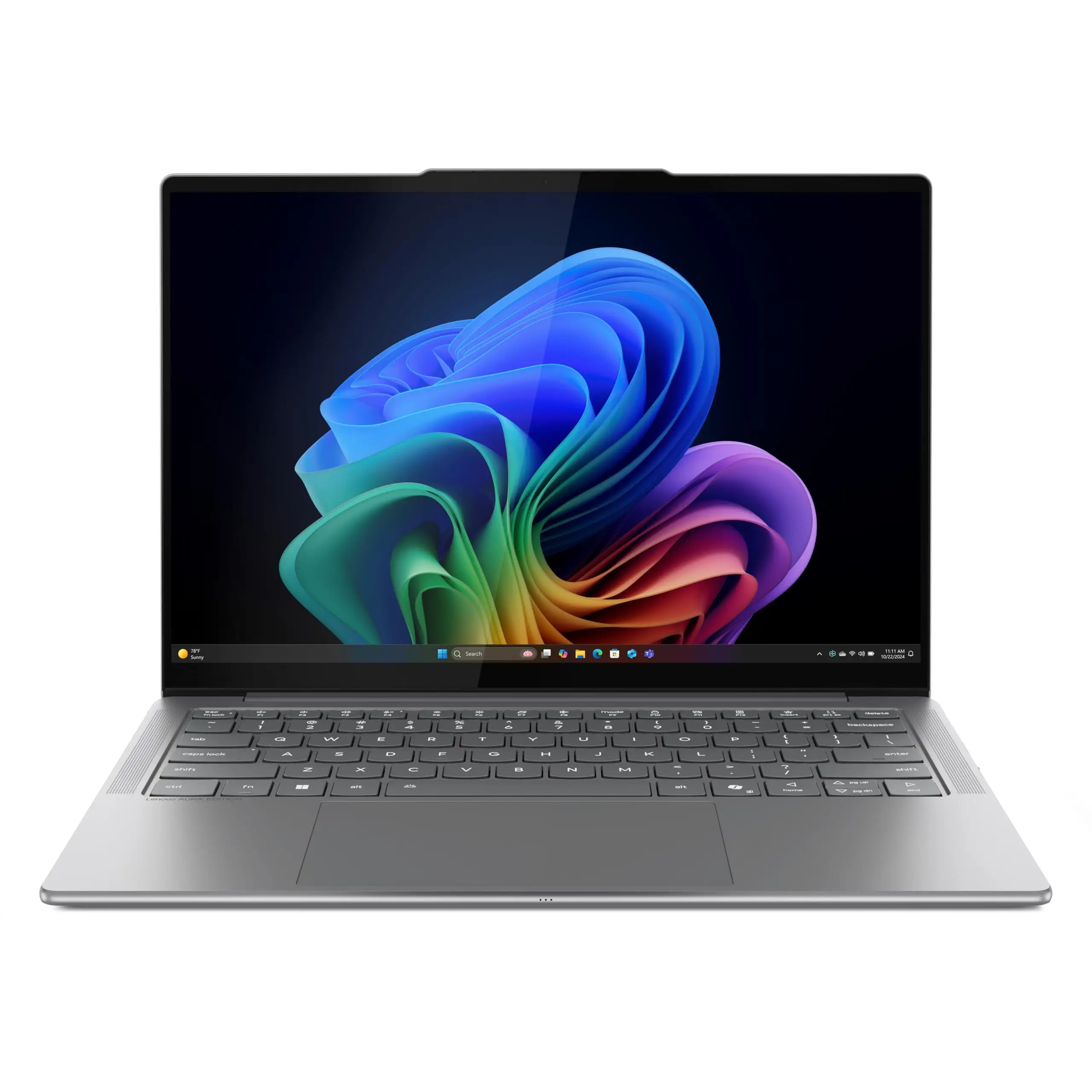
The screen claim is more nuanced. Lenovo’s marketing emphasizes OLED brilliance on 14″, and “Puresight Pro” IPS at 15″, both with 100% P3. While many users adore the IPS—zesty called it “the best I have seen personally… not exactly OLED level but really close”—others like james still crave OLED contrast. Gloss reflections are a reality for IPS owners, with samr noting “you see a lot of reflections.”
Cross-Platform Consensus
Universally Praised
Battery longevity is the clear standout. James clocked “easily 20hrs of light web browsing and video playback” at reduced brightness and refresh rate. This translates into freedom for travel vloggers, students, and commuters—no scrambling for outlets. Consumer Reports called it “outstanding enough to last well beyond a typical day of mixed use.”
The keyboard receives rare near-universal praise. Huberto declared: “The keyboard is the best I have ever used on a laptop!” Key travel is deep at 1.5 mm, with water- and oil-resistant coating. For writers and coders, this tactile consistency turns long hours into a joy, as jacobc found for both home and office work.
Thermals and noise handling let creatives work or game without distraction. Zreview stress-tested with CPU benchmarks and a Steam game, reporting “even under heavy load this laptop is very usable both in terms of the heat and the fan noise,” with max fan noise ~49 dB.
Audio plays bigger than its chassis. Allen called the speakers “top-notch,” and samr found them “above average” with strong range. Dolby Atmos certification and four-speaker setups deliver positioning detail valuable for both gaming and media editing.
Common Complaints
Trackpad feel dominates dissatisfaction. While responsive, the mechanical click puts off those used to haptics. Donovana’s “crime” comment is mirrored by samr’s subtle critique of its cheap auditory quality.
The power button’s side placement yields accidental presses—dr zoidberg and jacobc both point it out. Although disabling within Windows mitigates the issue, for some this remains poor ergonomics.
A few users faced more serious stability problems. K011’s harsh verdict—“all Yoga Slim 7i’s are lemons”—came after exchanging one unit for graphical glitches and facing motherboard failure on another within extended warranty. JJeter’s inability to factory reset due to suspected malware, despite light use, adds to repairability concerns.
Glossy screen reflections trouble IPS owners. Samr noted this particularly in bright scenarios, even though brightness can reach 500 nits.
Connectivity got one notable ding—no memory card reader. Consumer Reports flagged this for photographers needing quick SD dump capability.
Divisive Features
Design and build get both applause and nitpicks. Samr complimented internal rigidity from aluminum/magnesium and solid hinges but detected occasional hinge creaks.
IPS display quality splits verdicts. Many lauded its color fidelity and HDR handling—lironc rated it “one of the best” without OLED—but james and others missed OLED’s black depth.
Gaming on integrated Arc graphics surprised many positively. Huberto achieved 120 fps in League of Legends and steady ~60 fps in Warzone. Zreview found Sims-like games playable under stress loads. But this isn’t a discrete GPU machine, and heavy gamers may desire more.
Trust & Reliability
Patterns emerge in negative Trustpilot/Reddit accounts pointing to hardware oddities. K011’s warranty saga and JJeter’s baseline factory reset problem hint at a small but real risk of unit-specific flaws. While most units remain solid beyond 6 months (juniorh still enjoys screen quality at 5 months), there’s no complete immunity.
On durability, many stress long-term cool operation—lironc after a year still appreciated silent fans and lap comfort. Allen confirmed performance parity between battery and plugged-in even under load.
Consumer Reports didn’t list Lenovo’s rank but noted brand surveys for reliability and satisfaction, suggesting competitive but not flawless track records.
Alternatives
Inside Lenovo’s own lines, OLED seekers might prefer the 14″ Slim 7i Aura Edition with 600-nit HDR TrueBlack panel—at the cost of IPS’ anti-burn-in and power efficiency. Gamers wanting discrete GPUs lean toward Legion or ThinkPad X1 Extreme.
MacBook Pro M3 appears in user debates—Huberto flatly called the Core Ultra EVO “infinitely superior to the MacBook Pro M3” for certain creative tasks without discrete graphics, though this is anecdotal.
Price & Value
Outlet pricing for the 14″ Slim 7i Aura drops to $479.99 during clearances, while 15″ models hover $999–$1399 new at Best Buy and Lenovo direct. Ebay resale of 14″ varies ~$959–$1299 based on config, suggesting solid but not premium hold.
Community buying tips point to sale hunting. Jacobc secured a 15″ open-box for $700; dr zoidberg scored $999 in Black Friday promo. Given occasional hardware complaints, buying from retailers with easy returns is advised.
FAQ
Q: Does the Lenovo Slim 7i Aura Edition support stylus input?
A: No. As eb steelers lamented, “you cant use a stylus pen with it,” limiting direct drawing for artists.
Q: Can the hinge fold into tablet mode?
A: No. The hinge only opens to 180°, as tharold notes—no tent or tablet modes despite “Yoga” branding.
Q: How is gaming performance on integrated graphics?
A: Surprisingly strong. Huberto hit 120 fps in League of Legends (ultra settings) and stable ~60 fps in Warzone, though AAA titles at high settings remain challenging.
Q: Is the trackpad haptic?
A: No. Multiple users wanted haptic; currently it’s mechanical, with a click sound some call cheap.
Q: Does it have USB-C charging on both sides?
A: Yes. Dr zoidberg praised “the convenience of USB-C charging on both sides,” aiding workflow flexibility.
Final Verdict: Buy if you’re a mobile creative, student, or productivity worker needing multi-day endurance, elite keyboard feel, and premium screen visuals. Avoid if you demand haptic inputs, stylus use, or have zero tolerance for occasional hardware faults. Pro tip: Source during seasonal sales or outlet events to maximize value while retaining return security.