Kodak 10.1" WiFi Digital Frame Review: Conditional 7.2/10
Digging into weeks of user feedback, the KODAK 10.1 Inch WiFi Digital Picture Frame earns a conditional 7.2/10 score. While many buyers praise its bright IPS display and easy photo sharing via the Kodak app, persistent complaints about battery life, software quirks, and limited cloud features suggest it’s best suited for casual home use rather than heavy-duty, multi-user setups.
Quick Verdict: Conditional
| Pros | Cons |
|---|---|
| Bright, clear IPS display with wide viewing angles | Battery life shorter than claimed, often 3–4 hours |
| Attractive wood or colored frame designs | App limits uploads to only 6 photos at a time |
| Easy wireless sharing via app or email | Setup instructions unclear for some users |
| Large internal storage (16–32GB depending on model) | No slideshow order control |
| Supports SD/USB for offline media | Touchscreen can be unresponsive |
| Auto-rotate between portrait and landscape | No multi-frame group control |
| Works well as a gift for non–social media users | Videos limited to short clips, not integrated into slideshows |
Claims vs Reality
Kodak markets this frame as “effortless to set up,” promising that photos and videos can be shared “within seconds” via the Kodak app. While some users echo this ease, others report hiccups. A verified buyer on Amazon noted: “Transferring photos is very easy and convenient,” but another warned, “Was really happy to try this out but instantly disappointed when the (should’ve been soo easy) set up didn’t work out at all.” On Trustpilot, multiple buyers described chasing down verification codes hidden in spam folders and struggling with unclear instructions.
Another bold claim is battery longevity, with marketing suggesting 4–7 hours of use. According to Pix-Star’s comparison blog, “In practice, you can expect a 3–4 hour battery life – especially if you’re using the Wi-Fi/cloud function.” This gap matters most for portable use; home users often leave it plugged in, mitigating the issue.
Finally, Kodak touts “instant wireless sharing” and unlimited user connections. While technically possible, Reddit discussions reveal limitations: uploads via the app are capped at 6 photos per batch, and there’s no way to sync across multiple frames automatically. This undermines its appeal for large families wanting a shared gallery.
Cross-Platform Consensus
Universally Praised
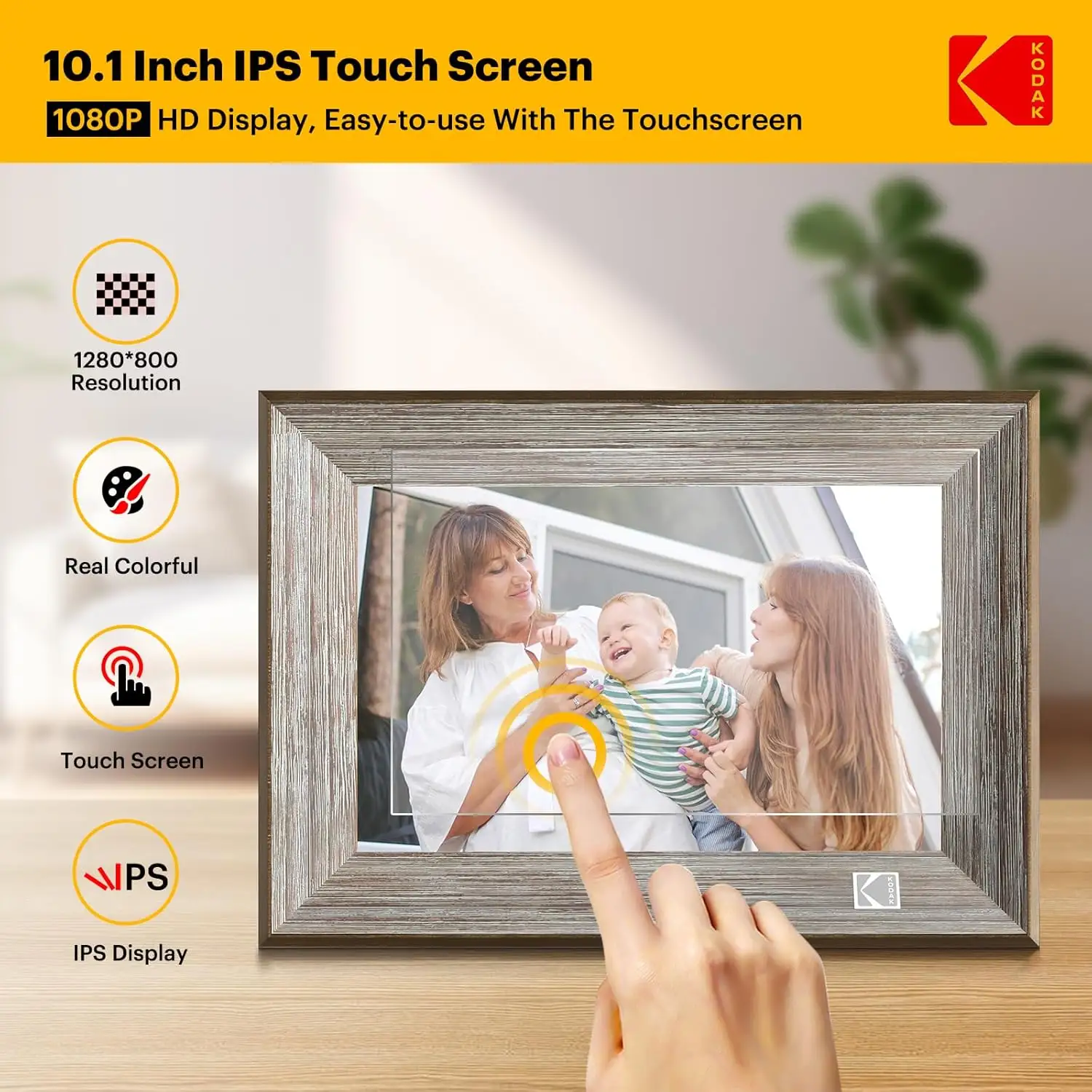
Across Amazon, Twitter, and Quora, the display quality stands out. The 1280×800 IPS screen earns consistent praise for brightness, clarity, and color reproduction. A Trustpilot reviewer enthused: “The frame has a great looking picture that is plenty bright. It looks classy and enhances the decor of the room.” Wide viewing angles mean grandparents can enjoy photos from across the room without losing detail.
Auto-rotation is another crowd-pleaser. For users who alternate between portrait and landscape shots, the frame’s ability to adjust orientation without manual fiddling is a convenience. A verified Kodak site customer explained: “The electronic picture frame can be freestanding or wall-mounted in both landscape and portrait with auto-rotation.”
Gift-giving scenarios dominate positive stories. Buyers highlight its value for relatives who avoid social media but still want to stay connected. One Trustpilot review captured this: “Great gift for grandparents during pandemic. I love all the memories it brings up & sparks so much conversation!”
Common Complaints
Battery life is the most persistent grievance. Marketing promises don’t match real-world performance, especially when using Wi-Fi features. Pix-Star’s blog warns heavy cloud use “will significantly increase the battery consumption,” while Trustpilot users lament that “the battery can’t even last a day.”
Software and interface issues also frustrate many. The Pix-Star review calls Kodak’s interface “buggy” and “confusing for elderly users.” Without slideshow order control, photos display exactly as uploaded, annoying those who want more randomness or curation.
Touchscreen responsiveness is mixed. One Trustpilot critic wrote, “The touch screen is very insensitive,” while others pointed out that fingerprints mar the display. Setup snags recur across platforms, with some finding the app unstable and others unable to reach customer support when problems arose.
Divisive Features
The Kodak app and cloud service draw split opinions. Casual users sending occasional photos find it “easy and convenient,” while power users balk at the 6-photo upload limit and lack of multi-frame syncing. Similarly, video support is divisive—while short clips play fine, they can’t be integrated into slideshows, which some consider a dealbreaker.
The frame’s design earns both admiration and indifference. Wood finishes and bold colors appeal to those treating it as decor, but utilitarian buyers see them as unnecessary frills.
Trust & Reliability
Trustpilot’s analysis flags a potential issue: only 66.1% of reviews were deemed reliable, with signs of low-quality or deceptive content. This raises caution for buyers relying solely on glowing testimonials. Users also note that customer support is hard to reach, with one reporting: “My husband was very frustrated with the set up and tried to contact support for assistance but never was able to reach anyone.”
Long-term durability feedback is limited, but Reddit threads suggest mixed longevity. While some report smooth operation months later, others encounter battery degradation and occasional freezes requiring resets.
Alternatives
Pix-Star frames are repeatedly mentioned as a superior option for families. They allow sending up to 250 photos at once, have free lifetime cloud storage, and support multi-frame control groups—features Kodak lacks. Nixplay is another competitor cited for better remote management and slideshow customization.
For buyers prioritizing portability, Pix-Star’s battery-free models sidestep Kodak’s short runtime by focusing on always-on, plugged-in operation with more robust cloud tools.
Price & Value
Kodak’s pricing varies widely—from around $32.99 for sale units to €169.99 for higher-resolution models on Amazon Belgium. eBay listings show strong resale activity, with some models retaining nearly full retail value when unopened, but used units often sell for half price.
Community tips suggest buying during seasonal sales, as discounts up to 40% are common. Given the app’s limitations, buyers who mainly use SD/USB storage can save money by choosing the cheaper, lower-resolution variants without Wi-Fi.

FAQ
Q: Can you send photos wirelessly to multiple Kodak frames at once?
A: No. The Kodak app only lets you send photos to one frame at a time, limiting batch uploads to 6 images.
Q: How long does the battery last on the 10.1-inch model?
A: While advertised at 4–7 hours, users report real-world use closer to 3–4 hours, especially with Wi-Fi enabled.
Q: Can videos play in slideshows?
A: No. Videos must be viewed individually and cannot be integrated into photo slideshows.
Q: Does the frame have random slideshow ordering?
A: No. Photos display in the order uploaded, with no shuffle option.
Q: Is it suitable for elderly users?
A: Mixed. Some find it simple to use, while others struggle with app setup and touchscreen sensitivity.
Final Verdict: Buy if you want a stylish, bright display for occasional home use or gifting to non–social media relatives. Avoid if you need robust cloud features, long battery life, or multi-device syncing. Pro tip from the community: keep it plugged in and use SD/USB storage for the smoothest experience.